Table of Contents
Grok provides an account-data export that can include conversation history and related account records. The request is made from Grok's data controls, and the completed archive is normally delivered through a time-limited link sent to the account email address.
An export is a snapshot, not a continuous backup. The exact files and fields depend on xAI's current export format.
Request your Grok data export
- Open Grok and select your profile picture or account menu.
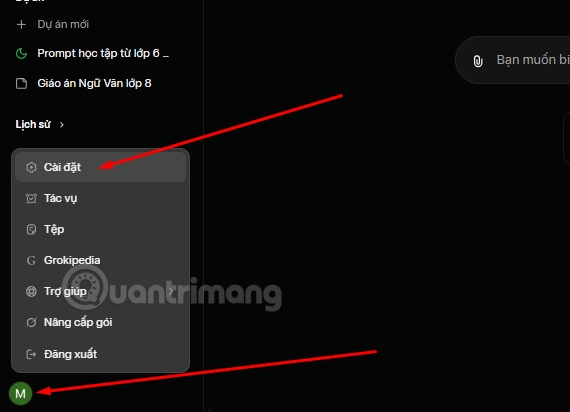
- Open Settings, then find Data Controls, Data, or a similarly named privacy section.
- Select Export data or Download account data.
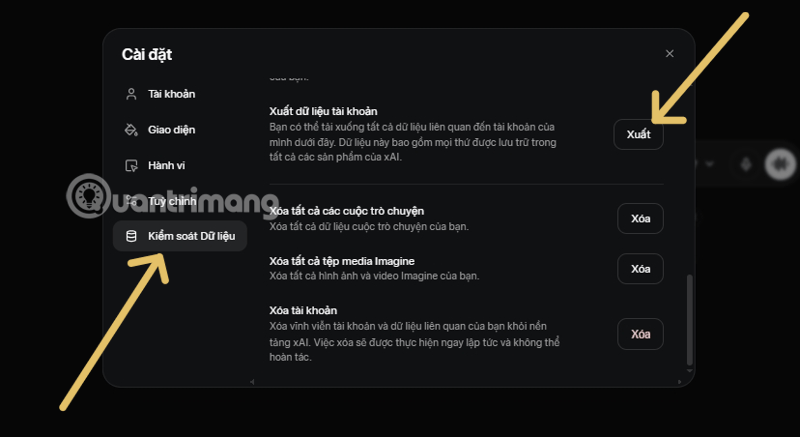
- Confirm the request. xAI may ask you to verify your identity or account email.
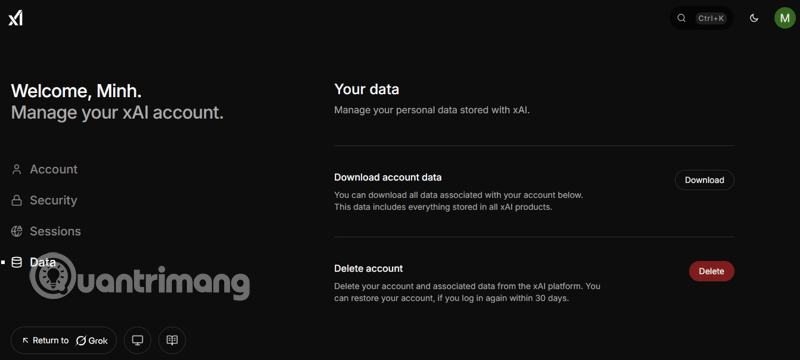
Menu wording can differ between Grok on the web, its mobile apps, and Grok accessed through X. If the option is missing, update the app and check the account's privacy or data settings in a desktop browser.
Download the completed archive
Wait for the confirmation email, then verify that the sender and destination link belong to the expected xAI or Grok domain before opening it. Export links can expire, so download the archive promptly and do not forward the email.
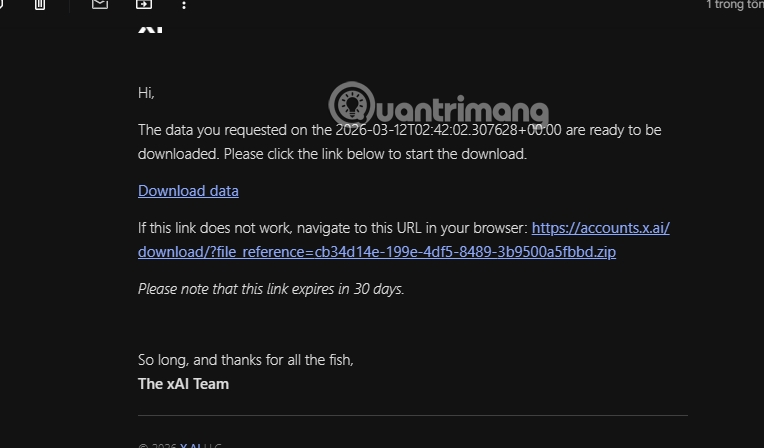
If the email does not arrive, check spam, confirm the address attached to the account, and avoid submitting repeated requests immediately. Large accounts may take longer to prepare.
What to expect inside the export
The download is commonly a compressed archive containing machine-readable files such as JSON, along with any other data xAI includes. Do not assume that every attachment, deleted chat, generated image, or exact interface layout will be present. Read the archive's included index or documentation first.
To inspect JSON safely, use a trusted local text editor or an offline JSON viewer. Avoid uploading the archive to a random converter because it may contain private prompts, account identifiers, file names, or conversation metadata.
Store the archive securely
- Keep it in an encrypted drive or password-protected backup location.
- Do not commit it to a public Git repository or shared team folder.
- Delete unneeded temporary copies after extraction.
- Review files before sharing a single conversation; the archive may contain unrelated chats.
- Repeat the export periodically if you need a continuing record.
Exporting is different from deleting
Downloading a copy does not remove conversations from Grok or close the account. If your goal is deletion, use the separate chat, data-retention, or account-deletion controls and read what each action covers. Keep the export only as long as it serves a real backup, portability, or compliance need.
Related Articles
 Grok Chat History Deletion Guide4 minutes read
 How to Enable the Memory Feature on Grok to Personalize Your Own AI Assistant6 minutes read
 Experience the Hilarious Grok AI Chatbot on X3 minutes read
 What Is the Project Feature in Grok AI? How to Effectively Manage Your Projects with Grok10 minutes read
 Instructions for Exporting Chats on ChatGPT3 minutes read
 More Professional, Easier Programming with Grok's Files Feature6 minutes read
Reader Comments 0
Sign in with email or Google to join the discussion.