Table of Contents
This practical guide explains how to send messages in the threads app. Follow the steps in order, review the requirements first, and use the troubleshooting notes when a setting or option does not work as expected.
How to text on Threads app
Step 1:
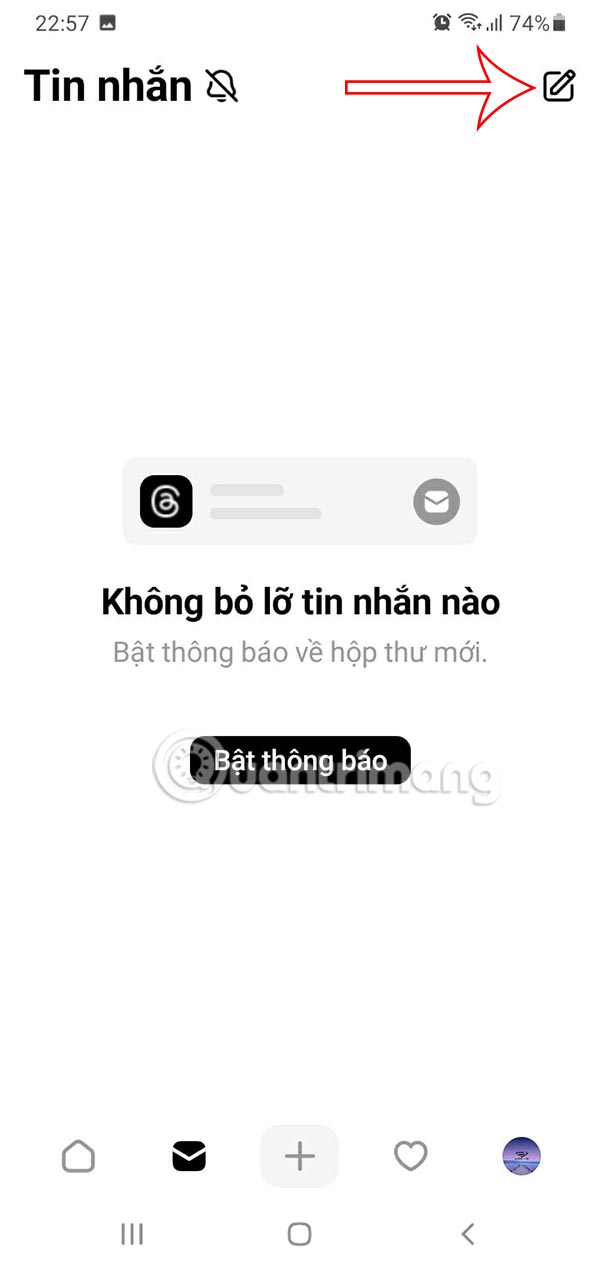
First you need to update the Threads app to the latest version. Then we will see the messaging icon at the bottom of the screen as below.

Step 2:
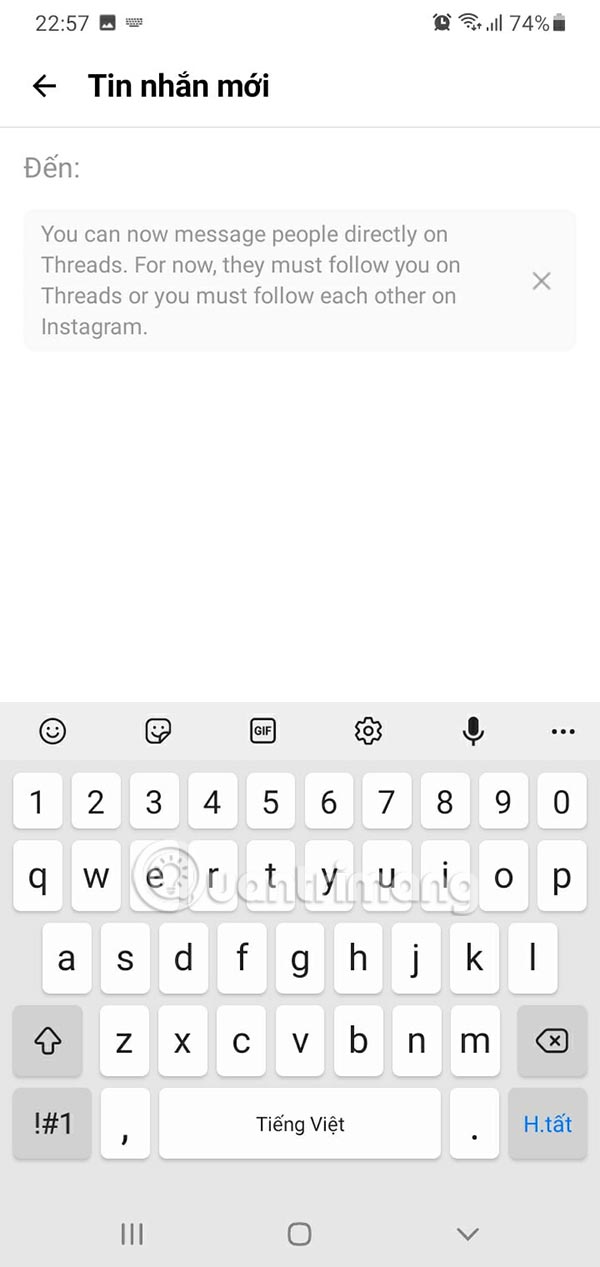
In the messaging interface on Threads, you select the pen icon to send a message on the application. Now we will enter the name of the Threads account you want to message that they follow you on the application, or you follow them on Instagram.
Step 3:
Finally, you just need to enter the message content and press the send icon to send.
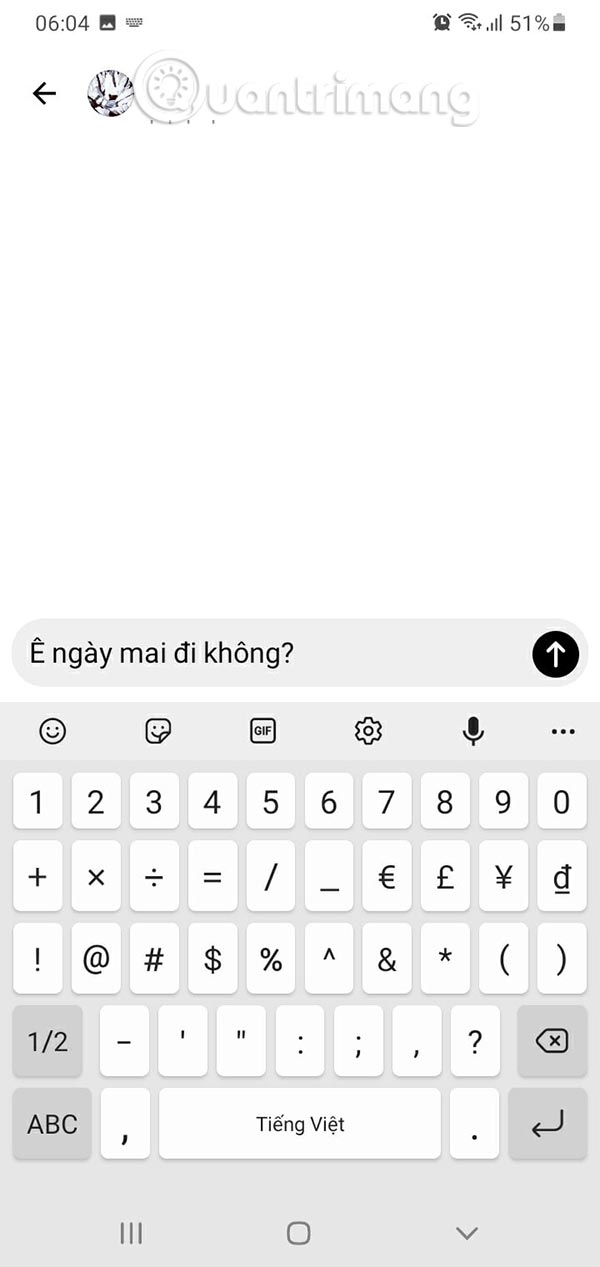
The recipient of the message simply needs to access the Threads app to read the message.
Step 4:
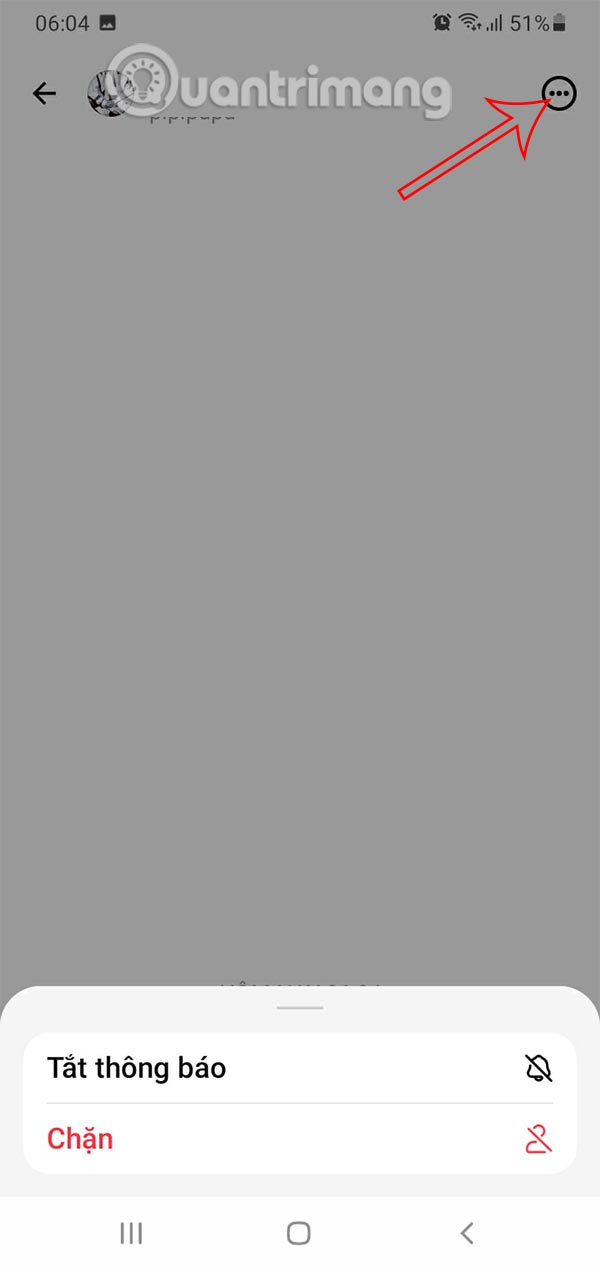
In the messaging interface, you can also tap the 3-dot icon to turn off message notifications from this account or block messages from this Threads account.
FAQ
How to text on Threads app?
First you need to update the Threads app to the latest version. Then we will see the messaging icon at the bottom of the screen as below.
What does this guide cover?
This guide explains send messages in the threads app, including the main steps, important details, and practical considerations.
Who is this guide for?
It is designed for readers who want a clear, practical overview and a reliable process they can follow without unnecessary complexity.
Related Articles
 How to Block Strangers from Messaging on Threads3 minutes read
 How to Create a Chat Group on Threads3 minutes read
 What's Coming to Threads9 minutes read
 How to Create Attachments on Threads3 minutes read
 What Are Threads? Everything About Meta.'s New Social Network8 minutes read
 How to Hide Comments on Threads, Filter Inappropriate Comments Threads3 minutes read
Reader Comments 0
Sign in with email or Google to join the discussion.