Table of Contents
Learn how to automatic baggage check-in without queuing with clear steps, practical tips, and troubleshooting guidance for a reliable result.
How to do automatic baggage check-in
Step 1
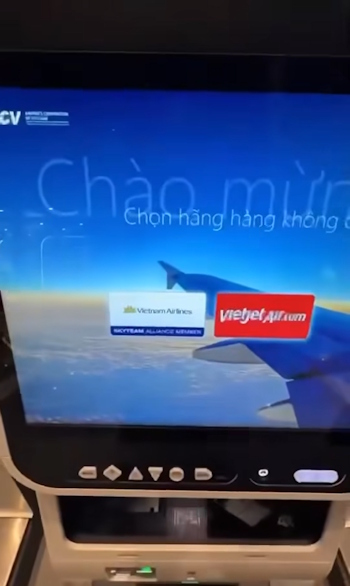
You go to the automatic check-in machine, and put your luggage on the scale right next to it. First, click on the screen and choose the airline, Vietnam Airlines or Vietjet Air .
Next, select Vietnamese language and agree to the terms.
Step 2
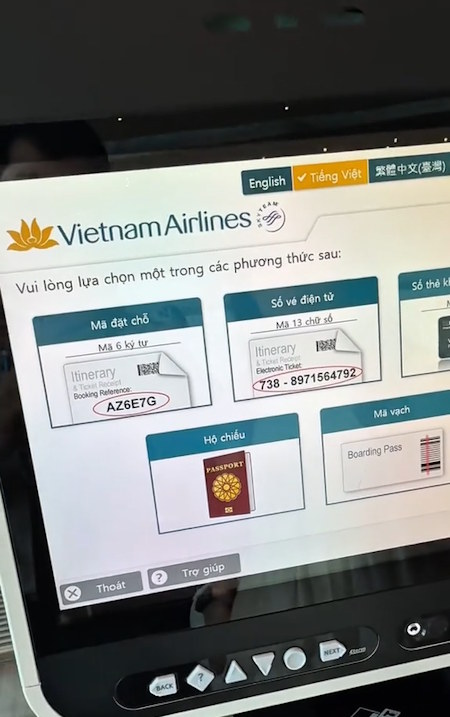
Next, choose the check-in method . Here we click on the 6-digit Booking Code .
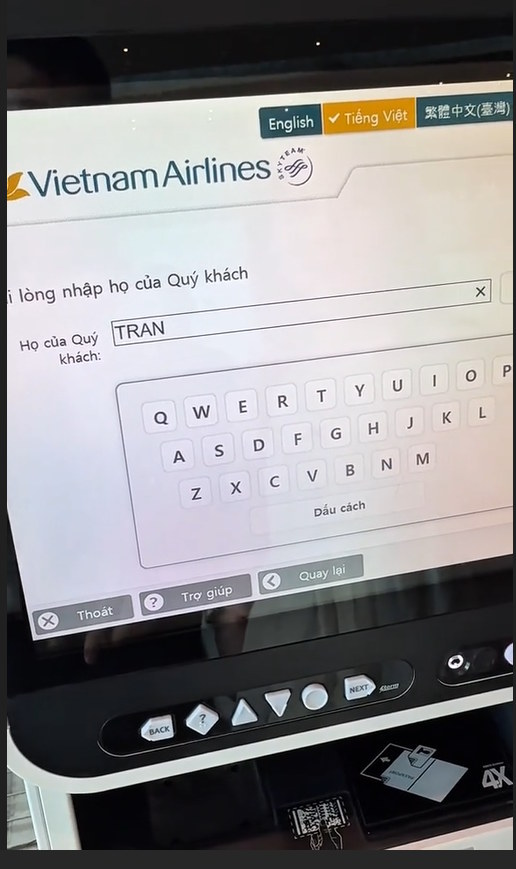
Then enter your last name to continue the procedure.
Step 3
Enter the 6-digit booking code on the screen and press Continue.
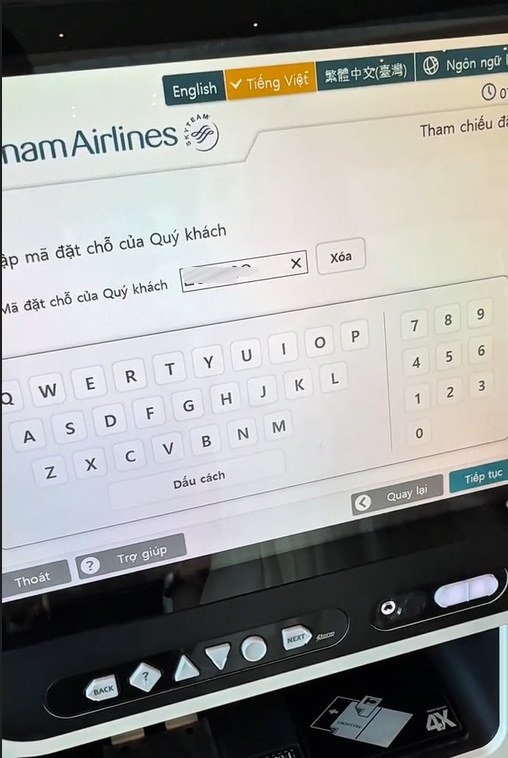
At this time, the customer information screen will appear. For those who have checked in online , click Yes .
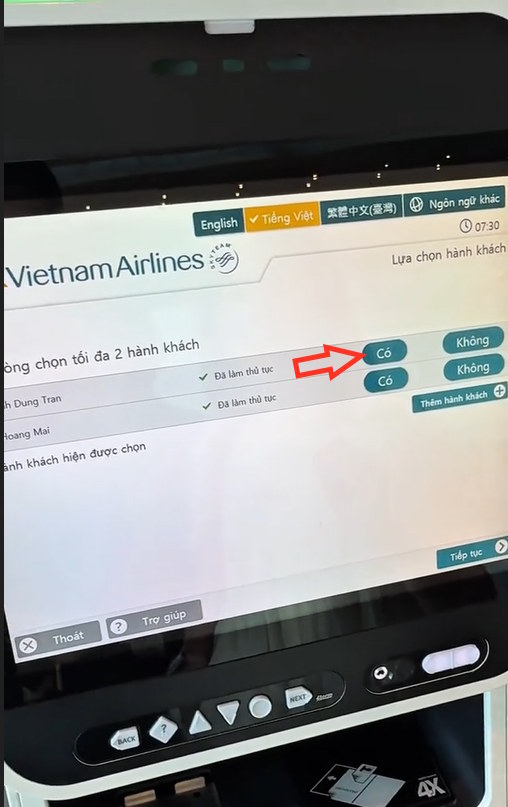
Step 4
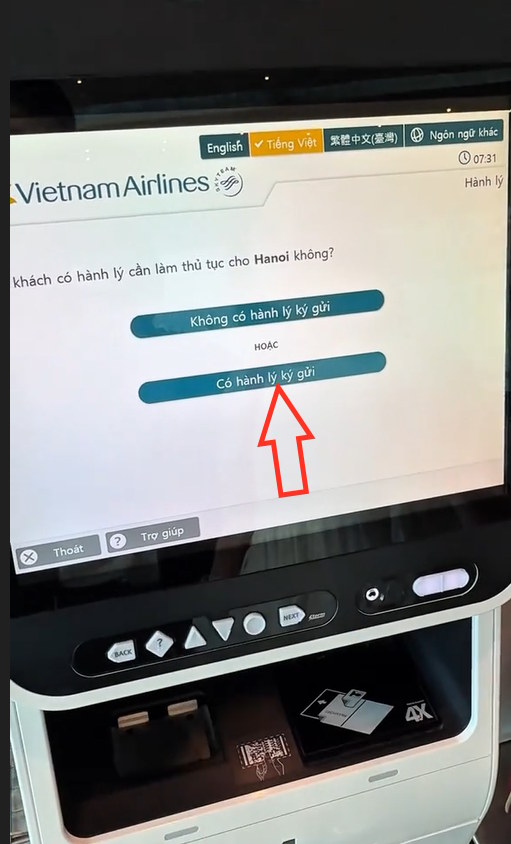
Display flight information, review the information and click Confirm check-in. Next, click Have checked baggage to check-in automatically.
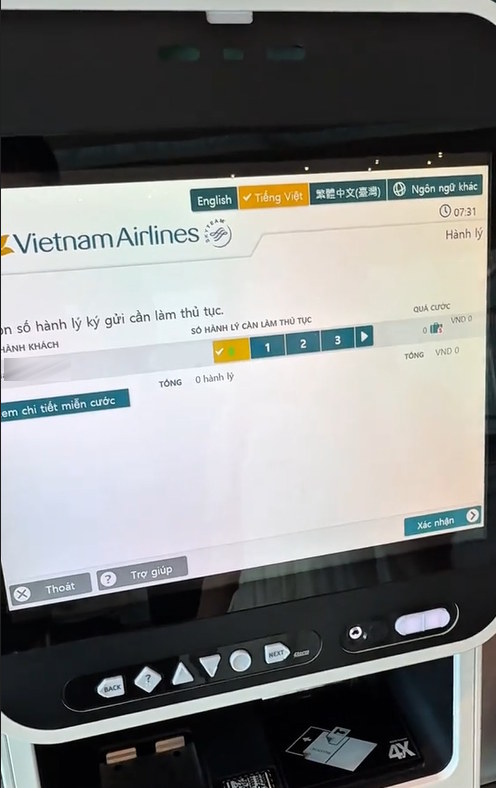
Select the number of packages you want to check in on the screen and press Confirm.
Click Yes to the questions that appear on the screen.
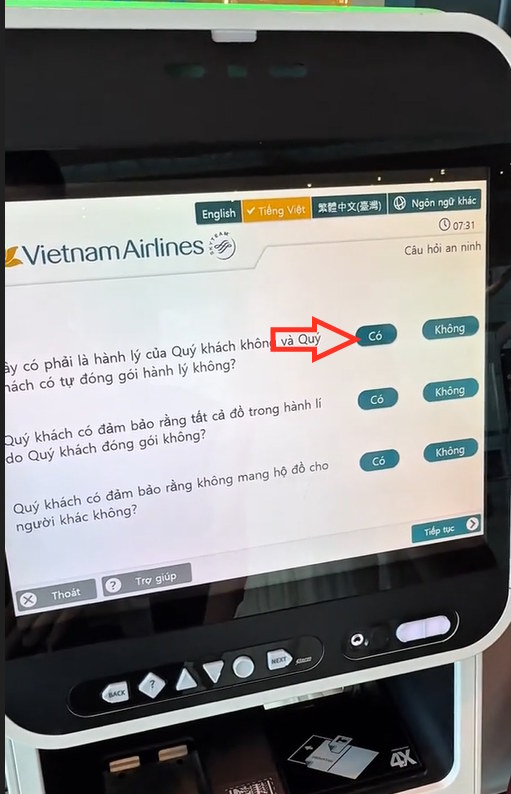
Step 5
When finished, the machine will print luggage tags for you to stick on your boarding pass and checked baggage .
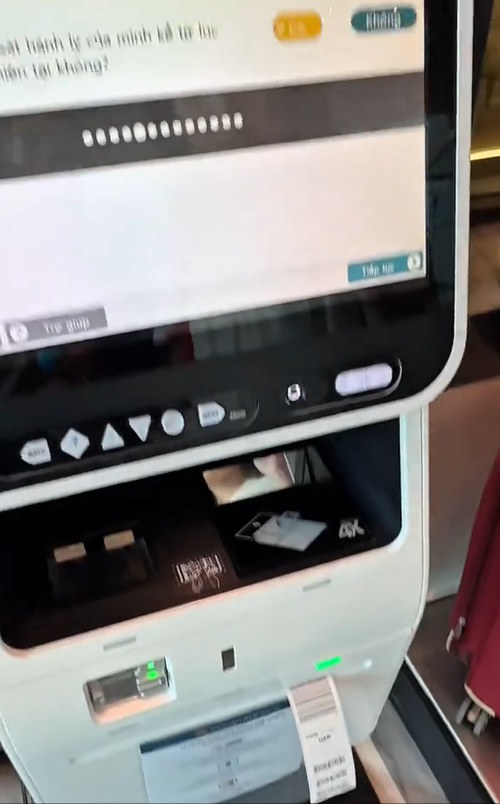
On the screen we click Yes to proceed to print the boarding pass .
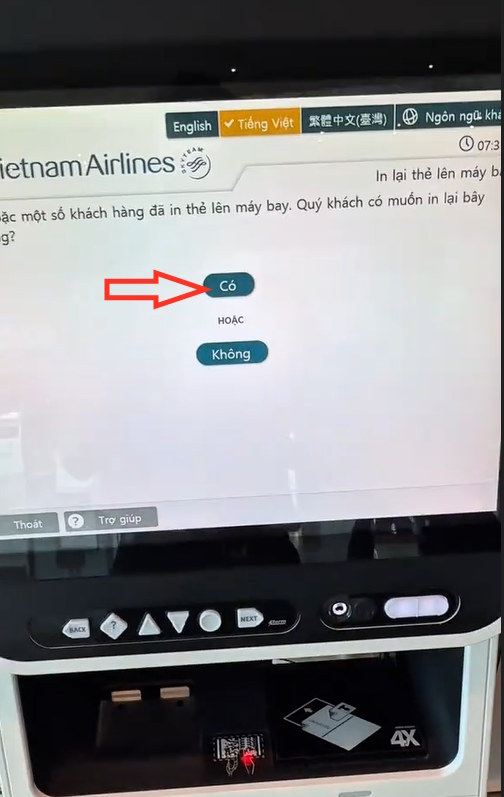
Step 6
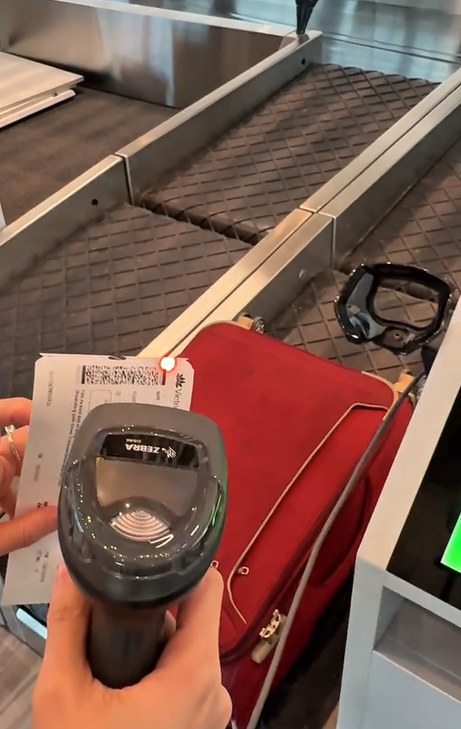
Go to the automatic baggage check-in belt and use the scanner to scan the code on your boarding pass as shown on the screen.
Finally scan the code on the checked baggage tag to complete the automatic baggage check-in procedure.
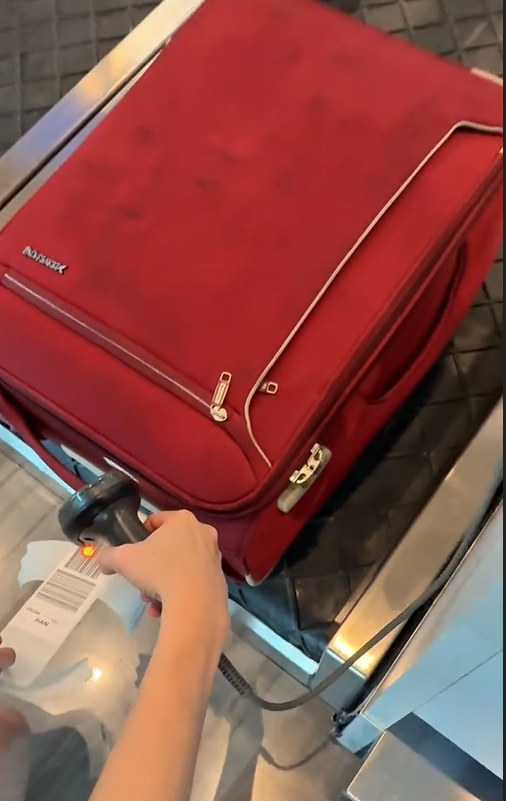
Note, if your checked baggage exceeds the specified weight, you will need to pay the baggage fee.
Final Thoughts
Use this guide as a practical checklist for how to automatic baggage check-in without queuing. Work through the steps in order, verify each result, and adjust the options to match your needs.
FAQ
What do you need before following this How to Automatic Baggage Check-in Without Queuing guide?
Review the required tools, accounts, settings, or materials mentioned in the article. Learn how to automatic baggage check-in without queuing with clear steps, practical tips, and troubleshooting guidance for a reliable result.
What are the main steps for how to automatic baggage check-in without queuing?
Follow the sections in order, especially How to do automatic baggage check-in, Step 1, Step 2. Complete each step before continuing and verify the result as you go.
What should you do if the process does not work as expected?
Recheck the prerequisites, update the relevant app or service, review the settings, and repeat the step that caused the issue. Use any troubleshooting notes included in the guide.
Related Articles
 Baggage Regulations When Traveling by Airlines9 minutes read
 How Much Battery Backup Battery Is Allowed to Carry on Board?4 minutes read
 How to Enable Automatic HTTPS on Edge2 minutes read
 Instructions for Automatic Photo Editing on iPhone2 minutes read
 How to Register for Automatic Bill Payment on ZaloPay3 minutes read
 How to Turn Off Automatic iOS 26 Updates on iPhone: Step-by-Step Guide3 minutes read
Reader Comments 0
Sign in with email or Google to join the discussion.