Table of Contents
FxSound is a Windows audio processor with presets, effects, and an equalizer that change the sound sent to your speakers or headphones. Start with a preset, make small adjustments while playing familiar audio, and save the result as a custom profile. FxSound can improve balance, clarity, bass, or perceived volume, but it cannot repair a damaged recording or overcome the physical limits of poor speakers.
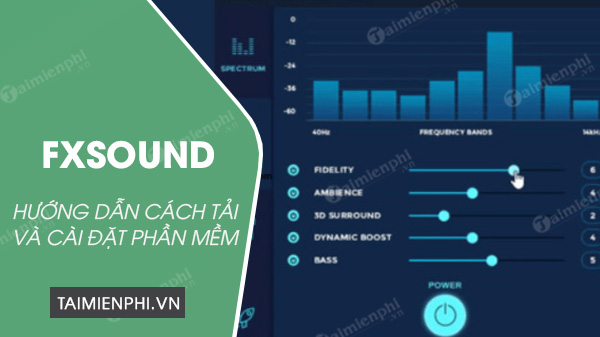
Install FxSound and select the output device
Download the current Windows release from the official FxSound site and complete the installation. Play a song or video, open FxSound, and confirm that your intended speakers, headphones, HDMI output, or audio interface is selected. If you change playback devices later, check FxSound again.
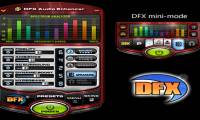
The screenshots in this article show the older FxSound Enhancer interface. The current app has a different layout, but the same basic workflow applies: enable processing, choose a preset, adjust effects or EQ, and save your settings.
Start with a preset
Choose a preset that matches the material, such as music, movies, gaming, TV, voice, or bass enhancement. Listen for at least a few seconds, then toggle FxSound off and on to compare. A preset is a starting point, not a universal “best” setting; headphones, speakers, room acoustics, hearing, and the source recording all affect the result.
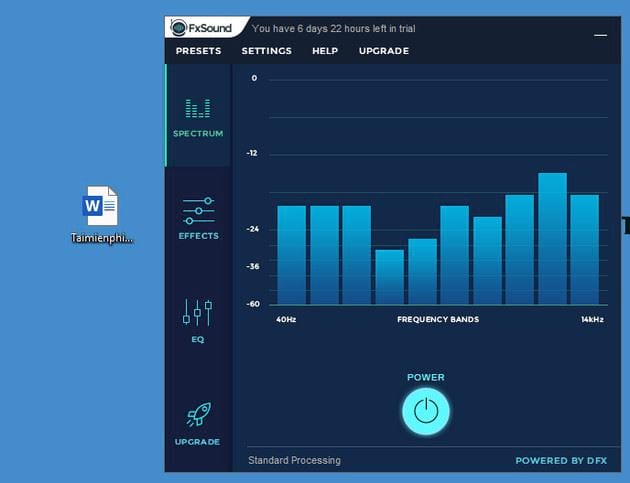
Understand the spectrum display
The spectrum is a visual display of energy across the frequency range. Low frequencies appear toward the bass end, while higher frequencies contain brightness and detail. Use the display as a guide, but make decisions by listening. A strong-looking graph does not necessarily mean the audio is balanced.
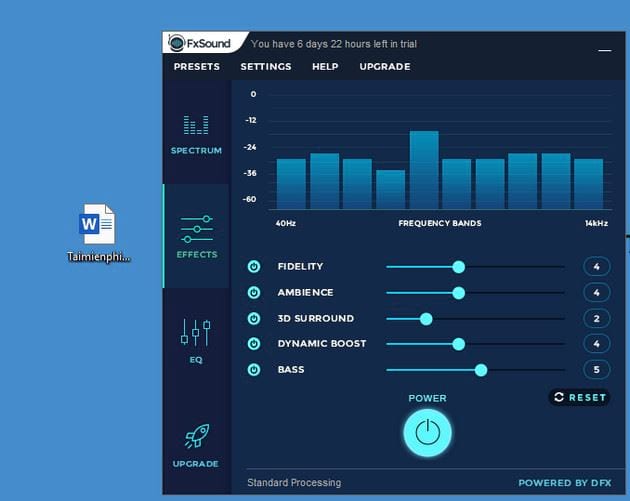
Adjust FxSound effects
Effect names vary between the current and legacy interfaces, but they generally control these qualities:
- Clarity or Fidelity: Emphasizes detail. Too much can make voices or cymbals harsh.
- Ambience: Adds a sense of space or reverberation. High settings may reduce speech intelligibility.
- Surround: Widens the apparent stereo image. Check mono compatibility and positional accuracy in games.
- Dynamic Boost: Raises perceived impact or volume. Reduce it if loud sections pump or distort.
- Bass Boost: Strengthens low frequencies. Small speakers may distort before producing deeper bass.
Change one effect at a time, then compare it with the previous setting. This makes it easier to identify what actually helped.
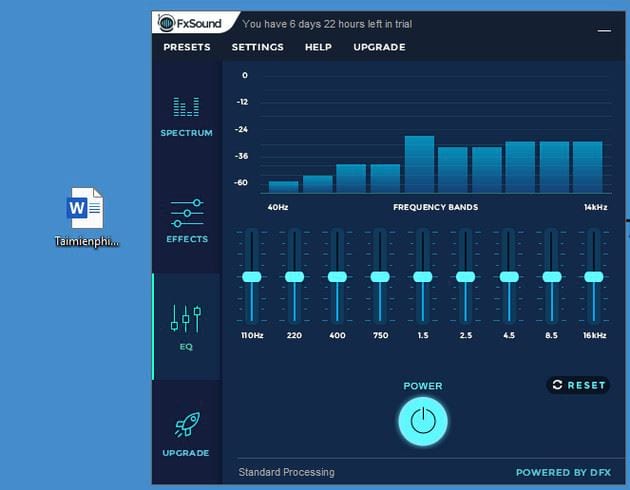
Use the equalizer
An equalizer raises or lowers specific frequency ranges. Play audio you know well and make small changes:
- Reduce low frequencies if the sound is boomy or muddy.
- Increase low frequencies gently if the sound is thin, but stop if the speakers rattle or distort.
- Adjust the midrange when voices, guitars, or dialogue feel buried or nasal.
- Reduce upper frequencies if the sound is sharp or tiring.
- Increase high frequencies slightly if the sound lacks detail, while watching for hiss or harshness.
Cutting an excessive frequency range is often cleaner than boosting several other ranges. Use the reset control whenever you lose track of the original balance.
Avoid clipping and excessive volume
Effects and EQ boosts can push the output beyond the available headroom. If you hear crackling, harshness, pumping, or sudden flattening at loud moments, lower the relevant effect, EQ band, FxSound gain, or Windows volume. Do not use audio enhancement as a reason to listen at unsafe levels.
Save a custom preset
Once the audio sounds balanced, save the settings with a descriptive name such as “Laptop speakers - dialogue” or “Headphones - music.” Keep separate presets for different output devices because a profile created for small speakers may sound excessive on full-range headphones.
If FxSound has no effect or there is no sound
- Confirm that Windows and FxSound are using the same playback device.
- Restart the audio app after changing the output device.
- Check that FxSound processing is enabled and compare with the bypass state.
- Disable other system-wide audio enhancers temporarily to rule out conflicts.
- Restart FxSound or Windows after an audio-driver update.
FxSound is currently described by its developer as free and open-source; see the official FxSound page for the current installer and release information. For alternatives, compare these Windows equalizer tools and free Windows volume boosters.
Related Articles
 What Is FxSound Enhancer?5 minutes read
 How to Use Fxsound to Improve PC Sound Quality6 minutes read
 Improve Your Computer's Sound Quality with the Free FxSound App5 minutes read
 Improve the Quality of Music Playback on Your Computer with DFX3 minutes read
 How to Manage and Improve Sound Quality in Windows 1011 minutes read
 4 Tips to Improve Your Computer Sound Quality5 minutes read
Reader Comments 0
Sign in with email or Google to join the discussion.