Table of Contents
Tyke is a small scratchpad that lives in the Mac menu bar. It is useful for holding a temporary note, editing a snippet, or removing formatting from copied text without opening a full document. Treat it as scratch paper rather than permanent storage.
Download Tyke from the official site
Open the official Tyke website and use the download option currently provided. At the time of review, the site points to a new version through TestFlight beta, so the installation screen may differ from the older direct-download version shown in the screenshots.
Avoid unofficial download mirrors. If macOS blocks a downloaded app, verify that it came from the official site before changing any security setting.
Open the Tyke scratchpad
- Install and launch Tyke.
- Look for its notepad-shaped icon in the menu bar at the top of the screen.
- Click the icon to open the scratchpad.
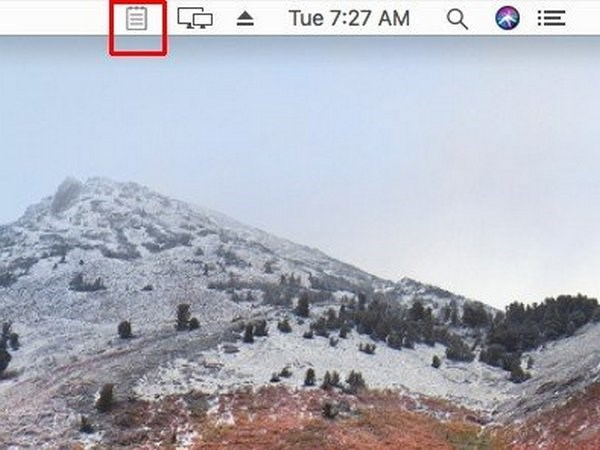
If the icon is not visible, open Tyke from Applications or Spotlight. Macs with many menu bar items may hide icons when there is not enough room.
Write, paste, and reuse temporary text
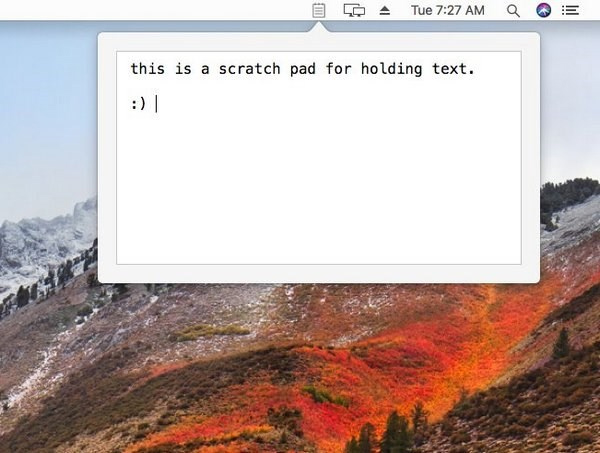
Type directly into the popover or paste text from the clipboard. Tyke is designed for plain text, so pasted fonts, colors, links, and other rich formatting may be removed. That makes it handy for cleaning copied text before pasting it into another app.
Click outside the popover to dismiss it. Click the Tyke icon again when you want to continue working with the scratch text.
Do not rely on Tyke for important notes
The version illustrated here keeps the scratch text available while the app is running, but it is not a normal document editor and does not save each note as a file. An app quit, restart, crash, update, or behavior change in a newer beta can make temporary text unavailable.
- Copy anything important into Apple Notes, TextEdit, or another saved document before quitting Tyke or restarting the Mac.
- Do not use a temporary scratchpad to store passwords, recovery codes, or confidential information.
- When pasting code, confirm that indentation and special characters remain intact.
- Keep a backup if the text cannot be recreated.
When Tyke is the right tool
| Task | Use Tyke? |
|---|---|
| Hold a phone number or short snippet for a few minutes | Yes |
| Strip rich formatting from copied text | Yes |
| Write a long document or meeting notes | No, use an app that saves and syncs |
| Store a password or other sensitive secret | No, use a password manager |
If you want a minimal note app with saved notes and more controls, compare Tot for Mac. For a broader productivity setup, see these Mac productivity apps.
Related Articles
 How to Use the Tyke macOS Note App5 minutes read
 5 Quick and Useful Note Application11 minutes read
 Three Note-taking Apps That Make a Perfect Combination: Google Keep4 minutes read
 How to Write Notes Online in Notepad: Notes Software5 minutes read
 Sticky Notes Studio: Complete Guide3 minutes read
 How to Update Apps on iOS 116 minutes read
Reader Comments 0
Sign in with email or Google to join the discussion.