Table of Contents
Quick Overview
Rub the Brick : Follow this practical guide to remove Red Underline in Word, Turn Off Red Underline Spell, including How to remove red underline in Word.
You must have encountered a problem with the red underline in Word. This is not a bug but because the default mode of Word does not support Vietnamese.
How to remove red underline in Word
1. How to turn off red underline Word 2019
If you are using Word 2019, refer to the article on how to remove red underline in Word 2019 here.
2. How to turn off red underlines in Word 2016, 2013
Step 1: Go to File on the menu bar.
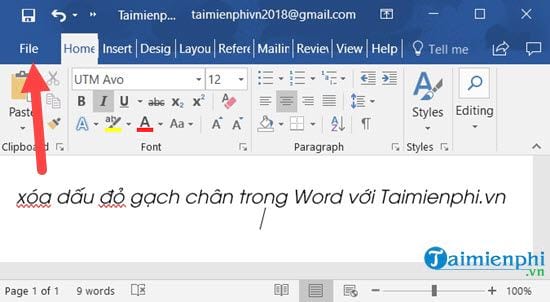
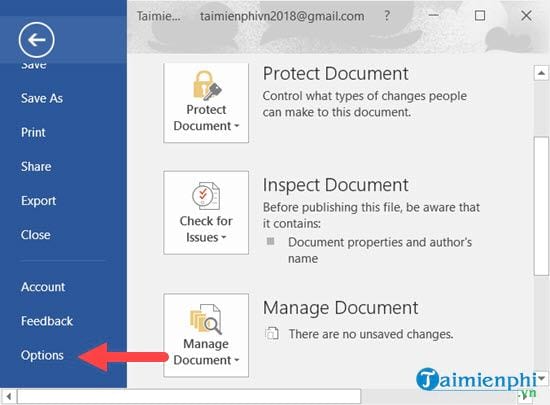
Step 2: Select Options to access Word Options .
Step 3: Select Proofing -> Check spelling as you type and uncheck it.

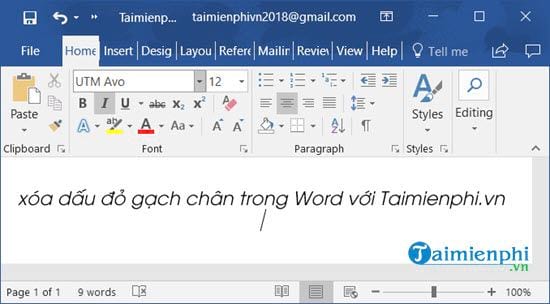
Then go back and you will see that you have completely removed the red underline in Word 2016, 2013.
3. How to remove red underline in Word 2010, 2007
Step 1: Go to File on the menu bar.
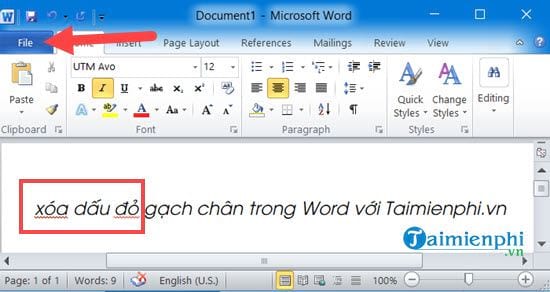
Step 2: Then go to Options to access Word Options .
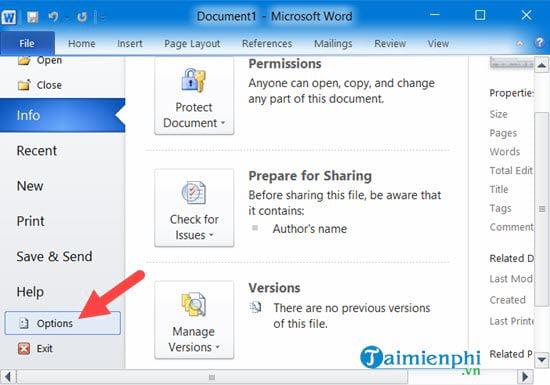
Step 3: Uncheck Check spelling as you type. The Check spelling as you type line can be found in the Proofing section.
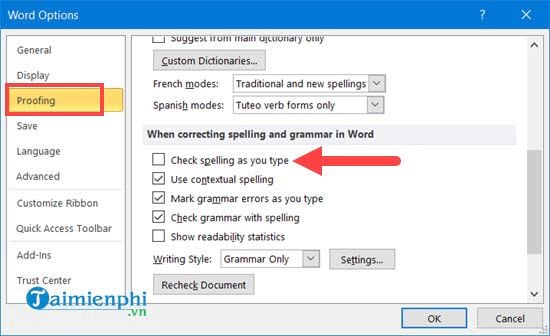
Then go back and you will see that you have completely removed the red underline in Word 2010, 2007.
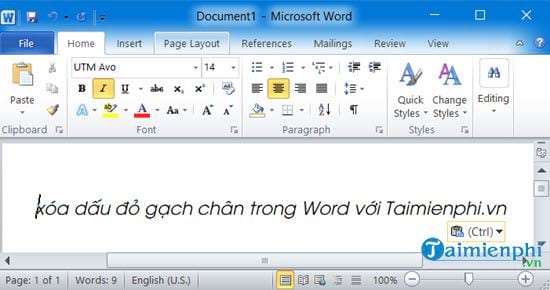
4. How to remove red underlines in Word 2003
Step 1: Select Tools on the menu bar -> Options .
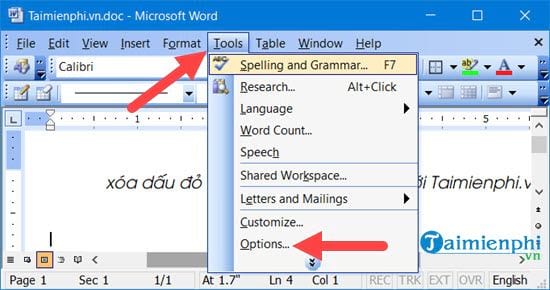
Step 2: Select Spelling & Grammar -> uncheck Check spelling as you type
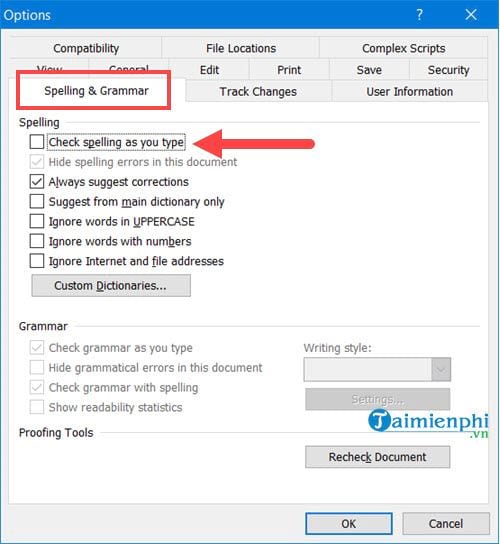
Then go out and check, you will see that the removal of the red underline in Word 2003 is complete.
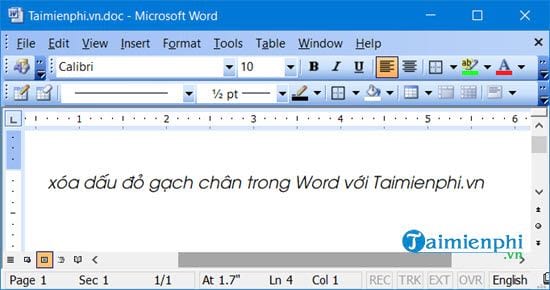
Above is how to help you remove red underlines in Word 2019, 2016, 2013, 2010, 2007, 2003. But if you are editing a document in English, do not remove red underlines in Word because it is very useful.
There are many ways to check text spelling errors quickly and effectively if you take the time to find and read the articles on the editorial team. Or you can see it right here with the article on How to check text spelling errors compiled by us.
For Word, the editorial team also provides detailed instructions on how to align margins in Word 2016 , 2013, 2010. to help you have more useful and important tips to make the process of editing documents easier.
FAQ About Rub the Brick
What should you prepare before you remove Red Underline in Word, Turn Off Red Underline Spell?
This is not a bug but because the default mode of Word does not support Vietnamese
What should you do if remove Red Underline in Word, Turn Off Red Underline Spell does not work?
For Word, also provides detailed instructions on how to align margins in Word 2016, 2013, 2010. to help you have more useful and important tips to make the process of editing documents easier
How can you get better results when working with Rub the Brick?
Or you can see it right here with the article on How to check text spelling errors compiled by us
Related Articles
 How to Turn Off Spell Checking in Word, Powerpoint (Remove the Red2 minutes read
 How to Turn Off Spell Check in Word - Turn Off Red Underline in Word4 minutes read
 How to Easily and Effectively Remove Red Underlines in Word4 minutes read
 How to Change the Underline Color of Word Spell Check: Step-by-Step Guide3 minutes read
 How to Remove the Underline, Delete the Red Brick, Blue Brick Under4 minutes read
 How to Turn Off Spell Checking in Word3 minutes read
Reader Comments 0
Sign in with email or Google to join the discussion.