Table of Contents
This updated guide examines Nokia 400, the First 'Brick' Android Phone in the World and organizes the essential facts, background, and practical takeaways in clear American English.
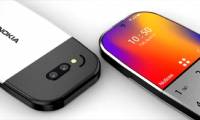
According to the leaked information, Nokia 400 will support 4G, running Android-based GAFP operating system developed by Google specifically for basic phones. Nokia 400 can run applications like Chrome browser, YouTube, Google Assistant. However, it still has a physical keyboard, a small screen size and no touch like a regular phone.

At the moment, details about Nokia 400 have not been disclosed. We will have to wait until HMD Global officially introduces this Android brick phone to know more about how it works.
Along with Nokia 400, HMD Global may also introduce four more products at the MWC 2020 event including Nokia 1.3, Nokia 8.2, Nokia 5.2 and Nokia Original. In particular, Nokia 8.2 will also be a notable mid-range smartphone with a configuration including Qualcomm's new Snapdragon 765 chip, integrated 5G modem chip, 6GB or 8GB RAM options, 128GB or 256GB memory options. Nokia 8.2 5G is equipped with 32MP selfie camera, battery capacity of 3,500 mAh, has a 3.5mm jack and fingerprint sensor. The selling price of the device is about 505USD.
- Video on hand quickly Galaxy Z Flip, Samsung's upcoming flip phone
- Black Shark 3, the first phone with 16GB RAM
- Why does the phone battery drop faster every winter?
FAQ
What is Nokia 400, the First 'Brick' Android Phone in the World about?
It provides a structured overview of nokia brick phones, explains the main context, and highlights practical takeaways for readers.
Why does this topic matter?
Understanding the main concepts helps readers evaluate the issue, avoid common mistakes, and make better-informed decisions.
How should readers use this information?
Use the guidance as a practical starting point, confirm details that may have changed, and follow current product, safety, or security recommendations.
Related Articles
 Photos of Nokia Making the Phone 'Brick' Run Android2 minutes read
 Nokia 2600: Complete Guide4 minutes read
 Appear Nokia Phone 'Brick' Running Android 8.12 minutes read
 The 34 Best and Worst Phones in Nokia's Calendar, Which One Is Your Spring?8 minutes read
 What Does Android Learn from Nokia's Return?6 minutes read
 Turn Your Nokia 'Brick' Phone Into a Mini Computer Running Linux3 minutes read
Reader Comments 0
Sign in with email or Google to join the discussion.