Table of Contents
This updated guide explains how to change messenger notes disappearance time with clear steps, practical tips, and useful context. By default, notes on Messenger disappear within 24 hours of posting, similar to Facebook Stories. Still, if users want to change the time when Messenger notes disappear, it is extremely simple, with available times for users to choose to apply.
Instructions to Change the Time Messenger Notes Disappear
Step 1:
In the Messenger interface, users select the note writing section. Then you proceed to write notes on Messenger, insert Messenger note music as usual.

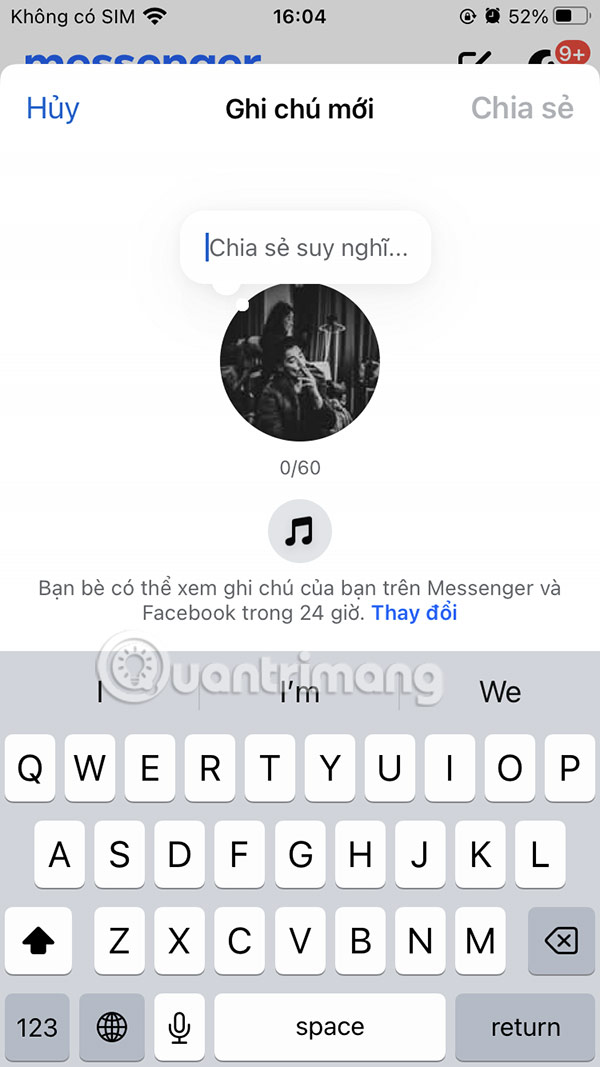
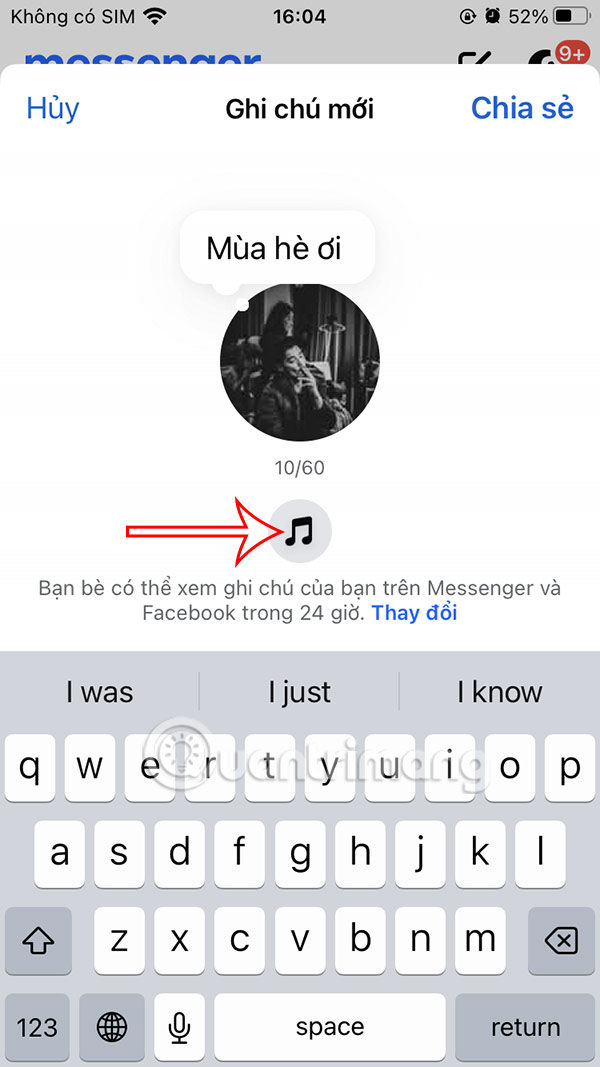

Step 2:
After composing the content of the Messenger note, the user clicks on the Change item at the note's disappearance time. Switching to the new interface, you will see the Display section , managing the Messenger display time as well as the note's disappearance time on Messenger.
By default, Messenger notes disappear after 24 hours of posting. choose to select another time you want to change.
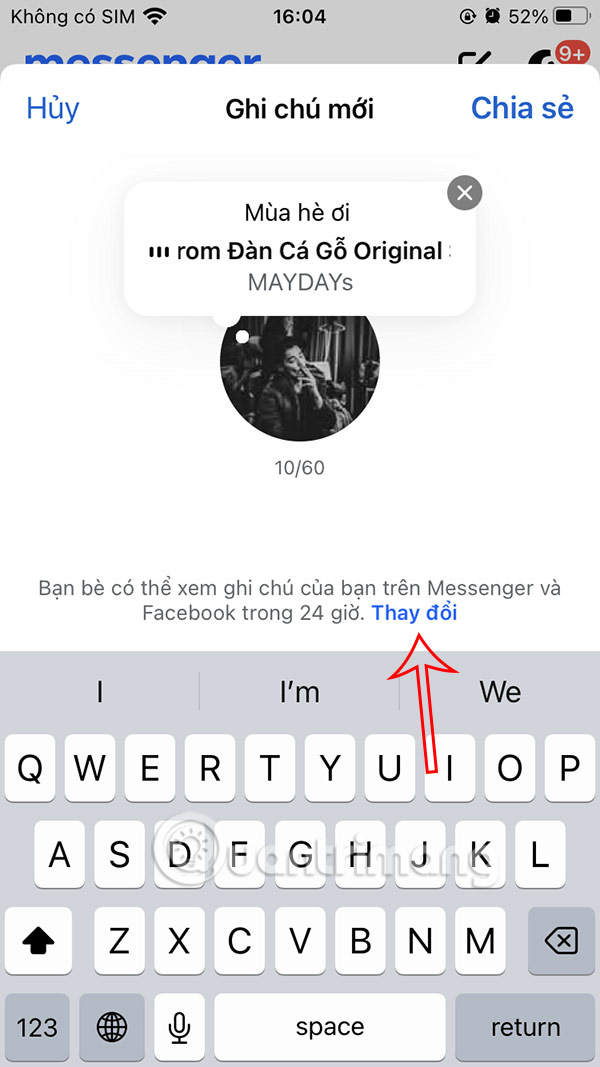
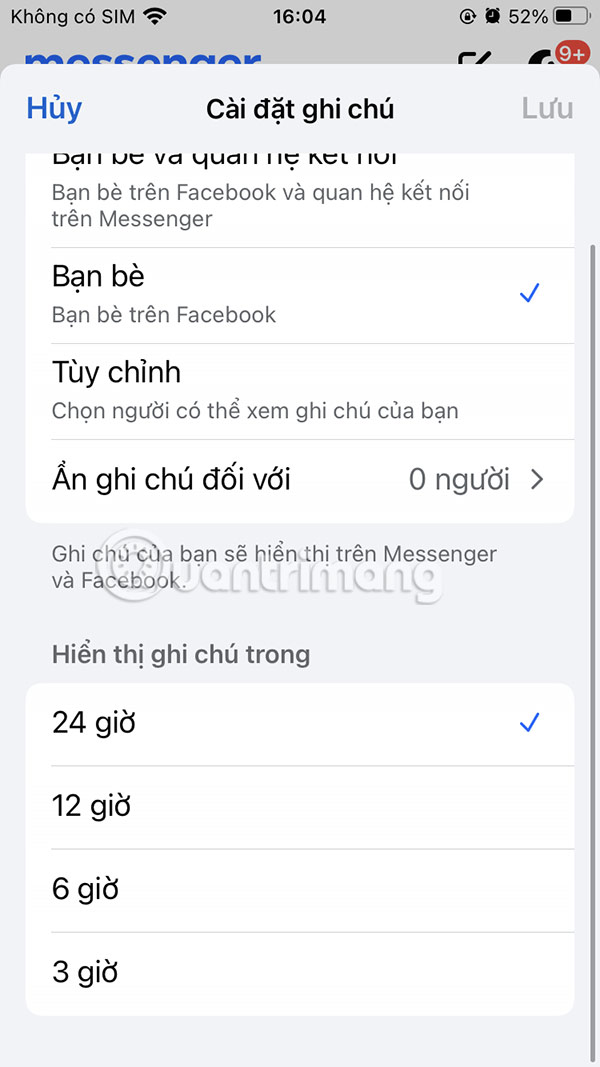
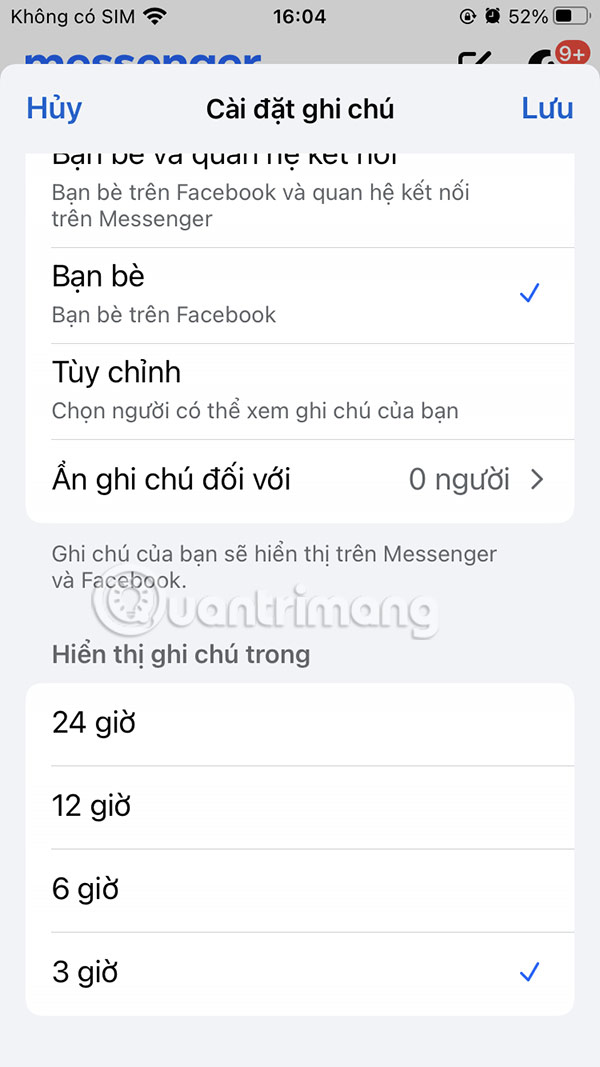
As a result you will see the Messenger note disappearance time has changed as shown below.
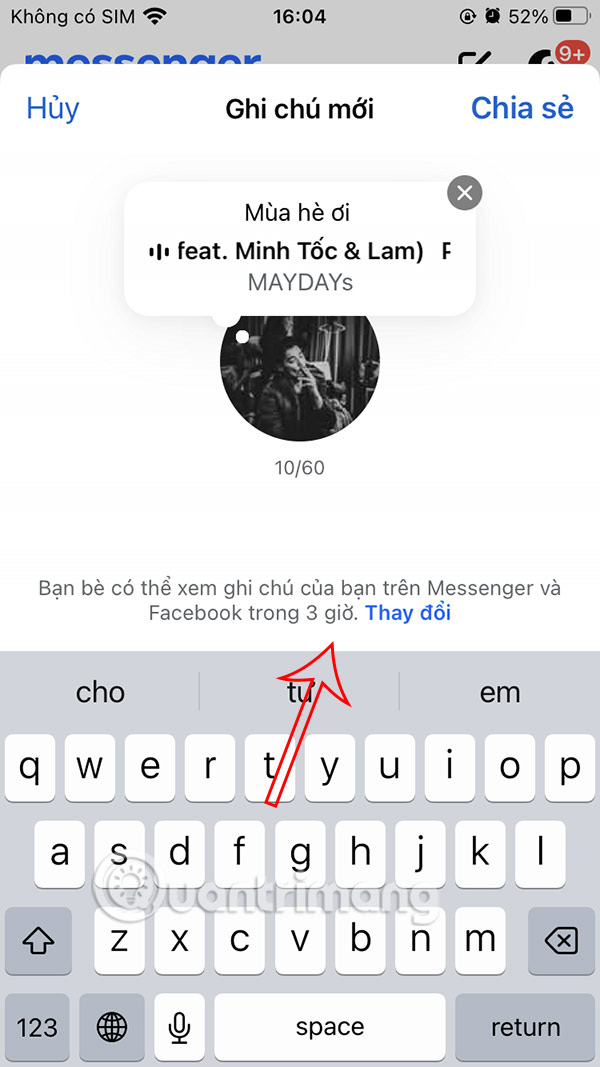
So after 3 hours of posting a Messenger note, the content will disappear, or another period of time that the user chooses.
FAQ
What should I prepare before I change messenger notes disappearance time?
Review the requirements and options in the guide first. Having the correct device, app version, account access, or materials ready helps prevent avoidable errors.
How long does it take to change messenger notes disappearance time?
The time depends on the task and your setup. Most basic steps can be completed quickly, while downloads, updates, scans, or troubleshooting may take longer.
What should I do if the steps do not work?
Repeat the instructions in order, confirm that your software or device is supported, and check permissions, connectivity, and available updates before trying again.
Related Articles
 How to Post GIF in Messenger Notes2 minutes read
 How to Change Ringtone and Incoming Call on Facebook Messenger4 minutes read
 Messenger Returns to the Old Interface After Only a Few Hours of Testing the New Interface4 minutes read
 How to Change Messenger Color on Phone, Computer4 minutes read
 Instructions for Changing Emoji Color on Messenger: Complete Overview5 minutes read
 Transform Color Chat Window Facebook Messenger: Mauf Messenger6 minutes read
Reader Comments 0
Sign in with email or Google to join the discussion.