Table of Contents
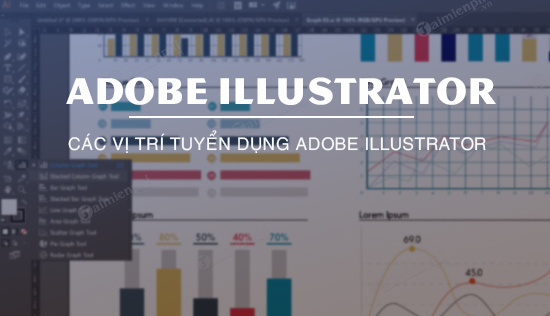
Adobe Illustrator is a vector-graphics application for creating scalable artwork such as logos, icons, illustrations, diagrams, patterns and print graphics. Its native AI files preserve editable paths, type and appearance settings, while exported formats such as SVG and PDF make the artwork usable in websites, apps and production workflows.
What makes Illustrator different?
Raster images are made from a fixed grid of pixels. Illustrator’s native vector objects are defined by paths, anchor points and visual attributes such as fill, stroke and effects. When the output size changes, the vector geometry is recalculated, so a properly built logo can remain sharp on a business card or a large sign.
That does not mean every item in an Illustrator file is resolution-independent. Placed photographs, raster effects and exported PNG or JPEG files still have pixel dimensions. A production designer must check the document’s linked images, effect resolution, color settings and export requirements.
What Illustrator is used for
- Brand identity: logos, marks, color systems, stationery and reusable brand assets.
- Illustration: editorial art, infographics, diagrams, maps, icons and technical drawings.
- Print design: posters, packaging graphics, labels, signage and promotional materials.
- Digital products: interface icons, SVG artwork, web graphics and asset sets across multiple artboards.
- Typography: custom lettering, type treatments and converting approved type to paths for specific output workflows.
- Pattern and surface design: repeat graphics for textiles, packaging and merchandise.
Illustrator can place, mask and trace images, but Photoshop is usually the better tool for detailed photo retouching and pixel compositing. Likewise, a dedicated page-layout application is usually more efficient for long multi-page documents with extensive body text.
Core concepts to learn first
- Selection vs. Direct Selection: work with whole objects or individual anchor points.
- Shapes and Pathfinder: build complex forms from simple geometry.
- Pen and Curvature tools: create controlled Bézier paths.
- Fill and stroke: control interior color, outlines, width profiles, dashes and alignment.
- Layers and groups: organize the stacking order and isolate editable parts.
- Artboards: manage several sizes or design variations in one file.
- Appearance and effects: add multiple editable fills, strokes and effects without duplicating paths.
- Export: choose appropriate SVG, PDF, PNG or other settings for the destination.
Careers that use Illustrator
“Illustrator operator” is rarely the whole job. Employers usually seek a designer or production specialist who uses Illustrator as one part of a broader workflow.
| Role | Typical Illustrator work | Other skills often expected |
|---|---|---|
| Graphic designer | Brand assets, marketing graphics, layouts | Typography, layout, Photoshop, presentation and communication skills |
| Brand identity designer | Logo systems, icons, guidelines | Research, concept development, color and production standards |
| Illustrator or 2D artist | Editorial, character or commercial vector art | Drawing, composition, storytelling and style consistency |
| Packaging designer | Dieline graphics, labels and print assets | Prepress, spot colors, materials and regulatory copy handling |
| Production artist | Adaptation, cleanup, versioning and output | Accuracy, file preparation, fonts and print specifications |
| UI or icon designer | Icons, diagrams and scalable interface assets | Design systems, accessibility and product-design tools |
| Sign or apparel designer | Cut paths, screen-print graphics and scalable layouts | Equipment constraints, separations and production setup |
What employers look for
- A portfolio showing finished work and the decisions behind it, not only tutorial copies.
- Clean vector construction, consistent naming and organized layers.
- Typography, spacing, hierarchy and color knowledge.
- Correct preparation for print or digital delivery.
- The ability to interpret a brief, explain choices and revise accurately.
- Competence with related tools used by the team, which may include Photoshop, InDesign, Figma, After Effects or production software.
Build a job-ready portfolio
- Create three to five focused projects aligned with the role you want.
- Show sketches, rejected directions and refinements alongside the final artwork.
- Include realistic constraints: multiple sizes, one-color use, accessibility, print separations or asset export.
- Document your contribution when a project was collaborative.
- Export a concise presentation and keep organized source files ready for a technical review.
Current vacancies and required skills vary by market, so search job listings for role titles rather than relying on a static list of “Illustrator jobs.” Treat Illustrator proficiency as evidence of production ability, not a substitute for design fundamentals.
Adobe’s Illustrator product page describes the current application and trial options. Continue on TipsMake with the Illustrator shortcut reference, the guide to Pathfinder and shape construction, and an explanation of SVG vector files.
Related Articles
 Adobe Illustrator: Complete Guide: Download Adobe Illustrator 2021.26.04 minutes read
 What Is Adobe Illustrator? Learn Adobe Illustrator for What5 minutes read
 Tutorial Drawing. 'Unicorn' in Adobe Illustrator11 minutes read
 AI Software Shortcuts: Common Adobe Illustrator Shortcuts9 minutes read
 Getting to Know Adobe Illustrator14 minutes read
 8 Tips for Adobe Illustrator Help You Design Faster11 minutes read
Reader Comments 0
Sign in with email or Google to join the discussion.