Table of Contents
You can complete many professional design tasks without paying for a creative-software subscription. Blender covers 3D work, GIMP edits raster images, Inkscape creates vectors, Kdenlive handles video, and Darktable develops raw photos. None is a perfect one-for-one replacement for every paid application, but each can be a practical primary tool when its workflow matches your needs.
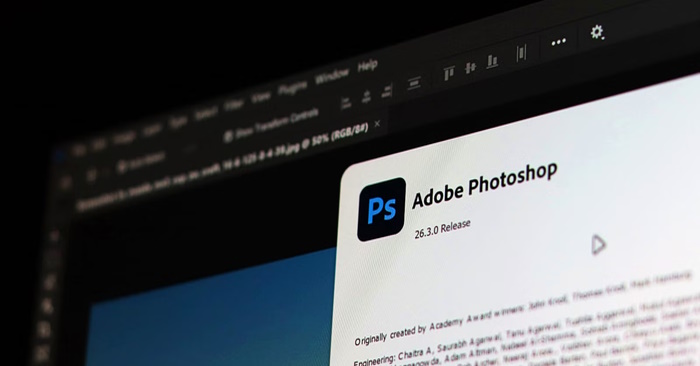
Choose a tool by the work you need to do
Task | Free tool | Common paid alternative |
3D modeling, animation, and rendering | Blender | 3ds Max, Maya, or Cinema 4D |
Raster photo editing and compositing | GIMP | Adobe Photoshop |
Logos, icons, and scalable illustration | Inkscape | Adobe Illustrator |
Non-linear video editing | Kdenlive | Adobe Premiere Pro |
Raw photo development and cataloging | Darktable | Adobe Lightroom |
The paid comparison indicates the closest type of workflow, not complete feature parity. Check file exchange, plug-ins, fonts, color management, and collaboration requirements before changing a production pipeline.
Blender for 3D design, animation, and rendering
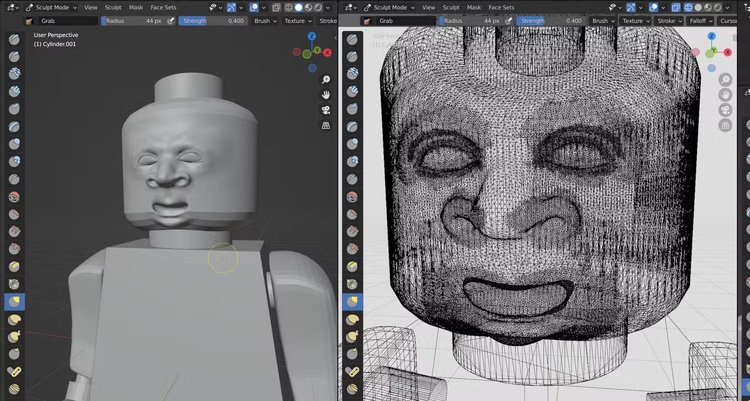
Blender combines modeling, sculpting, texturing, animation, rendering, compositing, and basic video editing in one open-source package. That breadth makes it useful for product visualization, motion graphics, game assets, and short films.
The main cost is learning time. Its interface and shortcut-heavy workflow can be intimidating, so beginners should choose one goal—such as modeling a simple object—before exploring every workspace. Studios should also test whether clients and collaborators accept Blender files or require interchange formats.
GIMP for raster image editing
GIMP provides layers, selections, masks, painting tools, color adjustments, and extensibility for photo editing and compositing. It is a sensible option for web images, social graphics, retouching, and projects that do not depend on Photoshop-only plug-ins or automated actions.
Users moving from Photoshop may need time to relearn shortcuts and tool behavior. If the layout feels fragmented, enable Single-Window Mode from the Windows menu. For production work, test complex PSD files carefully because advanced effects, smart objects, and typography may not transfer exactly.
Inkscape for logos and vector graphics
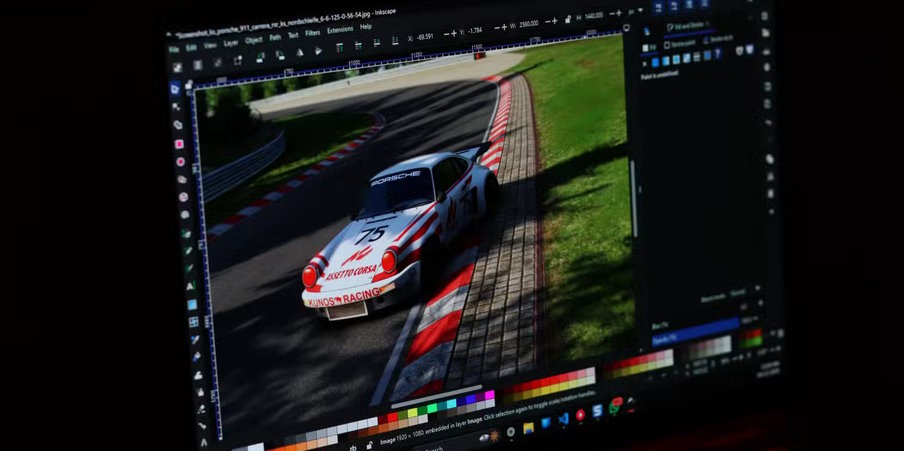
Inkscape uses SVG as its native format, making it well suited to logos, icons, diagrams, interface graphics, and illustrations that must scale without becoming pixelated. SVG files can be displayed by browsers and edited as XML when a developer needs direct control over an element.
Before using Inkscape for commercial print, confirm the printer's requirements for color, bleed, fonts, and export format. Its strongest fit is standards-based vector work, especially for digital products and websites.
Kdenlive for video editing
Kdenlive is a non-linear editor for arranging video, audio, titles, transitions, and effects on a multitrack timeline. It uses FFmpeg for broad media-format support and is available on major desktop platforms.
Proxy editing can improve performance with high-resolution footage: the editor works with smaller temporary copies while retaining the original files for final export. Keep source media organized, verify the project frame rate before editing, and test hardware acceleration on your system rather than assuming every codec will perform equally well.
Darktable for raw photo development
Darktable offers non-destructive raw editing and photo management. Adjustments are stored separately from the original image, so exposure, color, sharpening, and local masks can be changed without overwriting the source file.
Its module-based workflow gives photographers precise control but has a steeper learning curve than a simple filter app. Start with exposure, white balance, tone, color, and export modules, then add more specialized tools as needed. Always check that Darktable supports the raw files produced by your camera.
What to check before replacing paid software
- File compatibility: Open several real client projects, not just simple test files.
- Collaboration: Confirm that teammates can review and edit the formats you deliver.
- Color and print: Test profiles, separations, proofing, and printer requirements.
- Performance: Try representative 3D scenes, raw batches, or video timelines on your hardware.
- Missing automation: Identify any plug-ins, templates, actions, or cloud services your workflow depends on.
A gradual switch is usually safer than uninstalling paid software immediately. Complete one real project with the free tool, document any limitations, and keep a conversion path for collaborators. The best replacement is the application that reliably produces the files you need—not simply the one with the longest feature list.
Related Articles
 5 Best the Best Free Home Design Software Today 20205 minutes read
 Top 5 Best Free Logo Design Software6 minutes read
 20 Free 3D Modeling Software12 minutes read
 15 Great Tools for Professional Designers: Design Software12 minutes read
 Can Linearity Replace All Adobe Apps?10 minutes read
 5 Best Most Beautiful and Professional Banner Design Software5 minutes read
Reader Comments 0
Sign in with email or Google to join the discussion.