Table of Contents
The sudden shutdown of the computer is often due to the lack of low battery notification. You can refer to some methods to fix the error of no low battery notification on Windows 11.
The computer suddenly shuts down due to the lack of low battery notification in Windows 11. This problem interrupts work, there is a risk of losing data when the computer suddenly shuts down, without charging the battery. You can refer to some of the troubleshooting methods below to fix the error of no low battery notification on Windows 11.
Check if low battery notification is turned on?
To get low battery notifications on Windows 11, You should set up notifications on your computer. If you accidentally turn it off or set it up incorrectly, it will not appear on your computer. Please check your settings to see if you have enabled low battery notifications on Windows 11.
- How to enable low battery warning on Windows 11
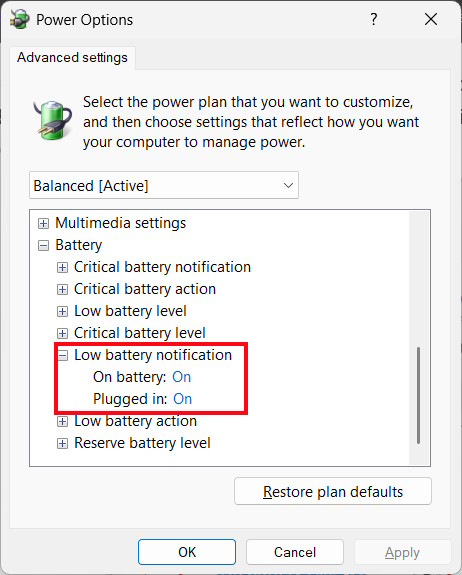
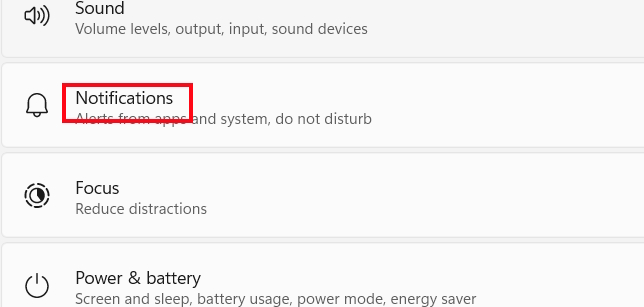
Check notifications on Windows 11 computer
Open Settings On your computer then Click on Notifications To check notifications on your computer.
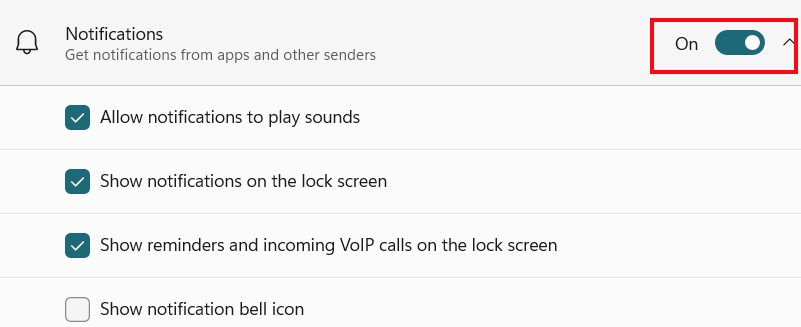
Now check if notifications are enabled on your Windows computer.
Update or reinstall the battery management driver
Step 1:
Press Windows + X key combination and select Device Manager From the list.
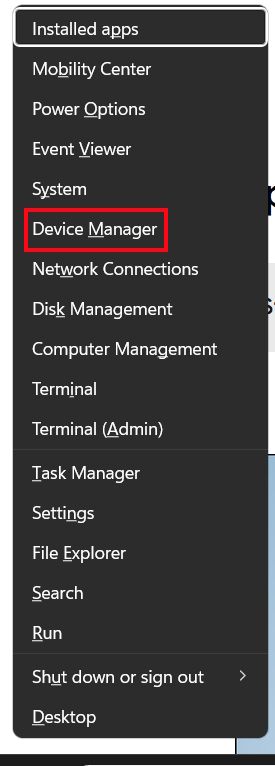
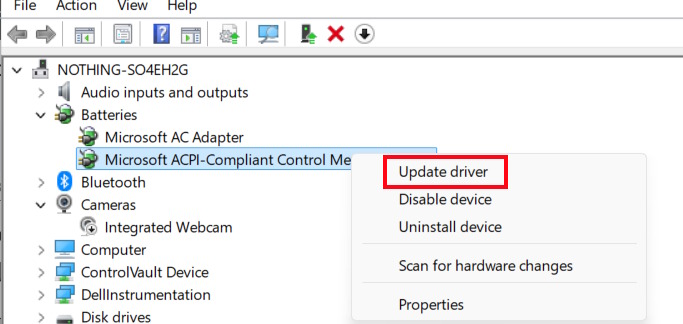
We Expand the Batteries section , Right-click on Microsoft ACPI-Compliant Control Method Battery And select Update driver .
Step 2:
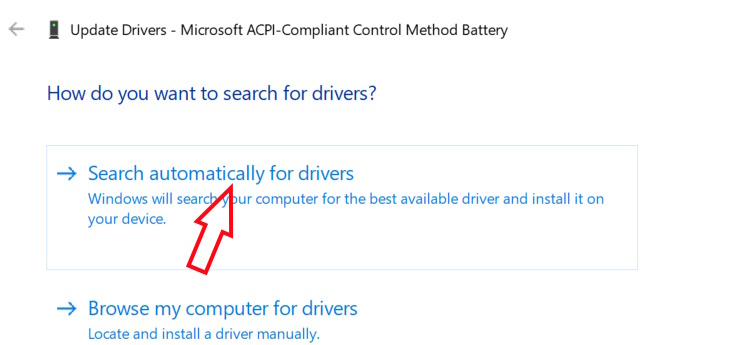
Click Search automatically for drivers To find new drivers and install them.
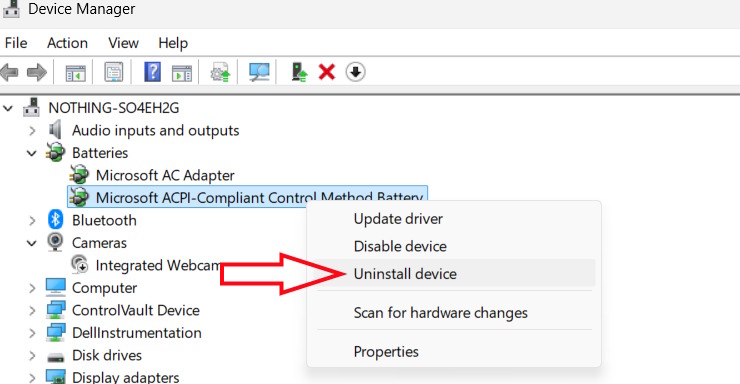
If Windows reports the best driver is installed but the problem persists, right-click Uninstall device to uninstall it.
Restart your computer and Windows will automatically reinstall the driver.
Reset battery usage mode on Windows
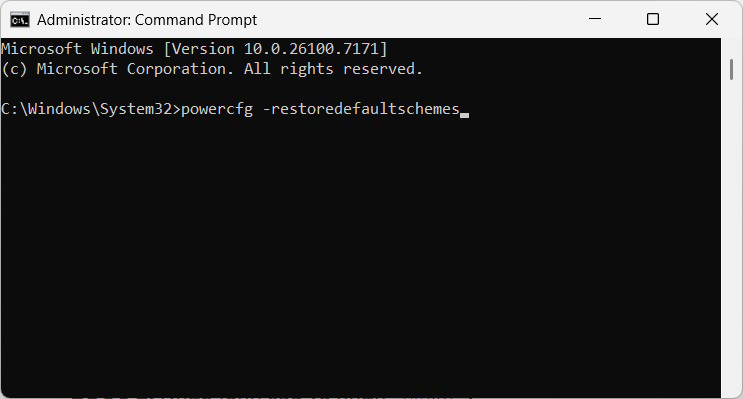
You open Command Prompt as administrator, then type the command below and press Enter to launch.
This command resets all power usage modes to default settings, possibly restoring missing battery notification options.
FAQ
How do you fix missing low battery notification on Windows 11?
In practical terms, the sudden shutdown of the computer is often due to the lack of low battery notification. You can refer to some methods to fix the error of no low battery notification on Windows 11.
What should you check before getting started?
Review the requirements, compatible device or software version, and any warnings described in the guide before making changes.
What should you do if the steps do not work?
Repeat the steps in order, confirm that your app or system is up to date, and review the troubleshooting details provided above.
Related Articles
 How to Add Full Battery Charge Notification for Windows 10/114 minutes read
 How to Enable Battery Drain Notification on Xiaomi, Redmi and POCO2 minutes read
 Quick Fix Laptop Error Windows 10 Does Not Charge the Battery4 minutes read
 7 Ways to Fix 'No Battery Is Detected' Error on Windows8 minutes read
 Fix iPhone Battery Drain Error, Notification, Wi-Fi After4 minutes read
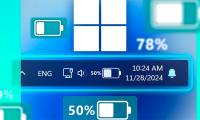 How to Enable Low Battery Warning on Windows 115 minutes read
Reader Comments 0
Sign in with email or Google to join the discussion.