Table of Contents
This practical guide explains how to enable battery drain notification on xiaomi, redmi and poco. Follow the steps in order, review the requirements first, and use the troubleshooting notes when a setting or option does not work as expected.
Enable Battery Drain Notification from Security on Xiaomi, Redmi and POCO
Step 1:
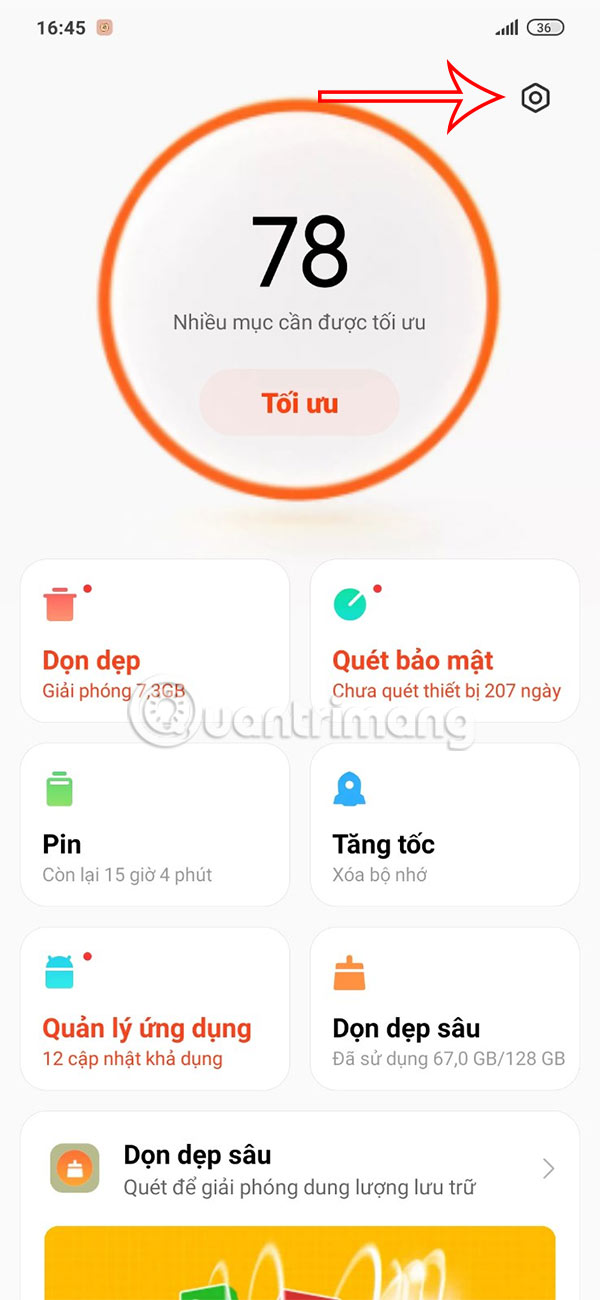
You open the Security app and tap on the Settings icon in the upper right corner.
Step 2:
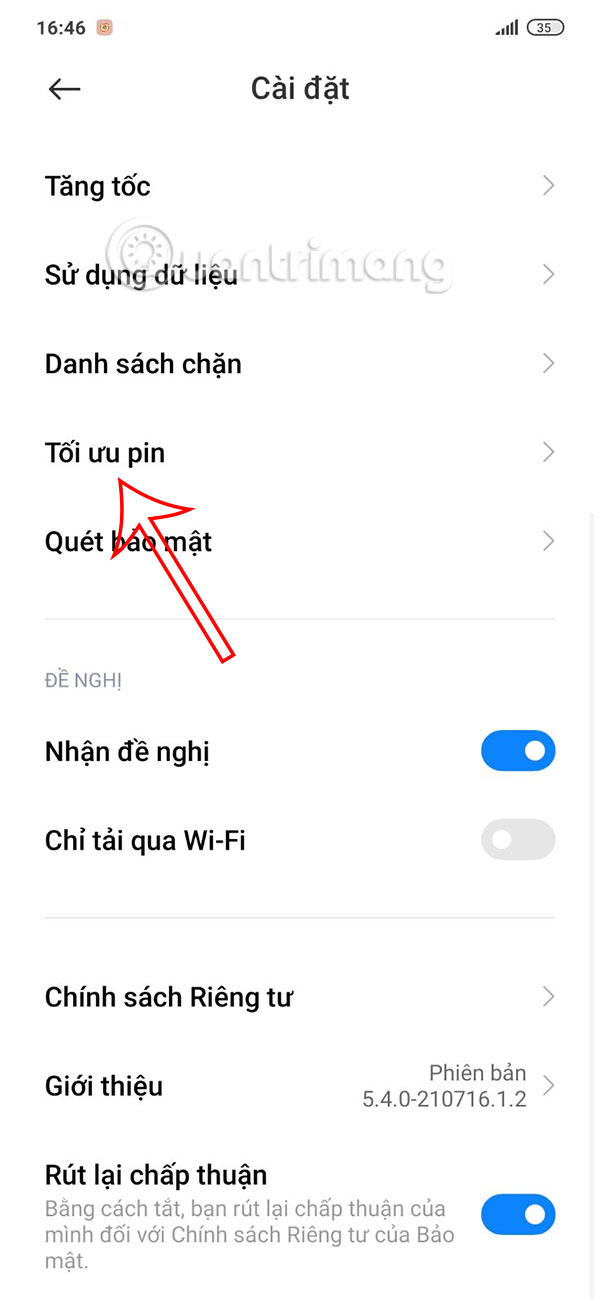
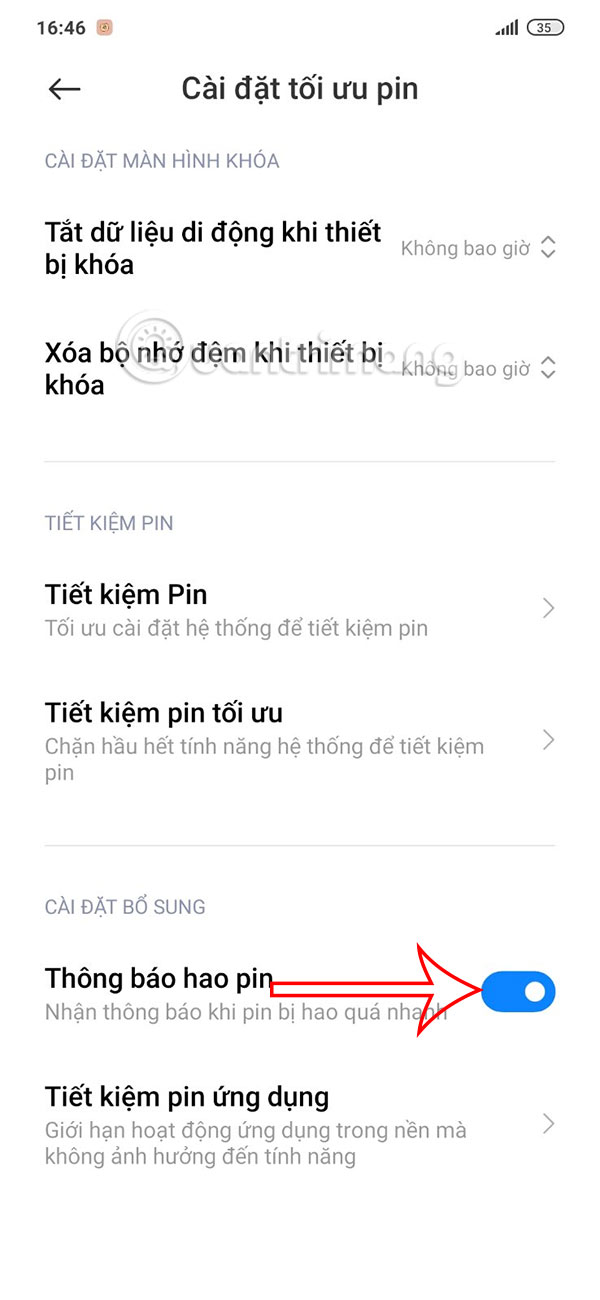
Switch to the new interface, select Battery Optimization to adjust. In the new interface as shown, you just need to turn on the Battery Drain Notification setting .
Enable Battery Drain Notification from Settings on Xiaomi, Redmi, POCO
Step 1:
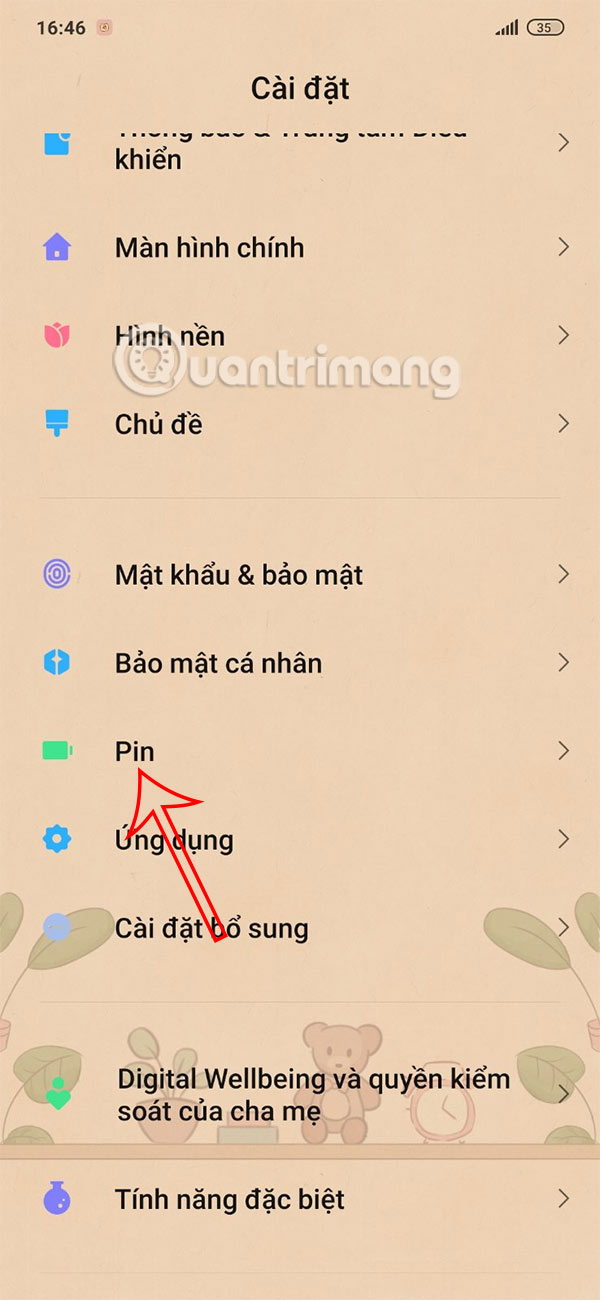
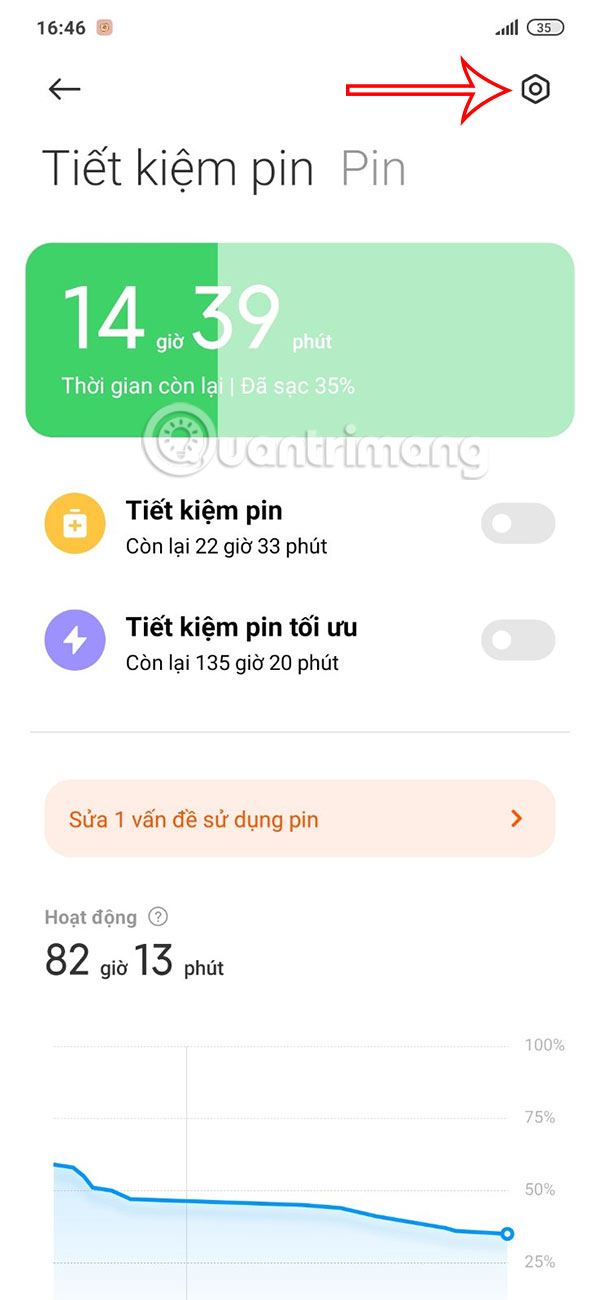
You access Settings on your phone and select Battery to set up the battery on your phone. Switch to the battery setup interface on your phone, then select the gear icon in the top right corner.
Step 2:
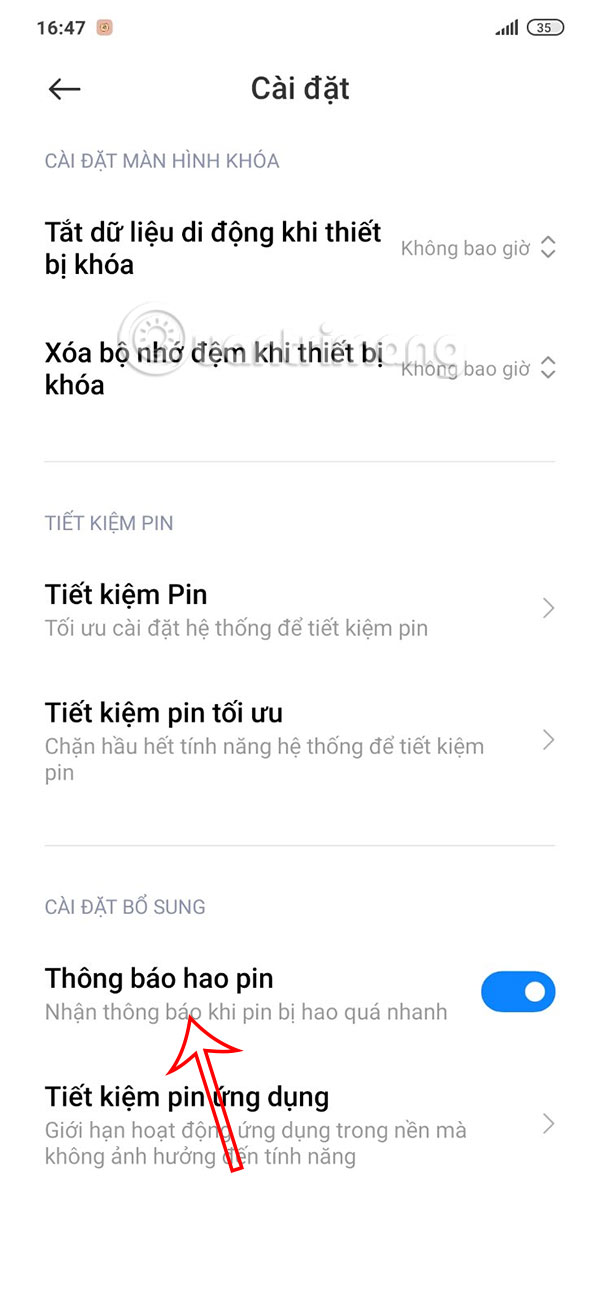
Then You only need to turn on Battery Drain Notification on Xiaomi, Redmi, POCO and you're done.
FAQ
What should you know about enable Battery Drain Notification from Security on Xiaomi, Redmi and POCO?
You open the Security app and tap on the Settings icon in the upper right corner.
What should you know about enable Battery Drain Notification from Settings on Xiaomi, Redmi, POCO?
You access Settings on your phone and select Battery to set up the battery on your phone. Switch to the battery setup interface on your phone, then select the gear icon in the top right corner.
What does this guide cover?
This guide explains enable battery drain notification on xiaomi, redmi and poco, including the main steps, important details, and practical considerations.
Related Articles
 Xiaomi Launches Redmi Note 8t: Snapdragon 665 Chip, 4,000 Mah3 minutes read
 minutes read
 Evaluate the Snapdragon 860 Gaming Performance on the POCO11 minutes read
 Xiaomi Officially Launched the Redmi 8a, 5000 Mah Battery, USB3 minutes read
 Xiaomi Poco F2 Officially Launched on May 122 minutes read
 Redmi Note 9S Launched in Vietnam: Snapdragon 720G, 48MP4 minutes read
Reader Comments 0
Sign in with email or Google to join the discussion.