Table of Contents
Learn how to create AI videos shot with drones on Google flow with clear steps, practical tips, and troubleshooting guidance for a reliable result.
Instructions for creating drone videos on Google Flow
Step 1
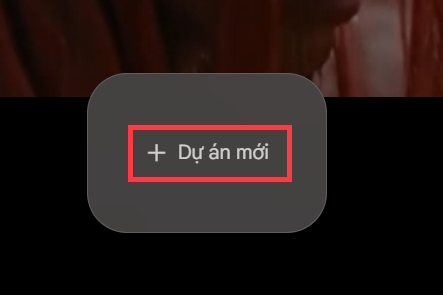
We access the Google Flow website via the link below. Then you click New Project to create.
- Visit the Google Flow page
Step 2
In the AI content creation options on Google Flow, we choose the Create video from frames type .
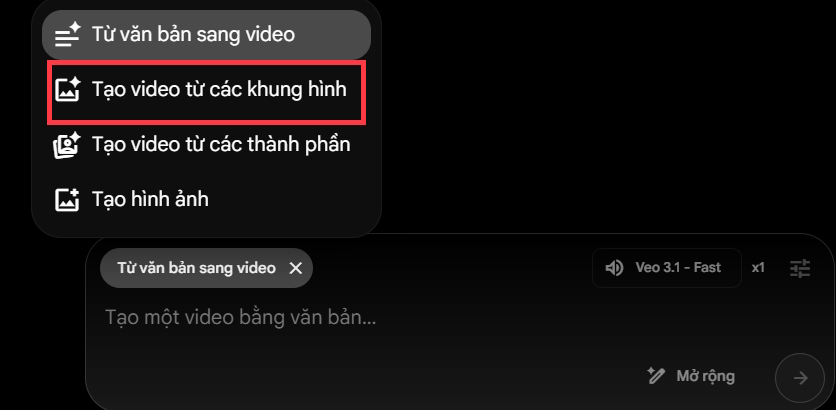
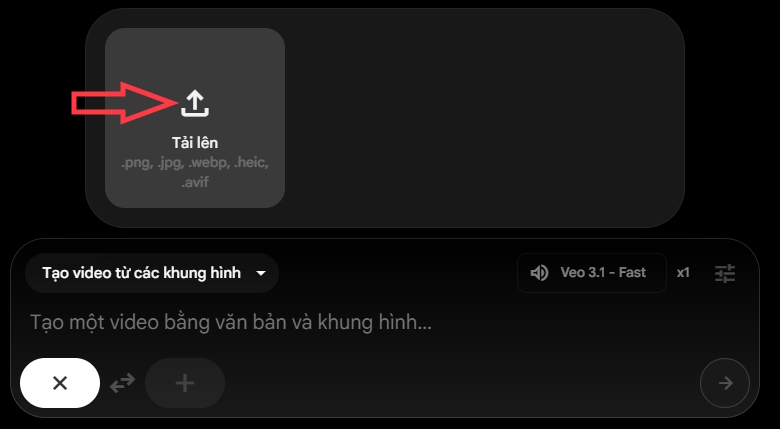
Next, you download the image to convert into a video . You should choose a photo with few subjects and not too many small details around.
Step 3
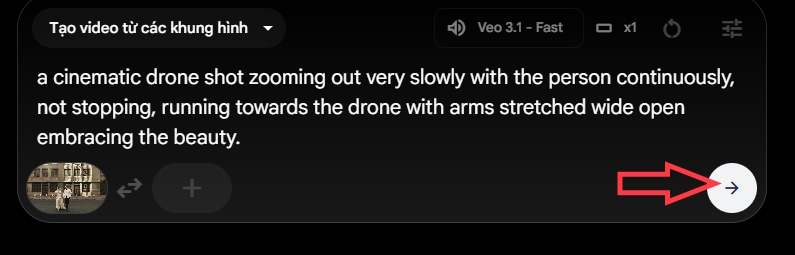
Next, you enter the command into the box to convert the photo into a video shot by drone on Google Flow.
'a cinematic drone shot zooming out very slowly with the person continuously, not stopping, running towards the drone with arms stretched wide open embracing the beauty.'
We can change the content as you want to record your video. Then click on the arrow icon to send a request to Google Flow.
Step 4
We wait for the process of converting photos to videos on Google Flow to complete.
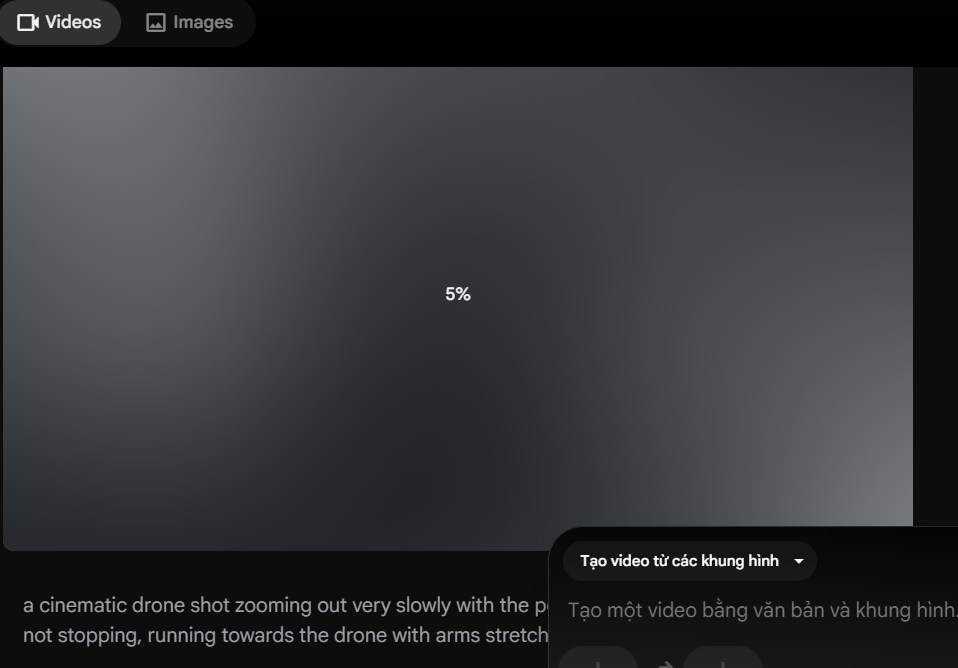
The result is a drone video shot on Google Flow as shown below. The video has smooth, artistic movements. To download, click the download icon .
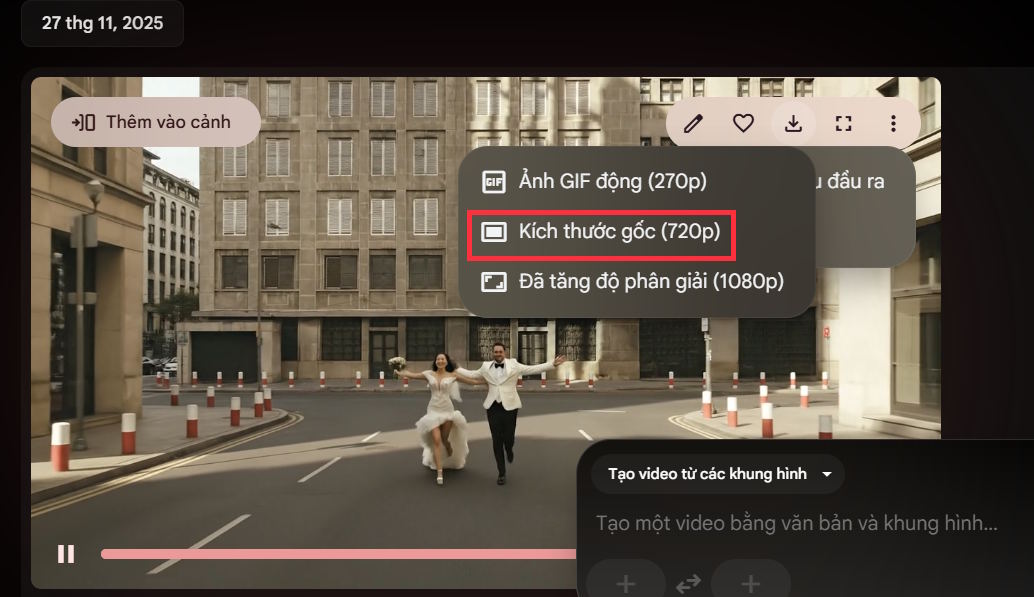
With a Google account, you will get 100 free bonus points to create videos. With a free account, the Veo logo will appear in the bottom right corner.
Final Thoughts
Use this guide as a practical checklist for how to create ai videos shot with drones on google flow. Work through the steps in order, verify each result, and adjust the options to match your needs.
FAQ
What do you need before following this How to Create AI Videos Shot with Drones on Google Flow guide?
Review the required tools, accounts, settings, or materials mentioned in the article. Learn how to create AI videos shot with drones on Google flow with clear steps, practical tips, and troubleshooting guidance for a reliable result.
What are the main steps for how to create ai videos shot with drones on google flow?
Follow the sections in order, especially Instructions for creating drone videos on Google Flow, Step 1, Step 2. Complete each step before continuing and verify the result as you go.
What should you do if the process does not work as expected?
Recheck the prerequisites, update the relevant app or service, review the settings, and repeat the step that caused the issue. Use any troubleshooting notes included in the guide.
Related Articles
 How to Combine Photos Using Google Flow3 minutes read
 How to Create a Video from a Single Image Using Google Flow3 minutes read
 How to Create a Dialogue Video from Just Two Images Using Google Flow6 minutes read
 How to Combine Videos on Flow into a Single-Page Video3 minutes read
 How to Create AI Timelapse Videos9 minutes read
 How to Create Your Own Video Editing Tools Directly on Flow?4 minutes read
Reader Comments 0
Sign in with email or Google to join the discussion.