Table of Contents
Flow offers a variety of tools to assist in the video editing process, allowing you to transform multiple short video clips into a complete story without needing.
Google Flow's Scenebuilder lets you place generated clips on a timeline and arrange them into a longer scene. The feature is designed for assembling and refining AI-generated shots; it is not a full replacement for a conventional editor when you need precise audio mixing, captions, color grading, or frame-level cuts.
Scenebuilder and other advanced controls are available in Flow's desktop experience. Open an existing project, save the clip versions you want to keep, add them to Scenebuilder, then reorder and preview the sequence before exporting. Interface options can change with the selected model and feature rollout.
Plan continuity before joining clips
- Keep the subject description, clothing, setting, time of day, and visual style consistent across prompts.
- Use the last usable frame of one shot as a reference or starting frame when the workflow supports it.
- Match movement direction and camera position between adjacent clips to avoid a jarring cut.
- Preview transitions at normal speed and trim or regenerate any clip that changes identity or scenery unexpectedly.
- Check dialogue, generated audio, and ambience separately; visual continuity does not guarantee seamless sound.
Google's current help page covers how to edit clips and build scenes in Flow. If you need more conventional post-production, compare TipsMake's mobile AI video editors, online video cutters, and Pictory AI overview.
Flow offers many tools to support the video merging process, allowing you to transform multiple short video clips into a complete story without needing complex video editing software. In this article, we'll explore how to assemble and preview video clips created on Flow into a single longer video.
How to assemble clips in Flow Scenebuilder
Step 1:
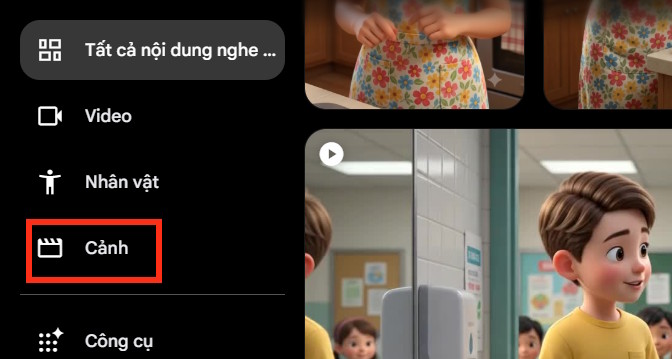
First, we create videos on Flow as usual. Then, click on the Scenes option on the left side of the interface.
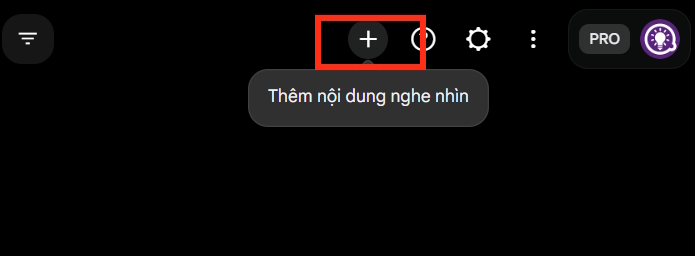
Now, click on the plus icon in the upper right corner of the interface.
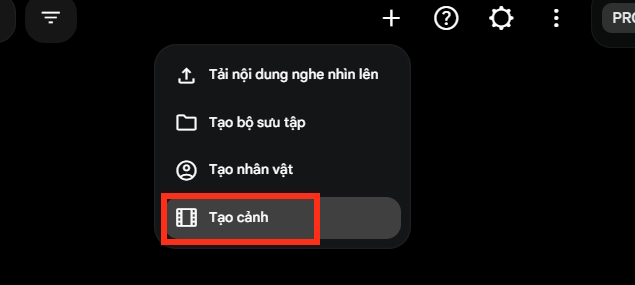
From the menu displayed, we select the " Create Scene" option to proceed.
Step 2:
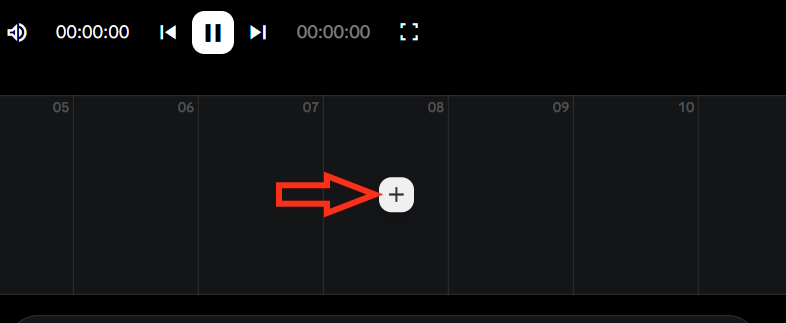
Here you'll see a frame to select each video clip; click the plus icon to add each video you want to combine into a longer video on Flow.
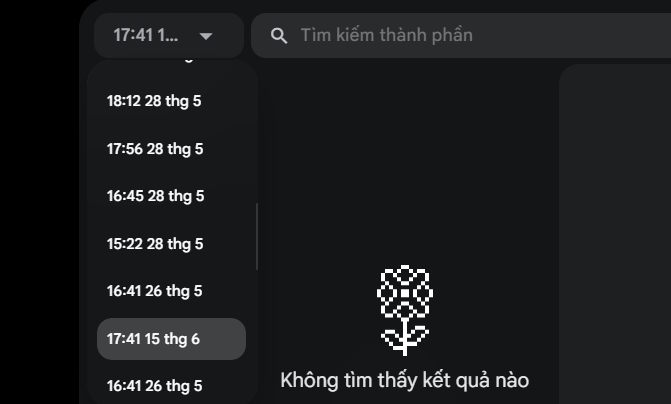
Now, find the date and select the video you want to combine into a longer video, if you can't see the video.
Step 3:
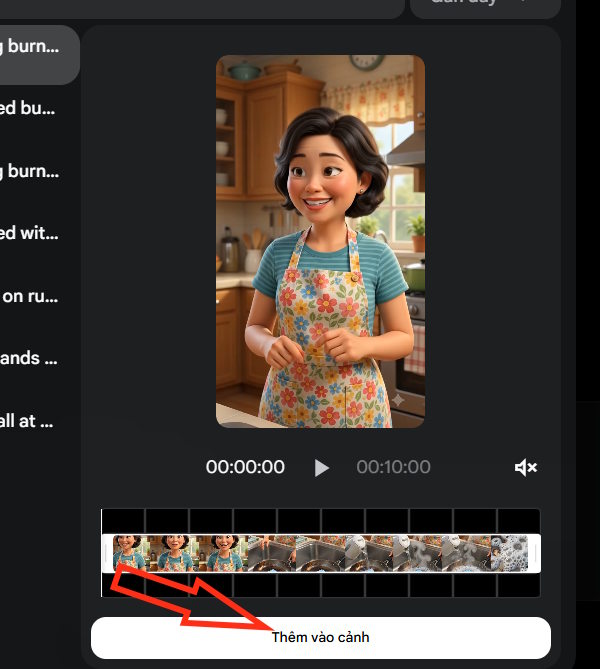
Here, click "Add to Scene" to add this video to the first scene.
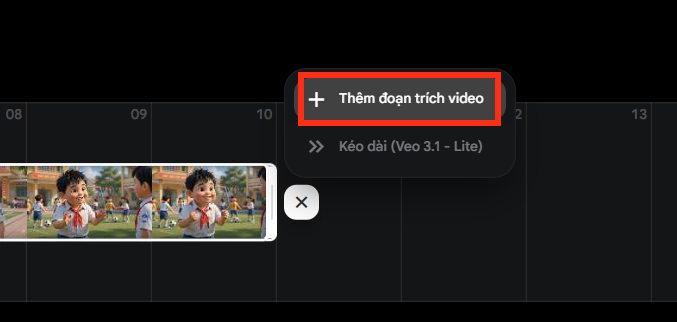
After adding the first scene to the video, tap the plus icon and then select Add video clip.
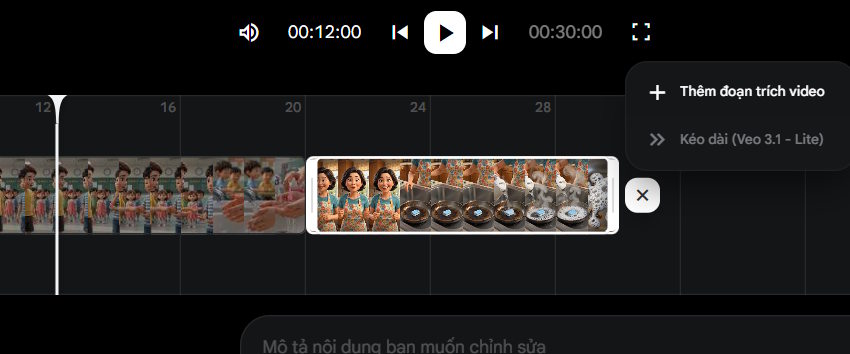
Now, select the video you want to add to the scene and click "Add to scene." As a result, you've added multiple videos for each scene to create a longer video. Continue this process to add more video segments.
Step 4:
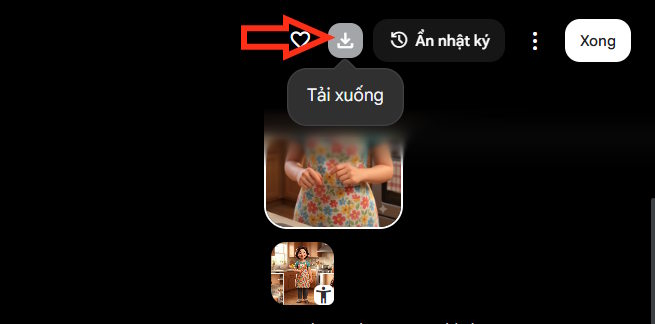
Finally, once you've finished creating it, click the download icon to download the complete video from Flow.
Related Articles
 How to Create a Video from a Single Image Using Google Flow3 minutes read
 How to Create AI Videos Shot with Drones on Google Flow: Step-by-Step Guide5 minutes read
 How to Create a Dialogue Video from Just Two Images Using Google Flow6 minutes read
 How to Create Product Advertising Videos on Flow3 minutes read
 How to Create a Video from Photos Using a Storyboard on Flow4 minutes read
 How to Combine Photos Using Google Flow3 minutes read
Reader Comments 0
Sign in with email or Google to join the discussion.