Table of Contents
Regional format settings affect how dates, times, numbers, and currency are displayed on your computer. Windows supports many languages, along with currency and date/time formats for the countries/regions that use those languages. Number formats determine how numbers are displayed, including your choice of decimal separator (such as a period or comma) and thousands separator. Here's how to change the number format in Windows 11.
Instructions for changing number formats in Windows 11
Step 1:
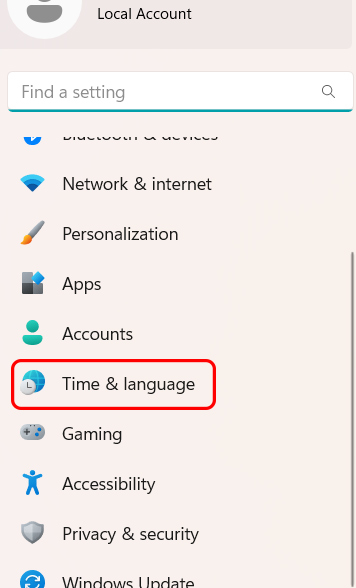
Press Windows + I to open Settings . Then select Time & language in the list on the left of the interface.
Step 2:
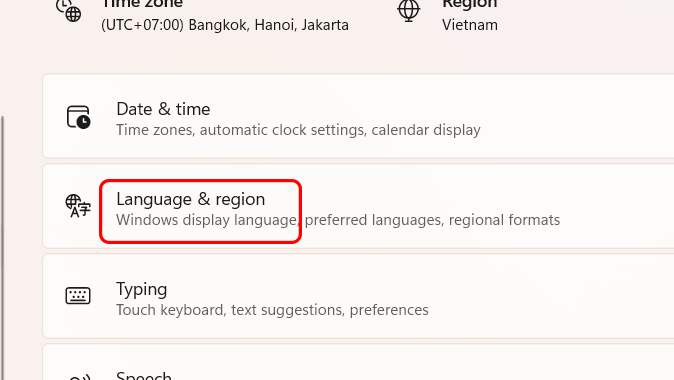
Look at the settings on the right, select Language & region to reset the region for your computer.
Step 3:
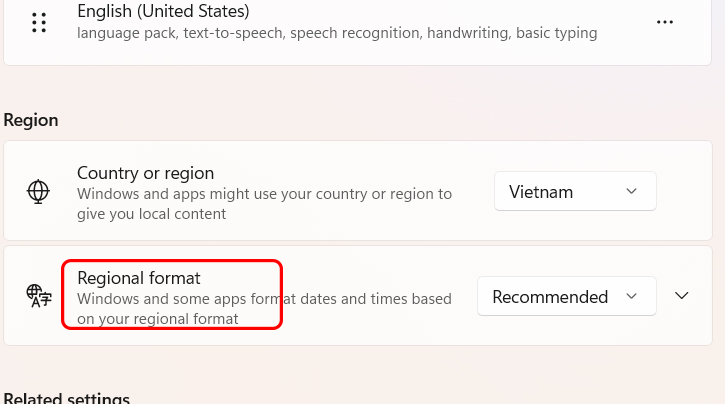
In the language and region adjustment section, scroll down to Region and select Regional format .
Step 4:
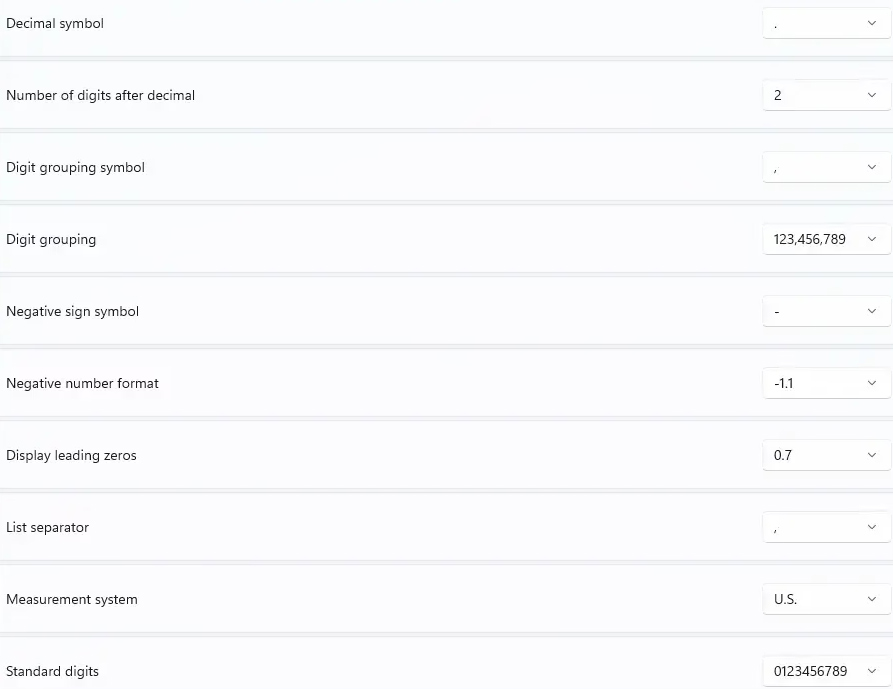
In the extended format interface for regions on Windows, select Number format to change the number format on Windows.
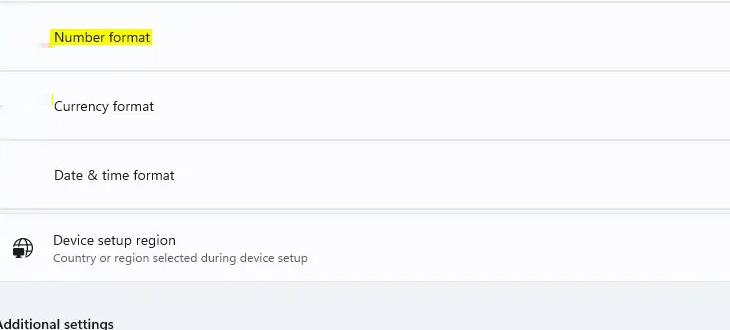
Select the number format from the drop-down menu that you want to change depending on the usage you usually use.
Final Thoughts
Following the steps in order and checking version-specific settings should make it easier to Change Number Format in Windows 11. If an option looks different, verify the device, app, or operating-system version before changing additional settings.
FAQ
What is the best way to Change Number Format in Windows 11?
Start with the requirements described in the article and follow the steps in order. Regional format settings affect how dates, times, numbers, and currency are displayed on your computer. Windows supports many languages, along with currency and date/time formats for the countries/regions that use those languages.
What should you know about Instructions for changing number formats in Windows 11?
Press Windows + I to open Settings. Then select Time & language in the list on the left of the interface.
What should you do if the instructions do not match your screen?
Check the device, software version, account permissions, and regional settings. Interfaces can change after updates, so use the closest matching option and consult the official support documentation when necessary.
Related Articles
 How to Change the Date and Time Format on Windows, Change the Slash to a Dot10 minutes read
 How to Change the Date and Time Format on Windows?7 minutes read
 Number Format in Word2 minutes read
 How to Change 24 Hour Format to 12 Hour Format for WhatsApp2 minutes read
 Click: How to Change the Number Format on a Mac4 minutes read
 How to Change Phone Number on Facebook Computer, Phone4 minutes read
Reader Comments 0
Sign in with email or Google to join the discussion.