Table of Contents
This practical guide explains how to change download location on safari iPhone. Follow the steps in order, review the requirements first, and use the troubleshooting notes when a setting or option does not work as expected.
How to change download location on Safari iPhone
Step 1:
You access Settings on iPhone then select Safari application to proceed with adjustment.
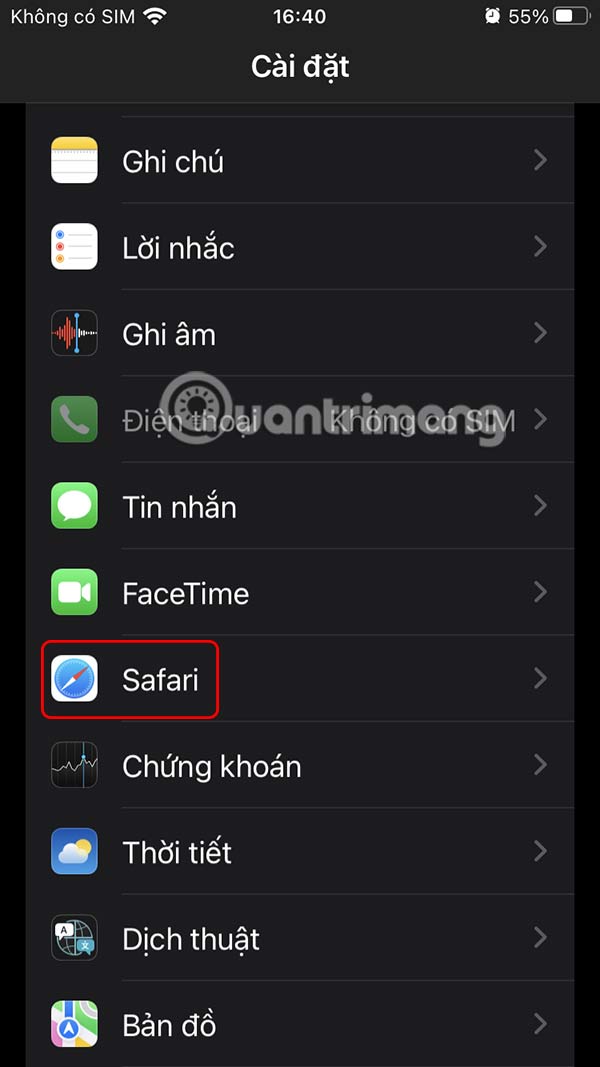
Step 2:
Switch to the settings interface for the Safari browser on iPhone, scroll down and select Downloads to make changes.
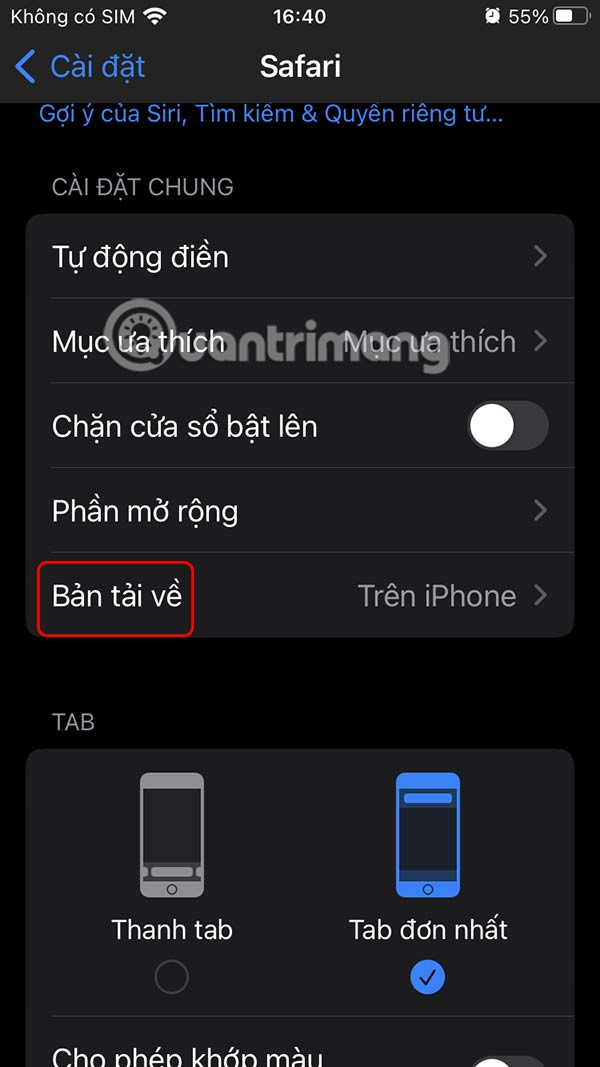
Step 3:
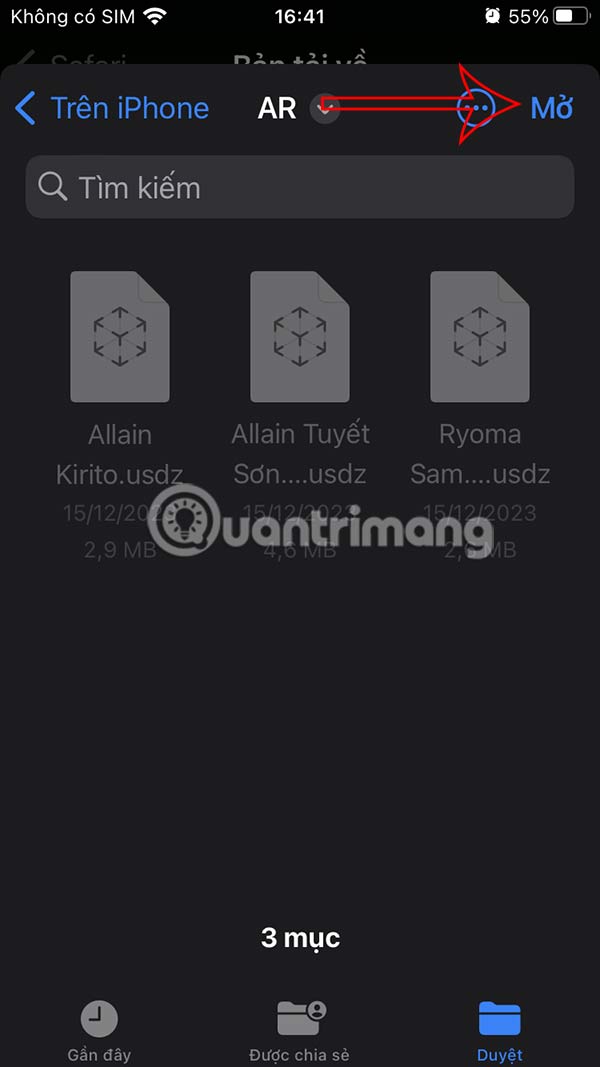
Here you will see the default download location on Safari iPhone in the Downloads folder of On iPhone. You tap on iCloud Drive to select a new location, or change it right in On iPhone.

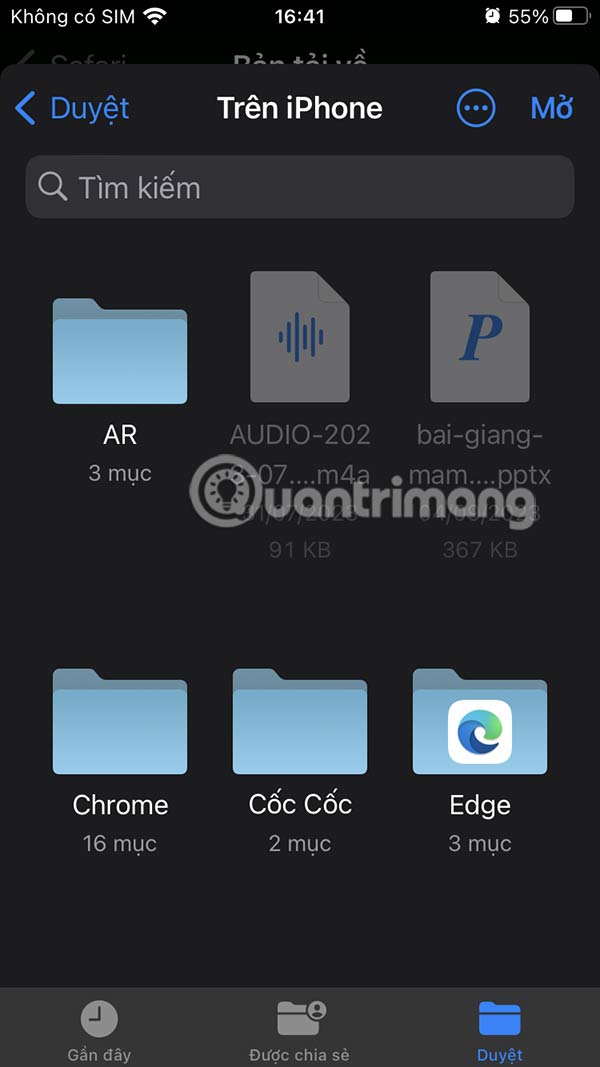
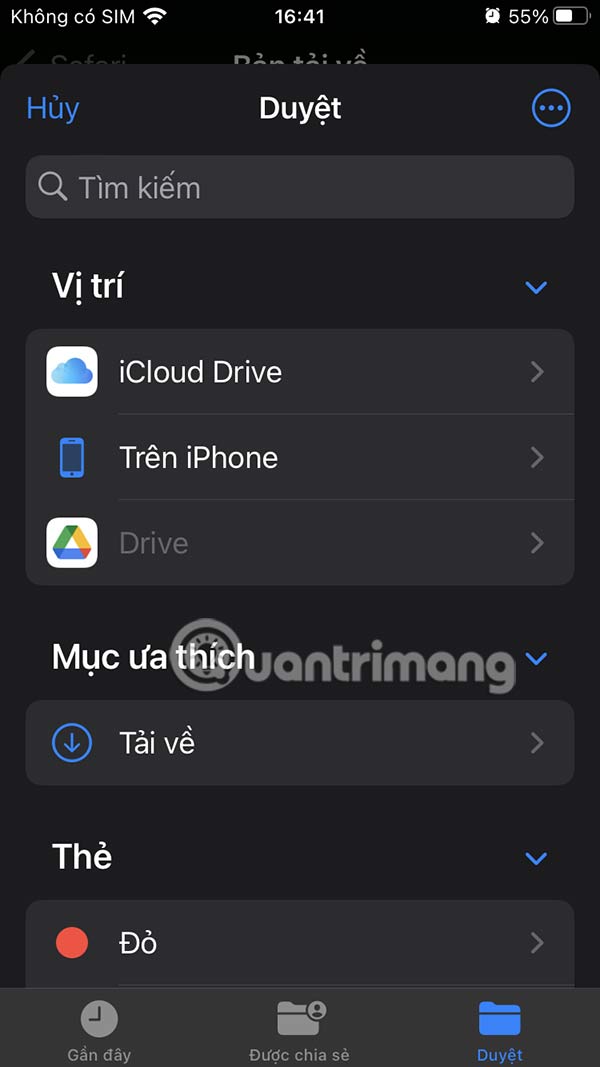
Once you have selected a new download location on Safari, click Open in the top right corner to save the download location on Safari iPhone.
Step 4:
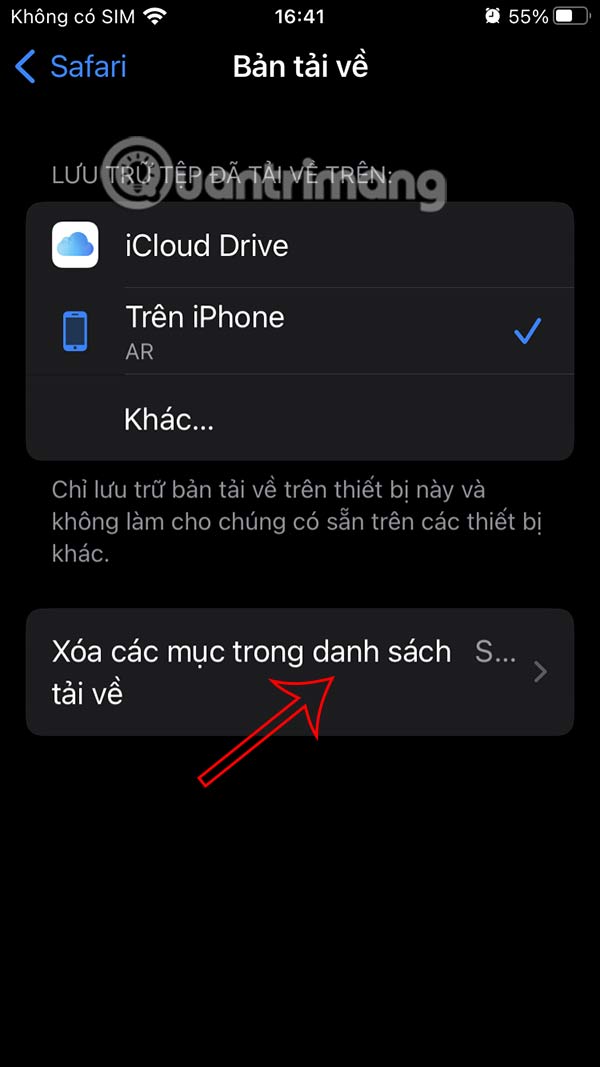
Safari also has the option to delete items in the download list after a period of time of your choosing.

FAQ
How to change download location on Safari iPhone?
You access Settings on iPhone then select Safari application to proceed with adjustment.
What does this guide cover?
This guide explains change download location on safari iPhone, including the main steps, important details, and practical considerations.
Who is this guide for?
It is designed for readers who want a clear, practical overview and a reliable process they can follow without unnecessary complexity.
Related Articles
 How to Change the Directory to Save the Downloaded File from5 minutes read
 How to Fix 5 Safari Bugs on iPhone8 minutes read
 7 Tips to Fix File Downloads on Safari9 minutes read
 How to Change the File Download Folder on Itunes3 minutes read
 Tips for Using the Safari Download Manager on Iphone, Ipad7 minutes read
 Change the Following 7 iOS Settings to Better Safari Security9 minutes read
Reader Comments 0
Sign in with email or Google to join the discussion.