Table of Contents
Android already includes security controls such as app sandboxing and Google Play Protect, so a third-party antivirus is not essential for every phone. A security app can still be useful if you install APK files, regularly use public Wi-Fi, manage sensitive accounts, or want extras such as scam-link checks, data-breach alerts, and Wi-Fi warnings.
“AI-powered” usually means the app uses machine-learning models, reputation data, or behavioral analysis to flag suspicious files, links, messages, and app activity. It is not a guarantee that every new threat will be detected. Keep Android and your apps updated, install software from trusted sources, and review permissions even when an antivirus is active.
How to compare Android security apps
- Core protection: Check whether real-time app scanning, malicious-link blocking, and potentially unwanted app detection are included in your plan.
- Scam protection: Some products inspect links in texts, notifications, QR codes, or supported browsers. Confirm exactly which apps and languages are covered.
- Battery and privacy: Continuous scanning can use resources, and cloud analysis may send limited file or device information to the provider. Read the privacy policy and test battery impact on your own phone.
- Useful extras: A VPN, password manager, parental controls, breach monitoring, or anti-theft tools may add value, but they can require separate apps or higher-tier subscriptions.
- Pricing: Free versions often contain ads or omit real-time protection. Review renewal pricing as well as the introductory offer.
If you are unsure whether you need another app, start with TipsMake's explanation of when antivirus software is useful on Android.
1. Bitdefender Mobile Security
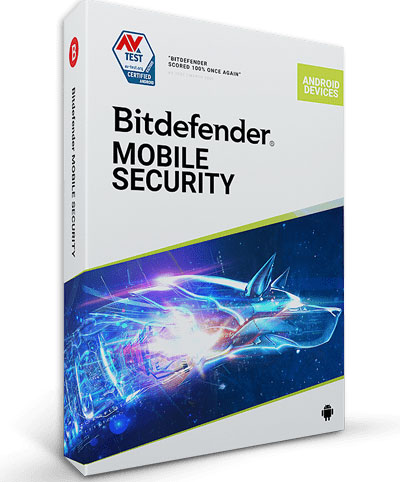
Bitdefender uses cloud reputation, machine learning, and behavioral detection to identify malicious apps and suspicious activity. Its Android product is designed to keep local scanning light while adding web and scam protection around the operating system's built-in controls.
Features to check
- Malware and app-behavior scanning
- Web protection and scam-link detection
- SMS filtering where supported
- App lock, breach monitoring, and anti-theft options
- VPN access, which may have a data limit depending on the plan
Best for: People who want a compact security suite with strong automated scanning. Watch for: Plan-specific VPN limits and the amount of diagnostic or account data collected. Some desktop technologies marketed by Bitdefender do not necessarily appear in the Android app under the same name.
2. Norton Mobile Security
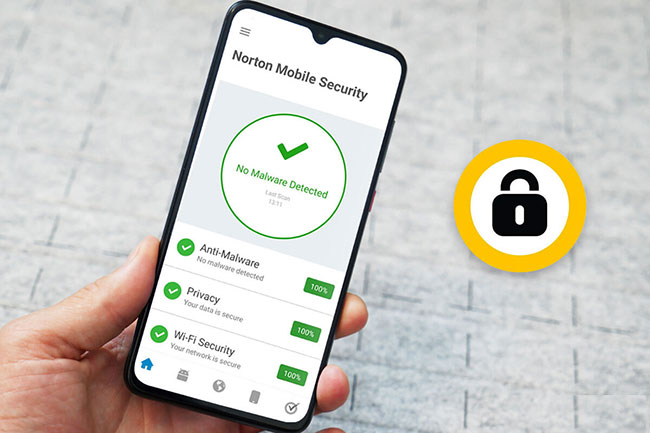
Norton combines app scanning with web, Wi-Fi, and scam-protection features. App Advisor can provide risk information about an app, while supported link and message checks are intended to warn about phishing and fraudulent content before it leads to a login or payment page.
Features to check
- App Advisor and malware scanning
- Malicious website and SMS-link warnings
- Wi-Fi security checks
- Identity-monitoring, parental-control, browser, or VPN services on eligible plans
Best for: Users who want broad phishing and scam protection alongside malware checks. Watch for: Features sold as separate subscriptions, regional availability, and the absence of some traditional anti-theft controls. Do not assume that an identity-protection feature available in one country is included everywhere.
3. Avast Mobile Security
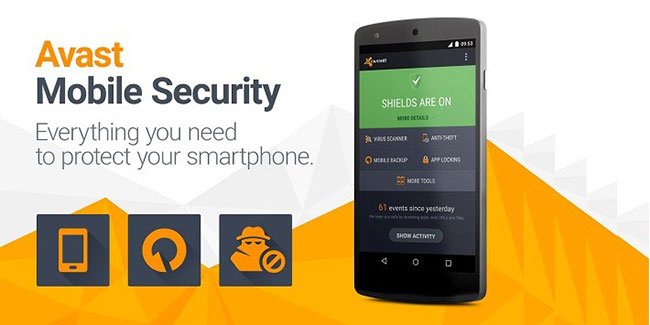
Avast offers a feature-rich free Android app as well as paid upgrades. The product includes app and file scanning, web protection, privacy information, and network checks. The free tier can be a practical way to evaluate the interface, but advertising and upgrade prompts may be distracting.
Features to check
- App and file scanning
- Web Shield for supported browsers
- Wi-Fi network warnings
- App-permission and privacy insights
- VPN and other premium tools on eligible plans
Best for: Users seeking a free starting point with multiple security checks. Watch for: Ads, subscription prompts, and tools described as “cleanup” or “RAM boosting.” Android normally manages memory itself, so aggressive task clearing may not improve performance.
4. McAfee Mobile Security
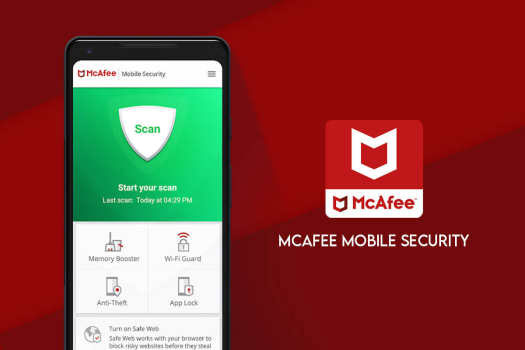
McAfee's Android suite focuses on malware, malicious links, risky networks, and scam detection. URL analysis can help identify suspicious links delivered through texts or other apps, while Wi-Fi checks can warn when a network's configuration deserves caution.
Features to check
- Malware and downloaded-file scanning
- Web and text-link protection
- Wi-Fi security alerts
- Privacy, identity, and data-removal services on supported plans
- Emerging media or deepfake warnings where available
Best for: Households already using a McAfee multi-device subscription. Watch for: Battery impact, regional identity features, and plan differences. A security score is a guide to settings, not proof that a device cannot be compromised.
5. TotalAV
TotalAV packages Android malware scanning with web protection and device-management tools. Its interface is intended to be accessible to nontechnical users, and cloud-based checks can reduce some local processing. The exact mix of real-time scanning, VPN access, password tools, ad blocking, and breach monitoring depends on the subscription.
Features to check
- On-demand and real-time malware protection
- Phishing and unsafe-site warnings
- App lock and breach alerts
- VPN, password-management, or ad-blocking features on eligible plans
- Storage cleanup tools
Best for: Users who prefer an all-in-one interface and want security plus basic storage tools. Watch for: Renewal costs, frequent upgrade messages, and claims that optimization tools can dramatically speed up a phone. Deleting genuinely unused files can help storage, but no antivirus can compensate for obsolete hardware.
Which app is the best fit?
- Choose Bitdefender if lightweight automated scanning is the priority.
- Consider Norton when phishing, scam, and browsing protection matter more than anti-theft tools.
- Try Avast if you need a free tier and accept ads or upgrade prompts.
- Use McAfee when it is already included in a household or multi-device plan.
- Evaluate TotalAV if you want security and storage tools in one interface.
This comparison is a decision guide, not a laboratory ranking. Detection rates, battery use, feature availability, and prices change. Check recent independent test results and the provider's current Android documentation before paying.
Improve Android security without another app
- Install Android security updates and Google Play system updates when they are available.
- Keep Google Play Protect enabled and avoid APK files from unfamiliar sites.
- Review sensitive permissions such as Accessibility, device administration, SMS, notifications, microphone, and precise location. TipsMake's guide to limiting new Android app tracking explains where to start.
- Use a unique password and multi-factor authentication for important accounts.
- Remove apps you no longer use and investigate sudden pop-ups, overheating, unexplained data use, or unauthorized account activity.
If you suspect an infection, disconnect from risky networks, avoid entering passwords on the device, remove recently installed suspicious apps, run Play Protect and a reputable scanner, and change exposed account credentials from a trusted device.
Related Articles
 The Best Android Apps9 minutes read
 These Framed Art Apps for Phones: Photo Framing Apps5 minutes read
 Low-profile Android Smartphone Apps10 minutes read
 5 Best Antivirus Software for Android Best6 minutes read
 Best AI Apps for Android7 minutes read
 TOP Essential Apps When Using Android Phones5 minutes read
Reader Comments 0
Sign in with email or Google to join the discussion.