Table of Contents
On iPhone, open Files > Browse > Downloads. Safari downloads usually appear in iCloud Drive's Downloads folder unless you changed the download location. On Android, open the phone's file manager—such as Files by Google or Samsung My Files—and select Downloads.
Photos, email attachments, streaming downloads, and files saved by individual apps may be stored elsewhere. Use the browser's recent-download list or the file manager's search when the usual folder is empty.
Quick download locations
| Device or app | Where to look first |
|---|---|
| iPhone or iPad | Files > Browse > iCloud Drive > Downloads |
| Safari on iPhone | Tap the Downloads button near the address/search field, then open the item |
| Samsung Galaxy | My Files > Downloads |
| Google Pixel or Files by Google | Files > Downloads, or Files > Browse > Downloads |
| Other Android phones | Files, File Manager, or My Files > Downloads |
| Saved photos and videos | Photos on iPhone; Google Photos or Gallery on Android |
| Netflix, Spotify, YouTube, and similar offline media | The Downloads or Offline section inside that app |
Find downloaded files on iPhone
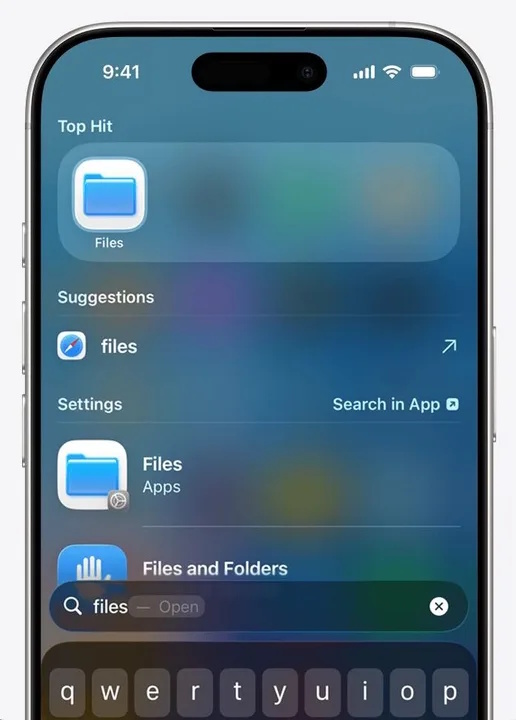
- Open the blue Files app. If it is not on the Home Screen, swipe down and search for Files.
- Select Browse at the bottom.
- Open iCloud Drive, then Downloads.
- Tap a file to preview or open it. Use the search field if you remember part of the name.
If the iPhone Downloads folder is empty
Return to Browse and check On My iPhone. Safari can save to iCloud Drive, On My iPhone, or another folder. To review its setting, open Settings > Apps > Safari > Downloads.
If you just downloaded the item in Safari, tap Safari's Downloads button to see its status and open it directly. Apple's Files guide explains the available storage locations, while its download instructions cover the Safari shortcut.
Where are downloaded photos on iPhone?
An image saved with Save to Photos appears in the Photos app, not necessarily in Files. An image saved with Save to Files remains in the folder you selected. Check both places if you do not remember which command you used.
Find downloaded files on a Samsung Galaxy phone
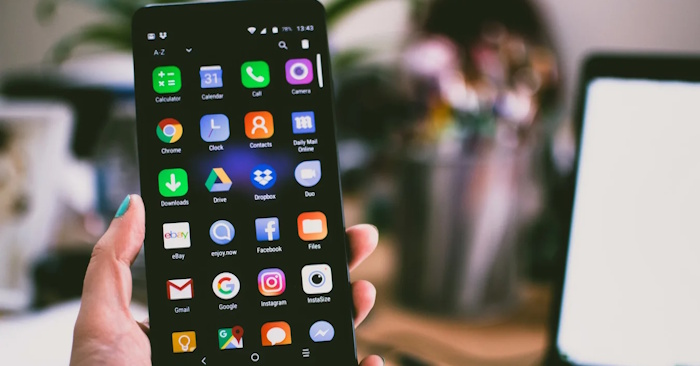
- Swipe up to open the Apps screen.
- Open My Files. It may be inside the Samsung folder; use app search if needed.
- Under Categories, select Downloads.
- Use the search icon to search by file name.
- If the item is not listed, check Documents, Images, Videos, Audio files, or Installation files.
For direct folder browsing, open Internal storage > Download. Samsung notes that protected offline media may be visible only inside the app that downloaded it. Its official My Files guide covers searching, moving, and managing downloads.
Find downloads on Google Pixel and other Android phones
Google Pixel phones commonly use Files by Google:
- Open Files or Files by Google.
- Look in Recents for a newly downloaded item.
- Select Downloads under Categories, or open Browse > Downloads.
- Use the search field for a known file name.
- Check Images, Videos, Audio, Documents, and Apps if you know the file type but not the folder.
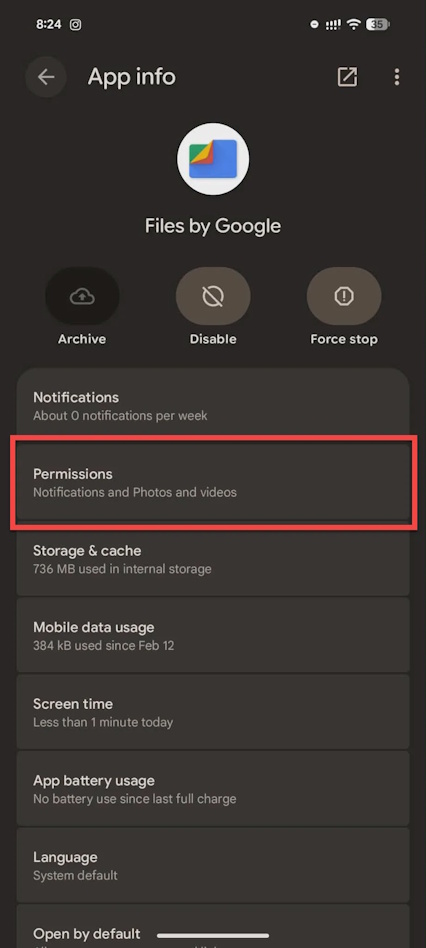
On another Android brand, the file manager may be called Files, File Manager, My Files, or Downloads. If it does not show a Downloads category, browse Internal storage > Download. Google explains Recents, categories, and list views in the Files by Google guide.
Find a download from the browser
- Chrome on Android or iPhone: open the menu and select Downloads. Tap the folder or file option to locate it on the device when available.
- Safari on iPhone: tap the Downloads button beside the address/search field after a download.
- Samsung Internet: open the menu and select Downloads.
The browser list is especially useful when a website changed the file name or saved the item in a location you did not expect.
Why some downloads appear only inside an app
Streaming and subscription apps often store offline movies, music, podcasts, or maps in protected app storage. Those downloads are not normal MP4 or MP3 files that can be moved with a file manager. Open the app that created them and use its Downloads or Offline section.
Email and messaging apps can also keep an attachment inside the conversation until you explicitly choose Save to Files, Download, or Save to device. Cloud-storage apps may mark files for offline use without placing a separate copy in the public Downloads folder.
If the file is still missing
- Return to the app or website and check whether the download completed or failed.
- Search for part of the file name and sort results by most recent.
- Check available storage; a full device can interrupt downloads.
- Review the app's file or media permissions in system settings.
- Check the Trash, Recycle Bin, or Recently Deleted folder if the item may have been removed.
- Download the file again and watch the destination prompt carefully.
Before deleting or moving an unfamiliar item, confirm that it is the intended download. Moving files used by an app can break links, and installing APK files from unknown sources on Android creates a security risk.
Related Articles
 minutes read
 How to Find the Downloaded File on Your Android Device6 minutes read
 Instructions for Viewing the List of Downloaded Applications on4 minutes read
 How to Use Zarchiver to Compress and Decompress Files on5 minutes read
 Quick File Search Application on Android5 minutes read
 How to View the Emoji Emoticons of iPhone on Android6 minutes read
Reader Comments 0
Sign in with email or Google to join the discussion.