Table of Contents
Windows Defender protects your computer from viruses and malware. However, it sometimes automatically deletes files that you know are safe but are flagged anyway.
Windows Defender is Microsoft's built-in solution to protect your computer from viruses and malware. However, it sometimes automatically deletes files that you know are safe but are flagged anyway. This can be incredibly annoying. Here's how to stop Windows Defender from deleting files.
Add exceptions in Windows Security
The easiest way to prevent file deletion is to go directly to the source through Windows Security. If you trust a file or folder that Windows Defender keeps deleting, you can add it to the exclusions list.
Step 1:
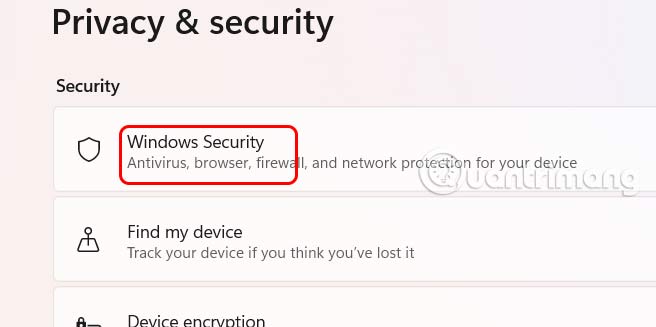
Open settings on your computer then Click on Privacy & security Then look to the side, select Windows Security.
Step 2:
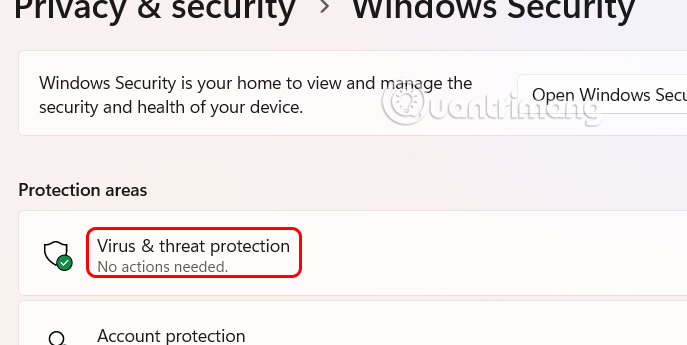
In the next interface, Click Virus & threat protection To adjust.
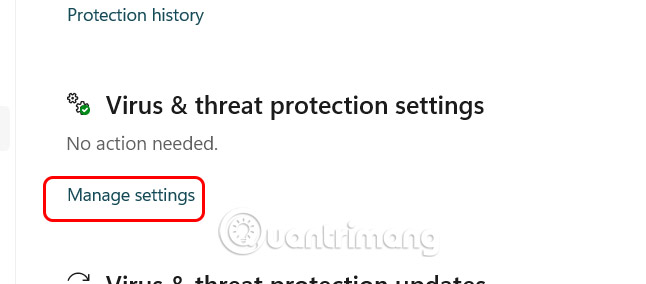
The new interface appears, scroll down To Virus & threat protection settings And click Manage settings .
Step 3:
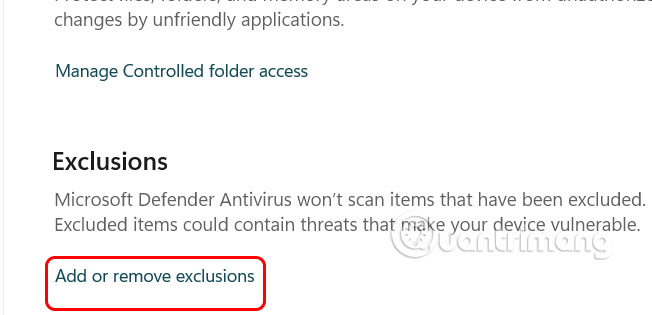
In The Exclusions section, Users click Add or remove exclusions To add exclusion components.
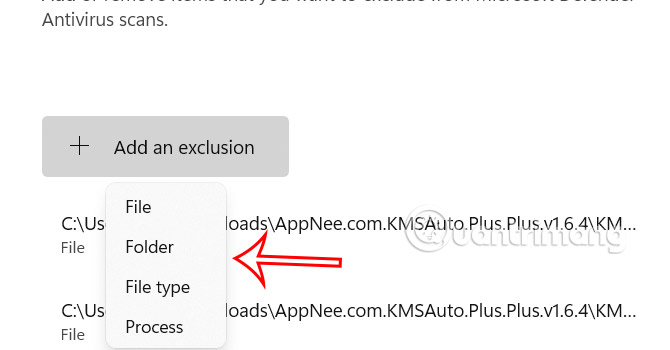
Here, users Click Add an exclusion And then Select the type of content they want to exclude So that Windows Defender does not delete it.
Recover deleted files and folders
Windows Defender doesn't delete files, but quarantines them to limit their impact on other files on your computer. You can restore these files and folders if you're sure they're safe.
Step 1:
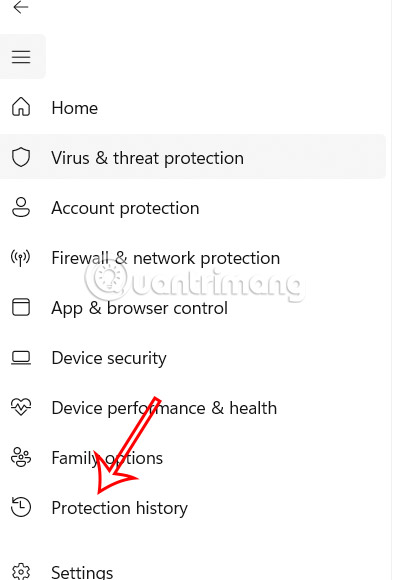
We also access the Virus & threat protection interface in Settings, then select Protection History .
Step 2:
Deleted files will be displayed in this interface and you can retrieve them. Click on the file Then Select Actions then click Allow To retrieve the deleted file.
Disable Storage Sense
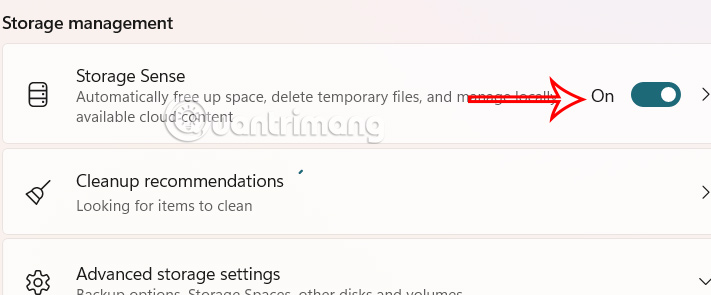
While not Windows Defender, Storage Sense is a feature that deletes files and folders to free up storage space. It is limited to the Recycle Bin and will automatically delete after 30 days. If You should restore data, you can turn off Storage Sense.
FAQ
How do you stop Windows defender from deleting files: step-by-step guide?
In practical terms, Windows Defender protects your computer from viruses and malware. However, it sometimes automatically deletes files that you know are safe but are flagged anyway.
What should you check before getting started?
Review the requirements, compatible device or software version, and any warnings described in the guide before making changes.
What should you do if the steps do not work?
Repeat the steps in order, confirm that your app or system is up to date, and review the troubleshooting details provided above.
Related Articles
 How to Check If Windows Defender Generates Random Files and4 minutes read
 How to Recover Files Deleted by Windows Defender: Step-by-Step Guide3 minutes read
 How to Add Exceptions in Windows Defender on Windows 105 minutes read
 How to Restore Files Quarantined by Windows Defender: Step-by-Step Guide4 minutes read
 How to Scanning Compressed Files with Windows Defender on Windows 103 minutes read
 How to Protect Files from Being Mistakenly Deleted by Windows6 minutes read
Reader Comments 0
Sign in with email or Google to join the discussion.