Table of Contents
This practical guide explains how to auto-scroll Instagram reels videos. Follow the steps in order, review the requirements first, and use the troubleshooting notes when a setting or option does not work as expected.
Instagram Reels Auto-Scrolling Video Tutorial
Step 1:
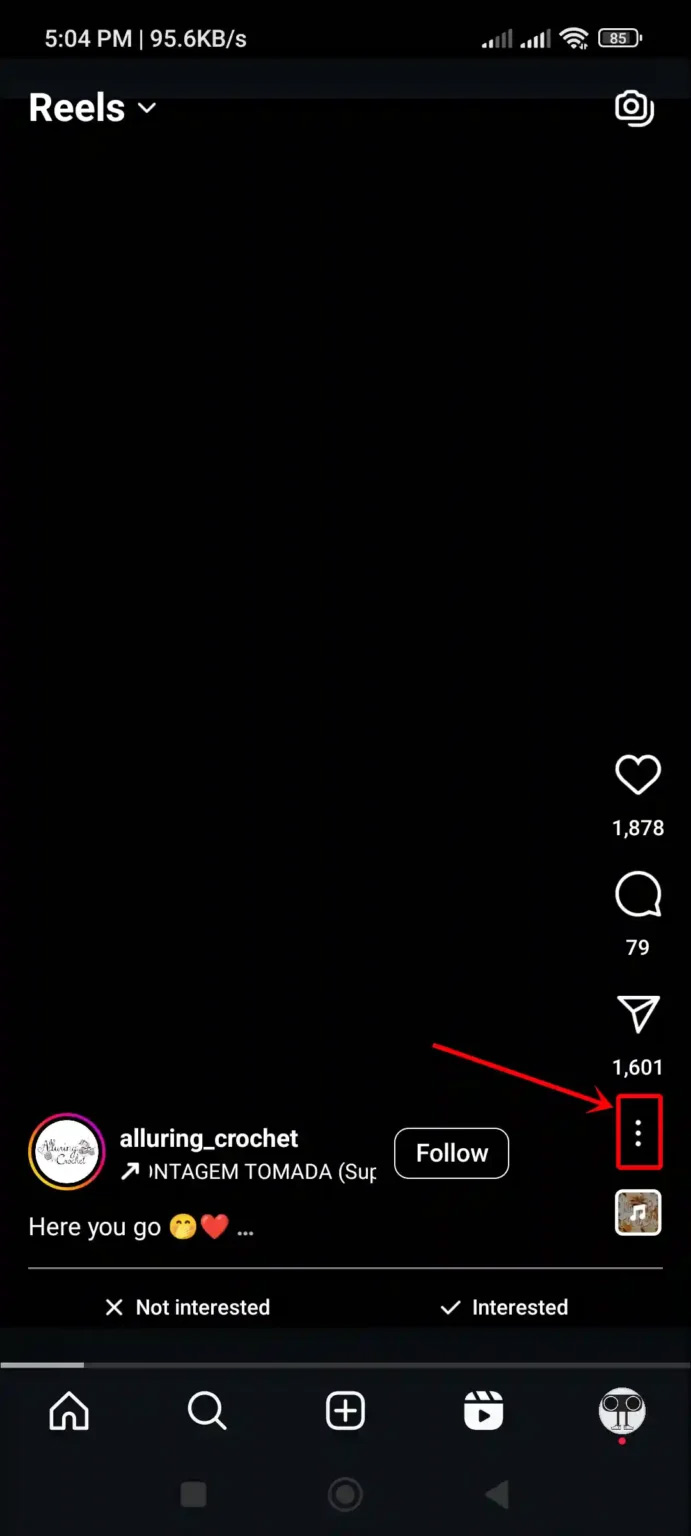
On the Instagram app interface, select the Reels icon below to access Instagram Reels. Next, select the 3-dot icon on the Reels video as shown below.
Step 2:
Show video options at the bottom of the screen, You only need to activate Auto Scroll mode . As a result, when watching videos on Instagram Reels, you will no longer need to do manual operations.
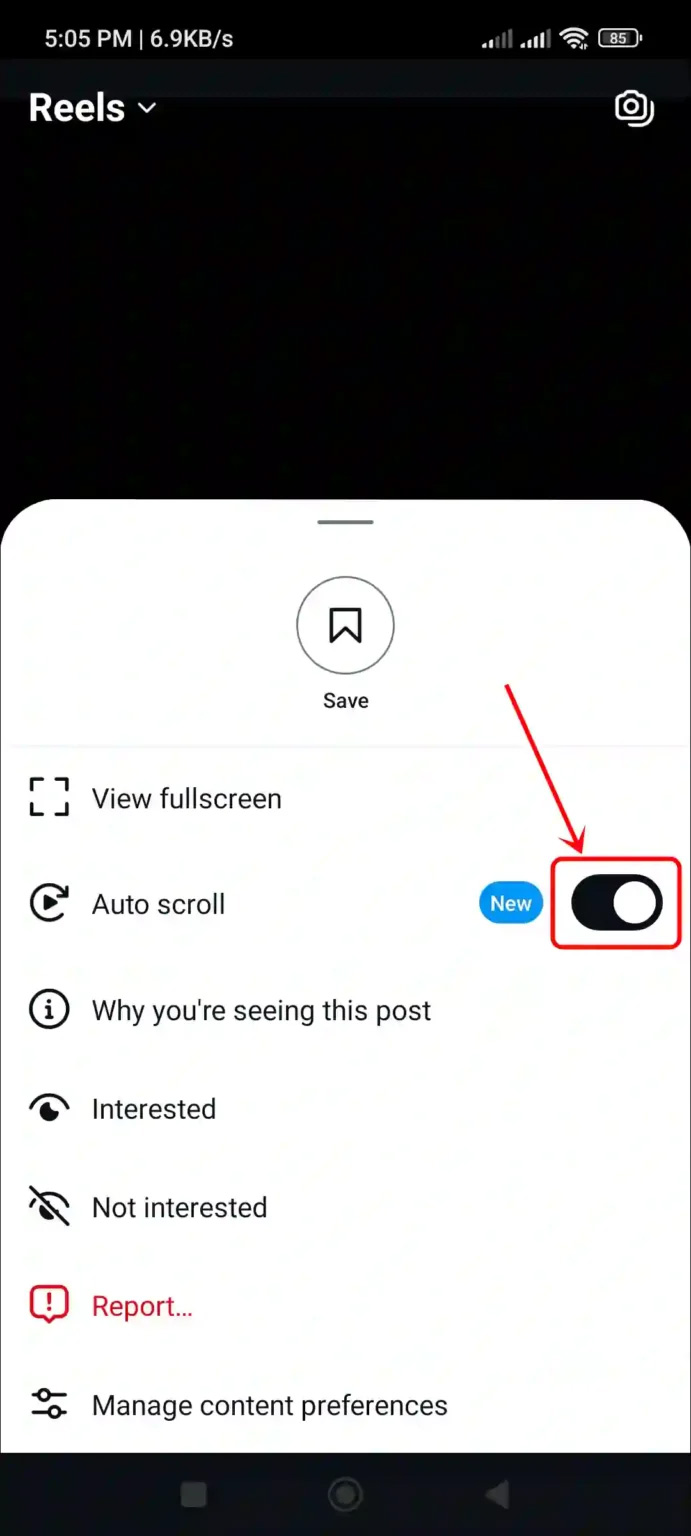
Currently, the automatic video scrolling feature on Instagram Reels is gradually being deployed to accounts, so you need to update the application to the latest version and then wait more time if this automatic video scrolling feature has not been updated for your account.
FAQ
What should you know about instagram Reels Auto-Scrolling Video Tutorial?
On the Instagram app interface, select the Reels icon below to access Instagram Reels. Next, select the 3-dot icon on the Reels video as shown below.
What does this guide cover?
This guide explains auto-scroll Instagram reels videos, including the main steps, important details, and practical considerations.
Who is this guide for?
It is designed for readers who want a clear, practical overview and a reliable process they can follow without unnecessary complexity.
Related Articles
 Instructions for Pinning Reels Instagram Videos: Key Facts4 minutes read
 How to Delete Multiple Instagram Reels Videos at Once with a Few Simple Steps3 minutes read
 Instagram Will Allow Reels Up to 3 Minutes Long4 minutes read
 How to Hide Reels Instagram Suggested Videos3 minutes read
 How to Post Reels Instagram Video to Instagram Story3 minutes read
 How to Use the Instagram Reels Video Editing Tool: Step-by-Step Guide4 minutes read
Reader Comments 0
Sign in with email or Google to join the discussion.