Table of Contents
Help AI: Your Homework With AI is an Android study-assistant app from IAStudio. It accepts questions typed manually, captured with a camera, or entered by voice. The app can return explanations, save previous queries, reuse custom prompt instructions, and share text or images with other apps.
It can be useful for checking a method or exploring a question, but it should not be treated as an answer key. AI responses can misread a photo, apply the wrong formula, invent a source, or give a confident but incorrect explanation. Use it to support learning, then verify the result.
What Help AI offers
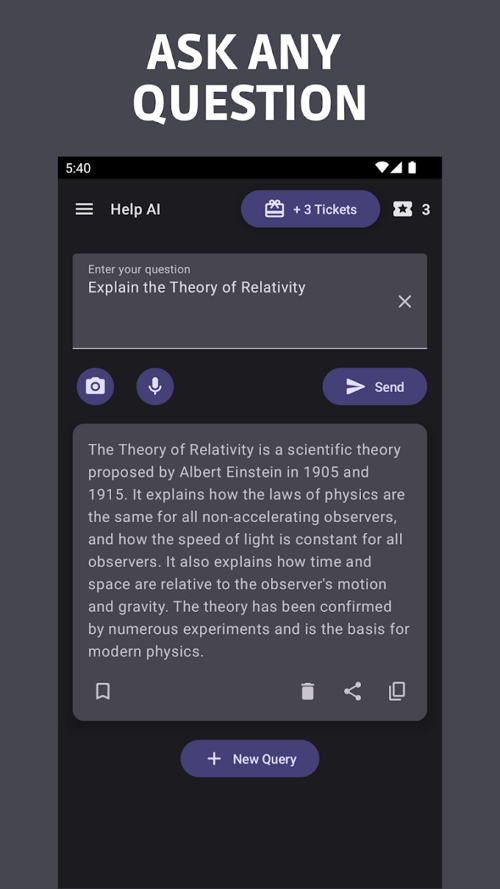
The app's current Google Play listing describes three input methods and several organization features:
- Typed questions: Enter a question directly and continue with follow-up prompts.
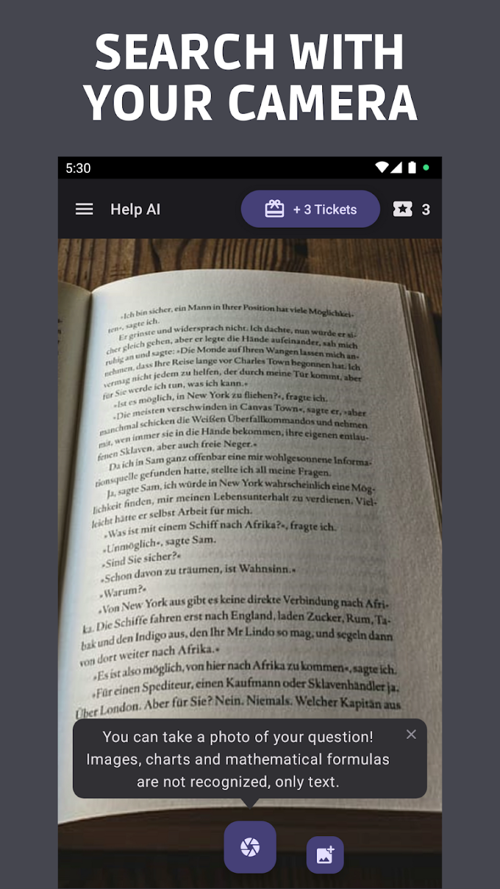
- Camera scanning: Capture printed or handwritten material for the app to recognize and analyze.
- Voice search: Dictate a question instead of typing it.
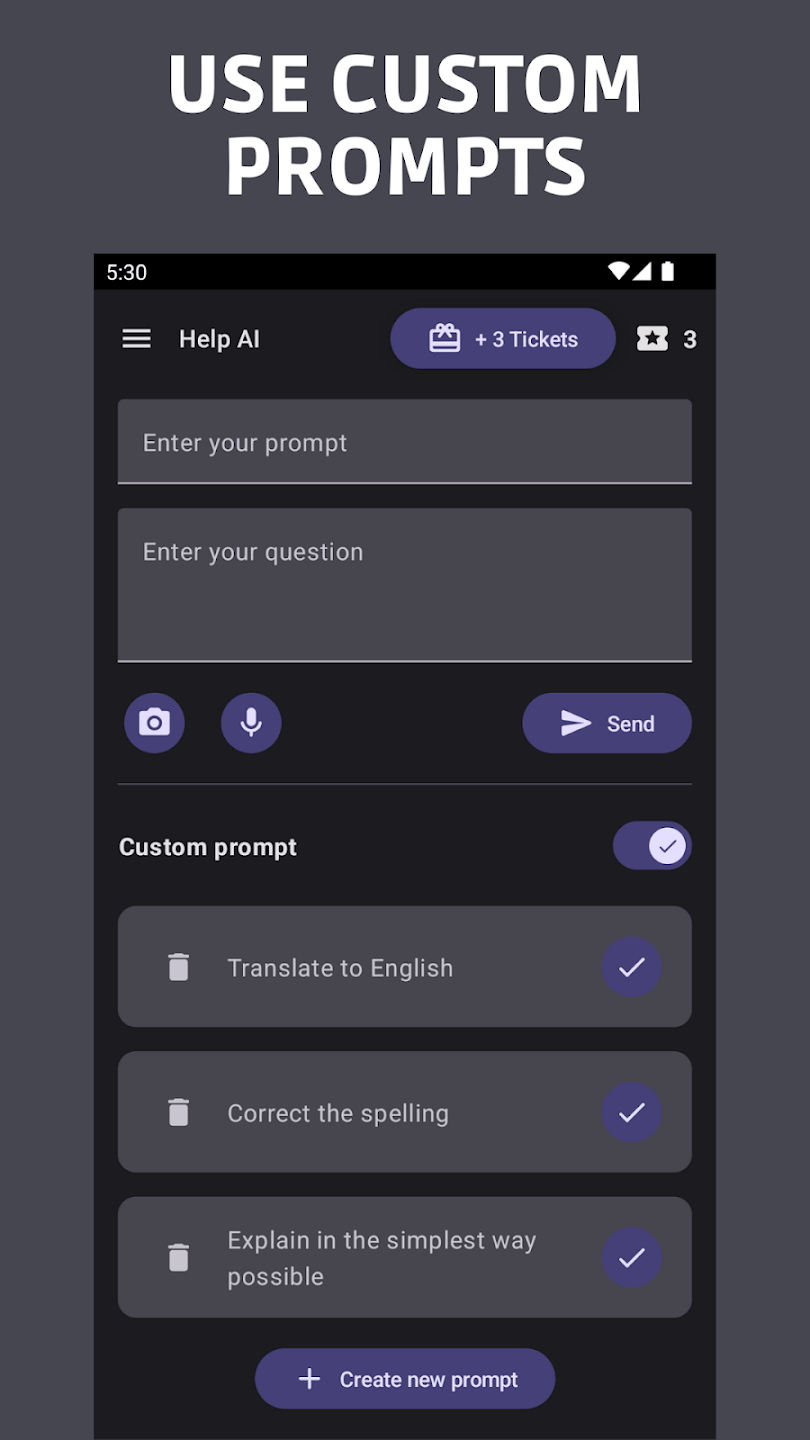
- Custom prompts: Save instructions that you use repeatedly.
- History and sharing: Save, copy, and share queries, including text or images sent from another app.
Support for a subject does not guarantee that every problem can be solved correctly. Image quality, notation, missing context, and the complexity of the question all affect the response.
How to use it as a learning tool
- Try the problem first. Write what you know, the method you considered, and the point where you became stuck.
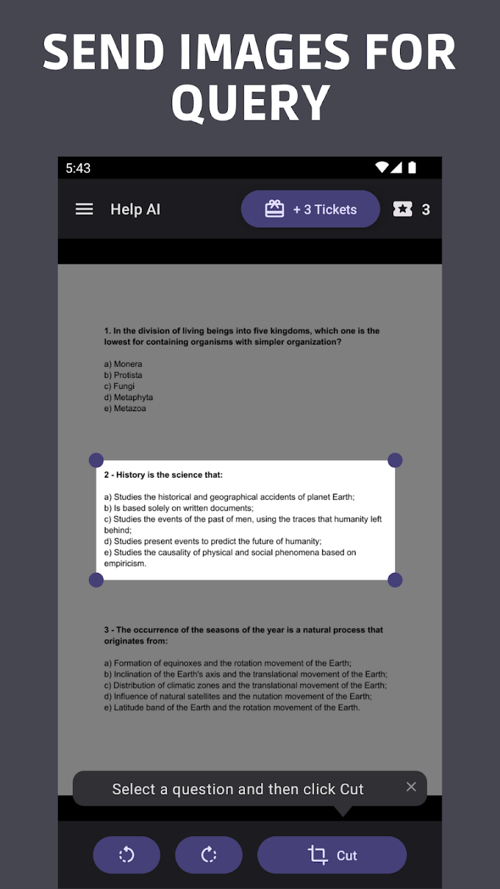
- Capture the complete question. Include diagrams, units, answer choices, and instructions. Crop out names, grades, and other personal information.
- Ask for one step at a time. Request a hint or explanation before asking for a complete solution.
- Compare the answer with your course method. Terminology and accepted techniques can differ by class.
- Verify independently. Substitute a result back into an equation, consult the textbook, or ask a teacher when the answer affects graded work.
- Explain it yourself. If you cannot restate why a step works, the generated solution has not yet helped you learn it.
Example: checking an integration-by-parts solution
Suppose the task is to evaluate the following integral:

A useful prompt asks for the method and a verification rather than only the final expression:
Show how to evaluate the integral of x times e^x using integration by parts. Identify u, du, dv, and v. After simplifying, differentiate the result to verify it. Explain each step briefly.The relevant identity is:

With u = x and dv = exdx, the result is:

Differentiating xex - ex returns xex, which checks the antiderivative. This verification step is more valuable than accepting a displayed formula because it can expose a sign or transcription error.
Using the camera scanner
Place the page on a flat surface with even lighting. Keep the camera parallel to the paper and include the entire question. After scanning, compare the recognized text with the original before asking for a solution.
- Check minus signs, exponents, roots, fractions, decimal separators, and units.
- For geometry, include the full diagram and define labels that are hard to read.
- For a long problem, scan only the relevant question instead of an entire page.
- For handwriting, rewrite ambiguous symbols such as 1 and l, or 0 and O.
Using voice and typed questions
Voice input is convenient for a conceptual question, but equations, chemical formulas, and names may be transcribed incorrectly. Read the transcription before sending it. Typed input is better when exact notation or a detailed constraint matters.
Useful follow-up prompts include:
- “Give me one hint without revealing the final answer.”
- “Which step in my attempt is incorrect, and why?”
- “Use the method taught in the attached example.”
- “Create two similar practice problems, but keep the answers hidden until I ask.”
- “List the assumptions you made because the question was incomplete.”
Custom prompts worth saving
Act as a study coach. Ask what I have tried, then give one hint at a time. Do not provide the final answer unless I request it. Use vocabulary appropriate for [grade or course].Review my solution against the original question. Identify the first incorrect step, explain the relevant rule, and let me correct it before continuing.Summarize this passage using only the supplied text. Separate the main claim, supporting evidence, key terms, and questions the passage does not answer.Do not store personal details, account credentials, unpublished exam material, or confidential school documents in reusable prompts.
Other practical uses
The store listing also presents the app for translation, spelling checks, drafting text, recommendations, and planning. Apply the same review standard to these tasks. Check translations in context, verify factual claims against reliable sources, and treat generated writing as a draft that must comply with the school's academic-integrity rules.
Privacy and data considerations
A camera-based homework app may receive images containing a student's name, school, handwriting, location clues, or grades. Crop or redact that information before upload. Do not submit another student's work or restricted assessment material.
The Google Play data-safety section is based on information supplied by the developer and currently says that the app may collect and may share several categories of data. It also says data is encrypted in transit and that users can request deletion. Review the current listing and linked privacy policy for the exact categories and purposes; school users should also follow institutional approval requirements.
Download and platform details
| Item | Current listing information |
| Application | Help AI: Your Homework With AI |
| Developer | IAStudio |
| Platform | Android via Google Play |
| Input methods | Typing, camera scan, and voice search |
| Business model | Contains ads and in-app purchases |
Use the official Google Play listing instead of an unofficial APK site. The store page shows current compatibility, permissions, update information, data-safety disclosures, and purchase terms for your region.
When not to rely on the app
Do not use generated output as the sole authority for safety-critical instructions, medical or legal questions, graded assessments that prohibit AI, or a subject where you cannot check the answer. When the explanation conflicts with the course material or remains unclear after a follow-up, take the question to a teacher or an authoritative source.
Related Articles
 How to Do Your Homework Faster So You Can Spend Your Time7 minutes read
 How to Do Homework on Microsoft Teams for Students3 minutes read
 StudyX: AI Learning && Exercises8 minutes read
 What Are the Most Useful Websites? Online Homework Help for9 minutes read
 Quiz AI: AI Homework Assistant10 minutes read
 Google's Gemini Insults User for Asking Him to Do Homework4 minutes read
Reader Comments 0
Sign in with email or Google to join the discussion.