Table of Contents
This updated guide examines FAQ About the Default Password and organizes the essential facts, background, and practical takeaways in clear American English.
Responsible-use note: Apply security techniques only to systems you own or are explicitly authorized to test.
"What is the most common default password for a router?"
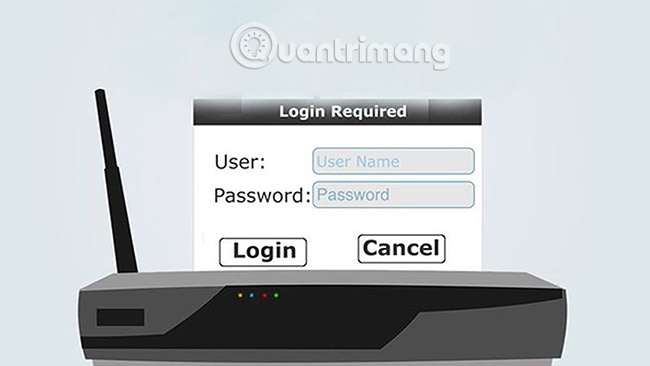
Undoubtedly, the most popular default password of the router is admin. If you cannot find information related to the default password for your router anywhere, try the term 'admin' first.
If the admin is not the default password you need, try the word 'password'. Seriously, it seems a bit strange that these devices come with such a simple password, but simply because the manufacturer thinks you will change them after first using it.
Although this is usually not very common, there are some router manufacturers that require a blank username field when logged in with the default password. Other manufacturers require usernames to be admin. Try all possible ways until you find the right solution.

"Where does all this default password information come from?"
Manufacturers of routers, motherboards and other password-protected computer hardware have created their default passwords and other default information, for their hardware (usually in the user manual). product).
You can find a lot of default information for routers or switches on TipsMake.com. Please refer to the following articles:
- List the default password of Cisco routers and switches
- List the default password of the Linksys router
- List NETGEAR router default password
- List the default password of D-Link router
"Publicizing passwords, usernames and IP data by default is only useful for hackers! None of this information should be public!"
This is completely inaccurate. The default data for a hardware is valuable information after resetting the hardware device or when troubleshooting hardware related problems. In particular, in addition to the value for users, the default data preconditions must be available when first setting up a hardware device, especially network devices such as routers.
In addition, as mentioned above, manufacturers always disclose this information through instructions for using their products. The lessons on Tipsmake only make things easier for those who need the default information when they have problems.
Finally, security is the owner's responsibility. A router called properly configured must have at least a secure password. New computer owners who decide to use the BIOS or system password should set up their own login information.
"There are a lot of default password lists on the Internet. Isn't this page just re-uploading existing information?"
Absolutely not. It is true that there are many default password lists, especially for network devices such as routers. However, most of these default password lists are rarely updated, containing only a few common hardware models and have been created almost entirely by user-supplied information.
Most passwords and other default data you can find on this site have been compiled from reliable sources or directly from product manuals provided by hardware device manufacturers..
"The default password for [abc] is wrong and the page should fix it."
Just let Tipsmake know and the information will be fixed as soon as possible.
However, the information given by Tipsmake comes from very reliable sources, so if you believe that something is not accurate, please indicate the source you found the right information.
If that exact information doesn't come directly from the hardware manufacturer, please let Tipsmake know how you know it is real information.
"Default password, username or other data does not work!"
If it is not a hardware or firmware problem, this means that someone has changed their password, username or any other data, from default to something else.
In most cases, the solution is to reset the hardware. The best way to find out how to reset the hardware is to consult the information in the hardware device manual, available from the manufacturer's website.
If you need further assistance, post information on tech support forums or leave comments in the comment section below. Tipsmake will be ready to help you as much as possible.
:
- Access the home router with admin rights
- How to find the default IP address of a Belkin router
- 2 steps to change Linksys wifi password
FAQ
What is FAQ About the Default Password about?
It provides a structured overview of Default password, explains the main context, and highlights practical takeaways for readers.
Why does this topic matter?
Understanding the main concepts helps readers evaluate the issue, avoid common mistakes, and make better-informed decisions.
How should readers use this information?
Use the guidance as a practical starting point, confirm details that may have changed, and follow current product, safety, or security recommendations.
Related Articles
 Answer 12 Frequently Asked Questions About iOS 11. 3 Update6 minutes read
 Answering Frequently Asked Questions About Bootstrap7 minutes read
 Frequently Asked Questions About Office 201914 minutes read
 49 Most Asked Questions That Apple Asked in the Job Interview9 minutes read
 How to Contact Groupon5 minutes read
 The Secret to Answering the 15 Most Frequently Asked Interview11 minutes read
Reader Comments 0
Sign in with email or Google to join the discussion.