Table of Contents
iOS 26 introduces a super simple feature to set reminders for missed calls right in the Phone app, helping you reduce the possibility of forgetting to call back important calls. Then you don't need to add other support methods to remember missed calls. Here are instructions for setting reminders to call back on iPhone.
How to set callback reminder on iPhone
Step 1:
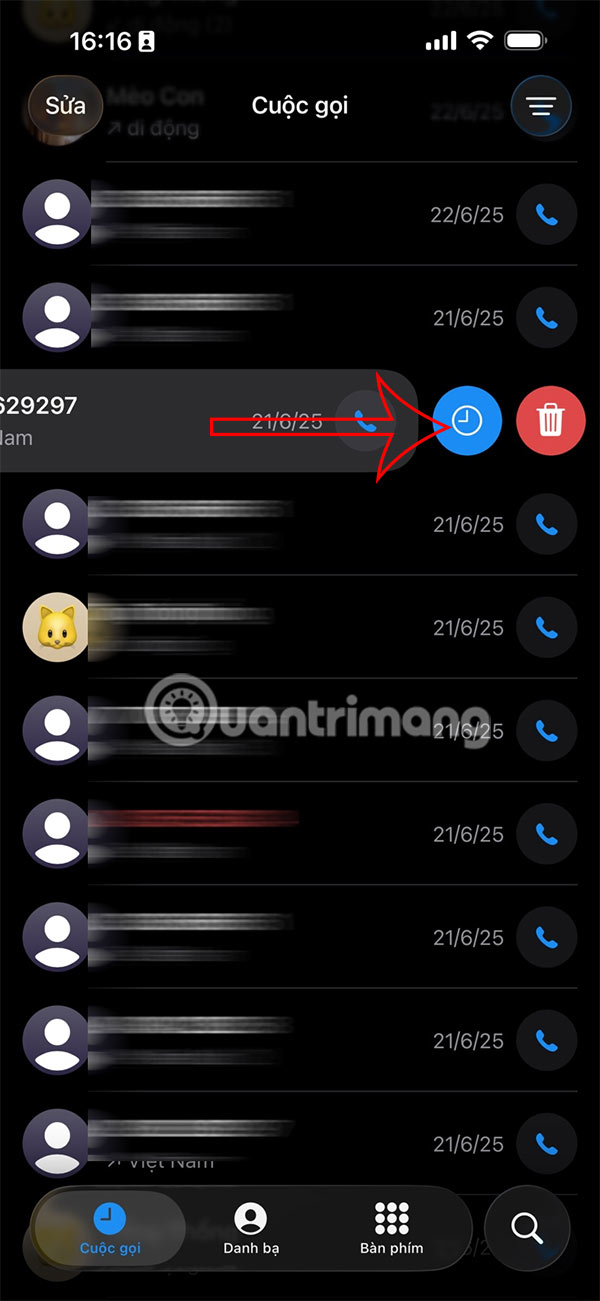
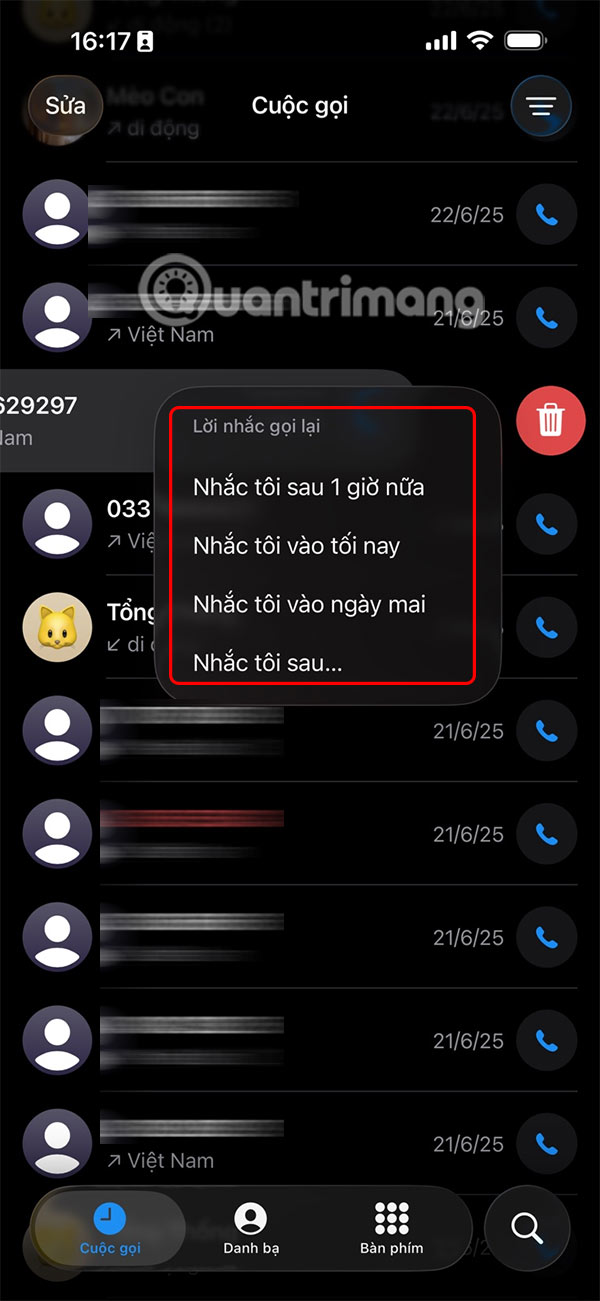
You open the Phone app on your iPhone, then you swipe left on the missed call you want to set a callback reminder for and tap the clock icon . Then you choose the time you want to remind you to call back the missed call, or you can create a custom time.
Step 2:
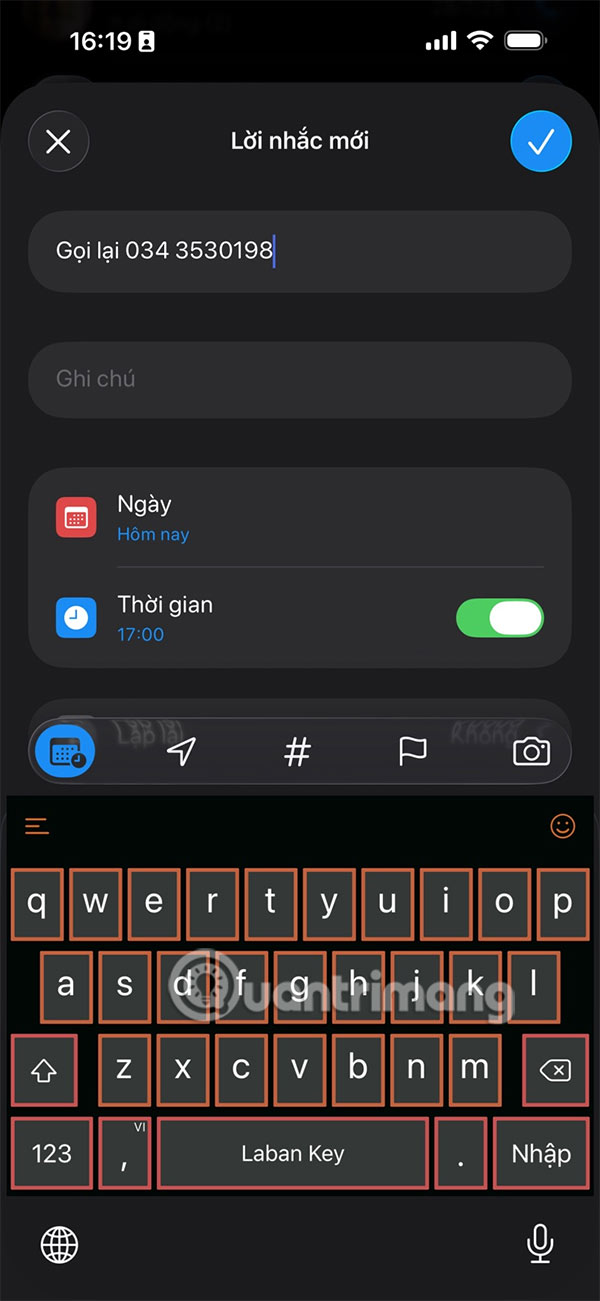
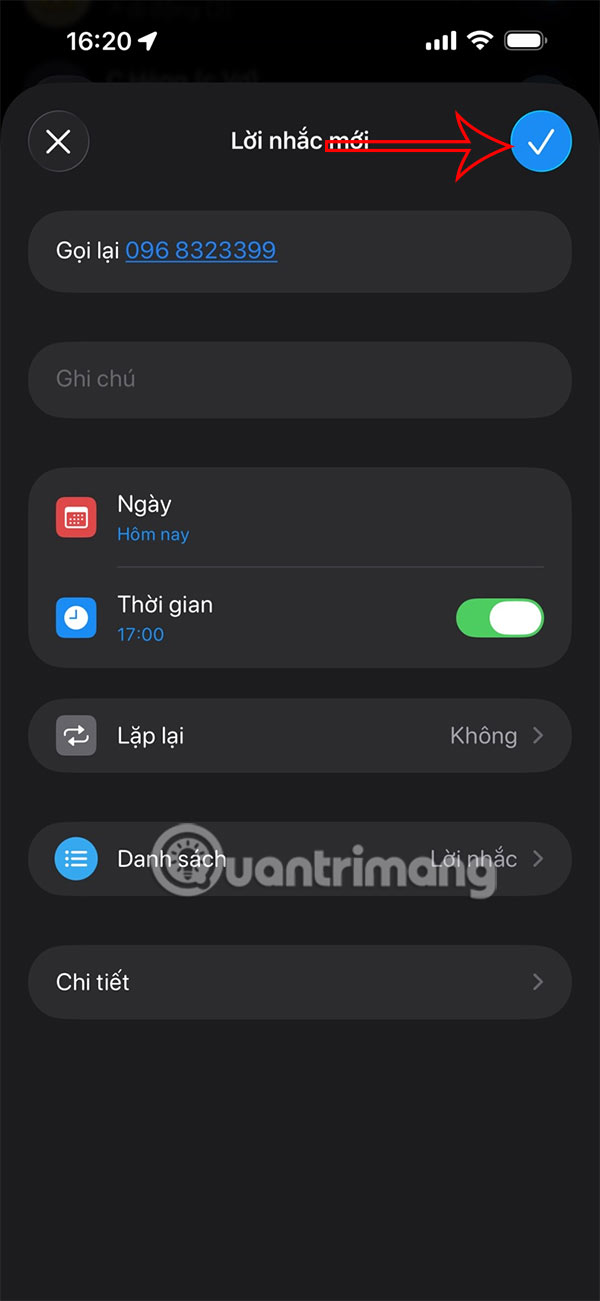
Display the Reminders app interface on iPhone. You enter a title for this reminder , then adjust some more settings below for the reminder on iPhone to return this call.
Once you have created a callback reminder on your iPhone, tap the check mark icon in the right corner to save this reminder .
Step 3:
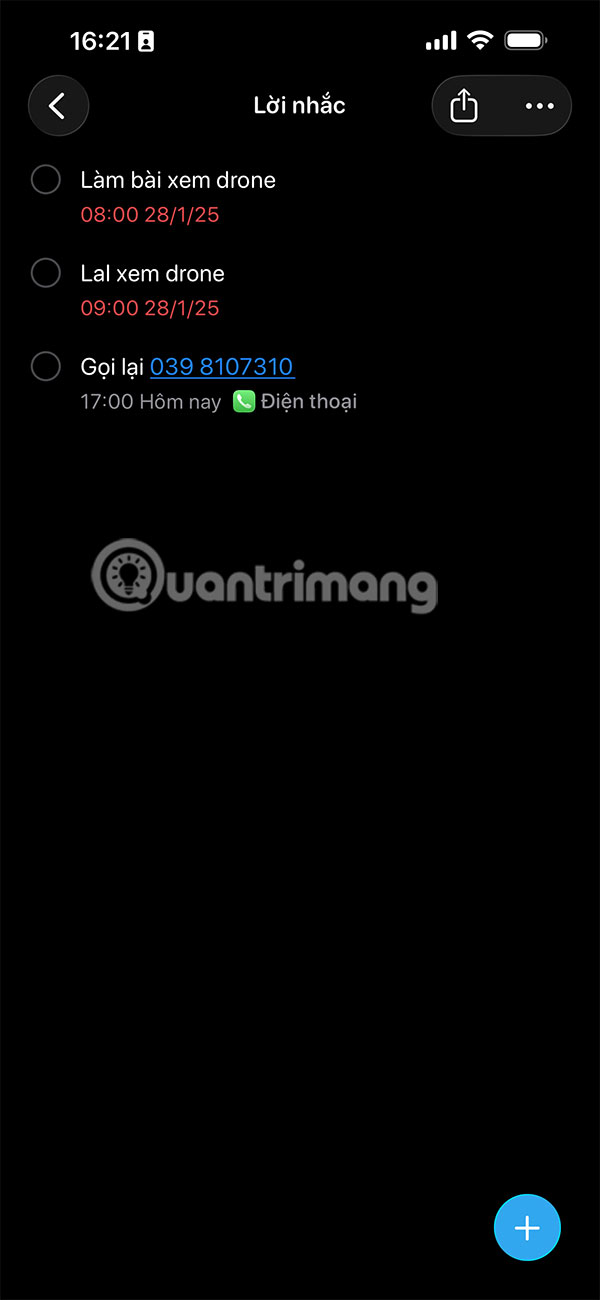
All callback reminders appear in the Reminders app. You can view, edit, or mark these reminders as completed like any other reminder. To quickly call someone back from a reminder notification, just tap the alert and then tap the phone icon in the reminder details.
Final Thoughts
Overall, Never Forget Missed Calls on iPhone with This Feature is best understood by considering the main facts, practical context, and limitations together. Use the details above as a clear starting point and confirm time-sensitive information when necessary.
FAQ
What does this article explain about Never Forget Missed Calls on iPhone with This Feature?
iOS 26 introduces a super simple feature to set reminders for missed calls right in the Phone app, helping you reduce the possibility of forgetting to call back important calls. Then you don't need to add other support methods to remember missed calls.
What should you know about How to set callback reminder on iPhone?
You open the Phone app on your iPhone, then you swipe left on the missed call you want to set a callback reminder for and tap the clock icon. Then you choose the time you want to remind you to call back the missed call, or you can create a custom time.
Should time-sensitive details be verified?
Yes. Software features, game codes, product specifications, prices, and research findings can change. Confirm important details with an official or primary source when accuracy affects your decision.
Related Articles
 How to Find Missed Calls from Unknown Numbers on iPhone3 minutes read
 How to Secure Missed Calls on iPhone Lock Screen: Step-by-Step Guide3 minutes read
 Use IFTTT to Not Miss an Important Phone When You Forget to Turn on8 minutes read
 How to Enable Missed Call Notification Zalo3 minutes read
 4 Ways to Fix iPhone Error Not Displaying Recent Calls: Best Options Compared5 minutes read
 How to Record Calls on Latest iPhone 20227 minutes read
Reader Comments 0
Sign in with email or Google to join the discussion.