Table of Contents
Even if your Android phone is locked, others can still access Quick Settings by swiping down from the top of the screen to quickly change some settings of the phone. To prevent others from adjust quick settings on Android, you should lock Quick Settings.
How to Lock Quick Settings on Android
Step 1:
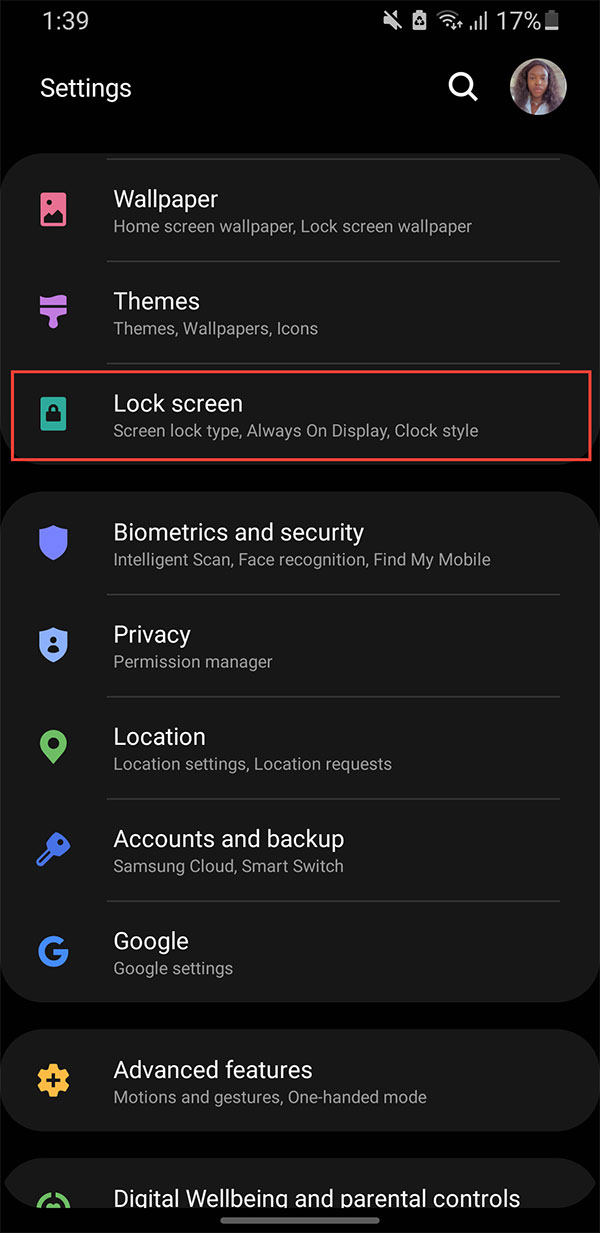
Open Settings on Android then select Lock Screen to adjust the lock screen on the phone.
Step 2:
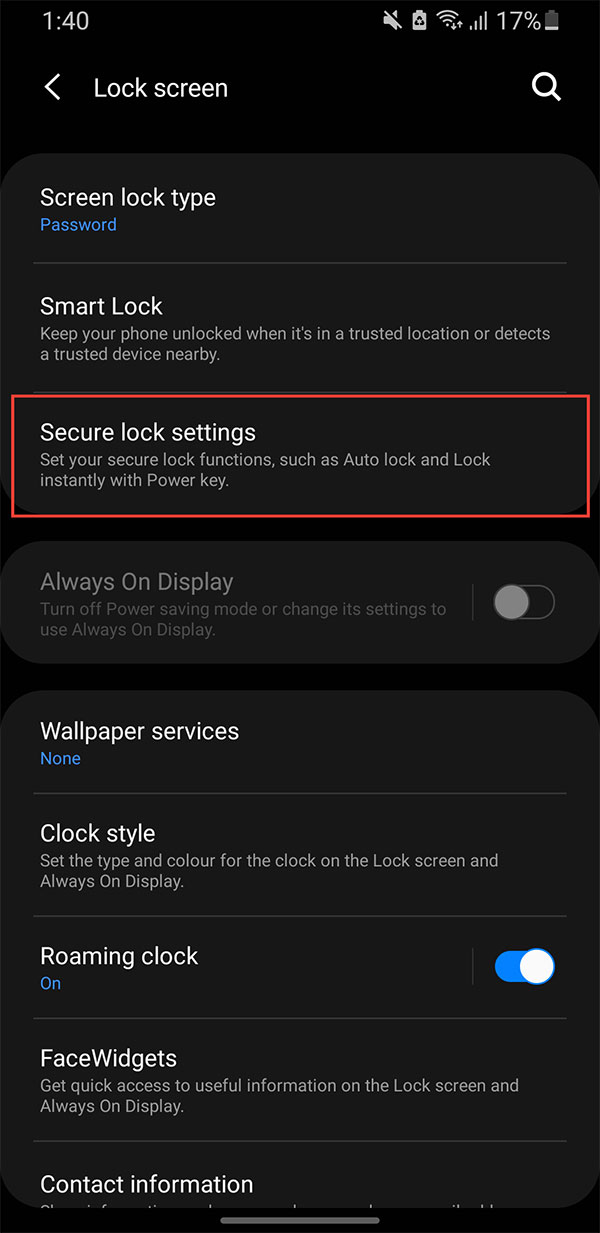
Next, select Secure lock settings to enable security lock mode for Android phones.
Step 3:
In the available Android security settings, turn on Lock network and security mode to lock Quick Settings on your Android phone.
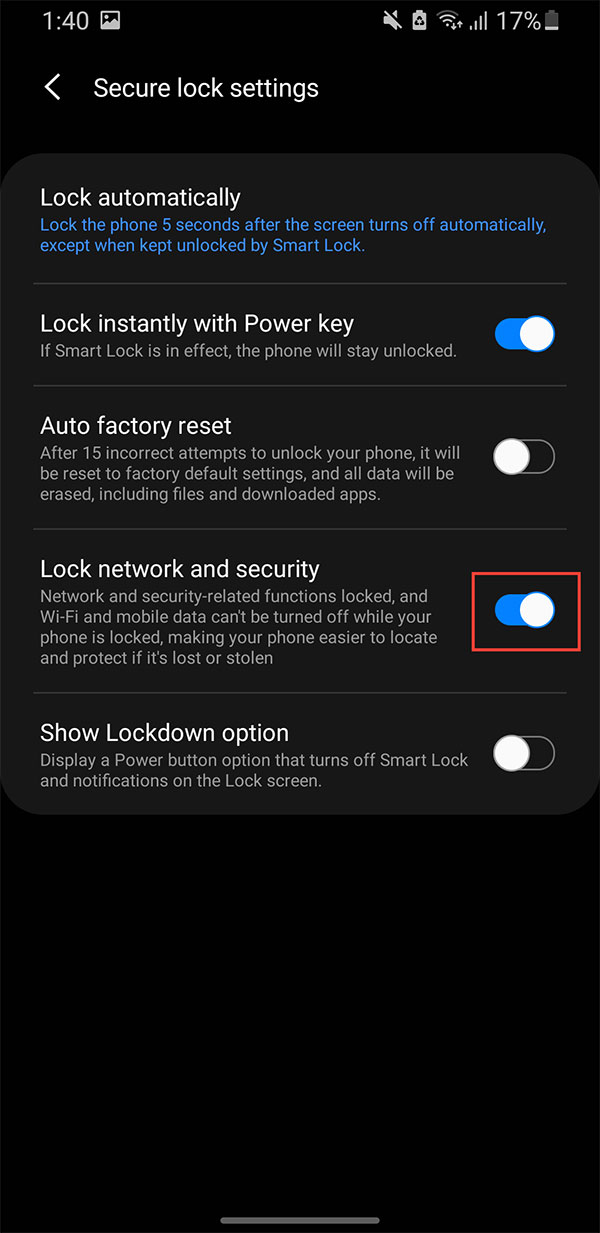
When Lock network and security is on, others won't be able to disable tracking or connect. Find My Device, remote wipe, and other security features will still work, even if someone else picks up your phone.
Final Thoughts
Following the steps in order and checking version-specific settings should make it easier to Lock Quick Settings on Android. If an option looks different, verify the device, app, or operating-system version before changing additional settings.
FAQ
What is the best way to Lock Quick Settings on Android?
Start with the requirements described in the article and follow the steps in order. Even if your Android phone is locked, others can still access Quick Settings by swiping down from the top of the screen to quickly change some settings of the phone. To prevent others from adjust quick settings on Android, you should lock Quick Settings.
What should you know about How to Lock Quick Settings on Android?
Open Settings on Android then select Lock Screen to adjust the lock screen on the phone.
What should you do if the instructions do not match your screen?
Check the device, software version, account permissions, and regional settings. Interfaces can change after updates, so use the closest matching option and consult the official support documentation when necessary.
Related Articles
 Quick Call on the Lock Screen and Android Notification5 minutes read
 How to Add More Customizations to Quick Settings on Android5 minutes read
 How to Use Bottom Quick Settings to Change the Location to Open5 minutes read
 9 Android Phone Lock Screen Security Settings9 minutes read
 7 Quick Settings Tiles on Android That Make Your Phone More Useful6 minutes read
 Instructions for Customizing Android 14 Lock Screen: Complete Overview4 minutes read
Reader Comments 0
Sign in with email or Google to join the discussion.