Table of Contents
This updated guide examines Did You Know: in Addition to the Blue Screen, Does Windows Also and organizes the essential facts, background, and practical takeaways in clear American English.
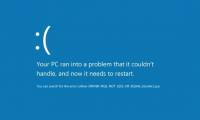
Green and blue "screens of death" have identical content and meanings. The difference is that the "green screen of death" appears only on computers running Windows 10 with the Insider Preview test version, and adds a message that users are using the "Insider Build" version.

This means that on the official versions of Windows 10, if the blue error screen appears for any reason, it will trigger the green screen of death on the Insider Preview.
If you do not know, the Preview is the least error-prone version, most similar to the most official of the three test Windows versions that Microsoft created. The Windows blue screen background error message simply helps users to identify which version of Windows they are using.
When using the Insider Preview, if you are constantly screen green, you should switch back to the official Windows version to make the computer work more stable.
In April 2017, the "green screen of death" first appeared when Microsoft released the Creators Update. Previously, the technology company still used the blue screen of death standard for Insider versions of Windows 10.
- Have you ever wondered why Windows 9 never appears?
- Decode the 'leaf' icon that appears in the Windows 10 task manager
FAQ
What is Did You Know: in Addition to the Blue Screen, Does Windows Also about?
It provides a structured overview of blue screen of death, explains the main context, and highlights practical takeaways for readers.
Why does this topic matter?
Understanding the main concepts helps readers evaluate the issue, avoid common mistakes, and make better-informed decisions.
How should readers use this information?
Use the guidance as a practical starting point, confirm details that may have changed, and follow current product, safety, or security recommendations.
Related Articles
 Who Wrote the 'Dead Blue Screen' Message for Windows?4 minutes read
 Who Created the 'Blue Screen of Death' on Windows?5 minutes read
 Unable to Handle the 'Dead Blue Screen', Microsoft Stopped Supporting Windows 7 Running on Some3 minutes read
 Instructions to Fix Blue Screen Error on Computer15 minutes read
 Blue Screen Death Error Has Just Passed 'Age' 203 minutes read
 Are Green Light Filtering Applications Really Effective?10 minutes read
Reader Comments 0
Sign in with email or Google to join the discussion.