Table of Contents
This updated guide examines New Features in iOS 13.4 and organizes the essential facts, background, and practical takeaways in clear American English.
Here are the new features on iOS 13.4 that could be officially released by Apple in March, when the iPhone 9 launches.
Update the toolbar in the Mail application

A new toolbar will appear in the default Mail application, where the reply and delete buttons are separated from each other to avoid confusion, two folder buttons and a flag have been moved to the middle. Although this is just a small change, it helps bring a better experience for users.
Share iCloud folder
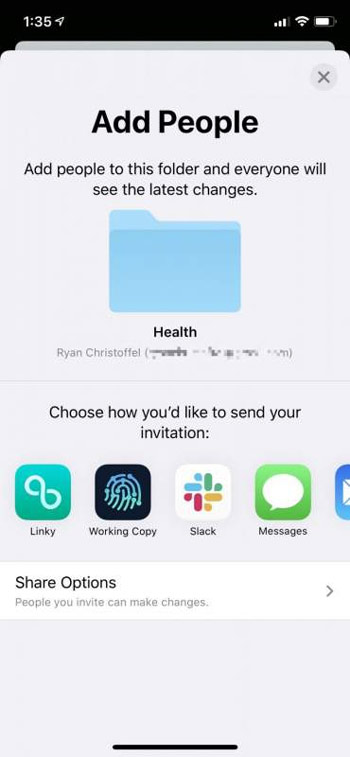
The iCloud Folder Sharing feature has reappeared and is located within the Files app, allowing users to share 1 folder (including read and edit permissions) with others.
Disable "Hey Siri" when facing the phone
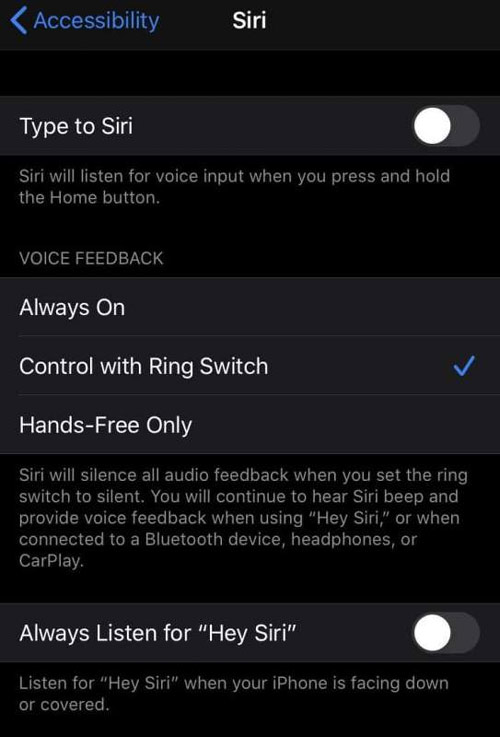
On iOS 13.4, users can turn off Siri by turning the phone face-down or obscured to avoid annoyance during use.
New on / off VPN icon
A new VPN on / off icon will appear on the status bar, allowing users to access their private browser more easily.
New 'CarKey' API

In iOS 13.4 beta 1 added a new 'CarKey' API set that allows iPhones to become car keys using NFC chips. Apple is likely working with car manufacturers to allow this feature to be integrated into their vehicles.
This digital lock may be in the device's Wallet app. Users can share their digital car keys with relatives through the Wallet app.
Many new Memoji

Apple introduces nine new sets of Memoji in iOS 13.4, such as rolling eyes, shocked faces, disappointed looks.
Assign buttons on iPad keyboard
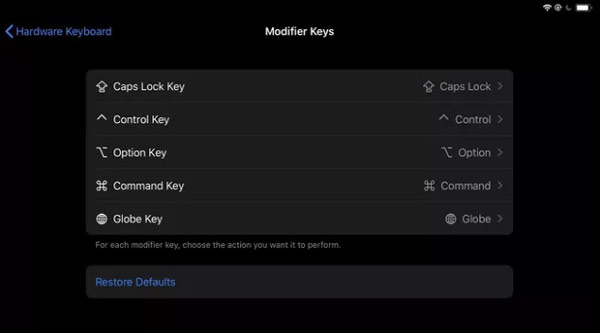
With iOS 13.4, iPad users have the option to assign other features to keys such as Option, Caps Lock, Control, Command and Globe.
FAQ
What is New Features in iOS 13.4 about?
It provides a structured overview of ios 13.4, explains the main context, and highlights practical takeaways for readers.
Why does this topic matter?
Understanding the main concepts helps readers evaluate the issue, avoid common mistakes, and make better-informed decisions.
How should readers use this information?
Use the guidance as a practical starting point, confirm details that may have changed, and follow current product, safety, or security recommendations.
Related Articles
 7 iOS 26 Features You'll Actually Want to Use9 minutes read
 Turn Off These Annoying Features Immediately on iOS 107 minutes read
 Samsung Features That Make People Wonder Why Other Phones Exist9 minutes read
 You Will Hardly Resist These 7 Cool Features of Mac5 minutes read
 8 Windows Features You Wish You Knew About Sooner: Practical Guide7 minutes read
 6 Steam Features That More People Need to Know About6 minutes read
Reader Comments 0
Sign in with email or Google to join the discussion.