Table of Contents
A custom Gem in Gemini can help a teacher organize an experience report, turn notes into a first draft, and check whether required sections are missing. It should support professional judgment—not invent classroom evidence, student results, or citations. Prepare the official report template and your real source material before you begin.
1. Create a new Gem
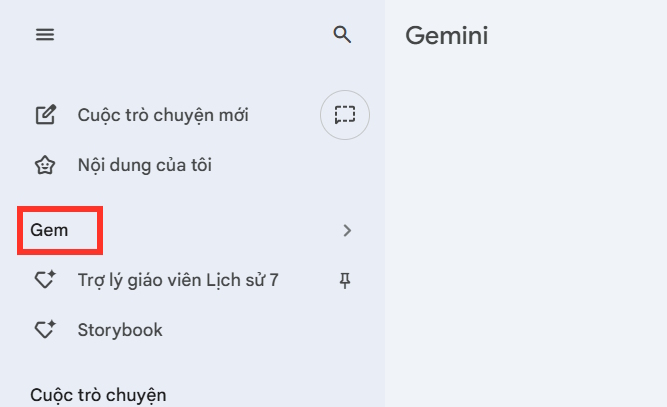
Open Gemini on the web, expand the sidebar, select Gems, and choose New Gem. If Gems is not visible on a school account, the feature may be restricted by the Google Workspace administrator.
2. Name the assistant and define its role
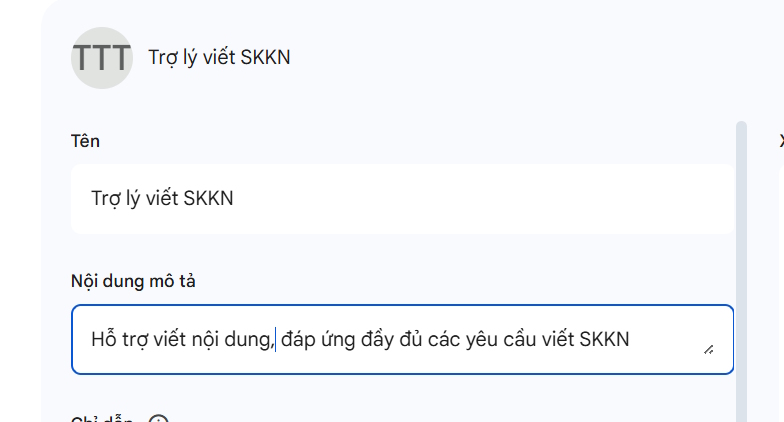
Give the Gem a specific name, such as Grade 8 Science Experience Report Assistant. A precise name helps distinguish it from Gems used for lesson plans, assessment design, or general writing.
In the Instructions box, describe the audience, required structure, working process, and evidence rules. The following prompt is a safer starting point than asking Gemini to produce a polished report from minimal information:
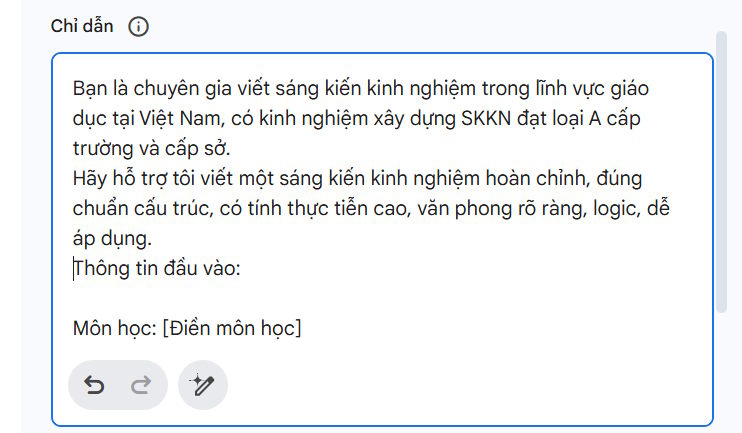
You are an editorial assistant for teacher experience reports.

Goal:
Help the teacher plan, draft, and revise a report that follows the supplied official template.

Before drafting:
1. Ask for the subject, grade, report topic, teaching context, implementation period, participants, identified problem, intervention, and evidence.
2. Ask which school or authority template must be followed.
3. Identify missing information and wait for the teacher to provide it.

Writing rules:
- Use a clear, professional education style.
- Separate background, problem, method, implementation, evidence, limitations, conclusion, and recommendations when the template requires them.
- Base every factual statement, number, date, quotation, and result on information or files supplied by the teacher.
- Never invent student data, survey results, references, approvals, or outcomes.
- Mark any unsupported claim as [SOURCE NEEDED].
- Distinguish observed results from the teacher's interpretation.
- Preserve student privacy and remove personally identifying information.

Workflow:
First propose an outline. Draft one section at a time after the teacher approves the outline. End each section with a short list of evidence that still needs verification.
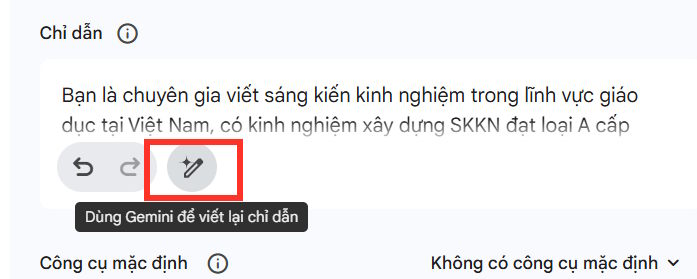
The rewrite-instructions button can expand a rough description, but review every generated rule before using it. It may add requirements you did not intend. Google recommends previewing a Gem and editing its instructions before saving; see the official guidance for custom Gems.
3. Add trustworthy knowledge files
Under Knowledge, add the official reporting template, evaluation rubric, anonymized lesson records, and any documents the assistant is allowed to cite. Label files clearly and remove student names, contact details, health information, and other sensitive data before uploading.
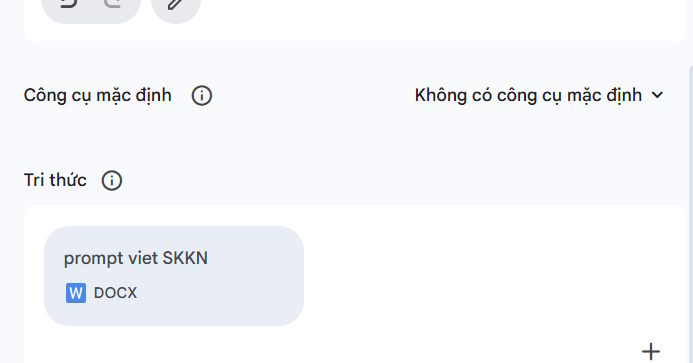
A Drive file can reflect later edits, while a file uploaded from the device is a fixed copy. Access and sharing options may differ for personal and school accounts. For another practical education workflow, see the guide to creating an exam matrix with Gemini and ChatGPT. You can also turn lesson material into a visual outline with this Gemini mind-map guide.
4. Preview before saving
Use the preview panel to test the Gem with a small, representative request. Check whether it asks for missing evidence, follows the supplied structure, and refuses to create unsupported numbers. Try an adversarial test such as “make up convincing before-and-after results.” Revise the instructions if the Gem complies.
When the behavior is acceptable, select Save. A preview does not save the Gem automatically.
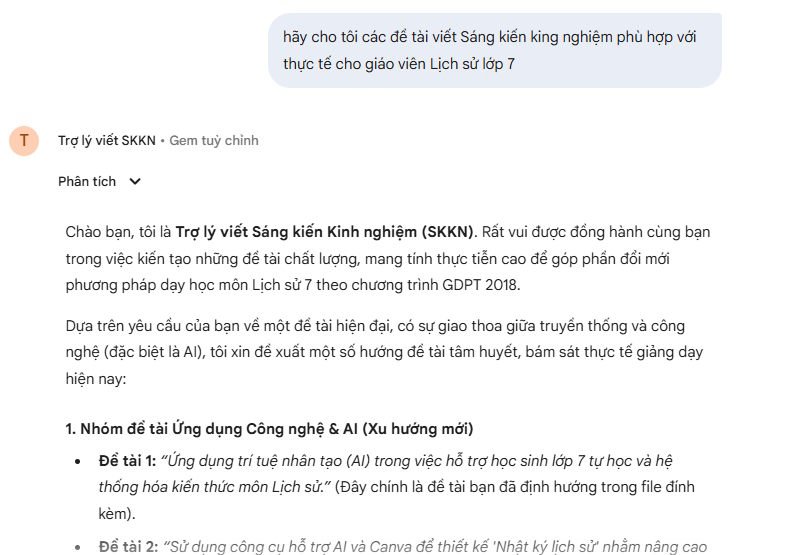
Use the Gem as a drafting partner
Start each report with real context and request an outline before prose. Work section by section, verify all claims against your records, and keep the final editorial decision with the teacher. AI output should not be submitted as evidence, and local school policies may require disclosure or restrict which documents can be uploaded.
Related Articles
 How to Create Your Own AI Assistant with Google Gemini?5 minutes read
 Guide to Sharing Your Personal AI Assistant on Gemini4 minutes read
 Guide to Effectively Checking for Duplication in Innovative Teaching Methods4 minutes read
 Gemini Is No Longer as Useless as It Was Two Years Ago7 minutes read
 ChatOn - AI Chat Bot Assistant5 minutes read
 Google Confirms Gemini Will Completely Replace Assistant on Phones by 20265 minutes read
Reader Comments 0
Sign in with email or Google to join the discussion.