Table of Contents
Checking for plagiarism in teaching experience reports will limit instances where teachers' materials are similar to other materials, ensuring the individuality of the product.
Checking for plagiarism in teaching experience reports will limit instances where teachers' documents are similar to other documents, ensuring the individuality of the product and preserving the creativity in the documents written by the teachers. This also ensures the quality of the content of the teaching experience report. Below is a website for teachers to check for plagiarism in teaching experience reports.
How to check for plagiarism in teaching methods/experiences
Step 1:
Teachers should access the website below and then register for an account using their Google account.
https://kiemtratailieu.vn/
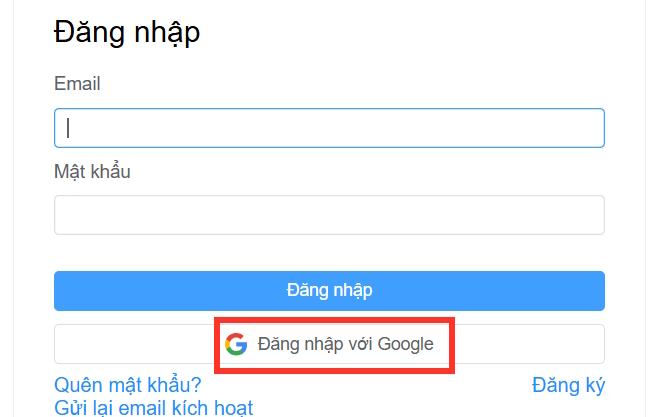
Step 2:
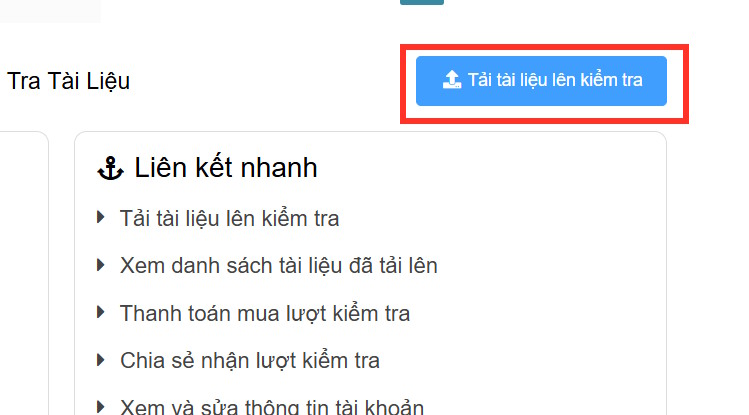
After creating an account, you will be able to access the homepage, then click on Upload document for review.
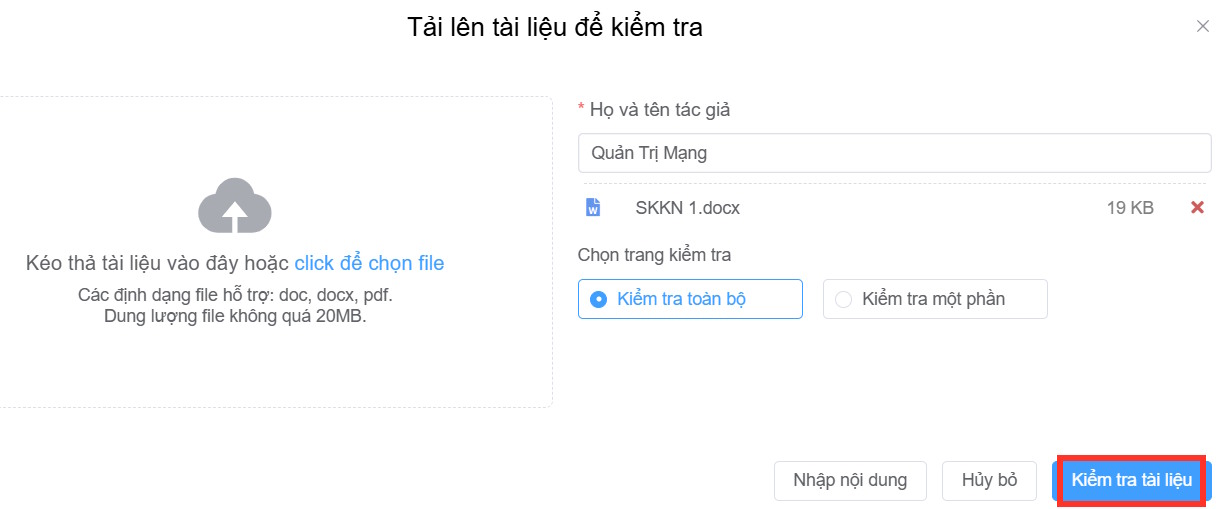
The interface will appear allowing teachers to upload the file they want to check for duplication. Teachers should upload their experience-sharing report to the system. After successfully uploading the experience-sharing report, click on " Check document".
The AI tool scans the content and checks for duplication in the "Experience Initiative" files that teachers have uploaded.
Step 4:
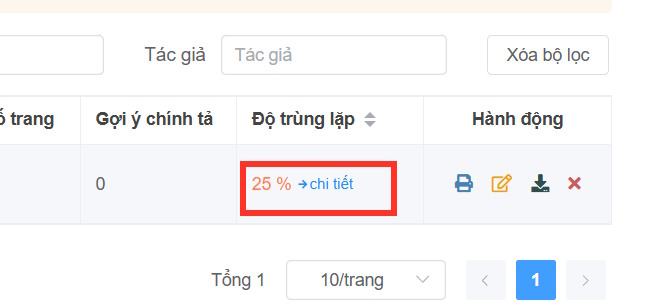
The results will show the percentage of duplicated content in the Experience Sharing Initiative. Click "Next " to check the details more thoroughly.
At this point, teachers will see the interface analyzing duplicate content. The content on the left shows the entire written experience-sharing initiative, while the content on the right shows the percentage of duplication that the website has detected.
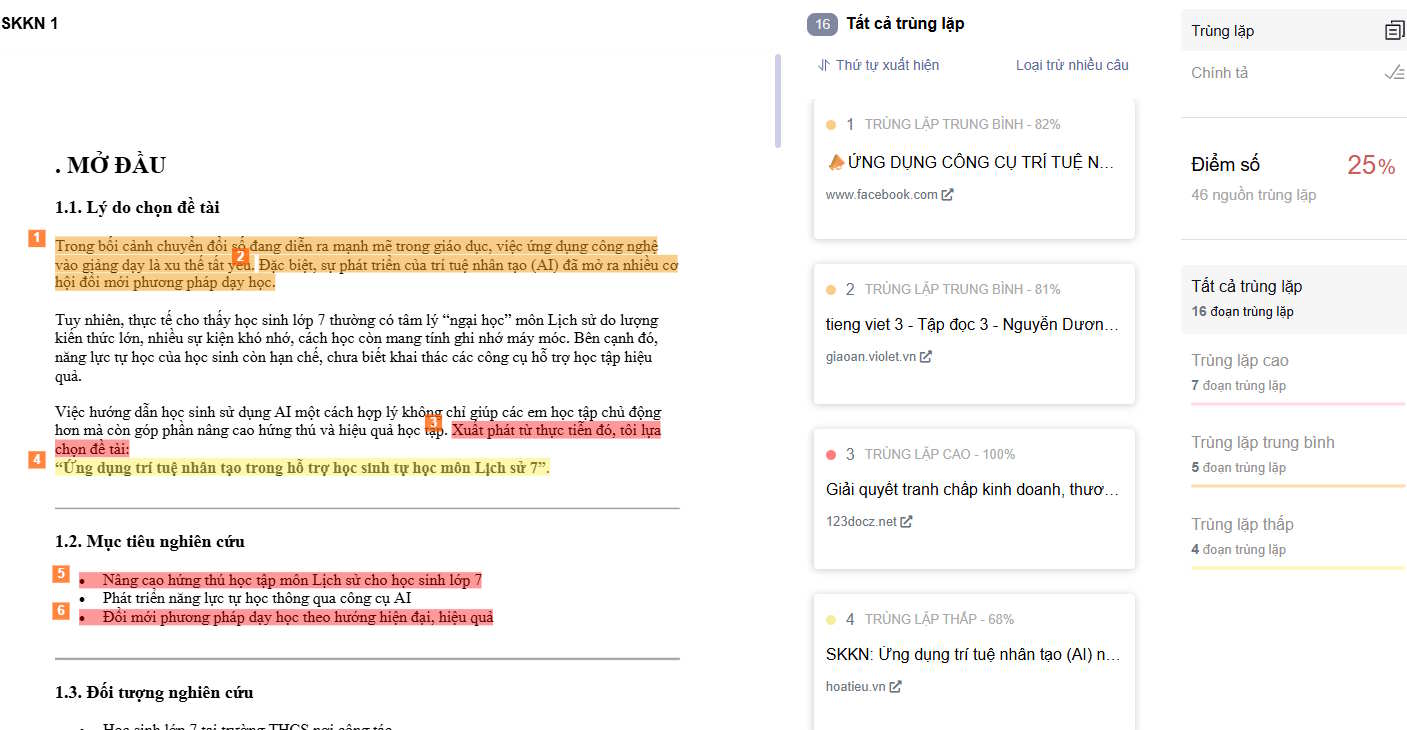
In the specific comparison section, bold color indicates a high degree of overlap, while light color indicates a lower degree of overlap. For each overlapping item, teachers can see the item's sequence number to compare with the sequence number in the section on the right.
Through this review and evaluation interface, teachers will know how to revise the content of their teaching experience initiative to produce a higher-quality article.
Related Articles
 10 Effective SEO Content Checking Tools4 minutes read
 How to Talk and Confide in Your Children Effectively4 minutes read
 Things to Avoid When Choosing a Teaching Assistant10 minutes read
 Checking Domain Names: Instructions on How to Check Website Life2 minutes read
 11 Conundrums of Children and This Is the Answer That Every Parent10 minutes read
 Teach Parents How to Raise Healthy, Smart, Scientific Children11 minutes read
Reader Comments 0
Sign in with email or Google to join the discussion.