Table of Contents
Cách Xóa Mật Khẩu Windows Không Mất Dữ Liệu is easier to approach with a clear overview and reliable steps. This guide organizes the essential information, highlights practical details, and explains what to check along the way.
Key Takeaways
- Follow the recommended steps in order to avoid common mistakes with cách xóa mật khẩu windows không mất dữ liệu.
- Review compatibility, settings, or requirements before making changes.
- Use the troubleshooting notes to confirm the final result.


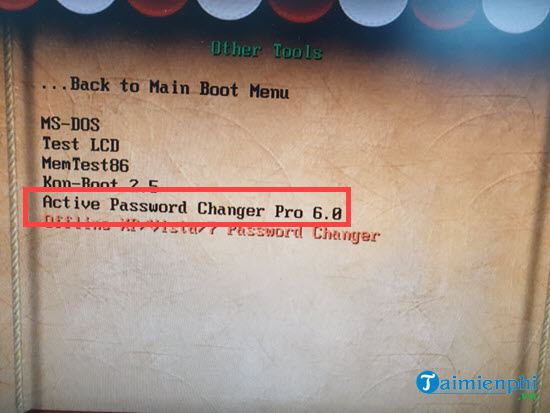
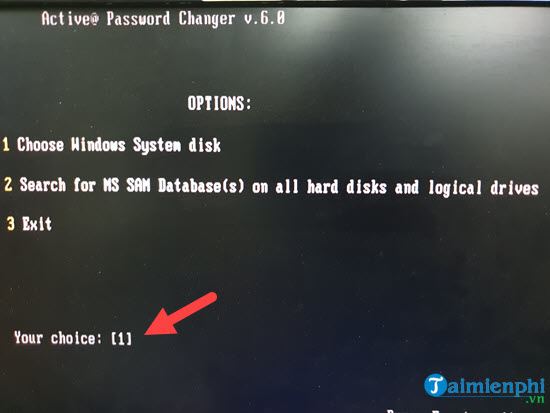
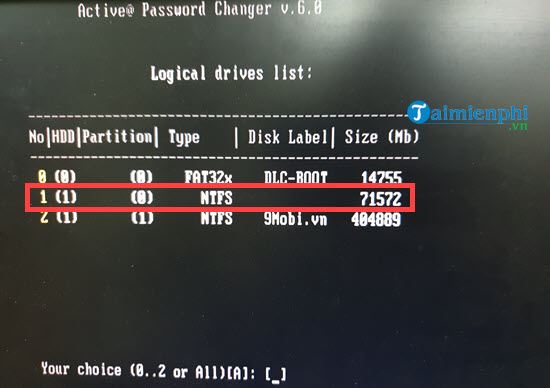
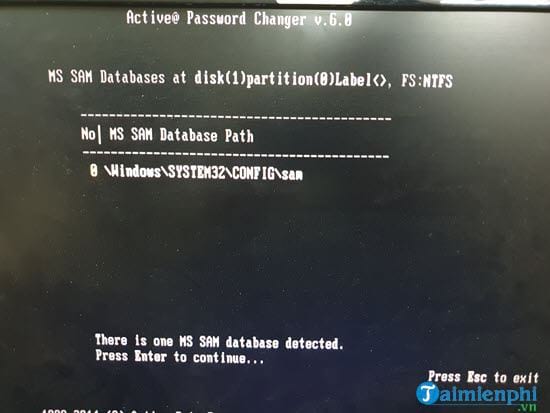
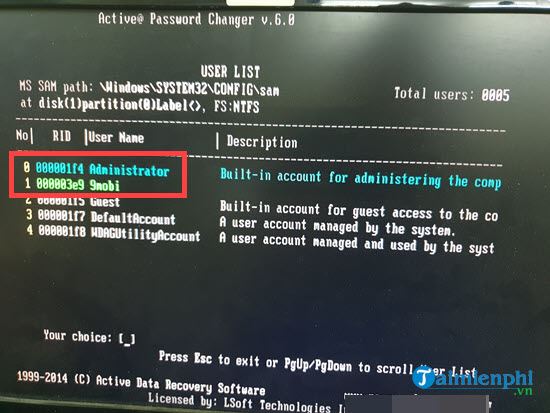
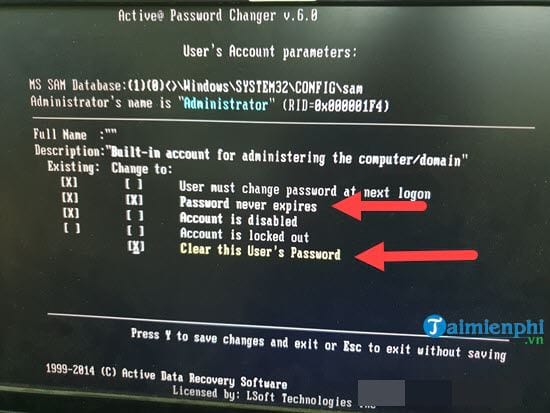
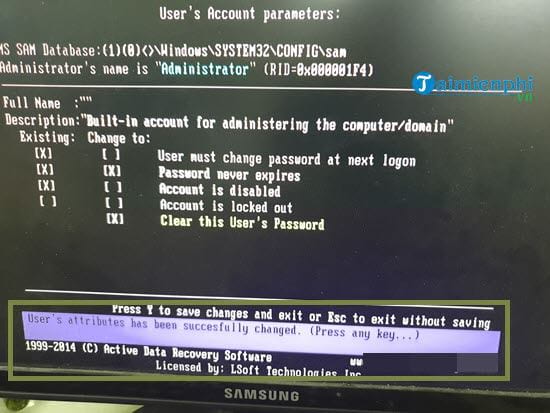
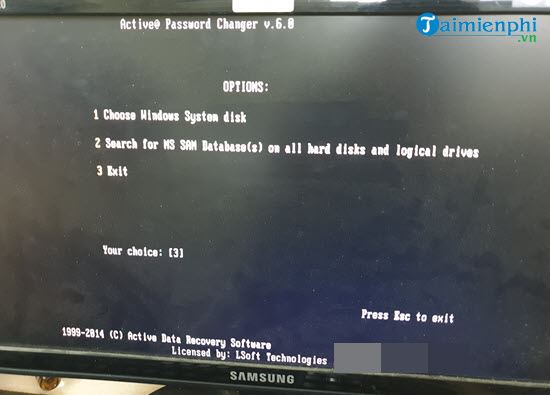
Step 11: Return to the old interface, you can do with the remaining values or press Esc continuously to exit this section.
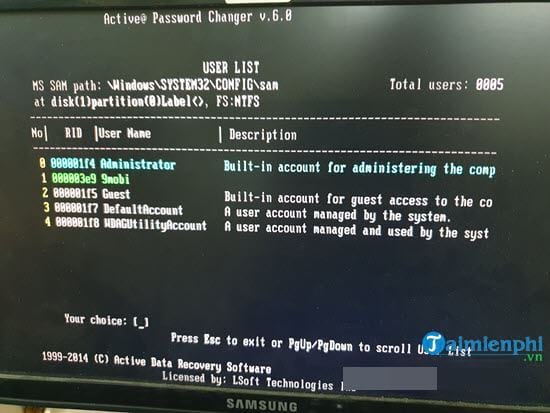
Step 12: Go back to the front end, just select 3 and press Enter.
Cracking Windows password is not complicated if you know how. Using CMD, Safe Mode or USB boot are effective methods. Choose the appropriate method to unlock your computer fastest.
Final Thoughts
The most reliable way to handle cách xóa mật khẩu windows không mất dữ liệu is to follow the process in order, verify each important setting, and test the result before moving on. Use the guidance above as a practical reference, then adjust the details for your device, software version, or specific goal.
FAQ
What should I know first about Cách Xóa Mật Khẩu Windows Không Mất Dữ Liệu?
Step 11: Return to the old interface, you can do with the remaining values or press Esc continuously to exit this section.
How do I get the best results with Cách Xóa Mật Khẩu Windows Không Mất Dữ Liệu?
Use current software or equipment, follow the steps in order, review the recommended settings, and test one change at a time so you can identify what improves the result.
What should I do if Cách Xóa Mật Khẩu Windows Không Mất Dữ Liệu doesn't work as expected?
Check compatibility, permissions, connectivity, and version-specific settings. Restart the relevant device or app, then repeat the process carefully before trying a more advanced fix.
Related Articles
 Here's How to Uninstall Windows 10 to Return to Using Windows 74 minutes read
 The Chart for the 10 Most Amazing Versions of Windows11 minutes read
 Windows Revolution and Breakthrough Changes Through Each Version10 minutes read
 Summary of Several Logout Methods on Windows 8 and Windows 104 minutes read
 Looking Back at 27 Years of 'Evolution' of Windows3 minutes read
 Instructions on How to Upgrade from Windows XP to Windows 85 minutes read
Reader Comments 0
Sign in with email or Google to join the discussion.