Table of Contents
To get Spotify Premium Student, sign in to the Spotify account you want to keep, verify your enrollment through SheerID, then activate the plan in Spotify. The discount lasts up to 12 months per verification. Eligible students can renew it for up to four years in total.
Check your eligibility
Spotify offers the discount to eligible students at participating colleges and universities. Check the minimum age and terms for your country on Spotify’s Student page, such as the Spotify Vietnam offer. If your school does not appear in the verification form, Spotify says it is ineligible through that form at the time. You can keep the email address already on your Spotify account.
Verify enrollment and activate the plan
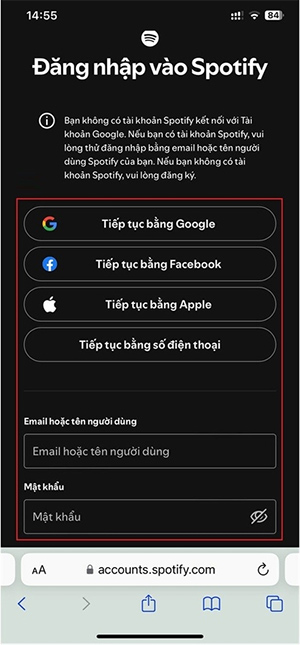
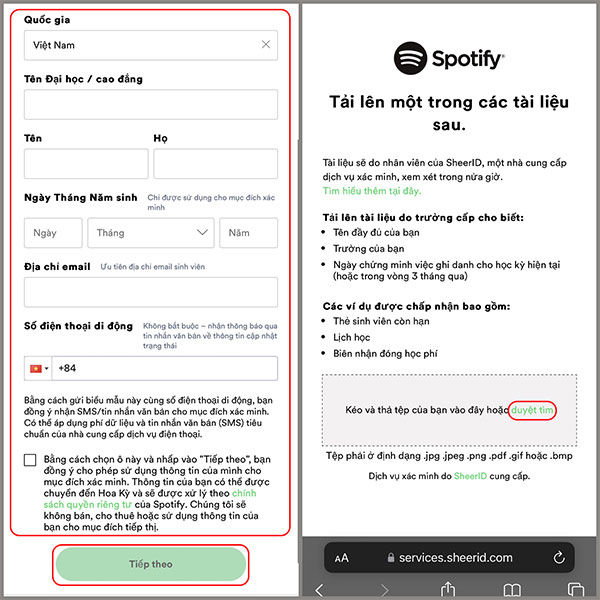
- Open Spotify’s Student offer for your country, choose the sign-up option, and log in.
- Follow SheerID’s prompts to find your school and confirm current enrollment. If the form offers a school login, use that route. If it asks for a document, upload one that meets the requirements shown, such as a current enrollment record.
- Wait for the eligibility email, then return to Spotify and complete the subscription. Confirm the plan, renewal date, price and payment terms on your account.
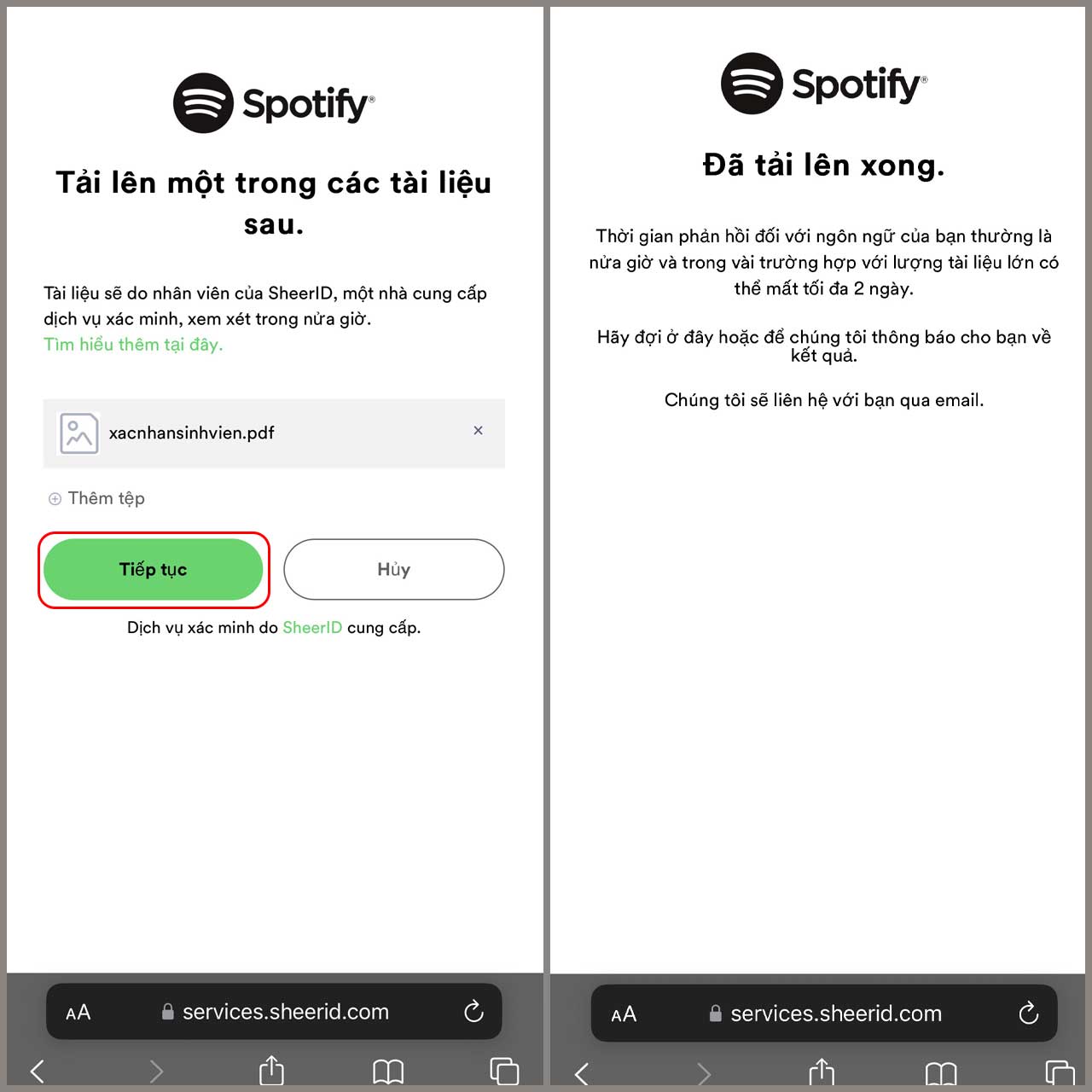
Verification may take several days if a document needs review. Follow Spotify’s Premium Student instructions if the approval arrives but the plan has not changed.
Renew after a year or change plans after graduation
Reverify while you are eligible and check your account page before the discount ends. If it expires and you leave the subscription active, Spotify can switch you to Premium Individual at the local price. If you have graduated, review the next billing date and switch or cancel beforehand if you prefer. See other ways to save on Spotify Premium.
Related Articles
 The difference between Spotify Free and Premium is not the true experience
 How to register for Spotify Premium package with only VND 5,900
 How to register for a Spotify account to listen to music online
 Be wary of the 'free' 'ad' share of Spotify Premium accounts so as not to be deceptive
 How to Try Spotify Premium for Free
 6 Legal Ways to Pay Less for Spotify Premium
Reader Comments 0
Sign in with email or Google to join the discussion.