Table of Contents
Ollama has become the default answer when someone asks how to run a local LLM, and that makes perfect sense. It's easy to use, works across multiple platforms, and hides enough of the complexities so you can build a working model in just a few minutes. llama.cpp is also the foundation of many local AI applications, especially if you're using GGUF models, so neither is going to disappear.
The problem is that the "easy" standard is no longer sufficient when local modeling becomes part of the workflow. You start to worry about API provisioning, batch processing, structured output, caching behavior, Mac-specific acceleration, mobile deployment, or whether you're silently wasting performance. Many people still think Ollama is the easiest way to start running local LLMs, but that's not where they want to go when building something more serious.
The alternatives are more complex, but they allow you to control the parts that Ollama tries to hide. If you're running agents, directing multiple applications to the same model, working on a Mac, or trying to make consumer GPUs function as a true inference box, then runtime starts to become just as important as the model.
vLLM and SGLang transform local models into infrastructure
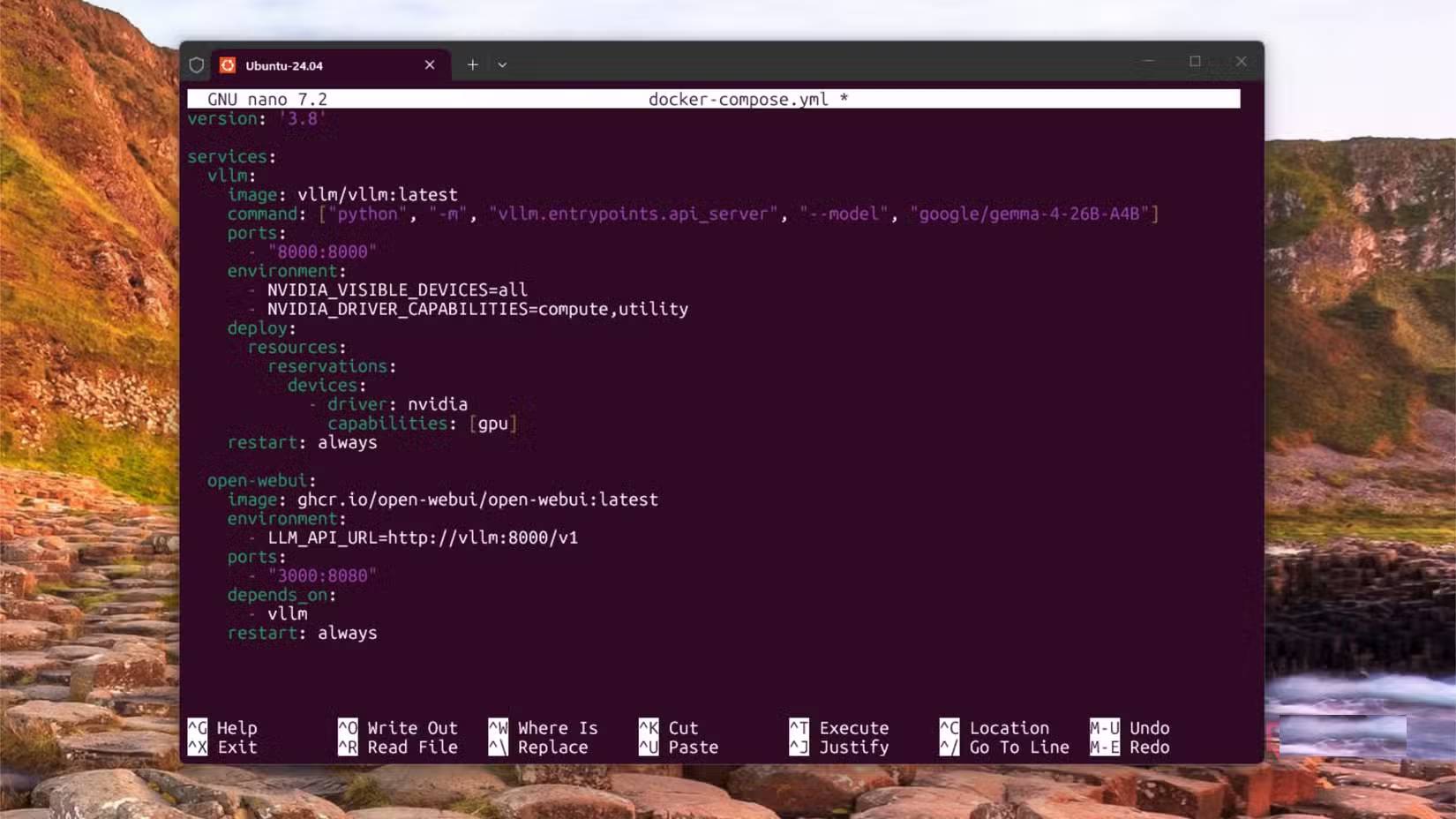
vLLM is the first tool to consider when you want a local model that behaves less like a desktop application and more like an inference service. It has an OpenAI-compatible server API, high-throughput inference, continuous batch processing, prefix caching, block prefilling, structured output, tool-calling and inference parser, and support for multiple quantization formats.
These features are crucial when the model is invoked by programming tools, agents, RAG experiments, or multiple applications simultaneously. A single terminal prompt doesn't require much scheduling logic, but a frequently accessed local endpoint certainly does. This is especially true when those requests share context, run long distances, or need to avoid wasting VRAM on cache management.
The most well-known feature of vLLM is PagedAttention, which manages the model's key-value cache more efficiently. The goal is to prevent GPU memory from becoming a bottleneck when many requests are running concurrently or when the context becomes larger. This doesn't make every local setup faster, but it's why vLLM is so common on the internet, especially in higher-throughput deployments.
SGLang belongs to the same broad group, but its features are more closely tied to structure generation, iterative prompt patterns, and agent-type workloads. Its feature list includes RadixAttention for prefix storage, decoding-prefill separation, speculative decoding, continuous batch processing, page-by-page attention, block-by-block prefill, tensor and expert parallelism, and multi-LoRA batch processing.
Freehand text is fine in chat boxes, but it becomes problematic when your program expects JSON, schema, or tool calls in a specific format. SGLang is built for repetitive prompts, bound output, and cache reuse, all of which are far more important when the model controls tools rather than just answering questions.
You wouldn't install any of these tools before familiarizing yourself with the simpler ones, as they require quite a bit of setup and assume a certain level of user understanding to use. However, they will be most useful when you're using other software that requires more enterprise-style endpoint setup. If the local LLM becomes the backend infrastructure for a home lab, then vLLM and SGLang will be more suitable for your needs.
vMLX provides Macs with a more powerful local application
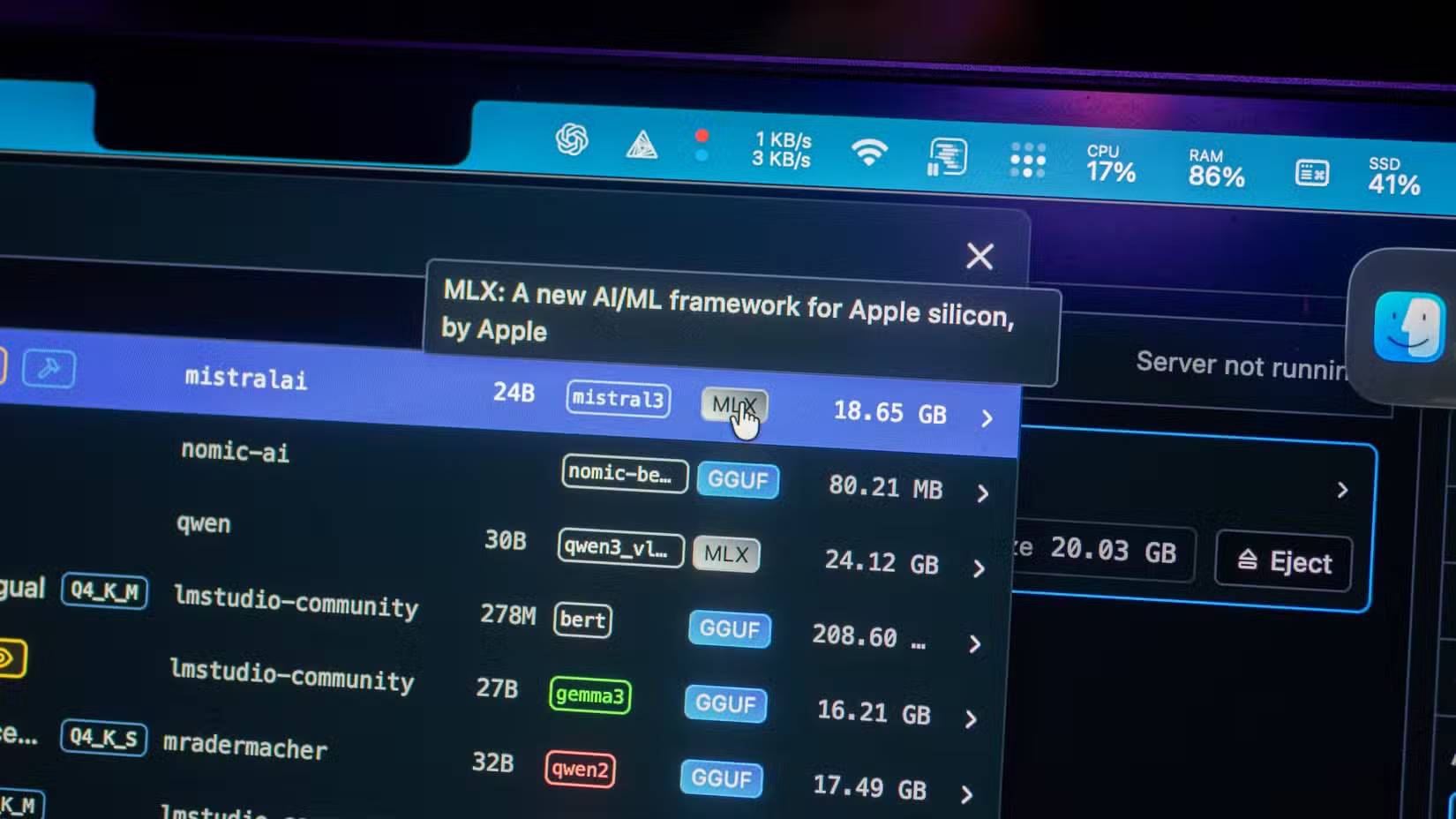
Mac users always have a slightly different local LLM story. Apple Silicon's unified memory makes large models more realistic than you might imagine on a laptop, but the software stack isn't the same as on a Linux machine with an Nvidia GPU. You can run llama.cpp with Metal, and it works fine, but there are good reasons to want to use tools built with Apple's stack in the first place.
vMLX is interesting because it aims for an application experience closer to what users would expect from Ollama or LM Studio, while inheriting ideas from more professional data processing platforms. It itself incorporates prefix caching, paging KV caching, persistent batch processing, and MCP tools. This is a very different approach from "download a model and chat with it," which is why it deserves more attention than just a typical Mac wrapper.
MLX is Apple's array processing framework for Apple Silicon, featuring lazy computation, dynamic graphing, CPU/GPU execution, and a unified memory model where arrays reside in shared memory. MLX-LM offers additional capabilities such as text generation, integrated Hugging Face, quantization, and fine-tuning, while MLX-VLM includes visual language models on the same common platform. vMLX is an application-level tool, while MLX-LM and MLX-VLM are lower-level options when you want to work closer to the model. Admittedly, none of these are perfect replacements for vLLM or SGLang, but they are still excellent tools if you are a Mac user.
vMLX is best understood as the Mac's native path through the local LLM world, rather than a CUDA engine clumsily mapped onto Apple Silicon. The memory model, GPU stack, and application expectations are different enough that native engines like this are truly beneficial.
MLC-LLM and ExLlamaV3 target specific hardware problems

MLC-LLM is built on the compilation and implementation of Machine Learning across multiple platforms. It supports web browsers via WebGPU and WASM, iOS and iPadOS via Metal on Apple's A-series GPUs, and Android via OpenCL on Adreno and Mali GPUs.
MLC plays a different role than a typical server-side environment, although it can provide APIs compatible with OpenAI. It's built for more specialized use cases, and WebLLM runs inference directly in the browser with WebGPU acceleration capabilities without a server. It also supports streaming, JSON mode, and structured JSON generation.
MLC is not a suitable choice for a large-scale model serving a home lab with numerous applications. Its appeal lies in its ability to deploy in places unlike typical LLM hosts: places like browsers, phones, tablets, and embedded applications. It targets a completely different type of local AI project compared to vLLM and SGLang.
ExLlamaV3 focuses on the opposite direction. It's the current version of the ExLlama family, following the legacy of ExLlamaV2, and is essentially an inference library built specifically for running local LLMs on modern consumer GPUs. The priorities are model matching, keeping context usable, avoiding wasted VRAM, and achieving acceptable speeds without enterprise hardware.
The EXL3 quantization format, parallel tensor inference, and expert consumer hardware capabilities, continuous dynamic batch processing, predictive decoding, cache quantization, multimodal support, and LoRA support are all built with that goal in mind. TabbyAPI also provides it with an OpenAI-compatible server, so it can still integrate into applications that expect a conventional local endpoint.
Related Articles
 What Is Ollama?: What You Need to Know6 minutes read
 Ollama (Desktop Application)11 minutes read
 How to Setup and Run Qwen 3 Locally with Ollama9 minutes read
 Top 5 AI Models That Write Compact Code and Can Run Locally9 minutes read
 The Main Difference Between Ollama and LM Studio10 minutes read
 Best Tools for Running LLM Models on a Computer8 minutes read
Reader Comments 0
Sign in with email or Google to join the discussion.