Table of Contents
Large Language Modeling (LLM) is becoming increasingly popular. While cloud-based AI solutions offer convenience, running LLMs directly on a PC provides numerous advantages such as better security, offline use, and complete control over data and AI models. In this article, let's explore the TOP best tools for running LLM models on a PC.
Benefits of running LLM locally
- Data security: Full control over your data, ensuring sensitive information is not sent to third-party servers.
- Offline operation: AI can be used even without an internet connection.
- Flexible customization: Easily fine-tune the model to suit individual needs.
- Cost savings: No recurring subscription fees like those for cloud-based AI services.
Top best tools for running LLM models on a personal computer
Below are 7 tools that help you run LLM directly on your computer, along with the advantages and disadvantages of each option.
WitnessLLM
AnythingLLM is an open-source AI application that allows you to run LLM directly on your computer. This tool helps users interact with documents, use AI agents, and perform various AI tasks while ensuring all data is stored locally.
AnythingLLM has a three-component architecture:
- React has a user-friendly interface.
- The NodeJS Express server handles the vector database and LLM connection.
- A server dedicated to document processing.
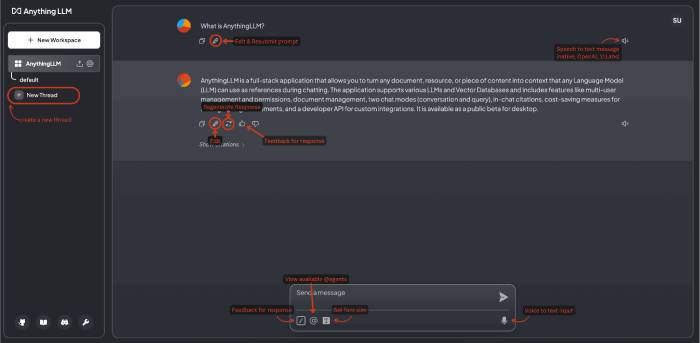
You can choose to run open-source models on their machine or connect to OpenAI, Azure, AWS, and many other AI services. The tool supports multiple document formats such as PDF, Word, and source code.
AnythingLLM's standout feature is its emphasis on privacy. Data is processed on-premises computers instead of being sent to the cloud. The Docker version also supports multiple users with individual access permissions, making it suitable for businesses.
Key features:
- Data processing is done entirely on the computer.
- Supports multiple AI models and vendors.
- Analyze PDFs, Word documents, and source code.
- Integrate AI agents to automate tasks.
- API for programmers.
GPT4All
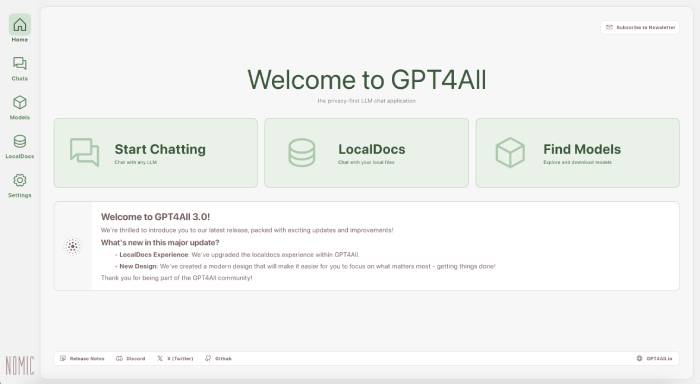
GPT4All allows you to run over 1000 open-source AI models directly on your computer without an internet connection. The software supports Apple Silicon Macs, NVIDIA GPUs, and AMD GPUs.
LocalDocs allows AI to read and analyze personal documents directly on your computer, while simultaneously building its own knowledge base.
The enterprise version costs $25/month/machine and includes features for internal deployment, a custom AI Agent, and technical support.
Key features:
- Operates entirely offline.
- Supports over 1,000 AI models.
- LocalDocs analyzes personal documents.
- Runs on either the CPU or GPU.
- There are deployment tools available for businesses.
Ollama
Ollama is one of the most popular tools for downloading and running local LLMs. It fully packages the AI model (weights, configuration, and dependent libraries) into each separate environment, making management very simple.
You can run models such as Llama 3.2, Mistral, Code Llama, LLaVA, and Phi-3. Ollama supports both command-line interface (CLI) and graphical interface on Windows, macOS, and Linux.
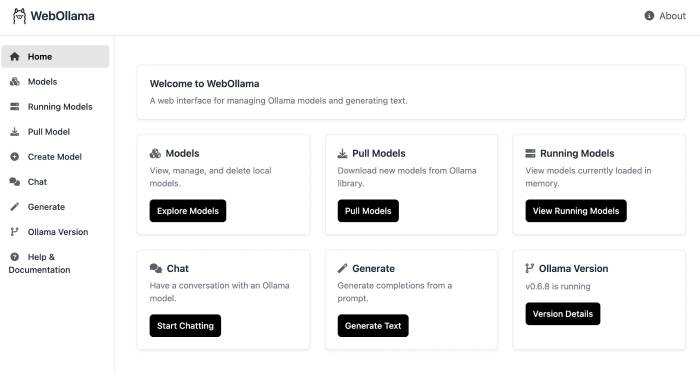
Many businesses use Ollama to build internal chatbots, integrating AI into CRM or CMS while ensuring data stays within the system.
Key features:
- Managing and loading AI models is easy.
- CLI and graphical interface.
- Supports multiple platforms.
- Each model runs in an independent environment.
- Easy to integrate into enterprise systems.
LM Studio
LM Studio is a desktop application that allows you to download and run AI models from Hugging Face directly on your computer. The software supports many popular models such as Llama 3.2, Mistral, Phi, Gemma, DeepSeek, and Qwen 2.5.
LM Studio also integrates an API server compatible with OpenAI, allowing applications that already use the OpenAI API to switch to using local AI without much modification.
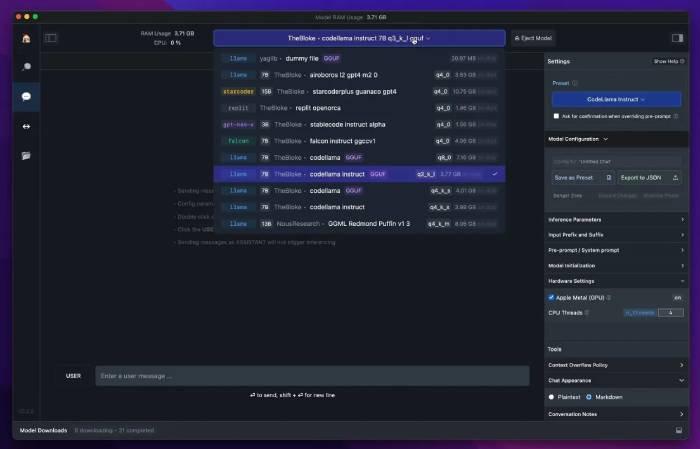
Additionally, you can simply drag and drop documents for the AI to read and interact with the content via RAG technology. However, to run large models, the computer needs a sufficiently powerful CPU, RAM, and GPU.
Key features:
- Download the model directly from Hugging Face.
- API compatible with OpenAI.
- Interact with documents using RAG.
- We do not collect user data.
- Customize GPU and model configuration.
January
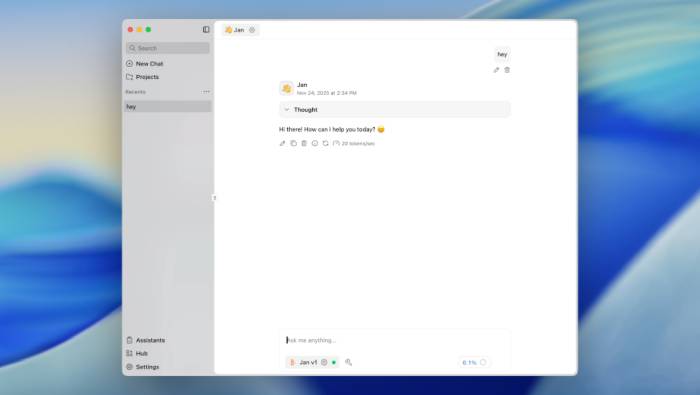
Jan is an open-source AI chatbot that functions as a fully desktop version of ChatGPT. You can download models such as Llama 3, Gemma, Mistral, or connect to services like OpenAI and Anthropic if they wish.
Jan stores all data in a local folder (Jan Data Folder) and integrates a Cortex Server compatible with the OpenAI API. Jan's appeal lies in its extensibility, similar to VSCode or Obsidian, allowing for the installation of additional utilities as needed.
Key features:
- Run AI completely offline.
- API compatible with OpenAI.
- Supports both local and cloud models.
- The system includes extensive plugins.
- Supports NVIDIA, AMD, and Intel Arc GPUs.
Llamafile
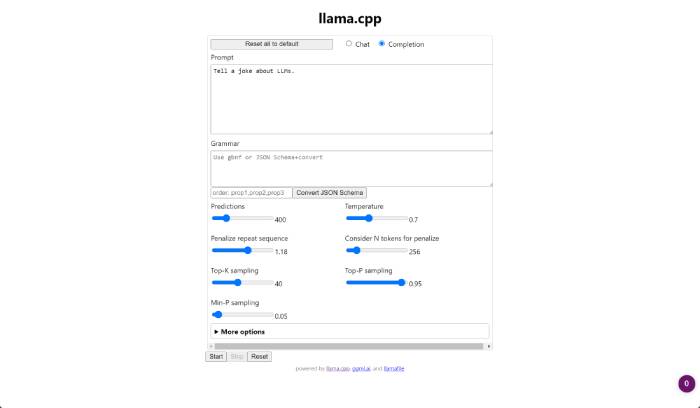
Llamafile is a Mozilla project that transforms AI models into a single executable file (.exe). By combining llama.cpp with Cosmopolitan Libc, you can simply run a single file without installing any additional components.
Llamafile runs on Windows, macOS, Linux, BSD, and supports Intel, AMD, and ARM64 CPUs. Additionally, the software is compatible with the OpenAI API, making it easy to integrate into existing applications.
Key features:
- Runs using a single file.
- No dependencies need to be installed.
- GPU acceleration for Apple, NVIDIA, and AMD.
- Supports multiple operating systems.
- Automatically optimizes based on CPU architecture.
NextChat
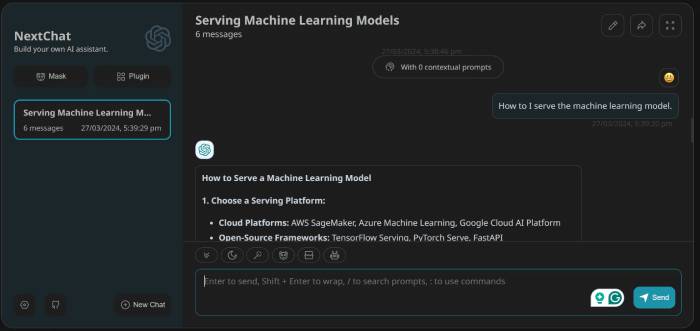
NextChat is an open-source web and desktop application that brings the ChatGPT experience to personal computers. The tool supports connections with various AI providers such as OpenAI, Google AI, and Claude.
You can also create Masks (similar to custom GPT) to build specialized chatbots with their own context and instructions.
NextChat supports:
- Save data locally.
- Markdown.
- Real-time feedback.
- Many languages.
- Rapid deployment on Vercel.
Key features:
- The data is stored entirely locally.
- Create a custom AI chatbot using Masks.
- Supports multiple AI APIs.
- Deploy with just one click.
- Prompt library and pre-built templates.
Related Articles
 7 Best Tools for Running LLM Models Locally: Practical Guide7 minutes read
 7 Best AI Tools Directories to Find the Right One for Your Needs8 minutes read
 8 Tools to Hide Programs Running on Taskbar or Traybar8 minutes read
 How to View Computer Uptime on Windows 104 minutes read
 How to Check If the Computer Is Running Well or Not?7 minutes read
 Fix Asus Laptop Running Slow in Windows 10/11: Key Facts10 minutes read
Reader Comments 0
Sign in with email or Google to join the discussion.