Table of Contents
PDF documents often contain a lot of valuable information but are also quite difficult and time-consuming to read. This is where SciSpace becomes a useful tool.
SciSpace's Chat PDF tool can summarize a research paper, explain difficult passages, and answer questions about the uploaded document. It is most useful as a reading assistant: use it to locate relevant sections and clarify terminology, then check the cited pages and the original wording before relying on an answer.
Prepare the PDF before uploading it
- Use a searchable PDF when possible. A scanned document without a reliable text layer may produce incomplete answers.
- Check whether the file contains confidential, unpublished, personal, or licensed material. Review your institution's data policy and SciSpace's current privacy terms before uploading it.
- Keep the title, authors, publication venue, and DOI available so you can verify that you are reading the intended paper and version.
Questions that produce useful results
- “What research question does this paper address, and where is it stated?”
- “List the sample, data source, method, and primary outcome, with page references.”
- “What limitations do the authors acknowledge?”
- “Explain this paragraph in plain language without adding claims not present in the paper.”
- “Which table or figure supports this conclusion?”
Do not treat an AI-generated summary as a substitute for the paper. Check numerical values, qualifiers, citations, experimental conditions, and whether a statement comes from the authors or from a cited source.
Start with SciSpace's official Chat PDF page. For broader research workflows, see TipsMake's AI tools for in-depth research, AI tools for students, and NotebookLM alternatives.
With SciSpace, users simply upload PDF files, and AI assists in analyzing the content, summarizing key points, and explaining difficult passages in simpler language. The tool also allows users to ask questions directly about the document's content and receive document-grounded answers, helping readers navigate long papers more efficiently.
This article will guide you on how to use SciSpace to effectively read and analyze PDF documents, helping users leverage the power of AI in their studies, research, and daily work.
How to upload and analyze a PDF in SciSpace
Step 1:
First, access the link below to go to the Scispace website, then register an account to use the tools on the website.
https://scispace.com/Step 2:
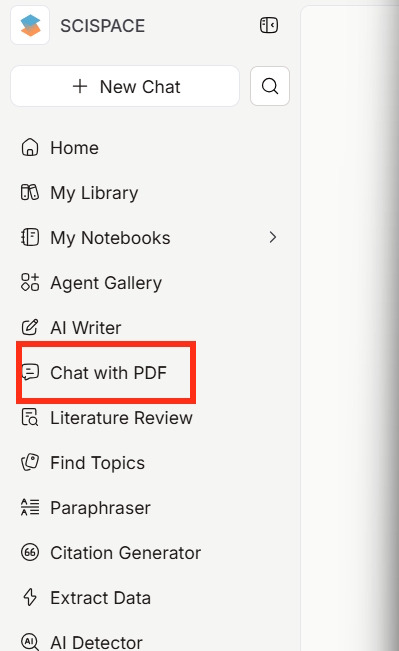
After successfully registering, look to the left and click on the Chat with PDF tool.
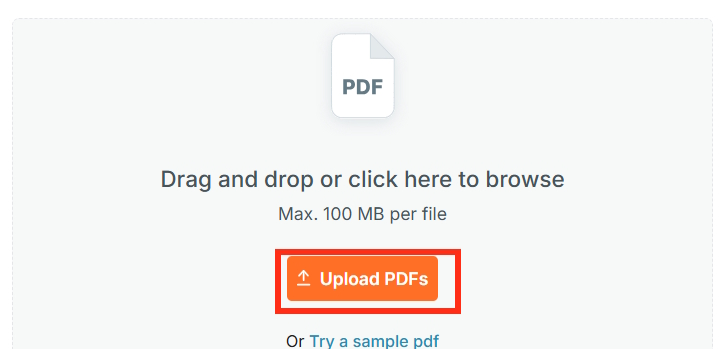
Next, we proceed to upload the PDF file for use.
Step 3:
Please wait a moment for Scispace to read and analyze the PDF document you uploaded. You will then be able to see the contents of the uploaded PDF file on Scispace.
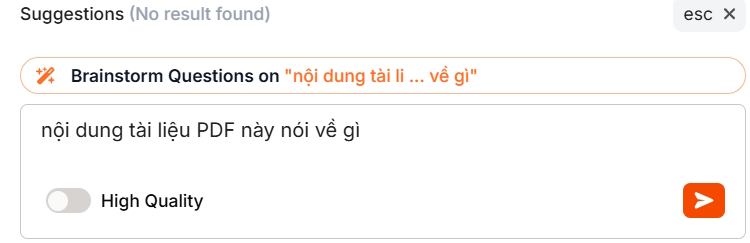
Next to it is a chat box where you can ask questions about the content of the PDF file on Scispace. First, you can ask Scispace to summarize the entire PDF file in the shortest possible way.
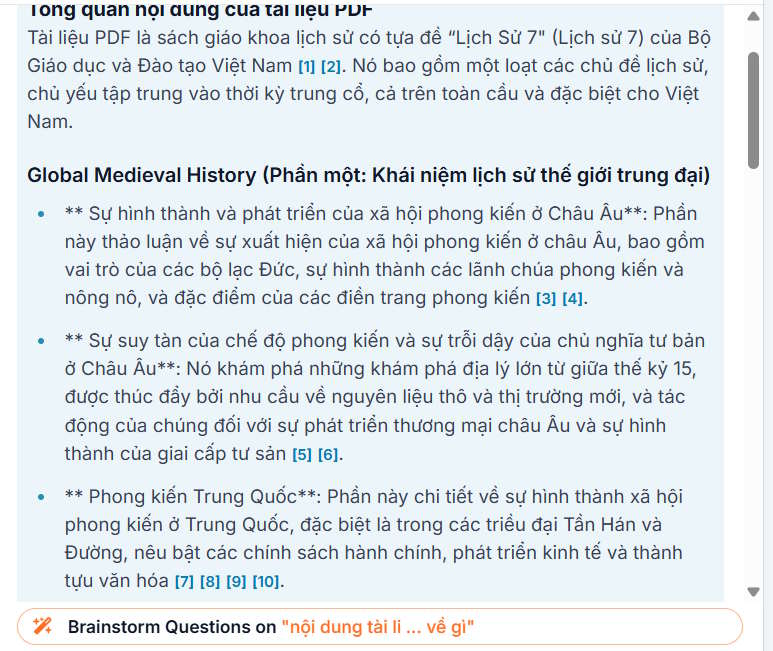
At this point, you will see an overview of the content of each section in the PDF file that Scispace has summarized. Each section also includes page numbers so you can quickly navigate to that content if needed.
Step 4:
From this overview, you can further develop requirements for summarizing content and highlighting key points for any section you want.
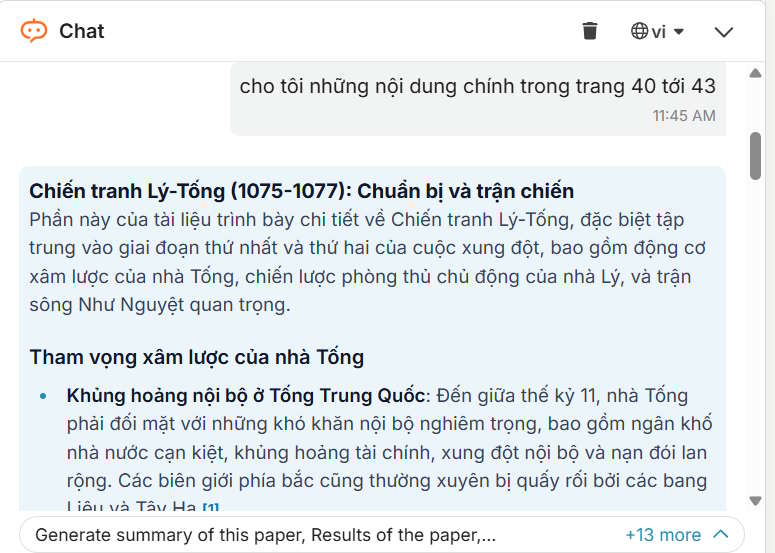
Step 5:
At the end of each answer from Scispace, we have the option to Save to Notebook to save the content to our notebook.
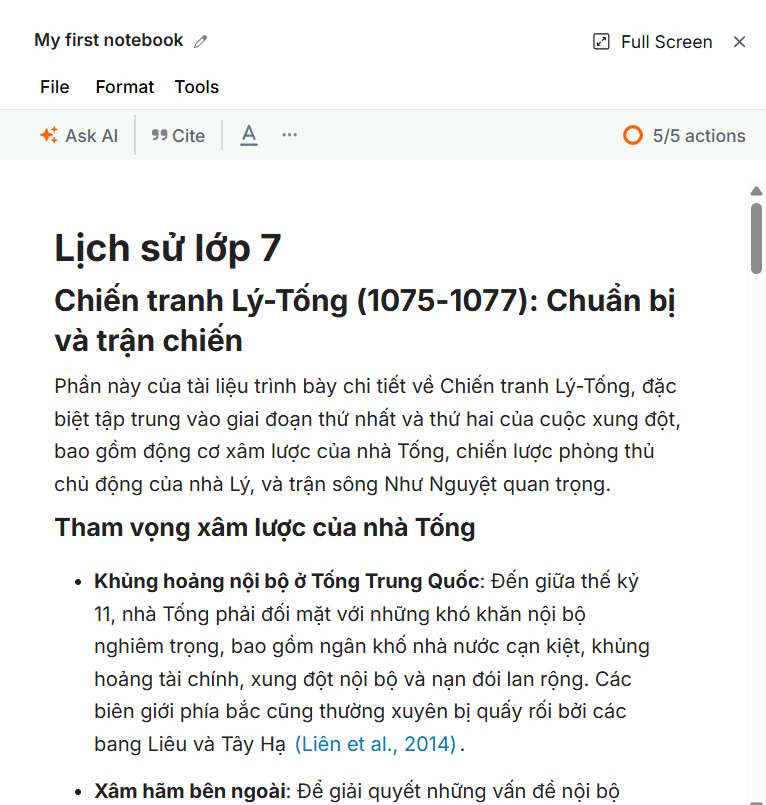
In this Notebook interface, you will have several other AI tools for the content you have saved, as shown below.
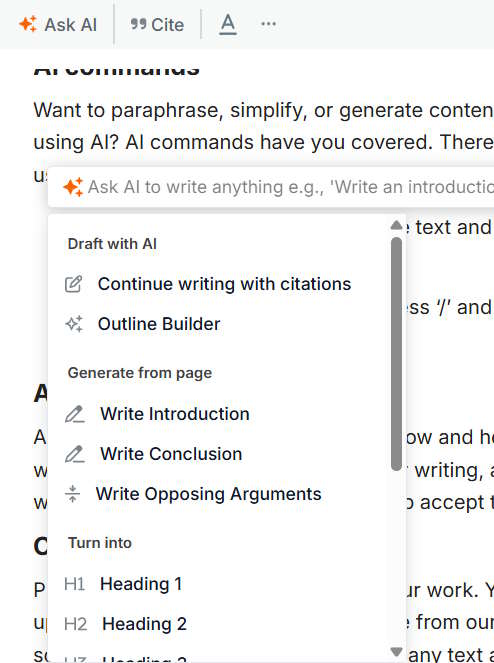
Overall, Scispace provides basic tools that make it easy to analyze PDF content, summarize, or search for information within PDF files, saving you a lot of effort.
Related Articles
 Instructions for Creating Reading-style Readings Using NotebookLM4 minutes read
 Quickly Summarize Documents in Google Drive Using Gemini3 minutes read
 How to Use Humata to Quickly Read and Understand PDF Documents4 minutes read
 How to Palm Reading Using ChatGPT: the Intersection of Classic and Technology7 minutes read
 Instructions for Scanning Documents with 3 Simple Steps4 minutes read
 Why Is Kindle the Best Reading App?8 minutes read
Reader Comments 0
Sign in with email or Google to join the discussion.