Table of Contents
This updated guide examines Information: 6 Free Security Tools Needed and organizes the essential facts, background, and practical takeaways in clear American English.
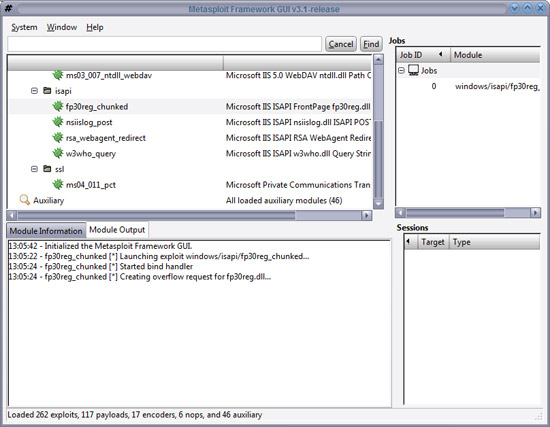
For more information about MetaSploit you can visit the website www.metasploit.com Splunk Splunk has a similar approach to Google, the main purpose is search engine. However, developers have focused their efforts on making Splunk a collection of information related to IT and events. Splunk differs from SIEM (Security Incident and Event Manager, it can provide a foundation for analysis and correlation. With some hidden methods, Splunk acquires data and provides rankings. In view. Our ability to show different record structures (allowing you to provide Splunk data through known base text) is a very powerful feature of this tool. Note : Splunk is not an open source tool, but you can download it for free under the free software subscription from its software developers.
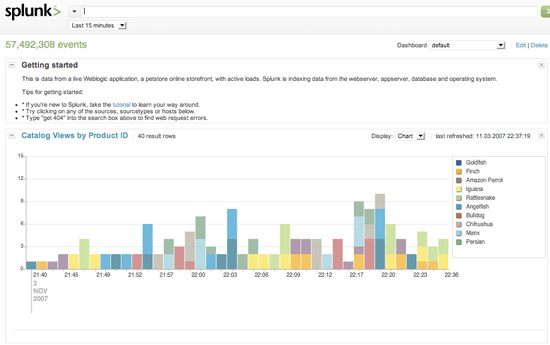
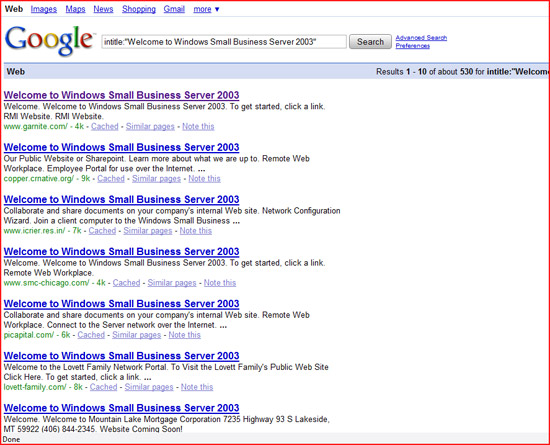
For more information about Splunk, you can visit the website www.splunk.com Google You can laugh when we talk about Google, what you currently know about Google is probably a huge search engine? But really it is also a great security tool for us. Like Splunk, Google is also a collection of information. The main difference between these two tools is that Google provides you with a large amount of publicly available information. The things that you can use Google for security purposes here are:
- Gather information about your target
- Perform basic intrusion tests
- Search for sites that allow indexing of directories
- Search for pages by certain phrases by title
- Search for specific pages through phrases
- Or even get Google to cache the necessary information.
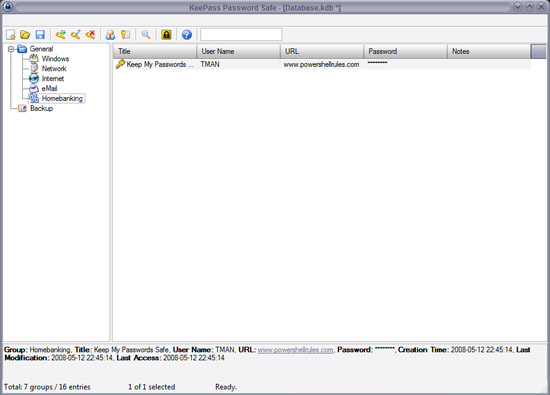
KeePass This is a program that I really like. KeePass is a completely free, open source password management application. Using KeePass you can save all important information in a secure database so that you can access only one master password, key (one file), one master key +, or information. Important of Windows. Here are some reasons for using this utility:
- The database is encrypted with AES and Twofish
- Portable and no installation required
- Easy database transmission
- Support password groups
- Safe and intuitive Windows Clipboard management
- Search and sort support
- Support multiple languages
- Strong random password generator
- Plugin Architecture
- The last and most important thing for KeePass is open source.
For more information about KeePass you can visit the website www.keepass.info Helix In the context of your CEO's request to perform an analysis of the CEO's computer to find evidence of data theft. Besides taking other obvious steps to manage things (depending on your organization), how can legal evidence be found? One method can buy and use it is EnCase (just a little money). Another method here is to be able to hire a legal firm (this is much more expensive). Or you can use a utility called Helix, which is provided in the Knoppix Live Linux CD. By using Helix and the boatload of that tool you can easily create an investment without having to change the server in any way.
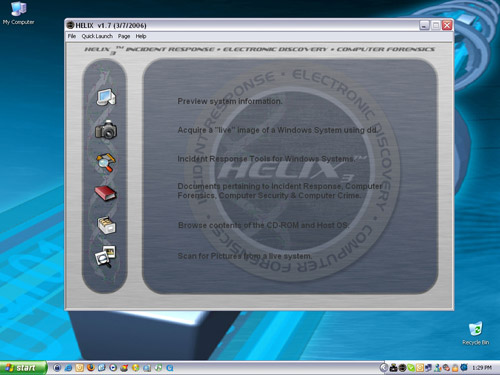
For more information on EnCase, visit www.e-fense.com/helix Netwox Netwox is a utility with over 222 different tools. The tasks you can perform using this utility are:
- Trace data packets
- Collect files via HTTP
- Perform brute force attack on FTP server
- Use Netwox as the back door on the system
- Fooling data packets
- Encrypt computer files
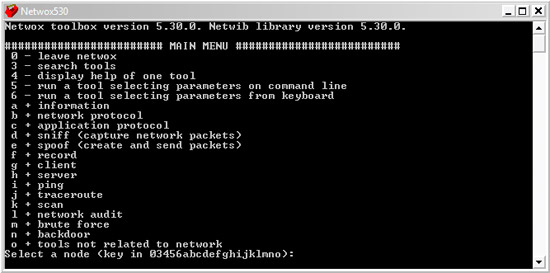
For more information about Netwox you can visit the website http://www.laurentconstantin.com/en/netw/netwox/
FAQ
What is Information: 6 Free Security Tools Needed about?
It provides a structured overview of information, explains the main context, and highlights practical takeaways for readers.
Why does this topic matter?
Understanding the main concepts helps readers evaluate the issue, avoid common mistakes, and make better-informed decisions.
How should readers use this information?
Use the guidance as a practical starting point, confirm details that may have changed, and follow current product, safety, or security recommendations.
Related Articles
 9 Free Online Privacy and Security Tools Worth Considering11 minutes read
 Plus Free Security Tools: Some Free Security Software Tools9 minutes read
 Top 7 Free Server Security Testing Tools - Protect Your System More Effectively8 minutes read
 Free Wi-Fi Security Tools10 minutes read
 8 Free Security Tools5 minutes read
 Build Your Own Free Security Suite7 minutes read
Reader Comments 0
Sign in with email or Google to join the discussion.