Table of Contents
Windows Server 2008 Cleans the Path for 64-bit is easier to understand when the core ideas are paired with practical examples. The sections below explain the topic clearly, highlight useful steps, and point out details that can prevent common errors.
Microsoft CEO Steve Ballmer will unveil two important new products tomorrow night: Windows Server 2008 operating system, expected to officially ship next week, and SQL Server 2008 database software, expected. released the third quarter of this year, after many delays. If nothing changes, Ballmer will also discuss Visual Studio 2008, which was released last November. According to analysts, the emergence of new Windows server software will kick off a large-scale "march" campaign to 64-bit operating systems. Like the "predecessor" versions, the two new software will be released in both 32bit and 64bit versions. However, there are many factors at this point that encourage users to choose a 64-bit version, such as the popularity of 64bit x86 server hardware, or the trend of server virtualization and convergence to increase performance., reduce power consumption. Of course, the trend of moving from 32bit to 64bit will take place slowly, at least until 2009. But anyway, it still marks an important maturity step of Microsoft server software, which is considered rival slow of Sun Unix 64bit operating system. Memory upgrade 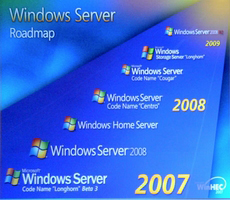 The difference between 32-bit and 64-bit versions lies in the amount of memory that the software can control. If the 32bit operating system only handles 4GB of main memory (if no memory boost tips are taken into account, then the 64-bit version handles much larger memory. In the case of Windows Server 2008 is 2TB, Microsoft said. As a result, the performance of many applications (such as Microsoft Exchange Server) will be significantly increased, as they can pull data from main memory faster. If you have to extract data from the drive, the speed will be much slower. Another factor also pushed users closer to 64bit than concerns about the future. Microsoft once said this was the "last major upgrade" for Windows Server released in both 32-bit and 64-bit formats. Many experts believe that the script for SQL Server will repeat the same thing. Released since November 2007, Exchange Server 2007 is only available in 64bit version. It would be wise to choose 64bit now, instead of waiting until "there's no other possibility" to consider. Virtualization Contributing significantly to the 64-bit shift trend is virtualization, which allows multiple operating systems and applications to run simultaneously on a single machine. The convenience and superiority of virtualization is not controversial, but server virtualization requires corresponding software to be very powerful, ie at least 64bit. IDC research firm once called "no 64-bit Windows Server application is one of the biggest missed opportunities of the consumer market". The company also emphasized that 64-bit products will cost the same as the 32-bit version, and that "moving" is not difficult. 64bit processors from both Intel and AMD retain the x86 architecture of the 32bit world. This means 32bit applications still work on 64bit servers. Users will need to upgrade many system tools such as security, antivirus and system management products so they can interact directly with the Windows Server kernel. As of the end of 2007, according to IDC estimates, only 10% of Windows Server users are using the 64-bit version of Windows Server 2003. However, by the end of 2010, this rate will increase to approximately 50%. Thanks to the advent of Windows Server 2008.
FAQ
What is Windows Server 2008 Cleans the Path for 64-bit?
Microsoft CEO Steve Ballmer will unveil two important new products tomorrow night: Windows Server 2008 operating system, expected to officially ship next week, and SQL Server 2008 database software, expected.
Why is Windows Server 2008 Cleans the Path for 64-bit important?
A clear understanding of Windows Server 2008 Cleans the Path for 64-bit helps you make informed decisions, avoid common mistakes, and use the relevant tools or techniques more effectively.
How should beginners approach Windows Server 2008 Cleans the Path for 64-bit?
Start with the fundamental concepts, follow the examples step by step, and test each change in a safe environment before applying it to important systems or data.
Related Articles
 What Is Windows PATH?7 minutes read
 How to Set the Path in Java7 minutes read
 How to Add Python to the Windows PATH Variable7 minutes read
 How to Fix the Long Path of the Directory Path on Windows5 minutes read
 Did You Know Windows 10 Solved the Path Problem Longer Than 2605 minutes read
 Use Iis to Set up Ftp Server on Windows11 minutes read
Reader Comments 0
Sign in with email or Google to join the discussion.