Table of Contents
Discover why is customization service a privacy nightmare on samsung phones and explore the main causes, risks, practical effects, and recommended actions.
Recently, some people stumbled upon the Customization Service while reviewing their Samsung accounts, and it turns out this feature is essentially Samsung's own data tracking tool. It collects information about how you use your phone and monetizes that data. What sounds like a simple personalization tool is actually designed to benefit Samsung more than you.
What exactly does a Customization Service do?
The name is confusing for a reason
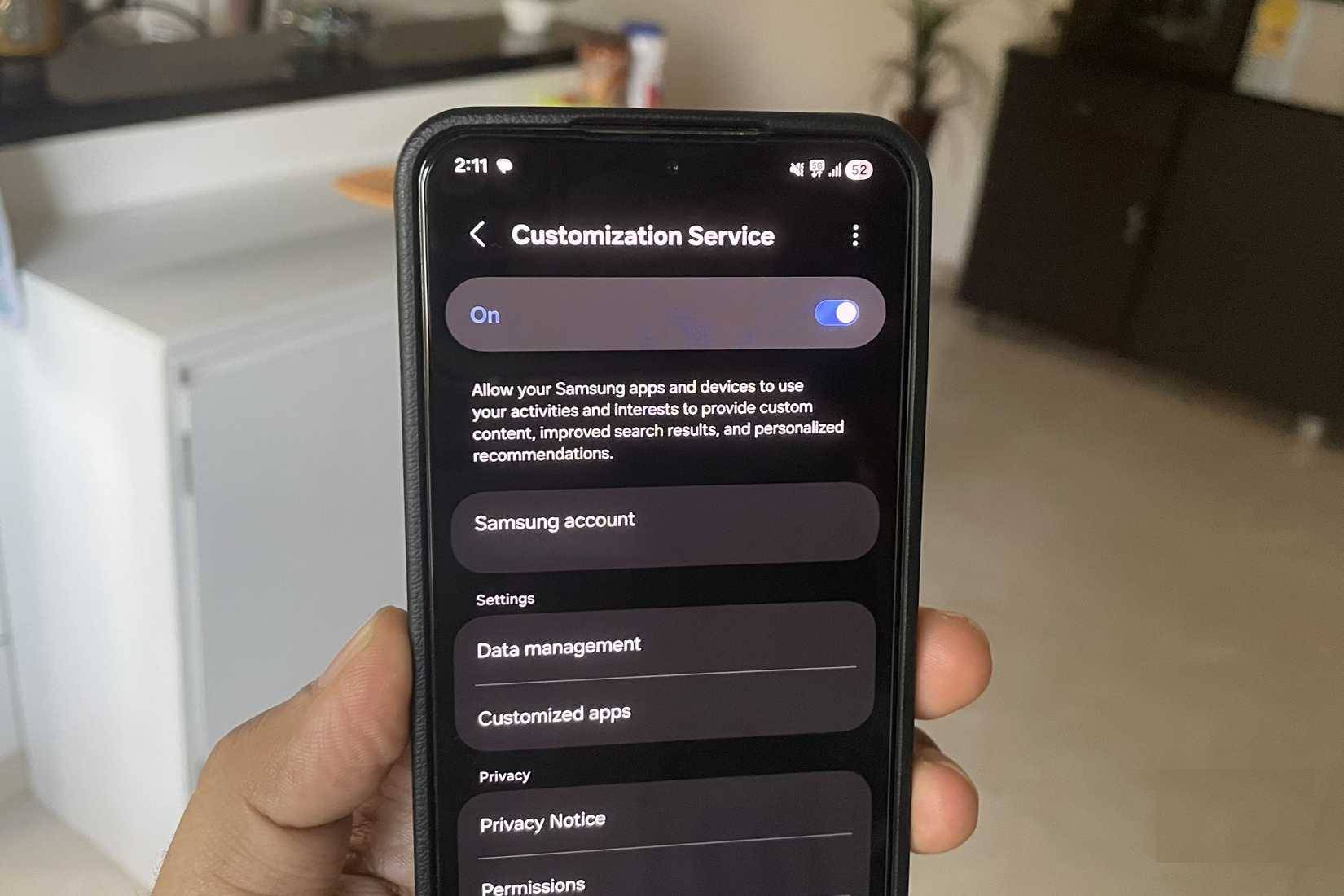
The name "Customization Service" isn't particularly attention-grabbing, but it's Samsung's built-in data analytics tool. It's activated as soon as you create your Samsung account. Simply put, it collects information about the apps you use, how often you use them, and what you search for on the internet.
Samsung uses this data to build your personal profile, thereby tailoring ads, promotions, and recommendations across its apps and services. Of course, Samsung believes this helps improve your experience. And you'll certainly see relevant suggestions, recommendations, and reminders on apps like Weather, Samsung News, Samsung Wallet, Smart Things, Galaxy Store, etc.
But the main issue here is transparency. Most people are completely unaware that this feature is active, let alone what it's doing in the background. It's hidden within the privacy settings and described in vague language, leading people to believe it's just a simple personalization option. In reality, it's very much like a targeted advertising tracking tool integrated directly into the One UI interface.
Another issue is that this data isn't used solely by Samsung. According to Samsung's website, portions of your profile may be shared with third-party providers. This makes the Customization Service a real privacy concern.
The fact that Customization Services collect so much data is a cause for concern
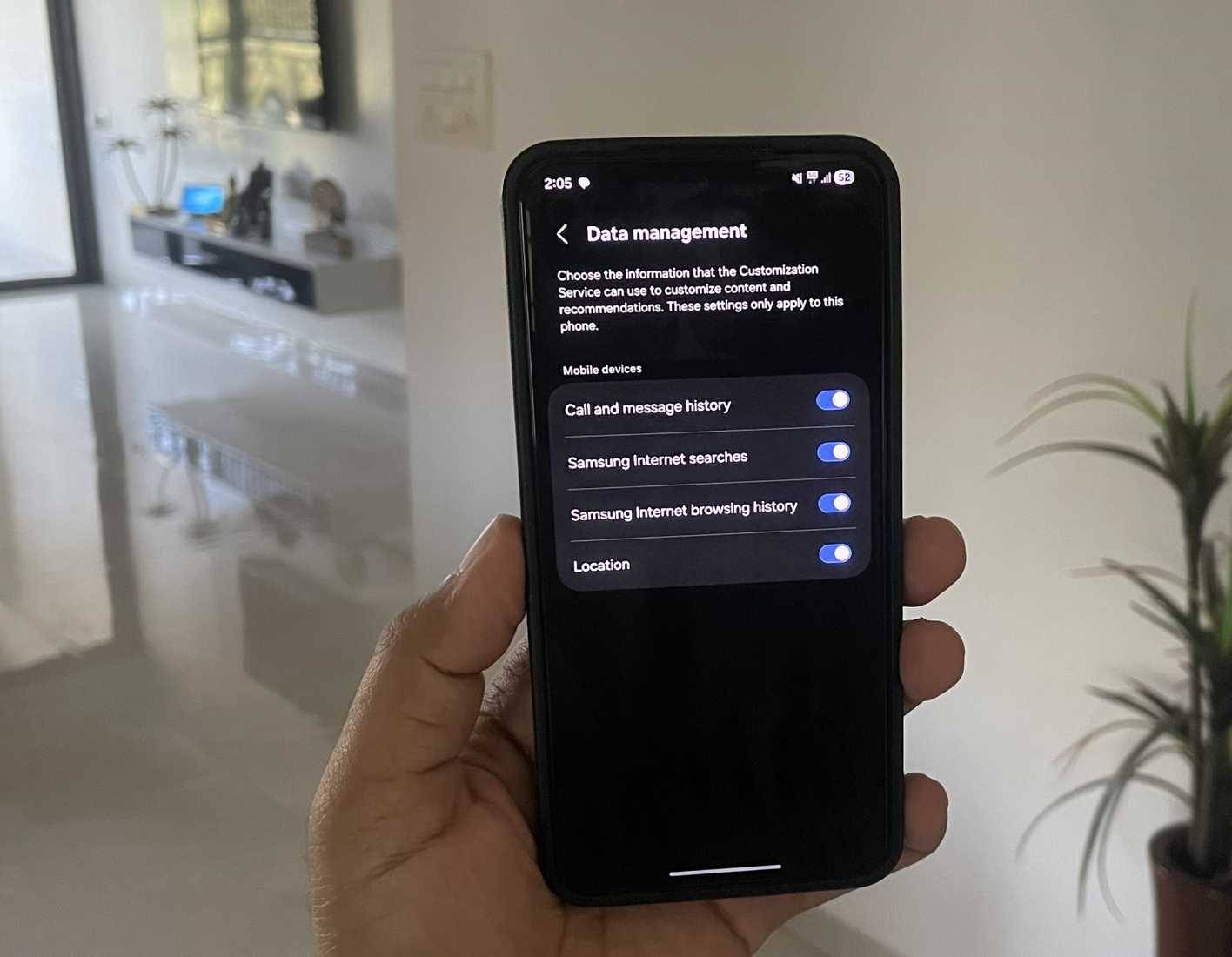
Customization Service is a single toggle switch that allows Samsung to access virtually every critical permission on your Galaxy phone. If your phone is capable of generating data, it's highly likely this service is tracking it. To give you an idea, here's some of the information Customization Service collects:
- Device information : This includes your custom settings, the devices you're connected to, and the apps you've installed. It provides a comprehensive picture of how your phone is set up.
- Music and photos : Samsung can record the type of music you listen to, as well as details about your photos, such as location and time of capture.
- Contacts and Contacts : This service can access your contact list, analyze call logs, and review your text message history. It does this to identify your closest relationships and the people you interact with most. In other words, it's profiling your social life.
- Calendar data : It can read your calendar data and note special occasions, appointments, and events. This helps Samsung better understand your personal habits and milestones.
- Web browsing : This feature includes all your internet activity. It allows Samsung to collect your browsing history, search history, and even bookmarks.
- Location information : This feature allows Samsung to know your exact location at any given time and helps the company track where you've been.
When you combine it all, Customization Service is no longer just a convenient feature. It's a large-scale data collection system operating in the background.
Unsubscribing and deleting all data is very easy
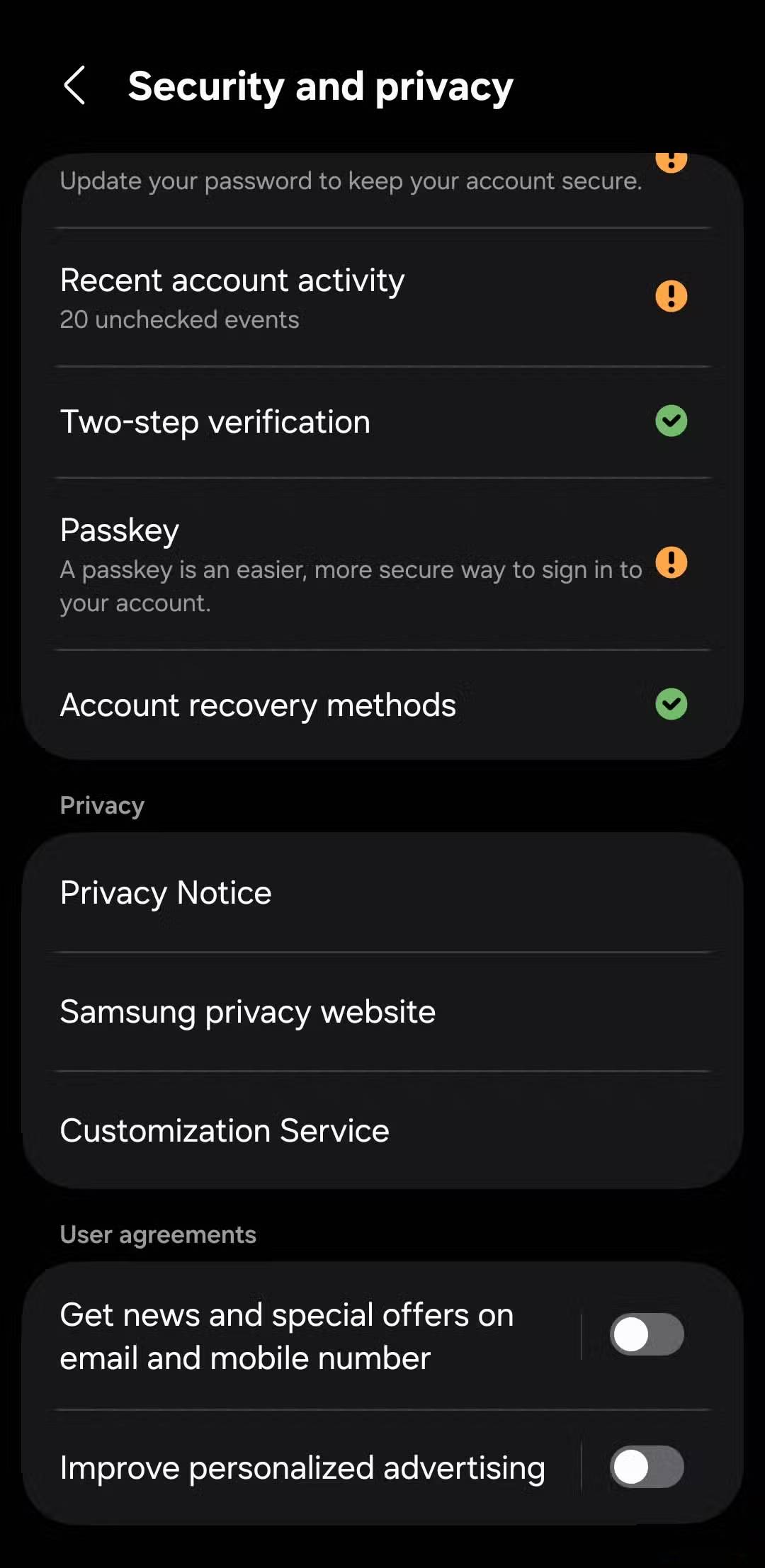
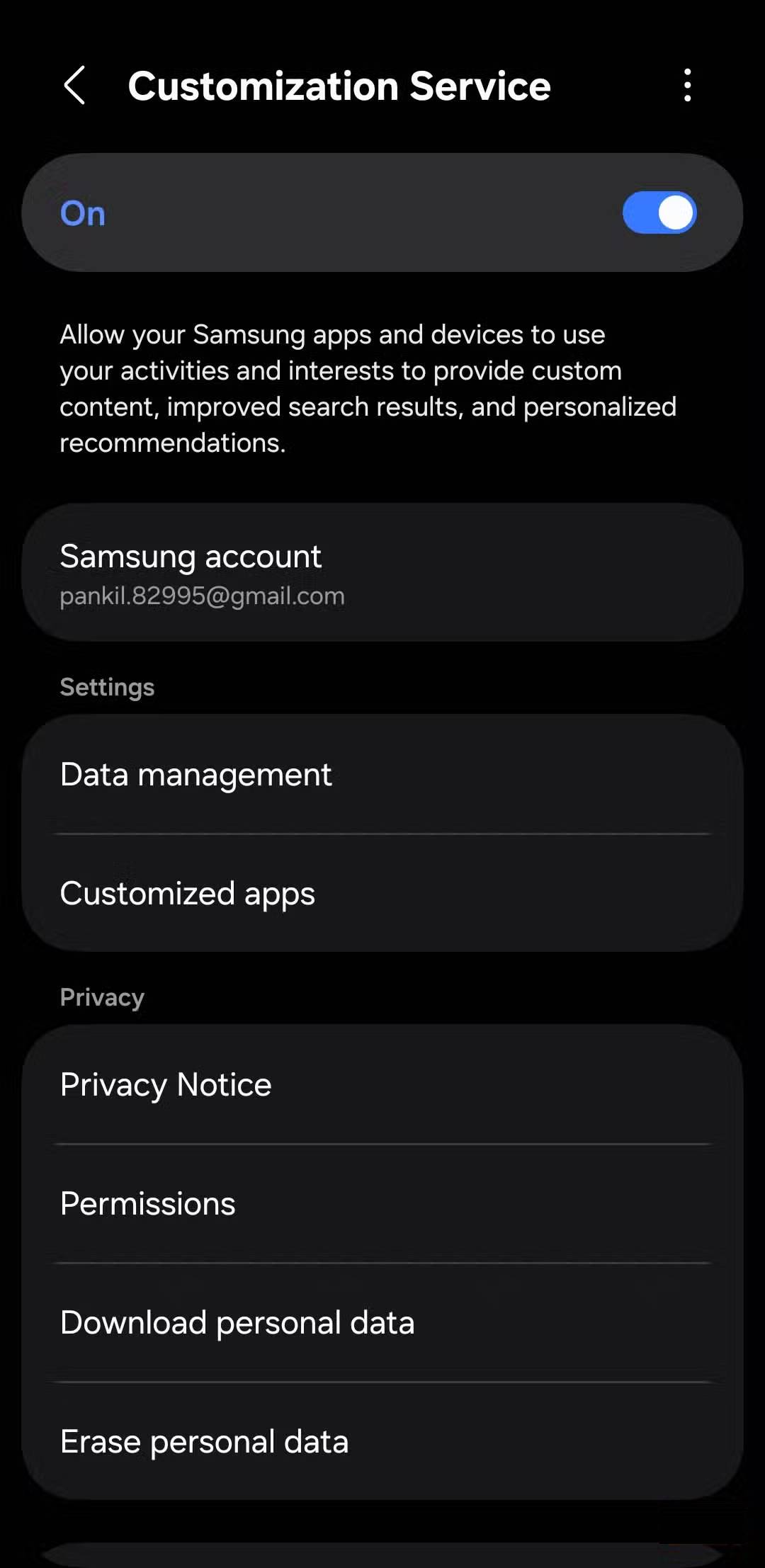
If there's good news, it's that Samsung has given you a way to bypass this feature. Customization Service is enabled by default, but you can easily turn it off and even delete the data it has collected.
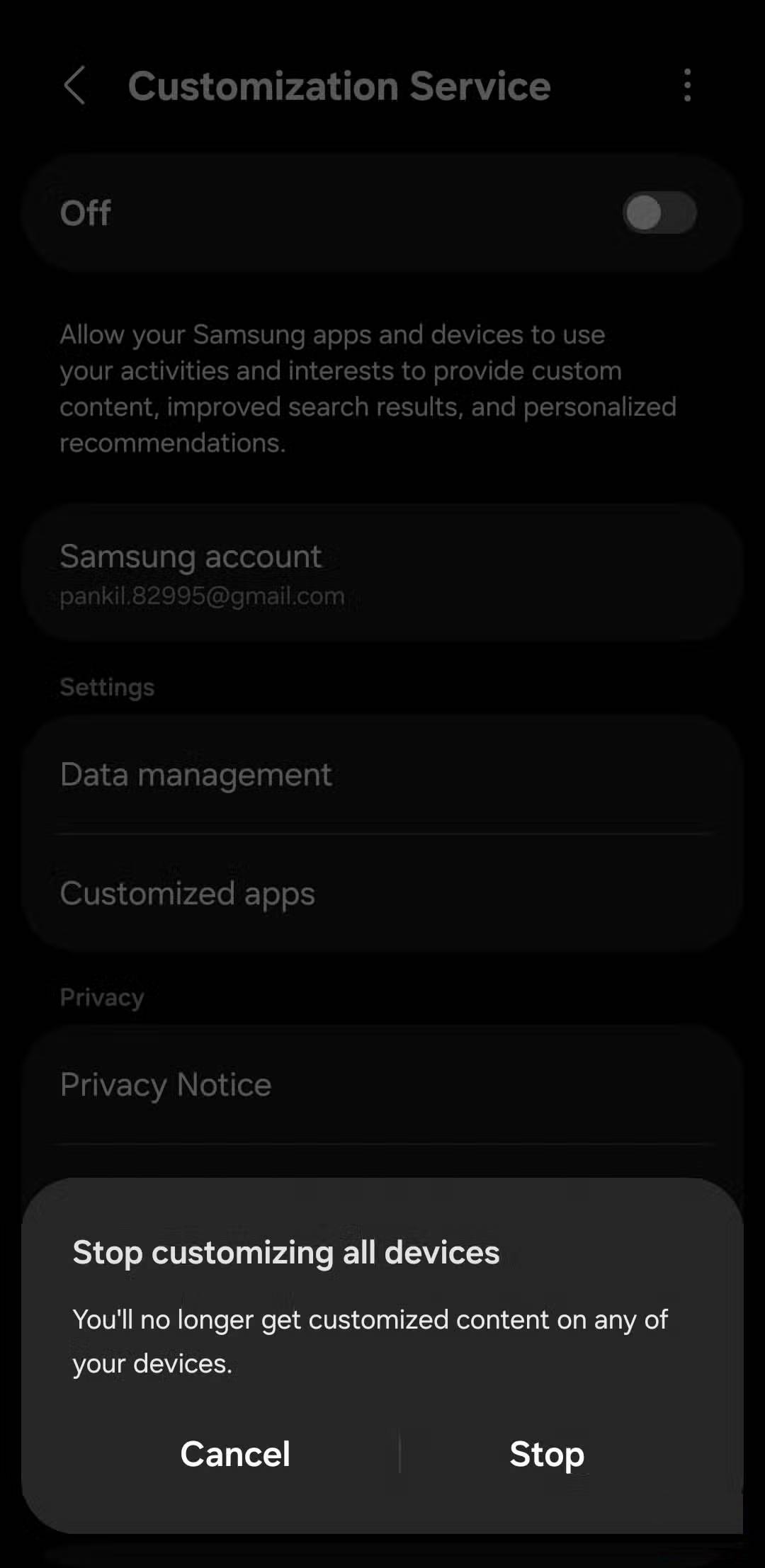
Go to Settings > Samsung account > Privacy and security > Customization Service . From there, you can completely turn this feature off. However, before doing that, you should delete all data that Samsung has collected about you.
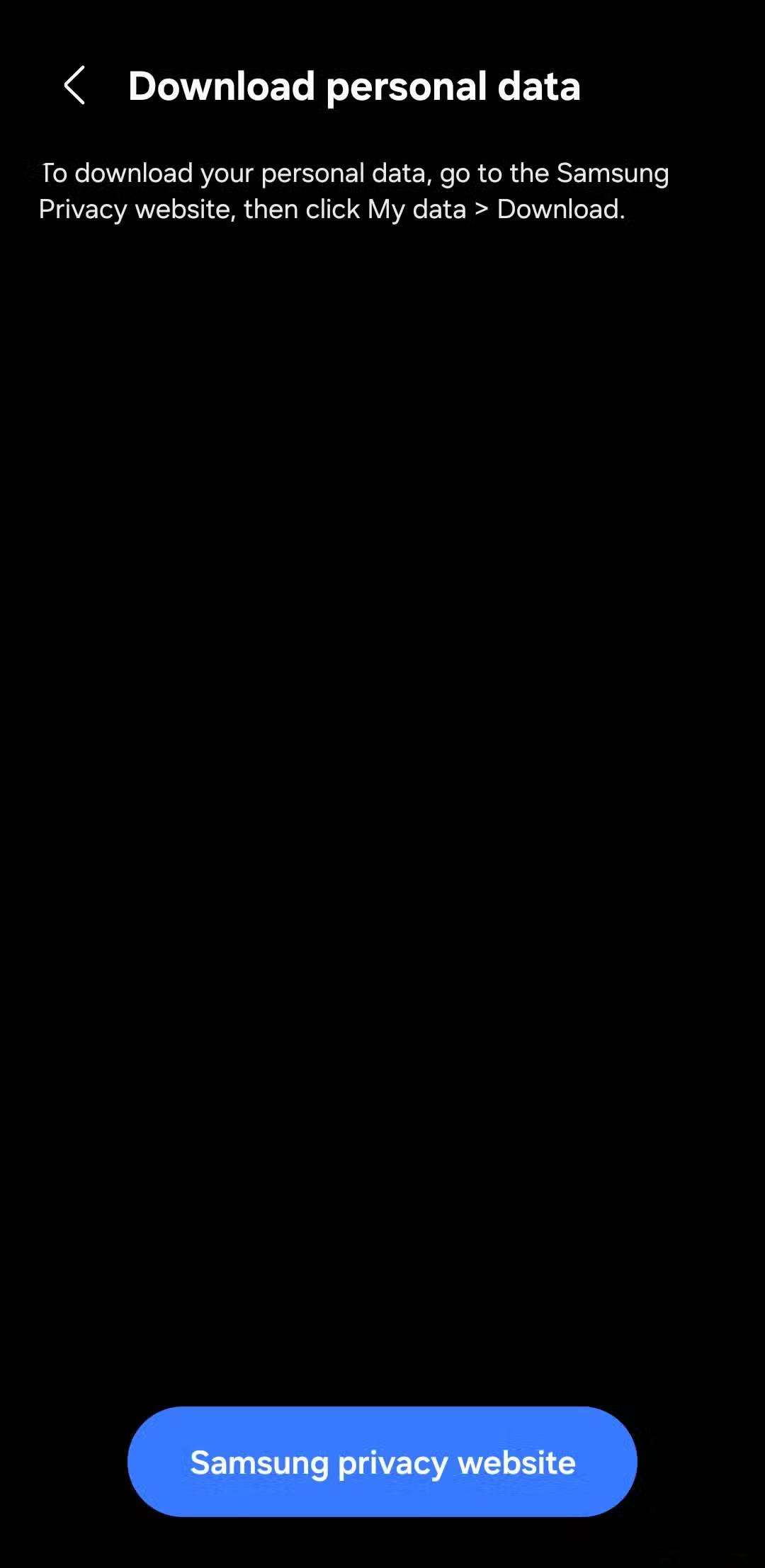
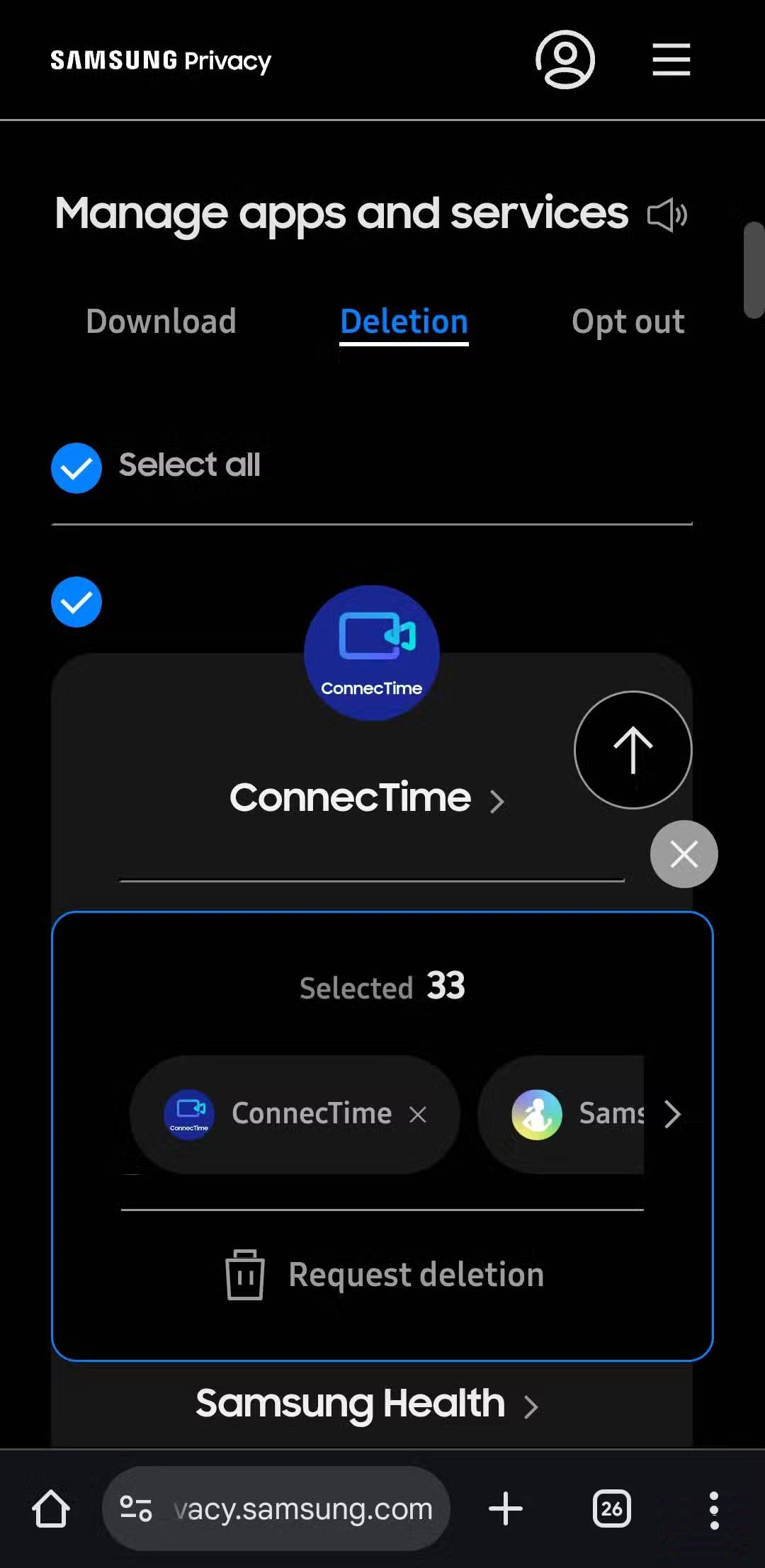
Tap Erase personal data and select Samsung privacy website . This will take you to your browser, where you need to log in with your account. After logging in, go to the Deletion tab, tap Select all , and select Request deletion .
After deleting the data, go back to your phone's settings and permanently turn off Customization Service.
Final Thoughts
Understanding why is customization service a privacy nightmare on samsung phones makes it easier to evaluate the information and apply the most relevant recommendations. Focus on the key points above and verify details that may change over time.
FAQ
What is why is customization service a privacy nightmare on samsung phones?
Discover why is customization service a privacy nightmare on samsung phones and explore the main causes, risks, practical effects, and recommended actions.
What key points does this article cover?
The article focuses on What exactly does a Customization Service do?, The name is confusing for a reason, The fact that Customization Services collect so much data is a cause for concern, with practical explanations and examples.
How can you use this information in practice?
Use the explanations to compare options, verify important details, and make a more informed decision. Apply the recommendations that best match your goals and situation.
Related Articles
 9 Samsung Apps That May Run in the Background8 minutes read
 Android Phone Default Settings Are a Privacy Nightmare11 minutes read
 6 Privacy Tweaks Every Samsung User Needs to Make Right Now8 minutes read
 Samsung Warranty Centers in Vietnam5 minutes read
 6 Simple Tips to Help Your Samsung Phone Last for Years7 minutes read
 Samsung Features That Make People Wonder Why Other Phones Exist9 minutes read
Reader Comments 0
Sign in with email or Google to join the discussion.