Table of Contents
This article explains Facebook UID in clear American English, including how it works, why it matters, and the key details readers should understand.

1. What Is Facebook UID?
UID stands for User ID: The ID of the user.
On today's social network Facebook has millions of users, to manage those users, Facebook needs to give each user a unique ID code. With UID, other people can access personal page / Fanpage, Group and keep track of the content inside. For simplicity, you can understand the UID as a home address and when you access it, you can view the entire contents.
Not only does Facebook use UID, but all social networking platforms must use UID. Without using UID, they cannot manage users and cause congestion on social networks.
On Facebook, there are 03 types of UID we often see are:
- Personal page UID
- UID Fanpage Facebook
- UID Group Facebook
Example
When you visit a group / a page / a personal page, you will see the URL looks like this:
https://www. facebook. com/170667840008977/
The part of code behind the Facebook link is the UID address, specifically in this case the UID is 170667840008977.
2. How to Get a UID Address
Previously, Facebook did not allow to change the link to individual / fanpage / group pages, so you can easily see the UID when accessing each person's page. But when Facebook changed the link, the links would no longer look the same as before, finding UID more difficult.
Before the change
https://www. facebook. com/170667840008977/
After the change
https://www. facebook. com/groups/kosocho/
In addition, in 2016, Facebook also tightened UID exploitation because many Online stores use UID to compete 'unfairly' with competitors on Facebook. Specifically, all posts running ads using UID are not approved by Facebook and even delete the sales / run channel.
However, if you use UID for your own purpose and are good, you can still get UID. We will use an Atpsoftware Tools.
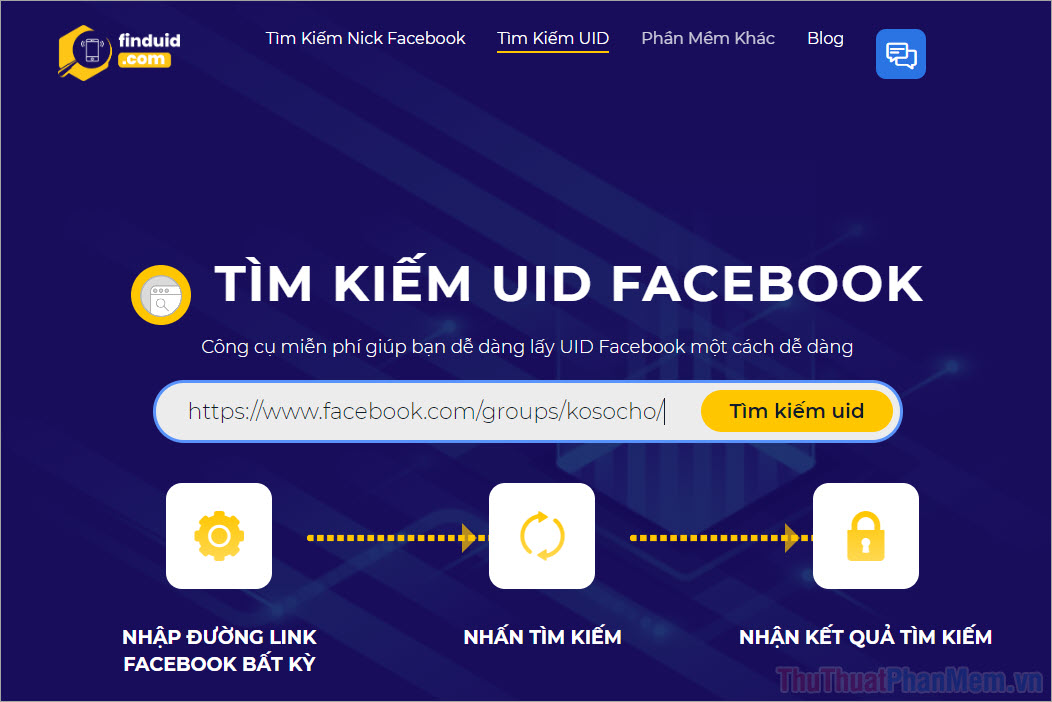
Homepage: https://id. atpsoftware. vn/
Step 1: You proceed to the homepage and enter the URL of the page you need to get the UID and click Search UID .
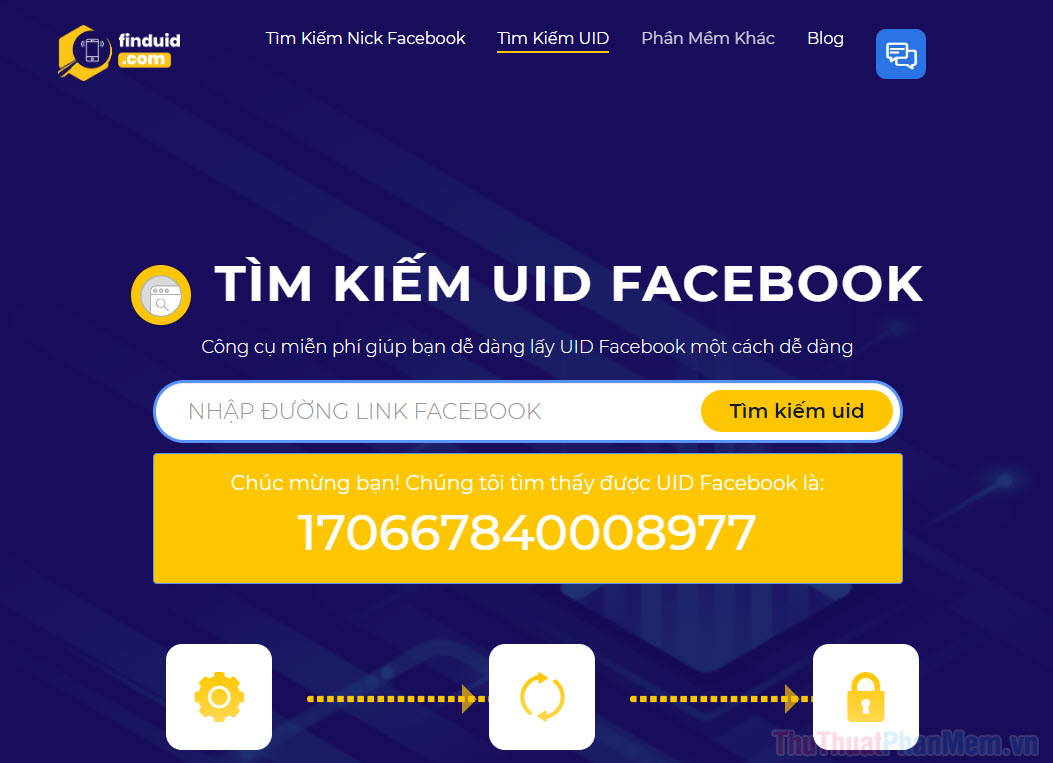
Step 2: The system will automatically get the UID for you and you just need to Copy to use.
3. What Is UID Used for?
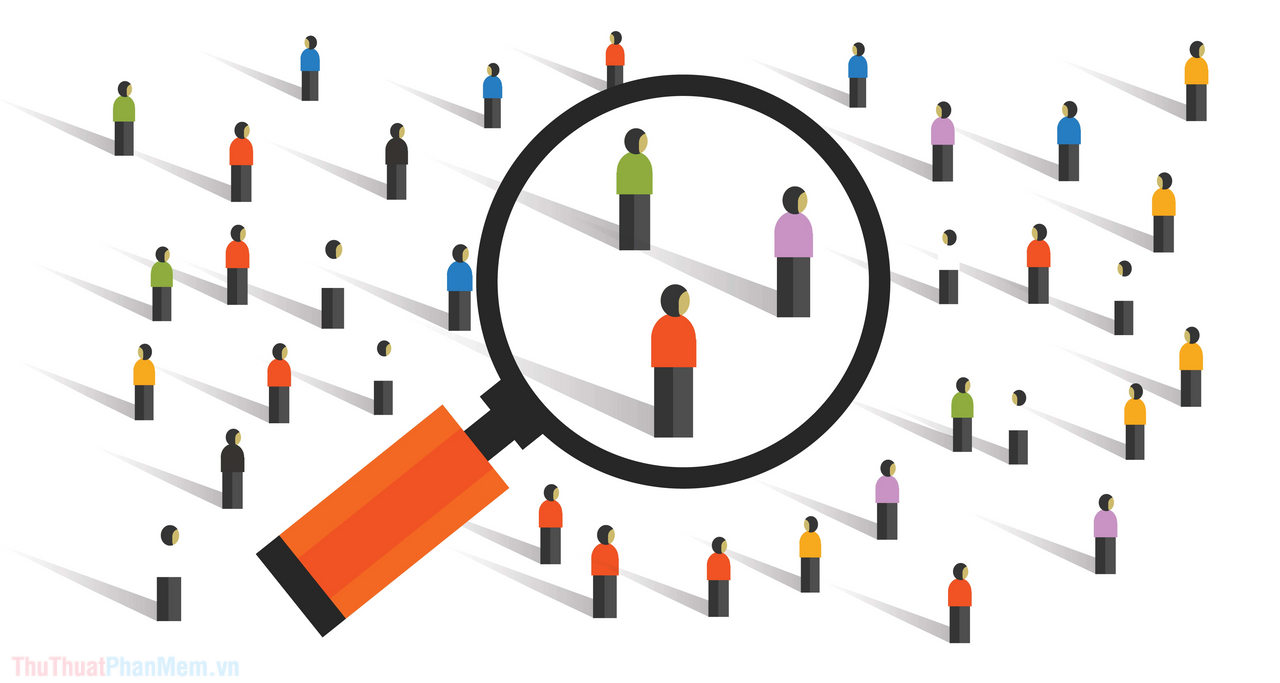
UID is used for many different purposes, mainly due to the user's needs. Here are some common applications of UID.
- Quickly access individual / Fanpage / Group pages
- Running ads with Facebook UID (banned)
- Tap eMail / Phone number by UID
- Research potential customers to run ads (Target Audience)
- See the list of people who like the page, join the group or list of event participants on Facebook
- Batch friends according to pre-created target customer files
- Support to run ads
As such, you can see that the UID application mainly focuses on people who run ads, sell products on Facebook, and make money from Facebook. As for normal users, few people will care about Facebook UID.
In this article, Software Tips introduced you to what Facebook UID is and its common applications. Have a nice day!
FAQ
What does Facebook UID mean?
Facebook UID refers to the main concept explained in this article, including how it works, why it matters, and the details users should understand.
Why is Facebook UID important?
It can affect how users choose a tool, complete a task, solve a problem, or understand the topic more accurately.
Where can I find the most useful details?
Review the main sections, examples, images, and key notes in the article for the most practical information.
Related Articles
 Summary, All Things from a to Z to Facebook4 minutes read
 Here's How to Choose the Type of Facebook Ad That Shows up on Your8 minutes read
 5 Ways Facebook Has Changed Our Lives11 minutes read
 Check What Facebook 'Knows' About You5 minutes read
 6 Useful Features of Facebook Are Rarely Used6 minutes read
 Best Facebook Name, Meaning, Unique, Funny, Mood: Good Facebook Name10 minutes read
Reader Comments 0
Sign in with email or Google to join the discussion.