Table of Contents
This updated guide answers the question 'What Is an ARW File' with clear explanations and practical context. This article describes two file formats that use the ARW extension, including how to open and convert both types.
What Is an ARW File?
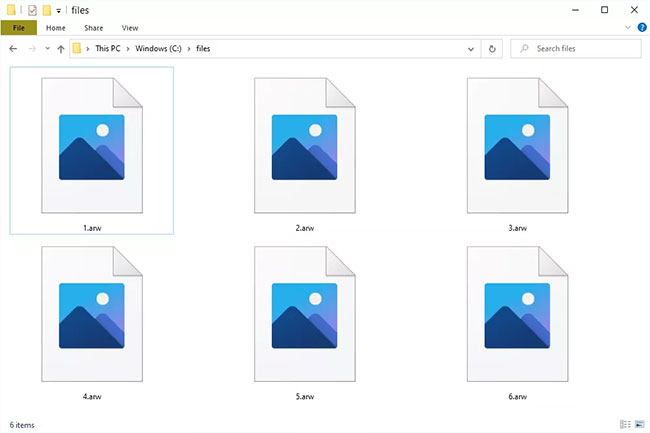
The file has the ARW extension, which stands for Sony Alpha Raw and is therefore a Sony RAW Image file. It is based on the TIF file format and is similar to other RAW files from Sony cameras, such as SR2 and SRF files.
A raw image format simply means that the file has not been compressed or processed in any way. It is in its raw form, as it was when the camera first captured it. Although the Sony RAW file type is more common, an ARW file can be an ArtStudio Scene file.
How to Open ARW File
ARW files are Sony RAW image formats (i.e. from Sony digital cameras) that can be opened with various graphics programs. Microsoft Windows Photos and Windows Live Photo Gallery are two examples.
Other graphics programs such as Able RAWer, Adobe Photoshop, Adobe Photoshop Elements, ACDSee , and ImageMagick can open this file type.
You can upload the file to the raw.pics.io website to view or edit it in your browser without installing a dedicated viewer on your computer.
ARW files (ArtStudio Scene files) can be opened with ArtStudio.
How to Convert ARW Files
The best way to convert a Sony RAW Image file is to open it in one of the programs mentioned above. for instance, Photoshop can convert ARW files to RAW, TIFF, PSD, TGA, and several other formats, via the File > Safe As menu.
If you convert a file on the raw.pics.io website, you can save it back to your computer as a JPG or PNG.
Adobe DNG Converter is a free tool for Windows and Mac that can convert ARW to DNG.
Another way to convert this type of file is to use a free file converter like ARW Viewer or Zamzar . With Zamzar, you first have to upload the image to the website, then you can convert it to JPG, PDF, TIFF, PNG, BMP, AI, GIF, PCX, and several other similar formats.
If your ARW file is an ArtStudio Scene file, use ArtStudio's File > Export menu to save the file as a BMP, JPG, or PNG image file. You can export as an AVI, EXE, SCR, SWF, or animated GIF video file.
Still Cannot Open the File?
One possible reason why you cannot open a file is because you're misreading the letters/numbers that follow the file name. If the file extension ends with something that looks like ARW, you may be mistaking another file format for this one, meaning it should actually open in a completely different program.
for instance, your file might end in.ARR, which looks a lot like ARW but probably only works in a program like Clickteam Fusion because some files using that file extension are MultiMedia Fusion Array files.
The same can happen to AWW files used with Microsoft Office or XAR files created by MS Excel. Other examples include ARD and GRD files.
If you find that you do not actually have an ARW file, research the file extension you see, either on TipsMake.com or on Google, to learn more about the format and what programs are capable of opening or converting it.
FAQ
How to preview ARW files on Mac?
In Finder, select the ARW file and select Info . Select Open with set to Preview . Alternatively, download Imaging Edge Desktop from Sony to preview ARW files on your Mac.
Why will not Lightroom import Sony ARW files?
First, check the list of supported cameras for Adobe Camera Raw to ensure your Sony camera is supported. Then, ensure you have the latest version of Lightroom and install any updates if necessary. If you still cannot open the file, sign out of Lightroom and sign back in to complete the update.
See also:
- What is an SVG file?
Related Articles
 What Is ISO File?10 minutes read
 What Is the .DAT File: How to Open and Read the .DAT File?10 minutes read
 What Is File 000? Complete Guide6 minutes read
 All You Need to Know About ZIP Files - What Is a ZIP File?5 minutes read
 What Is DMG File?7 minutes read
 What Is Xml File: What Is an XML File and How to Open It?9 minutes read
Reader Comments 0
Sign in with email or Google to join the discussion.