Table of Contents
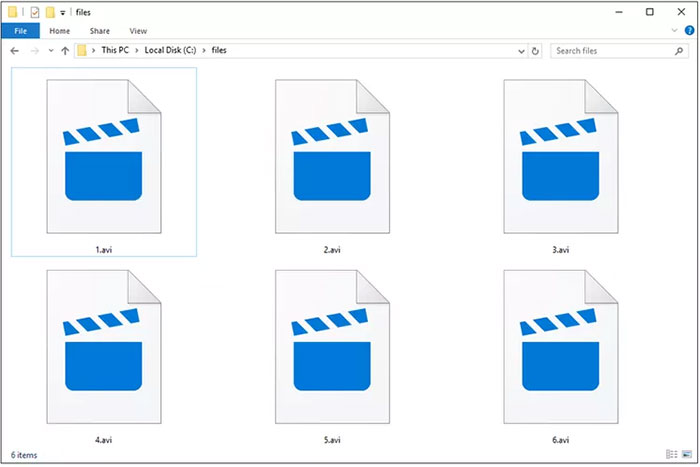
An AVI file is an Audio Video Interleave container created by Microsoft. It can hold video, audio, subtitles, and timing information in one file, but the .avi extension does not identify the codecs used inside. That is why one AVI may play immediately while another reports a missing codec.
If compatibility is the problem, try a player with broad built-in codec support before converting the file. When you do convert, keep the original and choose settings for the device or service that will receive the video.
AVI is a container, not a single video codec
The AVI container is based on RIFF and has been used with many codecs over the years, including older formats and lossless capture codecs. File size and quality therefore depend mainly on the video and audio codecs, resolution, frame rate, bitrate, and content—not on the AVI extension alone.
An AVI can be large when it contains lightly compressed or lossless video, but it can also contain highly compressed material. Repeatedly opening and saving a file does not preserve quality automatically: any lossy re-encoding can reduce quality, regardless of the container.
How to play an AVI file
Try the built-in player first
On Windows, double-click the file to try the default media player. On macOS, an AVI may open in QuickTime only if its codecs are supported. Phones, tablets, smart TVs, and browser-based services vary widely in the combinations they accept.
Use a player with built-in codecs
VLC media player is a practical cross-platform option for many AVI files because it includes support for numerous codecs. Open VLC, choose Media/File > Open File, and select the AVI. Other reputable players may work as well.
Avoid downloading a codec from a pop-up or an unknown “codec pack” site. A current, trusted media player is usually safer than installing system-wide codec bundles simply to open one file.
What to check when AVI will not play
- The download: compare the file size with the source or download it again if it may be incomplete.
- The codecs: inspect the file with a media-information utility to identify the video and audio formats inside.
- The extension: a file renamed to .avi is not necessarily a valid AVI container.
- The storage device: copy the file locally if playback from a network share or damaged drive is unreliable.
- The player: update it and test the file in another reputable player.
If video appears without sound, the audio codec may be unsupported. If sound plays over a black screen, the video codec may be unsupported or the file may be damaged. A converter cannot reliably repair missing data in a corrupt recording.
Should you convert or remux the file?
Transcoding decodes and re-encodes audio or video. It improves compatibility and can reduce file size, but lossy settings may lower quality and the process takes time. Remuxing changes the container without re-encoding compatible streams, so it is faster and does not introduce generation loss.
Remuxing is possible only when the destination container supports the existing streams and the target device accepts them. Otherwise, transcode the incompatible streams.
How to convert AVI to MP4
For broad playback support, MP4 containing H.264 video and AAC audio is a common target. HandBrake, VLC, and FFmpeg are established desktop tools; their exact controls differ, but the workflow is similar:
- Open the AVI in the converter.
- Select MP4 as the container.
- Choose H.264 for video and AAC for audio when maximum compatibility is the priority.
- Keep the original frame rate unless you have a specific reason to change it.
- Choose a quality setting rather than forcing an arbitrary low bitrate.
- Convert a short sample first, then check picture, sound, synchronization, subtitles, and duration.
- Convert the full file and keep the original until the result is verified.
Do not upscale a low-resolution source expecting extra detail. Upscaling increases dimensions and often file size, but cannot recreate information absent from the original.
Other useful conversion targets
| Target | Use it when | Important limitation |
|---|---|---|
| MKV | You need a flexible container for multiple audio or subtitle tracks | Some televisions and editing apps have narrower MKV support |
| WebM | You are preparing compatible web video | Older software may not support the selected codecs |
| MP3, AAC, or WAV | You need only the audio track | The video is discarded; lossy-to-lossy conversion can reduce audio quality |
| GIF | You need a very short, silent animation | Color is limited and files can become much larger than efficient video |
Desktop converter or online service?
A desktop converter is preferable for large, private, or confidential videos because the file stays on your computer. An online service requires uploading the entire recording, may impose size limits, and adds a privacy consideration. If you use one, read its retention policy and do not upload material you are not authorized to share.
Keep the original until the conversion is checked
Review the converted file from beginning to end or at several points, especially around cuts. Confirm audio sync, aspect ratio, frame rate, subtitle tracks, rotation, and total duration. Only remove the AVI source after you have a verified output and any backup you need.
Related Articles
 All You Need to Know About ZIP Files - What Is a ZIP File?5 minutes read
 What Is a DAT File? How to Open DAT Files, How to Read DAT12 minutes read
 What Is DMG File?7 minutes read
 M3U Is What File? How to Open, Edit and Convert M3U Files8 minutes read
 What Are BMP Files? What Is a DIB File?5 minutes read
 How to Reduce PDF File Size by Software6 minutes read
Reader Comments 0
Sign in with email or Google to join the discussion.