Table of Contents
openKylin is an open-source Linux distribution created by a community led by Chinese technology organizations. Its purpose is broader than replacing Windows or macOS on one type of computer: the project is building a desktop operating-system ecosystem that can support several processor architectures and locally developed hardware.
The original article linked the effort to rising Mac sales in China and quoted a simple 15% macOS/85% Windows split. Those figures were not adequately sourced and overlooked Linux and other systems, so they should not be treated as a reliable picture of the Chinese PC market.
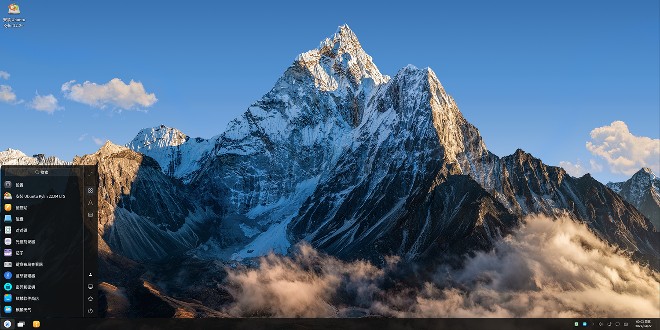
What are Kylin and openKylin?
Kylin is the name used by a family of Chinese operating-system projects whose history dates to the early 2000s. Early Kylin work used FreeBSD components, while modern desktop products in the Kylin ecosystem are Linux-based.
openKylin is the community distribution. It provides openly developed source code, packages, documentation, and a place for hardware vendors and developers to collaborate. It should not be confused with every commercial operating system that carries the Kylin name.
Like other Linux distributions, openKylin combines the Linux kernel with an installer, package repositories, drivers, desktop software, update services, and a graphical environment. Its desktop is UKUI, which is designed for a familiar PC workflow.
Why China is investing in domestic operating systems
Operating systems sit at the center of a country's computing supply chain. Dependence on foreign platforms can create procurement, security, compatibility, and long-term support concerns for government agencies and critical industries. A domestic ecosystem can give organizations more control over source code, update schedules, processor support, and local software integration.
That strategic motive does not mean a Linux distribution can immediately replace Windows or macOS everywhere. Desktop adoption also depends on application availability, peripheral drivers, enterprise management, accessibility, support contracts, and user training. Readers comparing the practical options can start with TipsMake's guide to popular Linux distributions and its list of Linux distributions for Windows users.
Current openKylin release status
As of August 2026, the project's stable download is openKylin 2.0 SP2. The official release information says it maintains the Linux 6.6 LTS kernel and supplies images for x86-64, Arm, LoongArch, and selected RISC-V platforms. Hardware compatibility varies by image and device, so the presence of an architecture download is not proof that every computer using that architecture will work.
The community has also released openKylin 3.0 Beta for public testing. It is a preview, not the recommended choice for an important production computer. The project's official download page lists the available editions, while the 3.0 Beta announcement describes its test status and known limitations.
What openKylin 2.0 SP2 includes
- UKUI desktop: a graphical desktop environment with common window, file, settings, and productivity controls.
- Multiple processor families: official images or adaptations for mainstream x86-64 and Arm systems as well as Chinese LoongArch hardware and selected RISC-V devices.
- AI integration: the release can connect to supported cloud models through user-supplied API credentials and offers some locally installable models. Availability and performance depend on hardware, region, and provider access.
- Local document features: its assistant can index personal files for question answering, but sensitive documents still require careful review of storage and permissions.
- Immutable-system work: the project is developing a more controlled base system and compatibility mechanisms intended to improve stability.
The project's release notes warn that systems on openKylin 2.0 SP1 or earlier cannot use the normal in-place upgrade path to 2.0 SP2 because of structural changes. Back up data and read the exact release notes before replacing an existing installation.
Should you install openKylin?
openKylin is most relevant to developers testing Chinese hardware, users contributing to the distribution, and organizations evaluating software independence. For a general home PC, established distributions may provide broader English-language support and more familiar troubleshooting resources. TipsMake's operating-system installation guide explains the preparation common to any clean install.
Before installing, verify the exact CPU architecture, graphics and Wi-Fi support, required applications, update policy, language coverage, and recovery procedure. Test the live image or a virtual machine first when possible, keep a verified backup, and avoid using a beta release as the only operating system on a critical device.
Related Articles
 Away from Windows Phone, HTC 'Go Night' with China OS?4 minutes read
 The Chinese Military Will Replace Windows with Its Own3 minutes read
 Windows 8 Cannot Repel the Post-PC Flow4 minutes read
 Chinese-made Cpus Run on Their Own Uos Operating Systems2 minutes read
 LG May Sell 60 Million Smartphones in 20144 minutes read
 iPhone Sales in China Grew Strongly Thanks to Price Cuts5 minutes read
Reader Comments 0
Sign in with email or Google to join the discussion.