Table of Contents
If you delete files or a memory card becomes unreadable, stop recording, copying, or saving anything to it. New data can overwrite files that might otherwise be recoverable. Do not format the card or run repair tools before securing important footage or photos.
Start with safe checks
- Remove the card from the camera or phone and set it aside. If the card is physically cracked, bent, unusually hot, or intermittently disconnects, do not keep testing it.
- Check whether a copy exists on another device, a computer, or a cloud backup. If the card is readable, copy all visible files to a separate drive before attempting recovery.
- If the files are valuable or the card is physically damaged, consult a reputable data recovery professional. Repeated scans and writes may reduce recovery chances.
Use recovery software cautiously
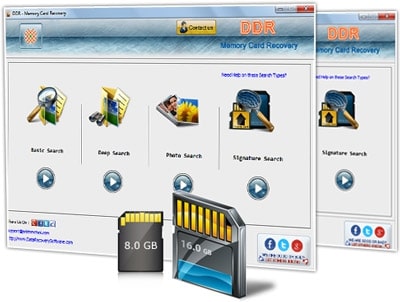
For a healthy card with deleted or missing files, connect it to a computer using a card reader and run recovery software from the computer—not from the card. Select the card as the source and save recovered files to a different drive. Never save recovered data back to the card you are scanning.
PhotoRec is one option available from the TestDisk and PhotoRec project. It can recover files from memory cards, but may not preserve original filenames or folders. Download it only from the official CGSecurity site, and review the PhotoRec recovery documentation before starting. Scan recovered files before opening them.
For a guided SD card workflow, see TipsMake’s guide to recovering photos from an SD card or its PhotoRec walkthrough.
Understand the limits
Recovery is not guaranteed. Files may be incomplete or overwritten, and some tools recover generic file contents without the original names. If the operating system asks to format the card, cancel if you need its data. After recovery, verify the files on another device and replace a card that continues to fail.




Reader Comments 0
Sign in with email or Google to join the discussion.