Table of Contents
Some laptops have a built-in SD or microSD card reader; others need a USB card reader. The slot type and supported card capacities vary by model, so check the laptop’s manual before buying a card. A card that does not appear in File Explorer may be unseated, unsupported, damaged, or affected by a reader or driver problem.

Identify the card reader
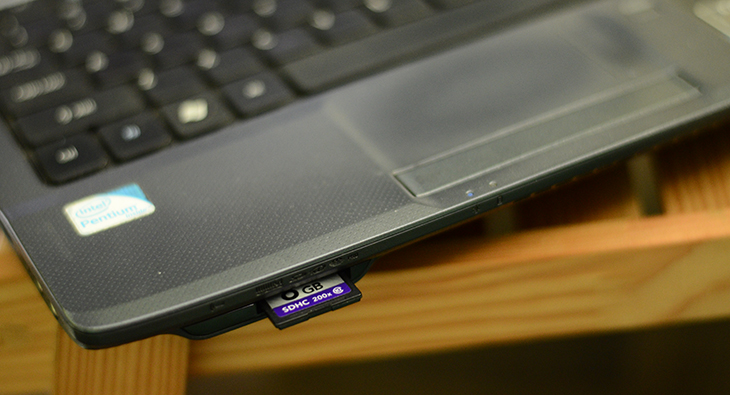
Look for a narrow slot marked with an SD symbol on the laptop’s edge. Full-size SD slots and microSD slots are different sizes; some readers accept microSD only with an adapter. Do not force a card into a slot. Many Dell, HP, Lenovo, and other laptop families include different reader configurations across models, so brand alone does not determine the slot type.

Troubleshoot a card Windows does not detect
- Safely eject and reinsert the card, checking its orientation. Try another compatible card and, if available, a separate USB reader. This helps determine whether the problem is the card, slot, or adapter.
- Restart the laptop and check File Explorer. If the card appears in Disk Management but has a healthy partition without a drive letter, assigning an unused letter may make it accessible.
- Do not select Format, Initialize, Delete Volume, or other erase actions if you need the card’s files. If Windows reports a problem and the data matters, stop and make a recovery copy or seek help first.
- In Device Manager, check the card-reader or storage-device categories for warnings. Install reader drivers only from Windows Update or the laptop manufacturer’s support page for your exact model.
Windows’ old Hardware and Devices troubleshooter may not be available on current versions, and a card reader is not necessarily listed as a USB controller. For additional steps, see TipsMake’s guide to a laptop not recognizing an SD card and microSD card troubleshooting.
Related Articles
 Laptop will have SDXC memory card slot
 Nano memory card memory card, solution for smartphones not equipped with memory card slot
 What is the function of memory card? How to choose the best memory card
 Huawei was removed from the SD memory card association, will the future of SD memory card slot disappear on Huawei phones?
 Criteria when choosing to buy SD memory card
 Top 5 best Lenovo laptops 2021
Reader Comments 0
Sign in with email or Google to join the discussion.