Table of Contents
This curated overview of top 4 best video editing software on Mac focuses on useful options, standout features, and details worth checking before making a choice.
1. iMovie
If you are new to video editing, one of the best editors to start with is Apple iMovie. The software is free for beginners, but it also combines ease of use with a fairly advanced feature set. You can't build a feature film project using this software, but if you just want to put a quick video on YouTube, iMovie will do it for you.
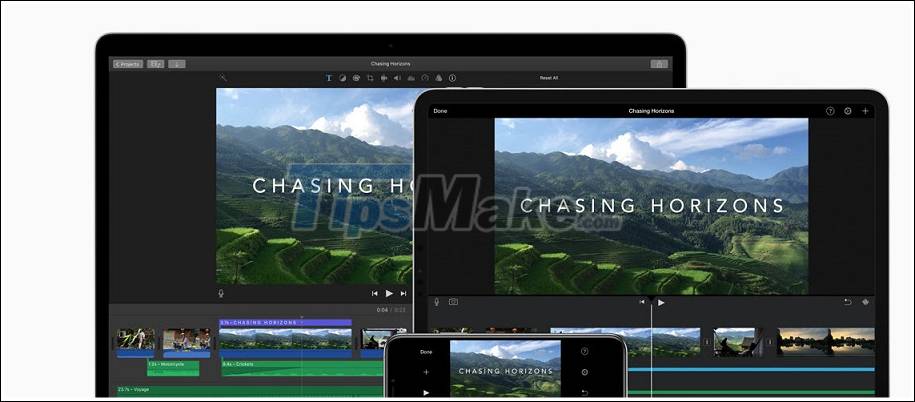
This is a great option if you record videos on your iPhone, which is also available for iOS. So you can edit the video on your iPhone / iPad and finish it on your Mac. iMovie also handles 4K footage, you don't have to worry about whether high resolution is supported or not.
2. Final Cut Pro X
If iMovie doesn't seem to be enough for you, Apple has another option. Final Cut Pro X is a step up in almost every respect. Final Cut Pro is easier to use than some other video editors, but it's powerful enough for professionals to use regularly. This software has everything you need to organize, trim and perfect your videos.

Final Cut Pro X is not free but not as expensive as some other professional video editing software. While comparable software can cost thousands of dollars, Final Cut Pro X will only get you $ 299.
3. Adobe Premiere Pro
Another popular option, Adobe Premiere Pro will be a tool familiar to video professionals. Unlike Final Cut Pro X (which uses its own interface style), Premiere Pro's layout is similar to other video editors. If you are used to video editing, this is a plus, but it can cause some problems for beginners.

However, Adobe Premiere Pro has become an industry standard for a good reason, and you'll find plenty of tools and tutorials built into Premiere. Unlike Final Cut Pro, Premiere Pro is not available for purchase. Instead, it is offered as part of the subscription. You can only subscribe to Premiere Pro for $ 20.99 per month, or the full Adobe Creative Cloud (CC) for $ 52.99 per month.
4. DaVinci Resolve
If you're looking for free software but think iMovie is too limited, DaVinci Resolve is a better fit. You can use this app for free, even to edit 4K footage, but it's native to Hollywood, so you know it has a lot of power. DaVinci started out as a color grading tool, so To work with color, opt for it.
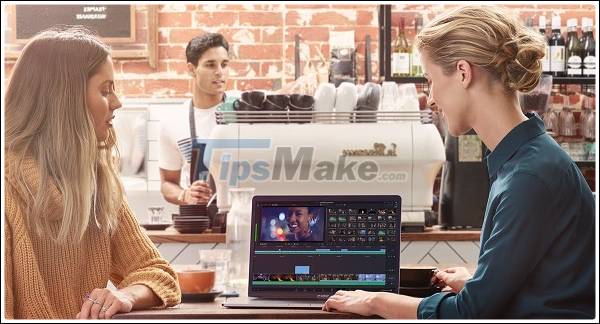
Recent versions of DaVinci Resolve take ideas from old tape-based editing systems to make cutting videos simpler. With the new 'Source Tape', DaVinci Resolve aggregates your footage into a single virtual tape making finding them fast and easy.
Conclude
There are many other video editors available for Mac, but if you're not sure where to start, one of the four options above will be right for you. If you don't have the budget yet, start with a free option. If you know you need development with a powerful feature set, it's time to try one of the paid options.
Key Takeaways
Use the information above as a practical reference for top 4 best video editing software on Mac. Review each step carefully, confirm any requirements, and choose the option that best fits your situation.
FAQ
What does this guide explain about Best Video Editing Software on Mac?
It explains the main concepts, practical considerations, and useful steps related to best video editing software on Mac without requiring advanced knowledge.
Who can benefit from learning about Best Video Editing Software on Mac?
This information is useful for readers who want a clear overview, practical guidance, and reliable steps related to best video editing software on Mac.
What should I check before applying this information?
Review the requirements, confirm that your device, software, or situation matches the instructions, and back up important data before making major changes.






Reader Comments 0
Sign in with email or Google to join the discussion.