Table of Contents
This curated overview of top 10+ best video editing software, free on PC focuses on useful options, standout features, and details worth checking before making a choice.
1. OpenShot
OpenShot is a video editing software with professional video processing features, cutting videos for you to get the perfect moments, creating animations for unique videos. OpenShot also helps remove backgrounds from your videos, invert colors, adjust brightness, and more.

Salient features
- Supports multiple video, audio, image formats (based on FFmpeg).
- Key Frame effect based on powerful curves.
- Support drag and drop, unlimited layers, number of songs.
- View video transition effects in real time, insert overlay images, watermark on video.
Information
- Publisher: OpenShot Studios.
- Size: 131,3 MB.
- Operating System: Windows 7/8 / 8.1 / 10.
- Recommended configuration: CPU Pentium or above.
- Link download here.
2. Blender
Blender is one of the most innovative 3D modeling and rendering software available today, helping you to create products for use in the fields of art, engineering, and graphics.

Salient features
- Tools for designing 3D models.
- Create effects for the model.
- Object preview and editing.
Information
- Publisher: Blender.
- Size: 160.5 MB.
- Operating System: Windows XP / Vista / 7/8 / 8.1 / 10.
- Recommended configuration: CPU Pentium or above.
- Link download here.
3. VSDC
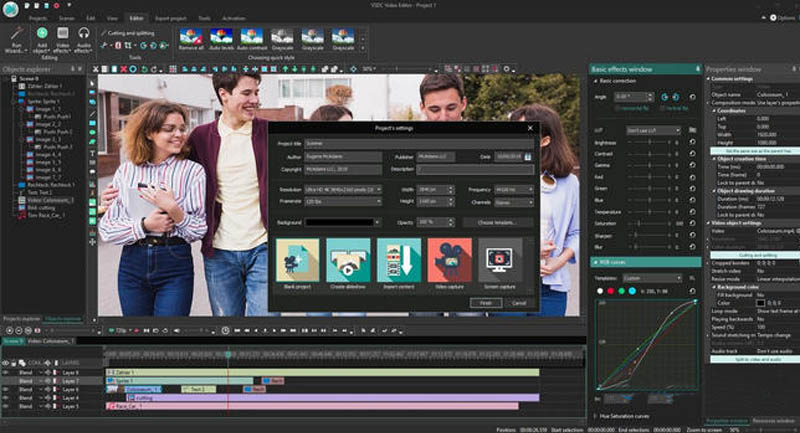
VSDC Free Video Editor is a video editing software that provides many features to help you customize your movie to get the quality and content you want.
Salient features
- Editing, processing and creating new video files.
- Provide many different visual effects.
- Many built-in sound effects.
- Save the edited work and apply in the next visit.
Information
- Publisher: Flash-Integro.
- Size: 74.7 MB.
- Operating System: Windows XP / Vista / 7/8/10.
- Recommended configuration: CPU Pentium or above.
- Link download here.
4. Lightworks
Lightworks is a video editing software with basic to advanced features that help you have many tools in adjusting parameters for videos, adding background music, effects to improve the quality of movies.

Salient features
- Cut and remove unwanted components on video.
- Add many effects to the video.
- Supports many video formats.
- Manage video files, save used editing keystrokes.
Information
- Publisher: Lightworks.
- Size: 67.4 MB.
- Operating System: Windows Vista / 7/8 / 8.1 / 10.
- Recommended configuration: CPU Pentium or above.
- Link download here.
5. HitFilm Express
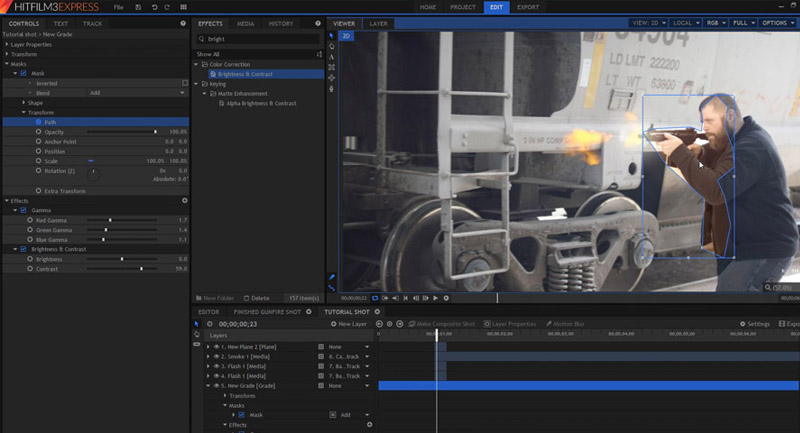
Free movie making software HitFilm Express assists you in making movies, creating and editing videos easily and effectively to create impressive movies like a filmmaker.
Salient features
- Unlimited video and audio.
- Easily organize music and video files by category or folder.
- Many editing tools like video trim, ripple, scroll, slide, slice and slide.
- Insert video clips from the cutter, add effects directly to the clip.
Information
- Publisher: FXhome.
- Size: 399,3 MB.
- Operating System: Windows Vista / XP / 7/8/10.
- Recommended configuration: CPU Pentium or above.
- Link download here.
6. DaVinci Resolve
DaVinci Resolve supports professional editing and enhancement of videos, providing the right set of tools and environments for video editing, color correction and project sharing, suitable for users working in filming field.

Salient features
- Nice and modern interface.
- Video editing, color correction and project sharing.
- Edit movies and videos.
- Suitable for users working in the field of filming.
Information
- Publisher: Blackmagic Design.
- Size: 531 MB.
- Operating System: Windows 8/10 64-bit.
- Recommended configuration: CPU Pentium or above.
- Link download here.
7. Shotcut
Shotcut is a cross-platform and completely free video editing software. Shotcut supports hundreds of audio, video and codec formats . and allows extracting images from webcam with live audio or livestream.

Salient features
- Video editing based on advanced algorithms.
- Support importing multiple image formats from video frames.
- Change parameters for output video.
- Editing in 3-dimensional space, supporting drag-and-drop and batch encryption of files at the same time.
Information
- Publisher: Shotcut.
- Size: 71.6 MB.
- Operating System: Windows XP / Vista / 7/8.
- Recommended configuration: CPU Pentium or above.
- Link download here.
8. Avidemux
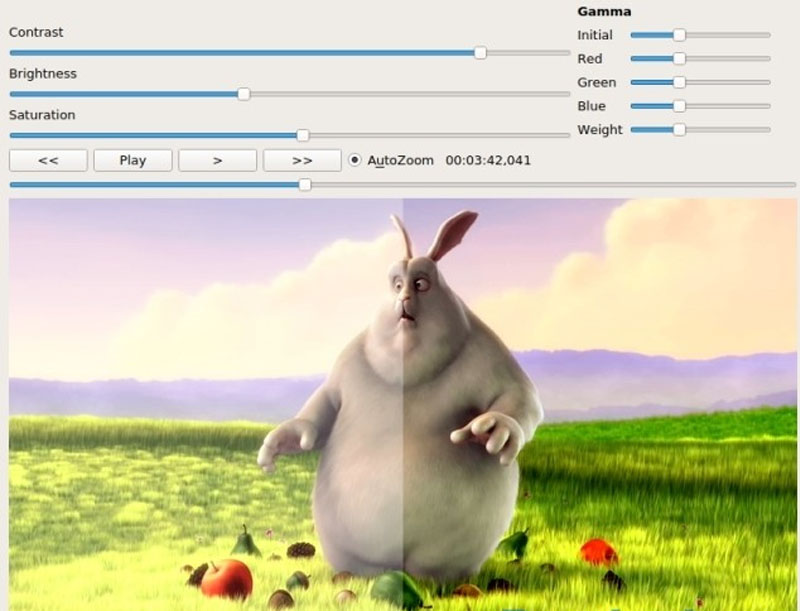
Avidemux is free video cutter software designed for simple cutting, filtering and encoding. Avidemux is very flexible, supports AVI, DVD compatible MPEG, MP4 and ASF files using a wide range of codecs.
Salient features
- Cut, join, join video quickly and simply.
- Supports many different output video formats: AVI, FLV, MPEG-1, MPEG-2, DivX, MOV, H.263, 3GP, .
- Works with many popular audio formats: OGG, MP3, AC3, WMA, .
- Delete unnecessary videos.
Information
- Publisher: Avidemux.
- Size: 35,7 MB.
- Operating System: Windows 2000 / XP / Vista / 7/8 / 8.1 / 10.
- Recommended configuration: CPU Pentium or above.
- Link download here.
9. Windows Movie Maker
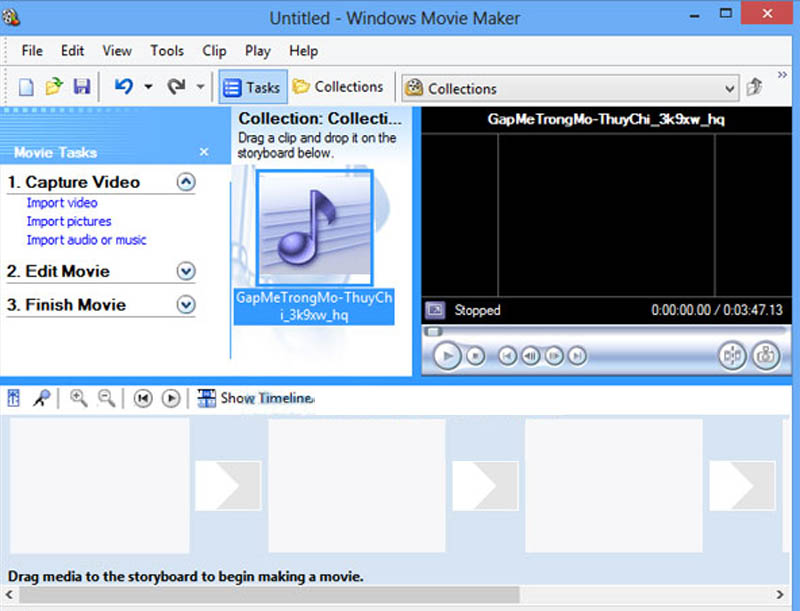
Windows Movie Maker is video creation software that helps you capture life's memorable moments by combining photos and music in a storytelling sequence of your choice.
Salient features
- Create video from images.
- Video editing and filmmaking.
- Allows inserting background music into the video.
- Edit and preview photos, videos, export videos to many different formats.
Information
- Publisher: Microsoft.
- Size: 131 MB.
- Operating System: Windows XP / 7/8 / 8.1 / 10.
- Recommended configuration: CPU Pentium or above.
- Link download here.
10. Proshow Producer
ProShow Producer is a video making software that helps you combine personal images in a slideshow video with dynamic background music and unique transition effects.

Salient features
- Insert content for the album.
- Provide many creative effects.
- Videos are in HD quality.
Information
- Publisher: Photodex.
- Size: 59.8 MB.
- Operating System: Windows XP / Vista / 7/8 / 8.1 / 10.
- Recommended configuration: CPU Pentium or above.
- Link download here.
11. VideoPad
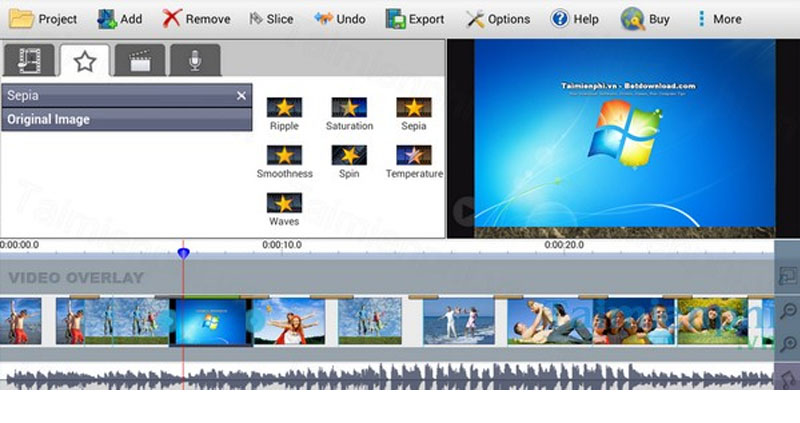
VideoPad Video Editor is a video editing tool with many different features that makes it easy to create new videos with your own style. The program supports many popular audio, video, image formats AVI, MPEG, VOB, 3GP, JPG, TIF, BMP, MP3, WAV, WMA, FLAC, .
Salient features
- Provides many video editing tools.
- Provide many photo effects, transition effects.
- Efficient audio mixing tool.
- Record audio directly through the respective device.
- Burn video to DVD disc, compatible video with many different handsets.
Information
- Publisher: NCH Software.
- Size: 2.8 MB.
- Operating System: Windows XP / Vista / 7/8 / 8.1 / 10.
- Recommended configuration: CPU Pentium or above.
- Link download here.
Key Takeaways
Use the information above as a practical reference for top 10+ best video editing software, free on PC. Review each step carefully, confirm any requirements, and choose the option that best fits your situation.
FAQ
What does this guide explain about Top 10+ Best Video Editing Software, Free on PC?
It explains the main concepts, practical considerations, and useful steps related to top 10+ best video editing software, free on PC without requiring advanced knowledge.
Who can benefit from learning about Top 10+ Best Video Editing Software, Free on PC?
This information is useful for readers who want a clear overview, practical guidance, and reliable steps related to top 10+ best video editing software, free on PC.
What should I check before applying this information?
Review the requirements, confirm that your device, software, or situation matches the instructions, and back up important data before making major changes.
Related Articles
 Top Best Video Editing Software on Computer13 minutes read
 Free Software to Replace the Classic Windows Movie Maker Video9 minutes read
 Download ACDSee Video Studio 3.0 Is Free3 minutes read
 Best AI Video Editing Tools9 minutes read
 Top 5 Best Free Video Editing Software 20214 minutes read
 Top Free Video Editing Apps Without Watermarks15 minutes read
Reader Comments 0
Sign in with email or Google to join the discussion.