Table of Contents
TikTok has just updated the feature of listening to TikTok music when the screen is off, so you can still listen to content without having to open the screen like before.
TikTok has just updated the feature of listening to TikTok music when the screen is off, so you can still listen to content without having to open the screen like before. You just need to activate the music listening mode on TikTok without having to install any additional supporting applications. Below are instructions for listening to TikTok music when the screen is off.
Instructions for listening to TikTok music with the screen off
Step 1:
You open the TikTok app then Press and hold on the video screen To display the TikTok video customization list. Now you will see The Background Sound setting .
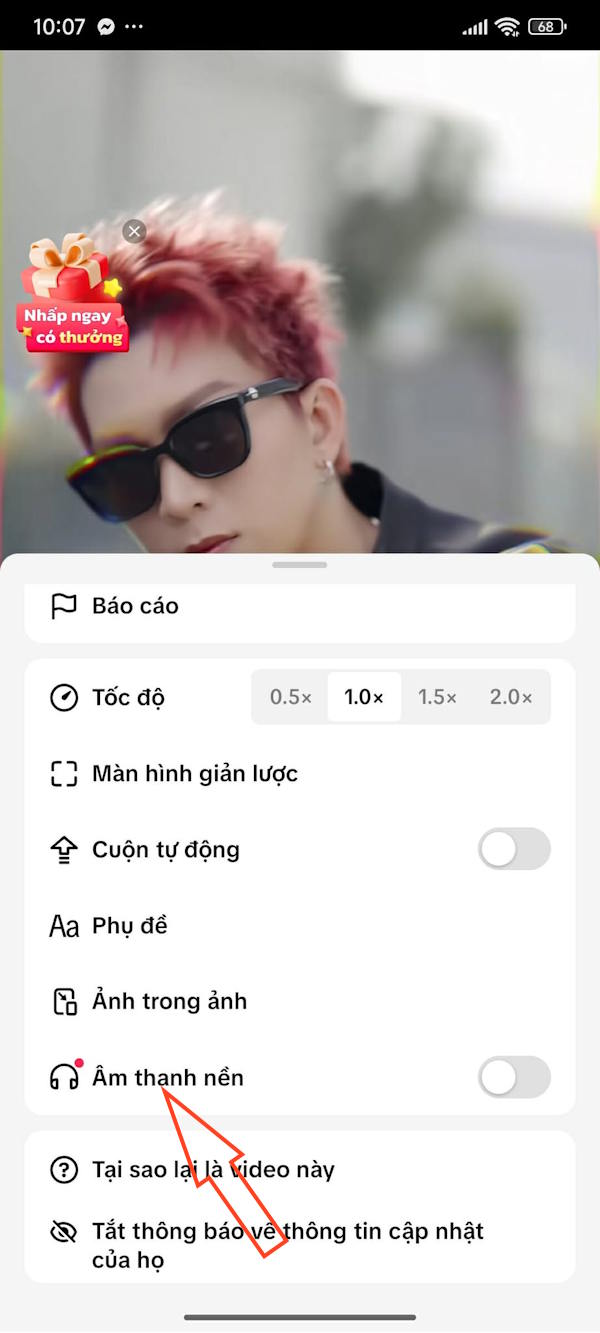
Step 2:
Enable Background Sound To listen to TikTok music with your screen off.
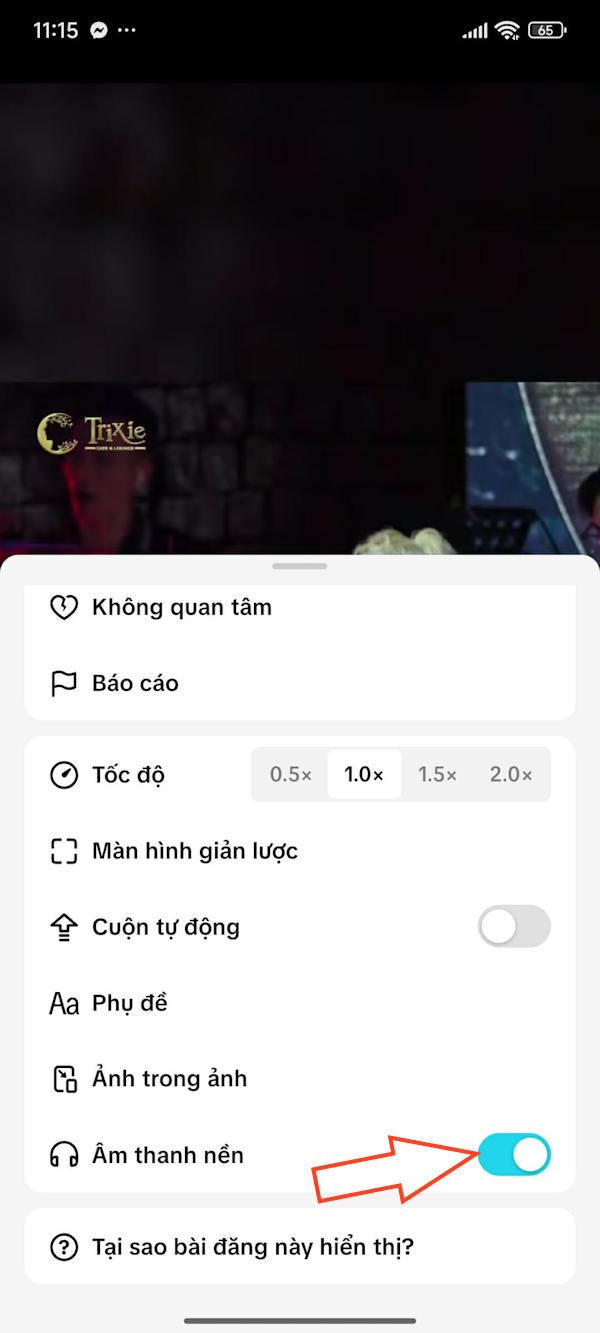
Step 3:
Now you turn off the screen and you will see the TikTok music player frame with music control icons. Here you can pause music, or switch TikTok videos.

FAQ
What should you know about the options in this guide?
In practical terms, TikTok has just updated the feature of listening to TikTok music when the screen is off, so you can still listen to content without having to open the screen like before.
Which option is the best choice?
The best choice depends on your priorities, compatibility, budget, and the specific features discussed in the comparison.
What should you compare before deciding?
Compare core features, limitations, ease of use, compatibility, and long-term value before making a decision.
Related Articles
 What Is Tiktok Music?5 minutes read
 15 Great Benefits of Listening to Music You May Not Know15 minutes read
 How to Manage Your Music on TikTok4 minutes read
 15 Tips Spotify You Should Not Miss to Have a Better Listening8 minutes read
 Loudspeaker for Listening to Music: Make a Simple Music Speaker3 minutes read
 Tips for Using Tiktok for Beginners8 minutes read
Reader Comments 0
Sign in with email or Google to join the discussion.