Table of Contents
You can create a standard Azure free account or, if eligible, an Azure for Students account. Use Microsoft's current offer pages because credits, included services, eligibility, and verification steps can change.
Choose the right Azure account
Standard Azure free account
This option is intended for eligible new Azure customers. Microsoft currently asks for a Microsoft or GitHub account, a phone number, and a supported non-prepaid credit or debit card. The card is used for identity verification; a temporary authorization hold may appear. Review the current requirements on the official Azure account page.
Azure for Students
Eligible students can use Azure for Students without a credit card. Microsoft requires academic-status verification and applies eligibility, age, institution, and new-customer conditions. Use your own school credentials and do not try to reuse another person's student status.
How to create a standard Azure free account
- Open Microsoft's official Azure account page and select the free-account option.
- Sign in with the Microsoft or GitHub account you want to associate with Azure.
- Complete identity verification using the methods Microsoft offers for your region.
- For a standard free account, enter a supported payment method on Microsoft's secure page.
- Read the agreement, privacy terms, offer limits, and upgrade conditions before submitting the registration.
Button labels and page layouts may differ from the legacy screenshots in the original article. Do not follow an obsolete promotional route merely because it appears in an older image.
How to create an Azure for Students account
- Open the official Azure for Students page and select the sign-up option.
- Sign in with the account you want to use.
- Provide the academic information requested and complete verification through the available school email or institutional method.
- Review the offer terms, credit expiration, service exclusions, and renewal conditions.
- After approval, sign in to the Azure portal and confirm which subscription is active before creating resources.
Sign in to the Azure portal
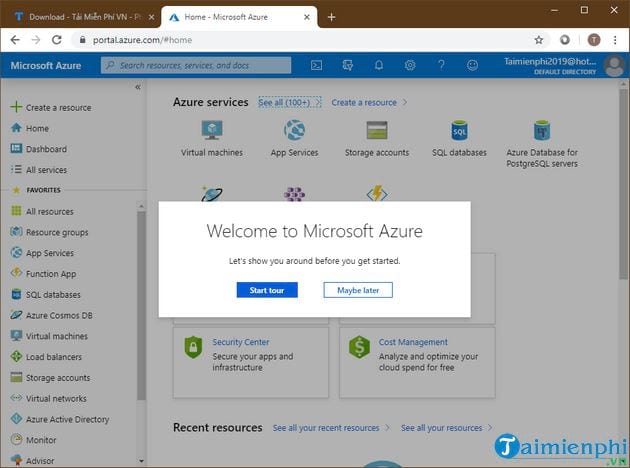
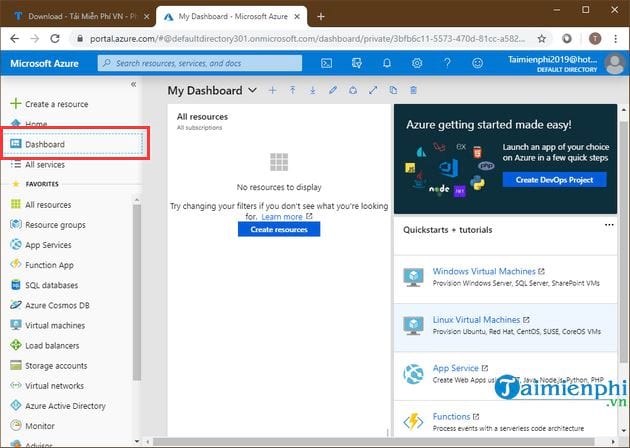
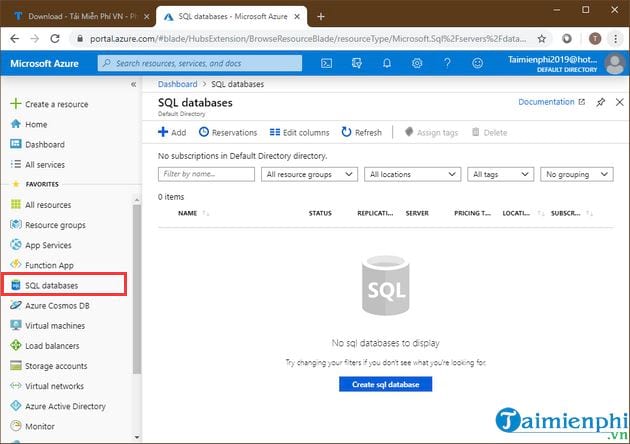
After the subscription is created, open portal.azure.com and sign in. The following legacy screenshots show the general dashboard and service areas; the current portal may look different.
Avoid unexpected Azure charges
- Free does not mean unlimited. Each service has quantities, regions, durations, and eligibility rules.
- Check the subscription's spending limit before creating resources. Removing a spending limit or upgrading to pay-as-you-go can make usage billable.
- Create a budget and cost alerts in Cost Management.
- Stop and delete test resources when you no longer need them; stopping a VM does not necessarily stop charges for every attached resource.
- Review free-service usage and costs regularly because reporting can be delayed.
- Do not deploy third-party marketplace products until you understand their separate charges.
Microsoft's guide to avoiding free-account charges explains when costs can occur. Also review how to track free-service usage.
Account security
Enter identity and payment details only on verified Microsoft domains, use a unique password, enable multifactor authentication, and never share verification codes. If the sign-up page requests information that does not match Microsoft's current official requirements, stop and verify the URL.
Related Articles
 What Is Azure Sphere? Explained9 minutes read
 Windows Azure Will Change Its Name to Microsoft Azure4 minutes read
 Latest Azure Latch Roblox Code and Instructions for Redeeming Codes For6 minutes read
 Microsoft Demonstrated the Azure Cloud Platform4 minutes read
 Already Able to Test Windows 11 on Azure Virtual Desktop3 minutes read
 Microsoft Windows Azure: Explore the 'Cloud' Operating System8 minutes read
Reader Comments 0
Sign in with email or Google to join the discussion.