Table of Contents
Choose dual boot when the second operating system needs direct access to the computer's hardware and you are comfortable repartitioning the disk. Choose a virtual machine when convenience, isolation, snapshots, and running both systems at the same time matter more than maximum graphics or device performance.
| Question | Dual boot | Virtual machine |
|---|---|---|
| Can both systems run at once? | No; restart to switch | Yes, subject to host resources |
| Hardware access | Direct | Virtualized or passed through |
| Setup risk | Partition and bootloader changes | Mostly contained in VM files |
| Best for | Games, GPU-heavy work, long sessions | Testing, development, legacy apps, short tasks |
| Easy rollback | Requires backups or system imaging | Snapshots and disposable copies |
How dual boot works
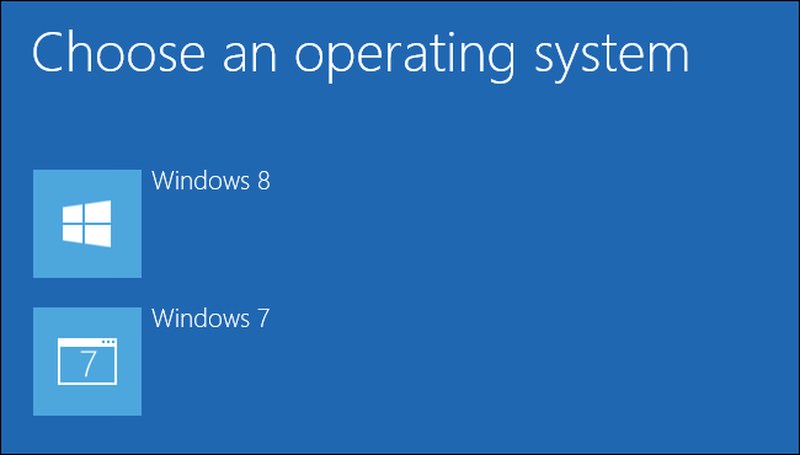
Each operating system is installed in its own partition or drive. A boot menu selects which one starts, and only the selected system runs until the computer is restarted.
Advantages
- The active OS can use the machine's hardware directly.
- It is generally the better fit for demanding 3D graphics, gaming, specialized drivers, and device access.
- No host operating system consumes CPU or memory in the background.
Disadvantages and risks
- You must restart to switch systems.
- Creating or resizing partitions and changing the bootloader can cause data loss or startup problems if done incorrectly.
- Sharing files between operating systems requires a compatible filesystem and careful permissions.
- Removing one OS later may require repairing the remaining boot configuration.
Back up important files and recovery keys before changing partitions. A dual-boot setup is not inherently unsafe, but both systems may be able to read shared partitions, so malware or user error can affect shared data.
How a virtual machine works
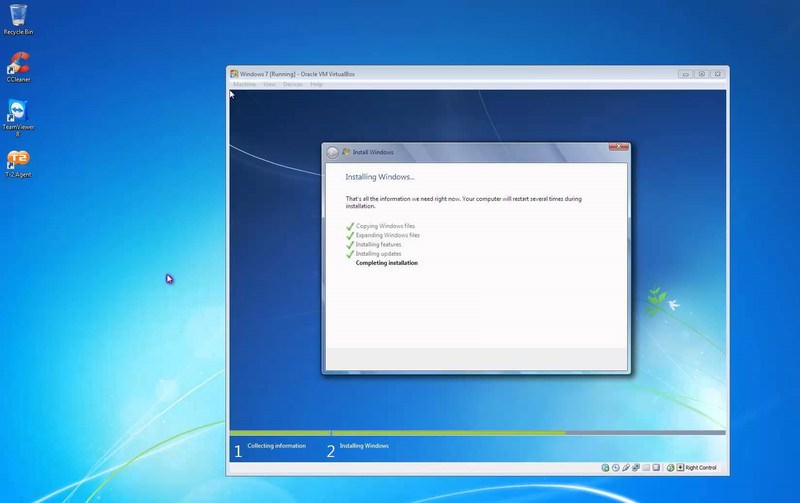
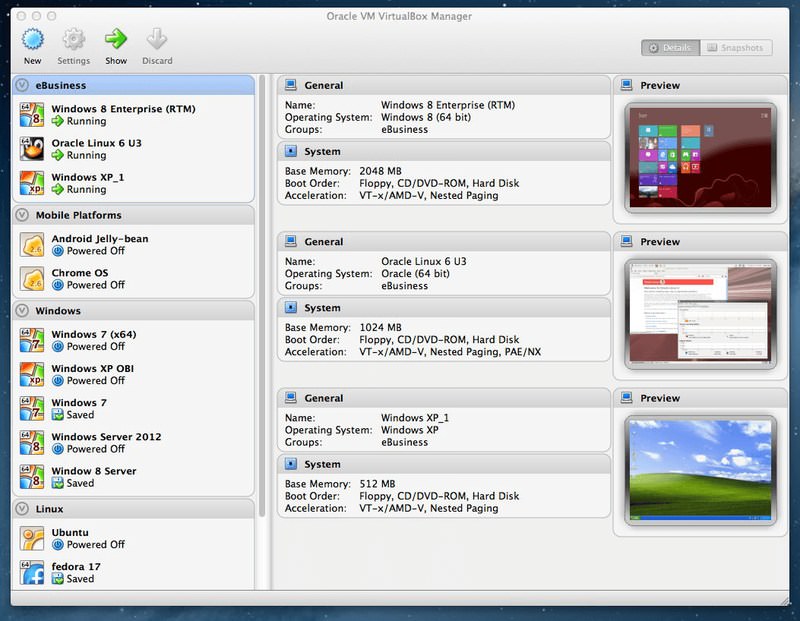
A hypervisor such as VirtualBox, VMware Workstation, or Hyper-V presents virtual hardware to the guest OS. The guest normally lives in one or more files on the host.
Advantages
- Run the host and guest at the same time and switch between them like applications.
- Create snapshots before risky tests and clone a VM for repeatable work.
- Move or copy a VM more easily than a physical installation, subject to product compatibility and licensing.
- Use NAT or isolated networks to control how the guest connects.
Disadvantages and limits
- The host and guest share memory, CPU, storage bandwidth, and sometimes graphics resources.
- GPU acceleration, low-latency devices, some USB hardware, and anti-cheat-protected games may not work as expected.
- A VM is not a perfect security boundary. Shared folders, clipboard integration, network access, hypervisor flaws, and unsafe files can still expose the host.
- Snapshots are convenient rollback points, not substitutes for independent backups.
Choose dual boot when
- You will use the second OS regularly for long sessions.
- Native graphics, gaming, audio, or hardware compatibility is essential.
- The computer has enough storage for separate installations and you can manage partitions safely.
Choose a virtual machine when
- You are evaluating an OS or running it occasionally.
- You need both operating systems open at the same time.
- You want disposable test environments, snapshots, or easy cloning.
- The workload is primarily development, office, browser, server, or command-line work rather than demanding graphics.
A practical middle ground
Test the second operating system in a VM first. If performance or hardware access is inadequate and you still need it regularly, plan a dual-boot installation after making a verified backup.
For installation planning, read TipsMake's dual-boot guide. If you choose virtualization, compare VirtualBox, VMware, and Hyper-V before creating the VM.
Related Articles
 Dual Boot (Dual Boot) with Virtual Machine: Which One Should You8 minutes read
 Steps to Fix Dual Boot Option Not Showing in Windows 107 minutes read
 How to Run Windows Programs on Mac7 minutes read
 Should Linux Dual Boot?8 minutes read
 Advantages and Disadvantages of Dual Boot (Dual Boot)7 minutes read
 Installing Ubuntu in Virtualbox Does Not Need DVD or USB6 minutes read
Reader Comments 0
Sign in with email or Google to join the discussion.