Table of Contents
This updated guide examines The Latest Way to Register an Account in Vietnamese Status and organizes the essential facts, background, and practical takeaways in clear American English.
Poinsettia Vietnamese is a very effective mock exam website for students, to be able to take the test in TNTV you need to register for an account Vietnamese Poinsettia, then log in and learn lectures, solve exercises, practice with exams, practice tests. Here are instructions on how to register for an account in Vietnamese.
- Summary of best homework application on smartphones
- 7 best literary applications on the phone
- Top 10 best children's educational games on the phone
How to sign up for an account in Vietnamese
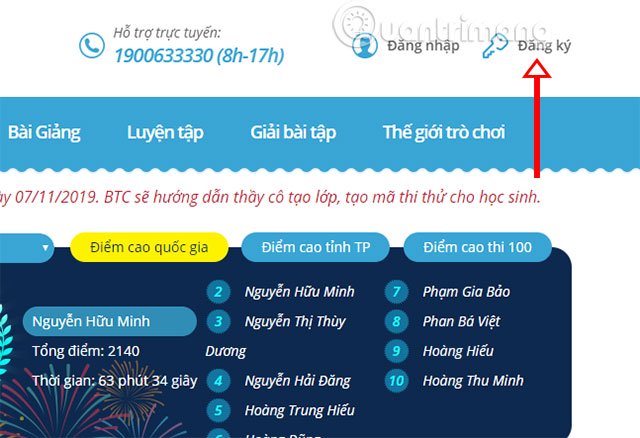
Step 1: Visit the link below to log in to Vietnamese Poinsettia, then click Sign up in the upper right corner.
Link to access Trang Nguyen Vietnamese
Step 2: After that, please fill in your account information, including your Full Name (Example: Nguyen Van A), the login name is the most memorable, enter the password for your account, select gender and date of birth below.

In the date of birth selection, to quickly select your birth year, click on the year of birth as shown below.
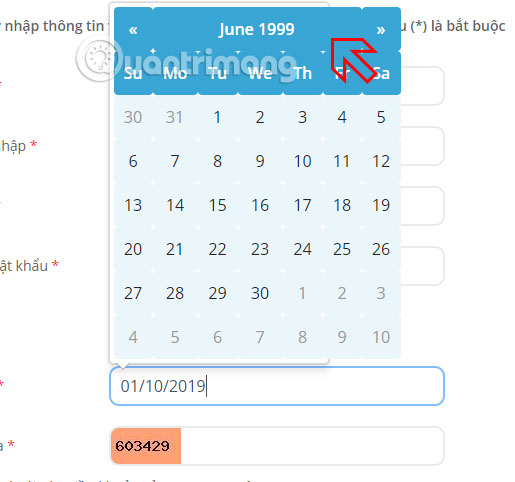
Click again until you see the year of birth
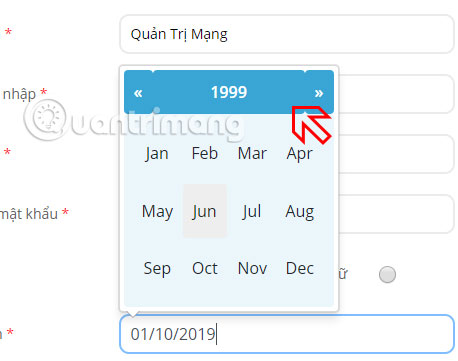
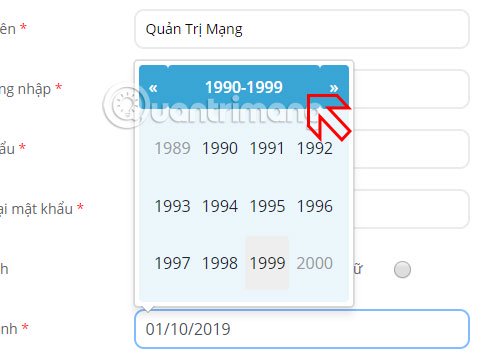
You can now click on the arrows in either direction to select a year of birth. Then select to month and day, finally enter the captcha code at the bottom and click Register button.
Once you have completed your account registration, you will be logged into the Vietnamese Poinsettia page. Click on your username and select Personal Page .
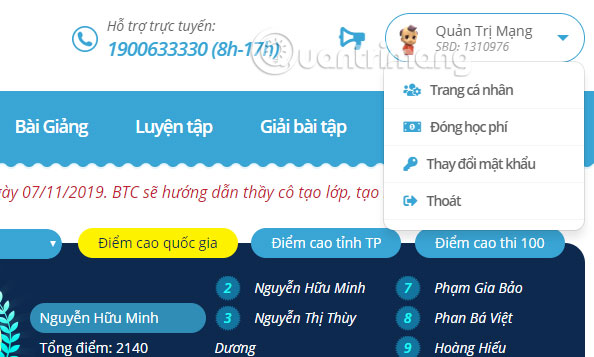
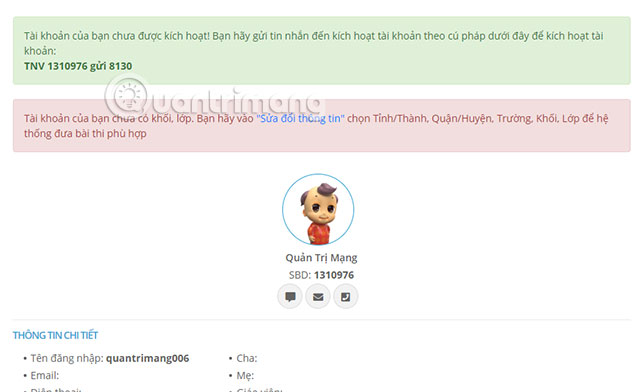
In the Profile page you will receive notice that your account has not been activated. You need to send the message in the syntax that Trang Nguyên Vietnamese has below.
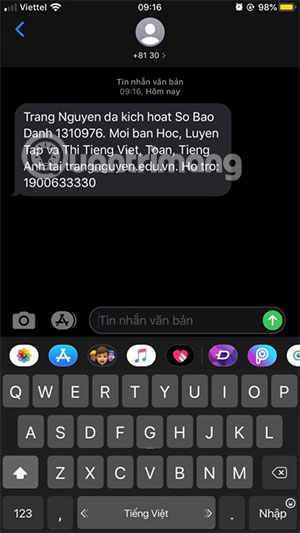
Once you have sent the message, you will receive a notification that your Vietnamese Poinsettian account has been activated.
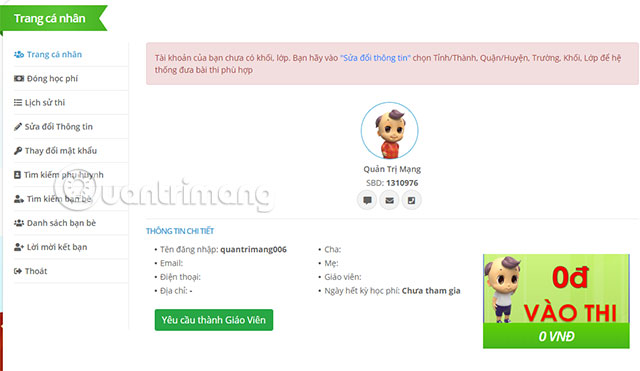
Next, to be able to use the features in Vietnamese Poinsettia, you need to go to the Edit information section in Personal page .
Here you enter some information such as email, phone number, date of birth, gender.
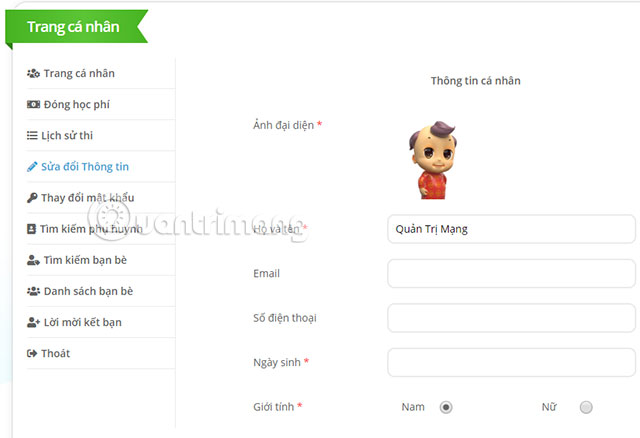
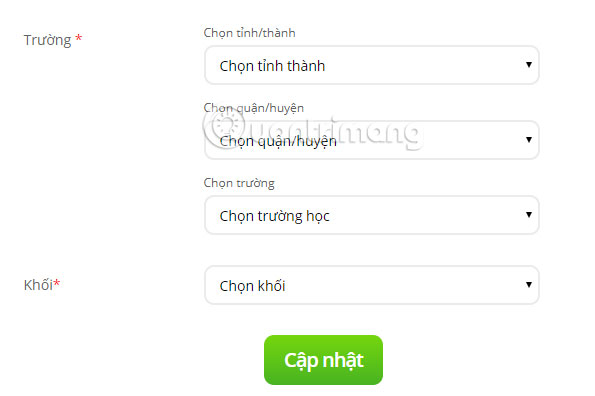
Below you need to select a Regional School and your child's grade level. Then click Update to finish updating the account content.
At this time, you can revisit the website Trang Nguyen to practice exam, find lectures, solve exercises.
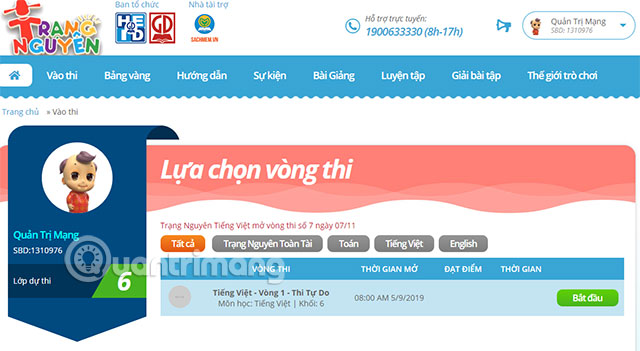
Poinsettia Vietnamese website provides students with lectures, mock exams, useful exercises of three main subjects including Math, Vietnamese and Foreign Languages. Accompanied by supplementary subjects such as Nature and Society, Fine Arts, Music.
FAQ
What is The Latest Way to Register an Account in Vietnamese Status about?
It provides a structured overview of register an account in nguyen nguyen vietnamese page, explains the main context, and highlights practical takeaways for readers.
Why does this topic matter?
Understanding the main concepts helps readers evaluate the issue, avoid common mistakes, and make better-informed decisions.
How should readers use this information?
Use the guidance as a practical starting point, confirm details that may have changed, and follow current product, safety, or security recommendations.
Related Articles
 How to Create a VTC Account: Complete Guide6 minutes read
 How to Register and Use Twitter: Step-by-Step Guide4 minutes read
 How to Register and Create a New Free Teamviewer Account (Latest Method)4 minutes read
 What Is ChatGPT Plus? How to Register ChatGPT Plus in Vietnam11 minutes read
 How to Register for Fbang, Create an Fbang Account4 minutes read
 How to Download, Create an Account and Log into Discord5 minutes read
Reader Comments 0
Sign in with email or Google to join the discussion.