Article on the subject of "portrait photo editing"
-

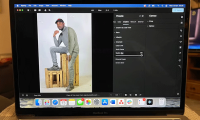
Aperty or Retouch4Me is the AI portrait photo editor that gives better results?
aperty and retouch4me are two standout options, each with their own strengths. but which one is best when it comes to results?
-
Aperty - Portrait photo editing tool, rival to Adobe Lightroom
skylum's latest photo editing software, aperty, is a strong competitor to adobe lightroom. with its focus on portraits, could it be a better choice for editing?
-
Aperty - Portrait photo editing tool, rival to Adobe Lightroom
skylum's latest photo editing software, aperty, is a strong competitor to adobe lightroom. with its focus on portraits, could it be a better choice for editing?
-
Download Phocus image editing software to remove fonts at 71,000 VND, free of charge
if you use android without a dual camera and still want to use portrait lighting as the iphone 8 plus and iphone x, then phocus photo editing software is the perfect choice for you.
-
How to delete photo wallpaper with Patch: Smart Portrait Editor iPhone
patch: smart portrait editor is an image editing application with the ability to delete photo backdrops, as when we used portrait mode to take photos of the background on iphone 7 plus ios 10.1.
-
Prompt creates classic portrait photos on Gemini.
with the creative power of gemini ai, you can easily transform your simple selfie into a stunning, cinematic retro portrait—a photo with classic charm.
-
Aperty or Retouch4Me is the AI portrait photo editor that gives better results?
aperty and retouch4me are two standout options, each with their own strengths. but which one is best when it comes to results?
-
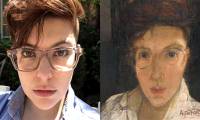
This website can turn your youthful selfie into a classic portrait of ghosts
turn your selfie photos into ghostly old portraits, post on facebook and make your friends admire.
-
How to take a photo in Portrait and Portrait Lighting mode on iPhone 7 Plus and 8 Plus
along with the new ios versions of apple are amazing improvements. in it, the new features of the most anticipated camera app are portrait mode and portrait lighting. below, tipsmake.com will guide you how to take photos with these 2 modes on iphone 7 plus devices and above.
-
Free online photo editing services should not be missed!
currently there are many services that support online photo editing and are completely free. users can conduct image editing with full editing tools from basic to advanced.
-
4 ways to edit smiles in portrait photos on Photoshop
there are several ways to edit smiles in photos using photoshop, such as using the liquify tool, neural filter, layers, and the puppet warp tool.
-
Facebook launched the 3D Photo feature, turning 2D portrait images into vivid 3D
since today, facebook users around the world have been able to use the 3d photo feature to transfer photos taken with portrai mode (portrait removal of fonts) to more vivid 3d images.
-
15 best photo editing apps for Android
to get beautiful, professional and impressive photos on android phones, the following 15 photo editing applications are definitely good choices for you.
-
Take professional portraits with your iPhone with Portrait Mode
tipsmake - the latest iphone models support portrait mode to help users have the most professional portrait photography tool.
-
How to adjust photos without downloading on Control V
control v edits images online, but users don't need to download them like traditional operations.
-
What is Portrait Mode? What is Portrait Lighting?
every new version of iphone has many noticeable improvements. in the iphone 7, 7 plus, iphone 8 versions, the noteworthy point is the smart shooting mode in apple's camera app. the two most appreciated modes are portrait mode and portrait lighting - which creates beautiful photos of the fonts.
-
Instructions for creating superimposed images on smartphones
no need to use expensive video capture devices, no need to go through complicated steps from photoshop, but still be able to create super-fast pics.
-
How to take Portrait Mode selfie photos on iPhone X
portrait mode on iphone x brings users a sharp light effect like when you took a photo in front.
-
How to use Aperty to edit portrait photos
many people use aperty for portrait editing – it has traditional raw development tools focused on editing portraits for great results and innovative ai tools dedicated to improving professional portraits.
-
How to Learn Editing
if you have a keen eye for detail, becoming an editor may be for you. the three main kinds of editing include video editing, photo editing, and copyediting. if you want to get into video and photo editing, you'll have to get the proper...
-
10 easiest photo editing software to use for beginners
while some photos are works of art, others need editing. this means you need some easy-to-use photo editing apps.
-
Please download the famous photo editing application Pixomatic photo editor for free
pixomatic for ios is a unique photo editing application on iphone. with just a few simple steps, pixomatic for ios will turn your photo into artistic masterpiece in a blink of an eye.
 Home
Home Tech info
 Technology
 Science
 Life
Life Application
 Electric
 Program
 Mobile
 System