Table of Contents
Choose ChatGPT Plus if you want the broader mix of voice, image generation, deep research, coding, connected tools, and multi-step agent work in one subscription. Choose Claude Pro if your work centers on Claude's writing and document workflows, Claude Code, Cowork, projects, and Microsoft 365 integration. Both are capable general-purpose assistants, and neither is automatically better at every prompt.
In the United States, both plans are listed at $20 per month at the time of this review. Claude also offers discounted annual billing, while taxes, currencies, app-store pricing, features, and limits can vary by region. API usage is separate from both consumer subscriptions.
The screenshots below come from an earlier comparison and may show retired models or an older interface. Use each service's current model picker and pricing page when making a purchase.
ChatGPT Plus and Claude Pro at a glance
| Category | ChatGPT Plus | Claude Pro |
|---|---|---|
| US list price | $20 per month | $20 per month; discounted annual option may be available |
| General use | Writing, research, learning, files, images, voice, coding, and agent workflows | Writing, research, files, projects, coding, document work, and connected workflows |
| Research | Web search and expanded Deep Research access where available | Web research capabilities and connected-source workflows; availability and limits vary |
| Images | Image understanding and generation are prominent Plus features | Can analyze images and create custom visuals or files in supported workflows; check current account features |
| Voice | Voice conversations are included, subject to plan limits and rollout | Do not assume parity with ChatGPT's live voice experience; verify the current Claude app features you need |
| Coding | Expanded Codex access plus coding in ChatGPT and ChatGPT Work | Claude Code access is included with Pro |
| Long-running work | Projects, scheduled tasks, ChatGPT Work, memory, and broader context | Projects, Claude Cowork, and knowledge-based workflows |
| Usage | Higher limits than Free; exact limits depend on model and feature | At least five times Free usage per session, plus session and weekly limits |
| API access | Not included; billed separately | Not included; billed separately |
Pricing pages change. Confirm ChatGPT Plus's current price and benefits and Claude Pro's current terms before subscribing.
What ChatGPT Plus is best at
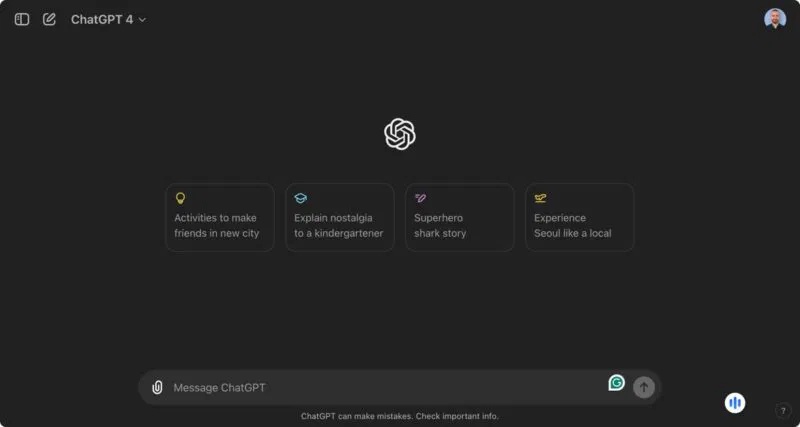
ChatGPT Plus is the stronger default for someone who wants one assistant across many media and task types. OpenAI currently lists advanced reasoning models, expanded messages and uploads, image creation, deep research, projects, scheduled tasks, Codex, and expanded ChatGPT Work access among the plan's benefits.
Choose Plus when you regularly need:
- live voice conversations as well as text;
- image generation and image editing;
- deep, source-based web research;
- file analysis, calculations, and charts;
- scheduled prompts or recurring tasks;
- Codex for software-development work;
- ChatGPT Work for longer multi-step tasks and finished deliverables;
- plugins or connected apps across different services; or
- projects with files, instructions, and related chats.
OpenAI's product surfaces evolve quickly. For example, the pricing page may list custom GPTs while the current Help Center says new GPT creation and publishing are unavailable on personal Free, Go, Plus, and Pro accounts. If creating a new custom GPT is essential, verify the control on your own account rather than buying Plus based on an older tutorial. Managed Business, Enterprise, and Edu workspaces have separate permissions.
The guide to current ChatGPT tools and apps explains when a plugin, project, custom GPT, or automation is the more appropriate way to extend a workflow.
What Claude Pro is best at
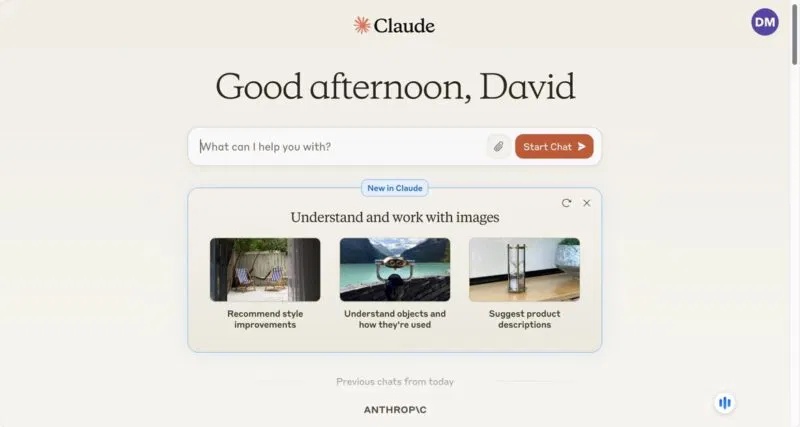
Claude Pro is attractive when you prefer Claude's response style or use Anthropic's surrounding work tools. Anthropic currently includes Claude Code and Cowork with Pro, along with more usage and priority access compared with its free service. Its pricing information also describes projects, more model access, Claude Design, and Microsoft 365 capabilities.
Choose Claude Pro when you regularly need:
- long-form drafting and revision in Claude's interface;
- projects that keep chats and a focused knowledge base together;
- Claude Code in a terminal or supported development environment;
- Cowork for longer, collaborative task execution;
- downloadable Word, PowerPoint, spreadsheet, or PDF files created from a conversation;
- supported Microsoft 365 workflows; or
- the option to continue past included limits using separately billed usage credits, with a spending cap.
Claude Pro still has usage limits. Anthropic describes a five-hour session window and weekly limits, with consumption affected by conversation length, attachments, model, and feature. Check Settings > Usage if you do sustained work with large files.
Writing: do not judge from one essay
Both products can outline, draft, edit, change tone, compare documents, and follow a house style. A single 500-word essay is a weak benchmark because model selection, prompt wording, source access, and randomness can change the result.
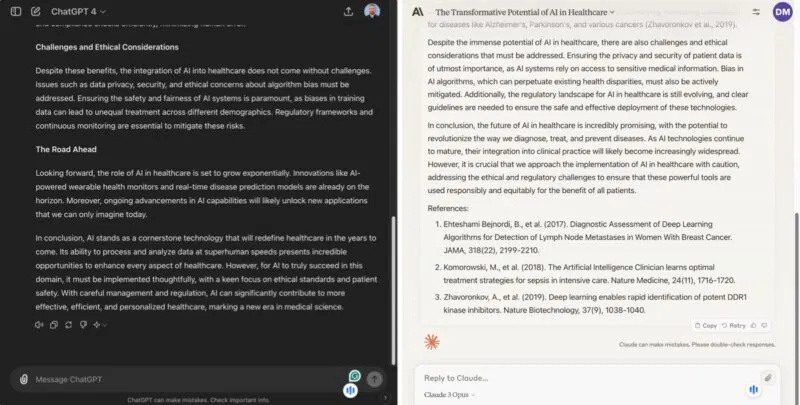
Never reward a model for producing a polished bibliography unless every source exists and supports the nearby claim. Page numbers, article titles, and quotations can be fabricated. A better writing test supplies the same source packet and asks each assistant to:
- write a brief for a defined audience;
- cite only the supplied sources;
- mark unsupported points rather than filling gaps;
- revise to a stated style guide; and
- explain the most important edits.
Score factual traceability, instruction-following, revision quality, and how much manual cleanup remains—not which first draft sounds more confident.
Research: compare traceability and coverage
ChatGPT Plus is a good fit when expanded Deep Research is central to your work. Claude can also research and use connected sources, but the experience, source handling, and limits differ. Test both on a topic you understand well.
Open every citation. Check whether the system distinguishes publication date from event date, uses primary sources, represents disagreement fairly, and admits when a document does not answer the question. For source-bound research, this NotebookLM versus ChatGPT comparison also helps explain when a dedicated source notebook may be preferable.
Data analysis: test reproducibility, not presentation
Both assistants can work with structured files, perform calculations, and create documents or charts in supported modes. The useful question is whether the result can be verified.
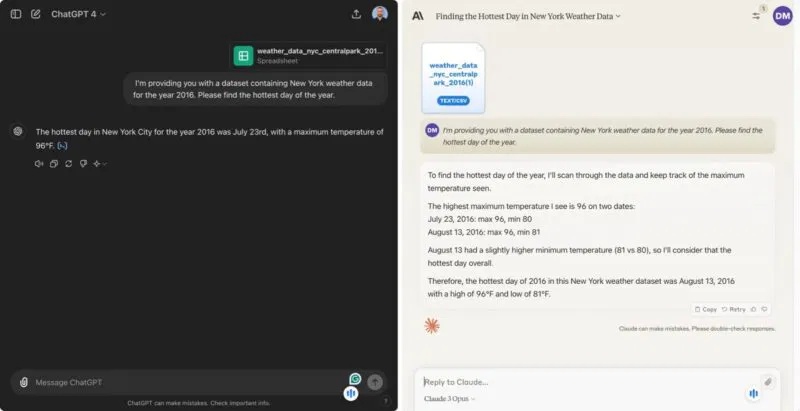
For a fair test, give each service the same CSV and ask it to:
- describe the columns and missing values;
- state the exact rule used to define the result;
- show the calculation or code;
- identify ties instead of returning only the first match;
- save a clean output table; and
- explain how to reproduce the answer.
A plausible sentence is not enough. Recalculate a sample independently, especially for financial, scientific, medical, legal, or operational decisions.
Coding: compare the full workflow
ChatGPT Plus includes expanded Codex access, while Claude Pro includes Claude Code. Both can explain code and help fix a snippet, but agentic coding tools are more meaningfully tested on a small repository.
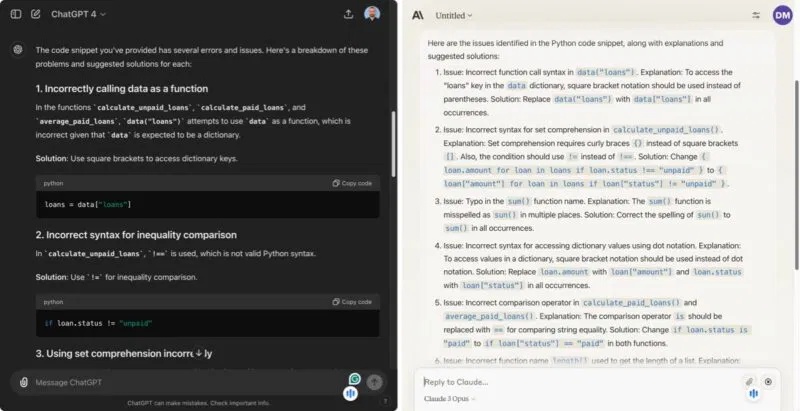
Use a disposable test project and ask each tool to locate a bug, write or update tests, make the smallest fix, run the checks, and summarize changed files. Review the diff before accepting it. Score:
- whether it understood repository instructions;
- the size and correctness of the change;
- test coverage and command output;
- security and dependency choices;
- how clearly it reports uncertainty; and
- how often you need to rescue the task.
If coding is your main reason to subscribe, compare the dedicated tools, not only the chat models. For a broader assistant comparison, see Claude versus ChatGPT by workflow.
Privacy and connected accounts
Both services can receive sensitive information through prompts, uploaded files, projects, or connectors. Consumer and organizational plans may have different training defaults, retention controls, and administrator protections. Read the current policy for the exact plan you will use.
- Do not upload confidential material merely to test a subscription.
- Remove secrets, credentials, customer records, and unnecessary personal data.
- Review training and data-control settings.
- Inspect the permissions of every connected app.
- Use temporary or limited-access test files first.
- For employer data, use only the approved workspace and integrations.
A practical seven-day test before paying
Use each free plan on the same small set of real tasks. Avoid changing prompts midway just to help one product win.
- Draft and revise a document using a supplied style guide.
- Research a current question and verify every source.
- Analyze a spreadsheet and reproduce one result manually.
- Summarize a long file and locate five facts by page or section.
- Complete a coding task or explain code you know well.
- Try the voice, image, project, and connector features you would actually use.
- Record where you hit a limit, need correction, or switch to another tool.
Then estimate whether the paid limits and exclusive features remove a real bottleneck. If both plans perform similarly for your work, subscribe monthly to one, review the decision after a billing cycle, and avoid paying for two overlapping tools without a distinct use for each.
Which plan should you buy?
- Choose ChatGPT Plus for the broadest all-in-one mix of voice, images, deep research, files, Codex, scheduled tasks, plugins, and multi-step work.
- Choose Claude Pro if Claude's writing and document experience, Claude Code, Cowork, projects, or supported Microsoft 365 workflow is the deciding factor.
- Stay on a free plan if you use AI occasionally and do not regularly hit a limit or need a paid-only feature.
- Consider neither consumer plan for a team rollout until you evaluate administration, data controls, identity, compliance, and workspace pricing.
The most reliable choice is the one that completes your recurring tasks with less correction, within acceptable limits and privacy controls. Model rankings and one-off prompt contests age quickly; a short test with your own workflow is more useful than a universal winner.
Related Articles
 Claude vs ChatGPT: Which AI Assistant Should You Use?10 minutes read
 4 Ways AI Claude Chatbot Outperforms Chatgpt6 minutes read
 The Difference Between Claude and ChatGPT13 minutes read
 6 Reasons to Use Claude Instead of ChatGPT7 minutes read
 Why Does Chatting with Claude Feel More Intimate Than ChatGPT?9 minutes read
 Why Claude Is the Super Smart AI Alternative to ChatGPT That's8 minutes read
Reader Comments 0
Sign in with email or Google to join the discussion.